
- Mark as New
- Bookmark
- Subscribe
- Mute
- Subscribe to RSS Feed
- Permalink
- Report Inappropriate Content
I was trying to learn how to add a dialog box to my 25 year old Fortran code. I was trying to follow along with this guide:
https://software.intel.com/en-us/node/535386
I have this version of Visual Studio:
Microsoft Visual Studio 2010
Version 10.0.40219.1 SP1Rel
Microsoft .NET Framework
Version 4.5.51209 SP1Rel
Installed Version: IDE Standard
Microsoft Visual Web Developer 2010 01011-532-2002361-70772
Microsoft Visual Web Developer 2010
Hotfix for Visual Studio 2010 Shell (Integrated) - ENU (KB2548139) KB2548139
This hotfix is for Visual Studio 2010 Shell (Integrated) - ENU.
If you later install a more recent service pack, this hotfix will be uninstalled automatically.
For more information, visit http://support.microsoft.com/kb/2548139.
Hotfix for Visual Studio 2010 Shell (Integrated) - ENU (KB2549864) KB2549864
This hotfix is for Visual Studio 2010 Shell (Integrated) - ENU.
If you later install a more recent service pack, this hotfix will be uninstalled automatically.
For more information, visit http://support.microsoft.com/kb/2549864.
Hotfix for Visual Studio 2010 Shell (Integrated) - ENU (KB2635973) KB2635973
This hotfix is for Visual Studio 2010 Shell (Integrated) - ENU.
If you later install a more recent service pack, this hotfix will be uninstalled automatically.
For more information, visit http://support.microsoft.com/kb/2635973.
Intel® Parallel Studio XE 2015 Composer Edition for Fortran Windows* Package ID: w_fcompxe_2015.1.148
Intel® Parallel Studio XE 2015 Composer Edition for Fortran Windows* Update 1 Integration for Microsoft Visual Studio* 2010, Version 15.0.0115.2010, Copyright © 2002-2014 Intel Corporation. All rights reserved.
* Other names and brands may be claimed as the property of others.
Security Update for Visual Studio 2010 Shell (Integrated) - ENU (KB2645410) KB2645410
This security update is for Visual Studio 2010 Shell (Integrated) - ENU.
If you later install a more recent service pack, this security update will be uninstalled automatically.
For more information, visit http://support.microsoft.com/kb/2645410.
Visual Studio 2010 Shell (Integrated) - ENU Service Pack 1 (KB983509) KB983509
This service pack is for Visual Studio 2010 Shell (Integrated) - ENU.
When I try to Open the .RC file with Resource Editor, I get an error that says rcdll.dll cannot be found but it is on my C: drive. How can I let the program know where to find the files?
What I would like to accomplish is to recompile my Console Fortran program as a Windows or Quick win program and have it open a Dialog box where I can select my input file, run my old Fortran routine, and save the output to either a file or another output window. No graphics, just text output.

- Mark as New
- Bookmark
- Subscribe
- Mute
- Subscribe to RSS Feed
- Permalink
- Report Inappropriate Content
Unfortunately, the Resource Editor is not available for use with the Visual Studio Shell, as Microsoft offers that only as part of Visual C++. What many people do is use a freeware tool available from www.resedit.net . You would run it outside Visual Studio and add its outputs to your project.
You should look at https://software.intel.com/en-us/compiler_winapp_f The book jm-nichols refers to is "Compaq Visual Fortran: A Guide to Creating Windows Applications "by Norman Lawrence. I agree it would be helpful here but it is hard to find nowadays.
Link Copied
- Mark as New
- Bookmark
- Subscribe
- Mute
- Subscribe to RSS Feed
- Permalink
- Report Inappropriate Content
I thought I had posted this but I see in my posts that it was in the Draft mode. Any help would be appreciated.

- Mark as New
- Bookmark
- Subscribe
- Mute
- Subscribe to RSS Feed
- Permalink
- Report Inappropriate Content
Buy or steal the COMPAQ Fortran Book written by an Aussie -- very good on this stuff.
John
- Mark as New
- Bookmark
- Subscribe
- Mute
- Subscribe to RSS Feed
- Permalink
- Report Inappropriate Content
Unfortunately, the Resource Editor is not available for use with the Visual Studio Shell, as Microsoft offers that only as part of Visual C++. What many people do is use a freeware tool available from www.resedit.net . You would run it outside Visual Studio and add its outputs to your project.
You should look at https://software.intel.com/en-us/compiler_winapp_f The book jm-nichols refers to is "Compaq Visual Fortran: A Guide to Creating Windows Applications "by Norman Lawrence. I agree it would be helpful here but it is hard to find nowadays.
- Mark as New
- Bookmark
- Subscribe
- Mute
- Subscribe to RSS Feed
- Permalink
- Report Inappropriate Content
I had a long reply typed but somehow it did not get saved. At any rate, I found the book used on Amazon for $13.97 and I bought it.
I also D/L the Resedit app and will have to figure it out.

- Mark as New
- Bookmark
- Subscribe
- Mute
- Subscribe to RSS Feed
- Permalink
- Report Inappropriate Content
Lots of luck on Resedit. I struggle with it due to lack of documentation, strange (in my mind) behavior, and the feeling that it was intended for those who work in Windows and already know what they are doing. I can hardly get it to work at all. I maintain an old version of Compaq Visual Fortran just because it includes a dialog editor that is much easier to use and understand.
In either case it's a little tricky to figure out which files to keep and how to integrate them with your program, especially if the program is to have more than one dialog. This is not well documented either, although the Lawrence book helps. I had to do a lot of "reverse engineering" (i.e. time spent on trial and error) to get things to work, and I'm still not comfortable with the finer points.
Please continue to post your experiences here for our benefit. Especially if you learn some pointers in running Resedit.
- Mark as New
- Bookmark
- Subscribe
- Mute
- Subscribe to RSS Feed
- Permalink
- Report Inappropriate Content
This forum is killing me. I have something in the comment and go to attach some screen shots and it wipes out my comment.
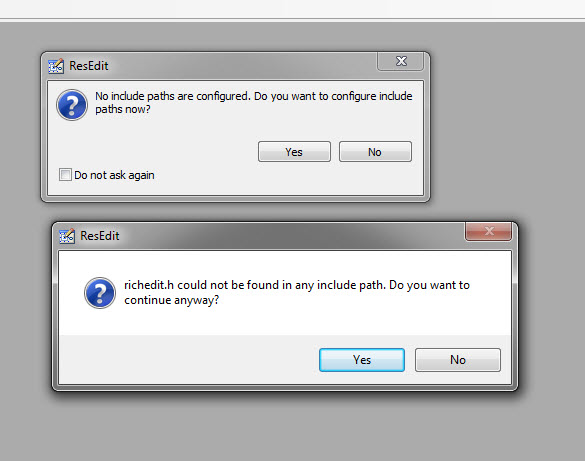
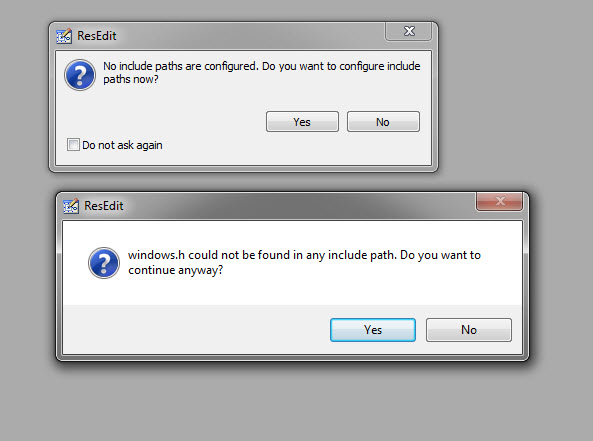
OH well. The ResEdit is a little tough to understand. It gave me some errors about file paths and I will attempt to attach a screen shot again.
I do have an old CD with CVF ver 6.6 and I wonder if it will coexist with my Intel Fortran Shell. Do you guys think it would be easier to use than ResEdit for doing Dialog boxes? Will CVF run in Win7?
My concept of a simple dialog box is to just be able to select an existing Input File and hit an OK button to run my Fortran program. I have used WinPrint in a couple of other programs to select a printer or the PDF writer to get my output saved. My output is just boring text with lots of numbers.
- Mark as New
- Bookmark
- Subscribe
- Mute
- Subscribe to RSS Feed
- Permalink
- Report Inappropriate Content
If you qualify, you can always try Visual Studio 2015 Community Edition, which is free. This works with Intel Fortran. (At least the 2013 edition did, I assume the 2015 version does too.) This includes the integrated resource editor. It's annoying that Microsoft won't let us provide the resource editor with the shell - we've asked.
- Mark as New
- Bookmark
- Subscribe
- Mute
- Subscribe to RSS Feed
- Permalink
- Report Inappropriate Content
I read over the qualifications for the free use and I'm not sure if I qualify. Here is my situation. I learned FORTRAN IV back in 1968 as a freshman Engineering student. I got a job at a Electric Utility as a Structural Engineer back in the 1970's when there was little commercial software for analyzing steel structures. I spent some long hours developing FORTRAN code to do some structural analysis of Towers and tapered tubular poles that we then had a fabricator build and we installed.
As the fabricators developed their own design software, they provided the pole designs and ASCE 48 Standard came about and my old FORTRAN programs were relegated to being used to check the fabricator's design. Fast Forward 25 years and my old Console programs still work after recompiling in IVF but the young guys are used to picking files from a window and not typing in the input file name.
I picked up an old program that could design an optimum steel pole that taxed the memory of a 286 class PC and took several minutes to crunch the numbers. I recompiled it in IVF and it takes about 4 seconds to finish on my HP Z800 workstation with 12 cores and a water cooler (I doubt my program uses more than 1 core), but you still have to type in the input file name. I had read and asked here in the Forum about creating Dialog boxes. To that end, I wanted to learn enough to add them to my old code.
We don't sell the designs, we just check the fabricator's work in our own internal group of 3 or 4 Engineers. With this in mind, I could say that my use of the VS 2015 Community Edition is "academic" so that I can modify some 25 year old code to be a little more modern.
I'm thinking I will D/L the free edition at home and work on the Dialog Box and see how to create the resource files and hope the Microsoft police don't knock down my door. ;)
- Mark as New
- Bookmark
- Subscribe
- Mute
- Subscribe to RSS Feed
- Permalink
- Report Inappropriate Content
If all you want to do is pick a file from a browser, you may find that utilizing dialogs is the wrong approach. In a console or quickwin application, Intel's implementation of dialog support does not include the common dialog controls (like getopenfilename) that you would need. Instead, you can use the API Getopenfilename directly. It's a bit of a chore, but Intel provides a sample code for this (sorry I forget the name or exactly where to find it) that you can probably adapt.
Also, search this thread for "Easy use of getopenfilename" for interesting discussion of this issue, especially if your application is Quickwin.
- Mark as New
- Bookmark
- Subscribe
- Mute
- Subscribe to RSS Feed
- Permalink
- Report Inappropriate Content
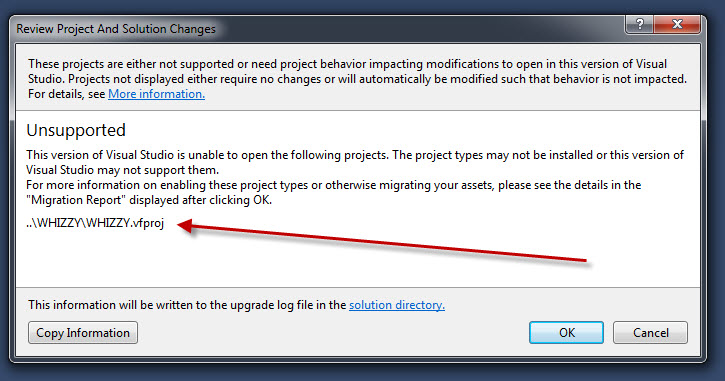
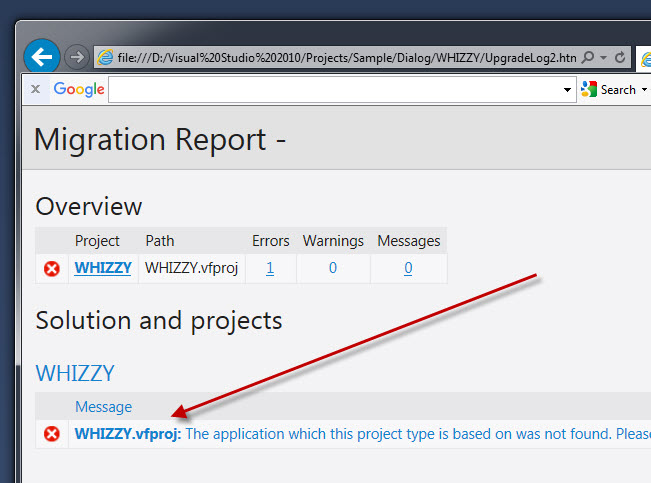
OK, I did D/L the VS 2015 Community and installed it, but when I try to open a project I created with the Fortran Shell, it says its not compatible.
I seem to remember that someone said you needed to install VS 20xx first then install the Fortran package for it to work. Is this true?
When opening an old Whizzy Fortran project it shows me this link:
http://go.microsoft.com/fwlink/?LinkId=558818&projecttype=6989167D-11E4-40FE-8C1A-2192A86A7E90
- Mark as New
- Bookmark
- Subscribe
- Mute
- Subscribe to RSS Feed
- Permalink
- Report Inappropriate Content
You need to reinstall or "modify" the Fortran install to recognize VS2015. (And it has to be a recent enough Fortran that supports VS2015).
- Mark as New
- Bookmark
- Subscribe
- Mute
- Subscribe to RSS Feed
- Permalink
- Report Inappropriate Content
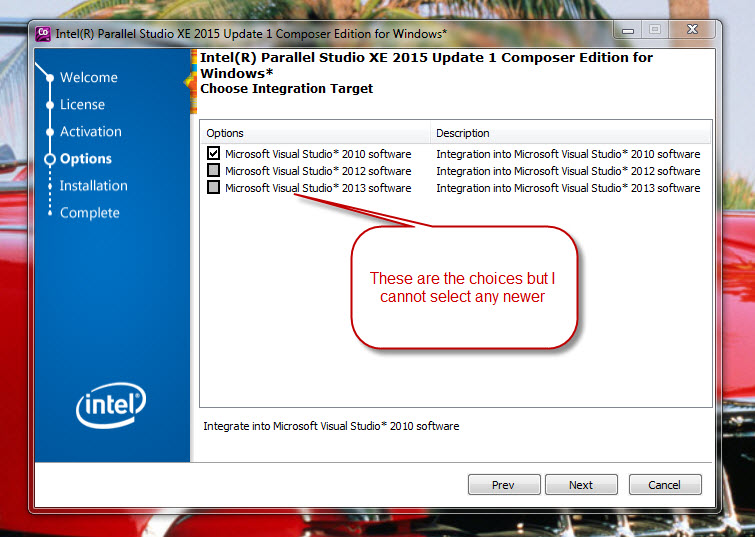
I tried to modify the Fortran install and it did not seem to work. My Intel Fortran XE 2015 looks like it uses VS 2010.
I have this version of Visual Studio:
Microsoft Visual Studio 2010
Version 10.0.40219.1 SP1Rel
Microsoft .NET Framework
Version 4.5.51209 SP1Rel
Intel® Parallel Studio XE 2015 Composer Edition for Fortran Windows* Package ID: w_fcompxe_2015.1.148
Intel® Parallel Studio XE 2015 Composer Edition for Fortran Windows* Update 1 Integration for Microsoft Visual Studio* 2010, Version 15.0.0115.2010, Copyright © 2002-2014 Intel Corporation. All rights reserved.
* Other names and brands may be claimed as the property of others.
Any clues what else I can try?

- Mark as New
- Bookmark
- Subscribe
- Mute
- Subscribe to RSS Feed
- Permalink
- Report Inappropriate Content
- Mark as New
- Bookmark
- Subscribe
- Mute
- Subscribe to RSS Feed
- Permalink
- Report Inappropriate Content
Alao https://software.intel.com/en-us/articles/intel-fortran-compiler-for-windows-required-and-optional-microsoft-development-software
- Mark as New
- Bookmark
- Subscribe
- Mute
- Subscribe to RSS Feed
- Permalink
- Report Inappropriate Content
I thought I would report back that I finally got Visual Studio Community installed and it works with my updated Parallel Studio XE 2016 Fortran compiler. When I originally installed the VS Community, I did not add the C++ as I should have, so I did a reinstall and added that. (I also added F# thinking it was some kind of new Fortran language). Once I uninstalled all my old Parallel Studio stuff and reinstalled the latest update, it works and I was able to compile one of my old projects.
Now I hope to start learning about Dialog boxes and XML parsing.
- Mark as New
- Bookmark
- Subscribe
- Mute
- Subscribe to RSS Feed
- Permalink
- Report Inappropriate Content
may the FORTRAN gods be with you in your hours ahead.
- Mark as New
- Bookmark
- Subscribe
- Mute
- Subscribe to RSS Feed
- Permalink
- Report Inappropriate Content
[email protected] wrote:Thanks for the kind encouragement. Looks like you are just up Hwy 6 from me if you are at collie station. I'm in Houston.
may the FORTRAN gods be with you in your hours ahead.


- Mark as New
- Bookmark
- Subscribe
- Mute
- Subscribe to RSS Feed
- Permalink
- Report Inappropriate Content
The DISLIN graphics library is another way to easily create simple dialog boxes with Fortran code:
http://www.star.le.ac.uk/~cgp/dislinGUI.html
http://www.mps.mpg.de/1760840/Overview
best regards
Michael

- Subscribe to RSS Feed
- Mark Topic as New
- Mark Topic as Read
- Float this Topic for Current User
- Bookmark
- Subscribe
- Printer Friendly Page