
- Mark as New
- Bookmark
- Subscribe
- Mute
- Subscribe to RSS Feed
- Permalink
- Report Inappropriate Content
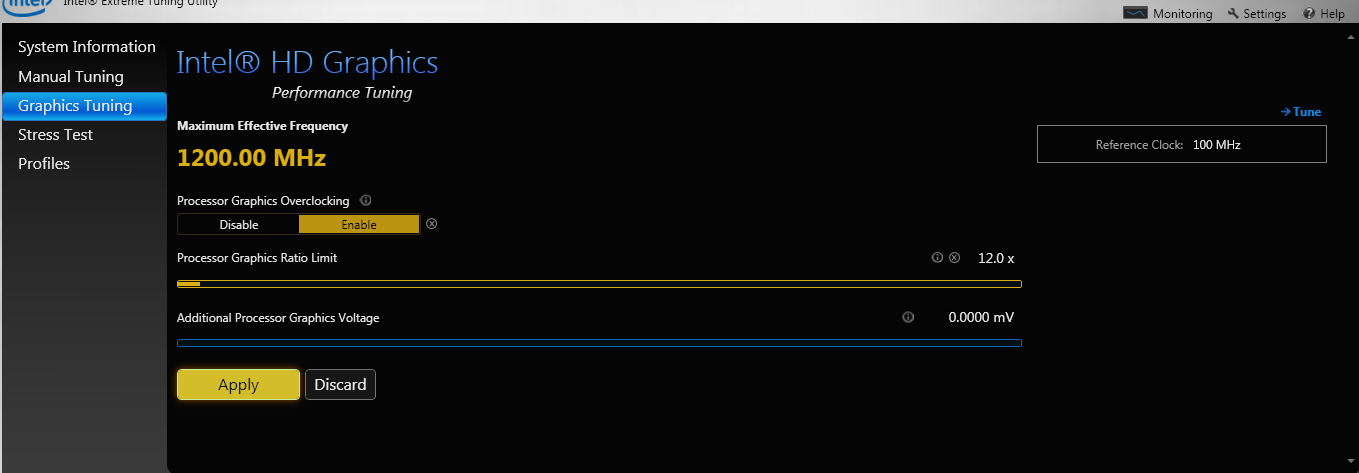
I'm trying to use Intel XTU to overclock my Intel HD 4000, but when I enable processor graphics overclocking, tune the options, and press APPLY
, the setting for processor graphics overclocking just switches back to 'disable'.
When I mouse over the , it says: Processor Graphics overclocking:
Default:disable
Active:disable
Proposed:disable
Link Copied


- Mark as New
- Bookmark
- Subscribe
- Mute
- Subscribe to RSS Feed
- Permalink
- Report Inappropriate Content
Hello Crabonok,
Can you please post the version of the Intel Extreme Tuning Utility are you using?
- Mark as New
- Bookmark
- Subscribe
- Mute
- Subscribe to RSS Feed
- Permalink
- Report Inappropriate Content
OK its the 3.2.0.24 version
When I use the latest version, it does not even have the option to tune a graphics card.
- Mark as New
- Bookmark
- Subscribe
- Mute
- Subscribe to RSS Feed
- Permalink
- Report Inappropriate Content
Hello Crabonok,
I would like to verify some more information from my side about this issue you are having. May I please have the computer brand and model and the exact processor model?
Thanks.

- Subscribe to RSS Feed
- Mark Topic as New
- Mark Topic as Read
- Float this Topic for Current User
- Bookmark
- Subscribe
- Printer Friendly Page