
- Mark as New
- Bookmark
- Subscribe
- Mute
- Subscribe to RSS Feed
- Permalink
- Report Inappropriate Content
Hello,
I am using an Intel Core i5‑1235U processor (Gen 12) with integrated Iris Xe graphics.
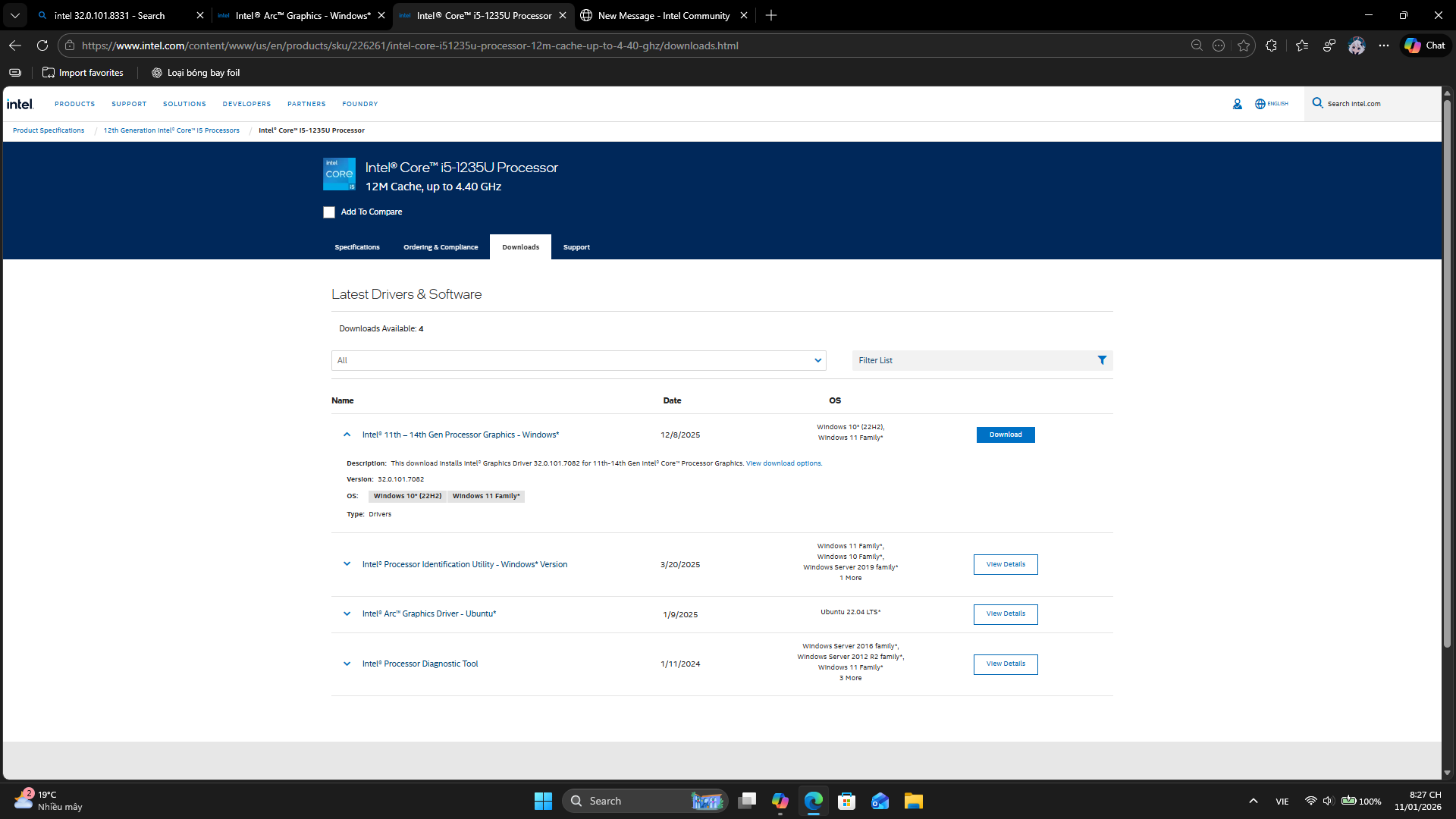
Recently, I noticed that the latest drivers (such as 32.0.101.8331) no longer support Iris Xe. Only older versions like 32.0.101.7076 or 7082 are available.
This situation is very inconvenient because Gen 11–14 CPUs are still relatively new, but users cannot update to the latest drivers. There has been no official announcement from Intel about ending support for Iris Xe.
Silently dropping support like this is not transparent and negatively affects many users. We expect Intel to provide clear communication and continue driver support for Iris Xe on Gen 11–14 CPUs.
Please clarify Intel’s position and future plans for Iris Xe driver updates.
Screenshots:
- Latest driver (8331) – Iris Xe not supported (237 KB)
- Last supported driver (7082) – Iris Xe still listed (160 KB)
Thank you for your attention.
Link Copied
- Mark as New
- Bookmark
- Subscribe
- Mute
- Subscribe to RSS Feed
- Permalink
- Report Inappropriate Content
Here is my system information:
- My device name : Msi modern 14 c12mo - 660vn
- Processor: Intel Core i5-1235U (Gen 12)
- Graphics: Intel Iris Xe
- RAM: 16 GB
- Storage: 512 GB SSD
- OS: Windows 11 insider preview build 26220.7535
- Mark as New
- Bookmark
- Subscribe
- Mute
- Subscribe to RSS Feed
- Permalink
- Report Inappropriate Content
“Just to clarify: although I mentioned Insider Preview, this issue also occurs on stable Windows 11 builds."


- Mark as New
- Bookmark
- Subscribe
- Mute
- Subscribe to RSS Feed
- Permalink
- Report Inappropriate Content
While I will agree that it wasn't very well done, it certainly wasn't 'silent'.
Intel hasn't (completely) stopped working on GFX drivers for the Gen 11-14 Core CPUs; they've simply split up the development of GFX drivers for the Gen 11-14 Core CPUs from that for Core Ultra CPUs and ARC GFX cards.
- You can download the latest Gen 11-14 Core GFX driver packages here: https://www.intel.com/content/www/us/en/download/864990/intel-11th-14th-gen-processor-graphics-windows.html.
- You can download the latest Core Ultra and ARC GFX driver packages here: https://www.intel.com/content/www/us/en/download/785597/intel-arc-graphics-windows.html.
- Finally, for completeness, you can download the latest Gen 7-10 Core GFX driver packages here: https://www.intel.com/content/www/us/en/download/776137/intel-7th-10th-gen-processor-graphics-windows.html. This was updated just last month (12/19/25), so still a happening thing too.
Hope this helps,
...S
- Mark as New
- Bookmark
- Subscribe
- Mute
- Subscribe to RSS Feed
- Permalink
- Report Inappropriate Content
"Thanks for clarifying and for sharing the official driver links. I’ve already tested the latest Gen 12 Iris Xe driver package on stable Windows 11 builds, and the issue still persists. This shows that even with the updated driver, the problem remains for Gen 11–14 users. Hopefully Intel can investigate further."

- Subscribe to RSS Feed
- Mark Topic as New
- Mark Topic as Read
- Float this Topic for Current User
- Bookmark
- Subscribe
- Printer Friendly Page