
- Marcar como novo
- Marcador
- Subscrever
- Silenciar
- Subscrever fonte RSS
- Destacar
- Imprimir
- Denunciar conteúdo inapropriado
Link copiado
1 Responder


- Marcar como novo
- Marcador
- Subscrever
- Silenciar
- Subscrever fonte RSS
- Destacar
- Imprimir
- Denunciar conteúdo inapropriado
Hello @JArau9
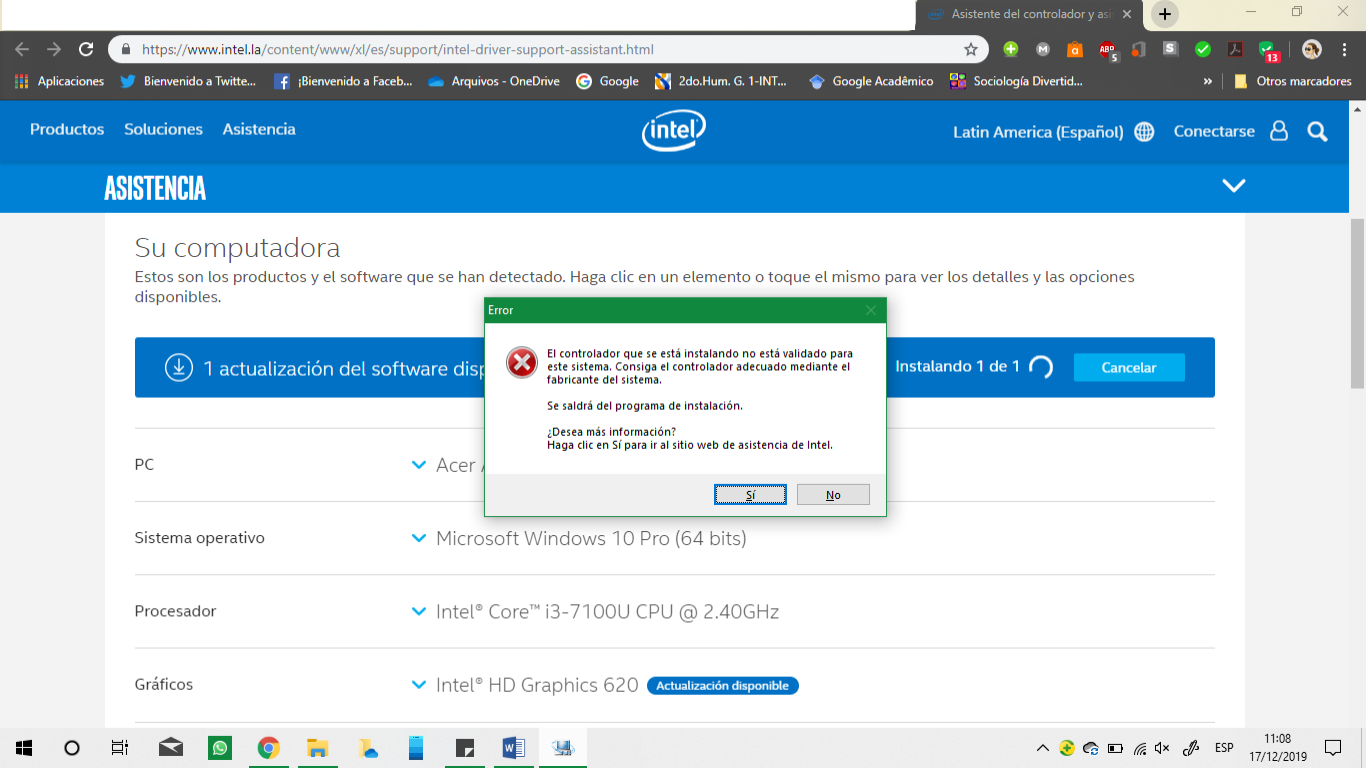
- Currently you have 100.6373 driver installed. This is the old-style Intel Graphics Driver. The new driver is new style DCH Graphics Driver. However, in order to install the new DCH style driver, you should do clean installation (i.e. first uninstall the current driver). Next time when you will update the DCH driver, it will do this without problems:
- Download the DCH driver version 26.20.100.7463 https://downloadcenter.intel.com/download/29195/Intel-Graphics-Windows-10-DCH-Drivers
- Disconnect the internet.
- Right click on currently installed driver (in Device Manager), then click on Uninstall device. Check the Delete the driver software from this device option.
- Reboot your computer. After finishing uninstalling you should see Microsoft Basic Graphics Adapter.
- Now, install previously downloaded driver 26.20.100.7463
- Reconnect the internet and reboot your computer.
Leon

Responder
Opções do tópico
- Subscrever fonte RSS
- Marcar tópico como novo
- Marcar tópico como lido
- Flutuar este Tópico para o utilizador atual
- Marcador
- Subscrever
- Página amigável para impressora