
- 신규로 표시
- 북마크
- 구독
- 소거
- RSS 피드 구독
- 강조
- 인쇄
- 부적절한 컨텐트 신고
Hi,
I have the following components:
Intel 9700K CPU
ASRock Phantom Gaming 6 Motherboard - latest BIOS 4.3 (Intel Z390 Chipset)
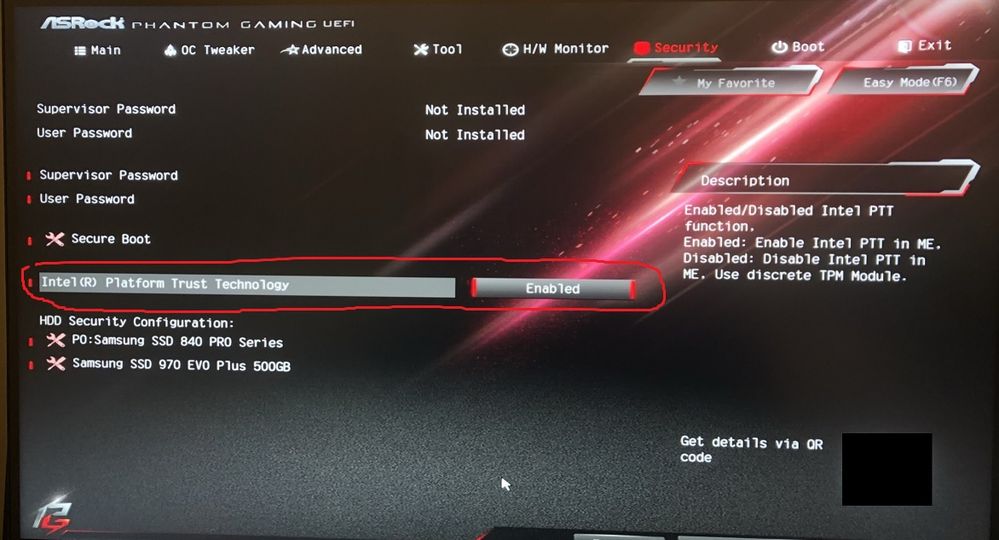
I have enabled Intel's Platform Trust Technology (PTT) in the BIOS, however Windows 10 seems to be totally unaware of it. Enabling it is supposed to be a workaround for the Windows 11 discrete TPM 2.0 requirement. ASRock even mentions it here for my specific motherboard. Yet when Intel PTT enabled in the BIOS, Windows refuses to acknowledge it even exists.
- Doesn't show up in Windows Security Centre under Device Security
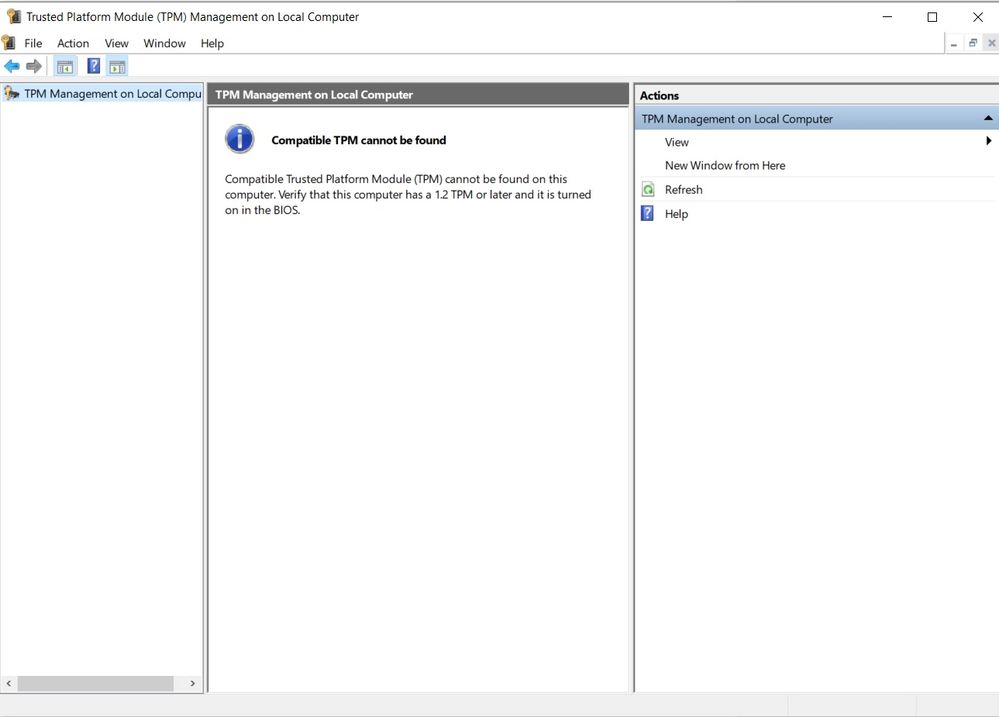
- TPM.MSC says there's no TPM installed
- No security devices show up in Device Manager
It feels like the motherboard hasn't enabled it at all. Has enyone else encountered this issue? Is there any other way to check Windows 10 is aware of PTT? Windows 10 recognises secure boot is enabled, but PTT seems to be invisible. Any ideas?
Thanks.

- 신규로 표시
- 북마크
- 구독
- 소거
- RSS 피드 구독
- 강조
- 인쇄
- 부적절한 컨텐트 신고
Then, there is a problem with the bios. Check with ASRock. regarding their bios, or update the bios with ASRock help.
Doc (not an Intel employee or contractor)
[Windows 11 is the new Vista]
링크가 복사됨
- 신규로 표시
- 북마크
- 구독
- 소거
- RSS 피드 구독
- 강조
- 인쇄
- 부적절한 컨텐트 신고
Right-click on start, select run, and enter TPM.MSC.
Doc (not an Intel employee or contractor)
[Windows 11 is the new Vista]
- 신규로 표시
- 북마크
- 구독
- 소거
- RSS 피드 구독
- 강조
- 인쇄
- 부적절한 컨텐트 신고
Then, there is a problem with the bios. Check with ASRock. regarding their bios, or update the bios with ASRock help.
Doc (not an Intel employee or contractor)
[Windows 11 is the new Vista]
- 신규로 표시
- 북마크
- 구독
- 소거
- RSS 피드 구독
- 강조
- 인쇄
- 부적절한 컨텐트 신고
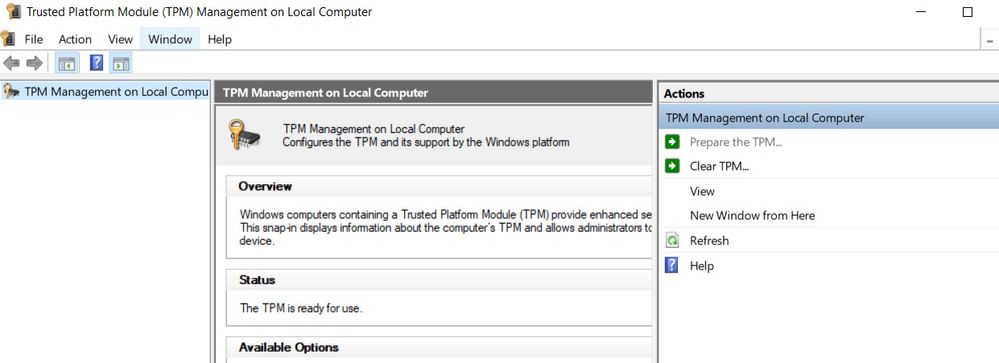
Thanks for the suggestion - I flashed the BIOS, but this time from the UEFI instead of Windows. Looks like I had been running an old version of the BIOS all this time. Thanks!
- 신규로 표시
- 북마크
- 구독
- 소거
- RSS 피드 구독
- 강조
- 인쇄
- 부적절한 컨텐트 신고
Thanks for the suggestion - I flashed the BIOS from the UEFI instead of Windows and it worked. Looks like I had been running an old version of the BIOS all this time!

- 신규로 표시
- 북마크
- 구독
- 소거
- RSS 피드 구독
- 강조
- 인쇄
- 부적절한 컨텐트 신고
Hi @LeonWaksman,
Yes, I've got that installed thanks, as well a (newer) version of the Intel INF driver listed on their product page.
