
- Mark as New
- Bookmark
- Subscribe
- Mute
- Subscribe to RSS Feed
- Permalink
- Report Inappropriate Content
Dear All -
When trying to do a iOS build, I am getting the following error -
Signing Identity:     "iPhone Developer: XYZ ABC (XBXNWKHJKDH)"
Provisioning Profile: "provisioning Profile"
                      (e3b9aea8-06cd-4147-81e9-a6ff8a2a51ee)

    /usr/bin/codesign --force --sign 20FC8432DFA5B2598D213BB42432E150800FC77E --resource-rules=.../HWI_WBP/platforms/ios/build/device/Saude\ Ativa.app/ResourceRules.plist --entitlements .../HWI_WBP/platforms/ios/build/Saude\ Ativa.build/Release-iphoneos/Saude\ Ativa.build/Saude\ Ativa.app.xcent .../HWI_WBP/platforms/ios/build/device/Saude\ Ativa.app
20FC8432DFA5B2598D213BB42432E150800FC77E: no identity found
Command /usr/bin/codesign failed with exit code 1
I created the csr file from XDK and generated the certificate from Apple Dev site and had it uploaded back in XDK. Also generated the provisioning profile including my new certificate. And added the provisioning profile under XDK project settings.
I'm getting the build error saying "no identity found". In the build log -> under "Signing Identity", it says a different team member name instead of mine. So I'm guessing that it is not using my identity and thus causing the problem. To prove my theory I removed all my team members from the Provisioning profile and kept only mine and generated and added that provisioning profile. That worked fine. But once I add my team members back to the provisioning profile, the signing identity points to a different developer and build fails.
Please help in solving this problem. It already took a full day of mine. Thanks in advance.
- Tags:
- HTML5
- Intel® XDK
Link Copied

- Mark as New
- Bookmark
- Subscribe
- Mute
- Subscribe to RSS Feed
- Permalink
- Report Inappropriate Content
Are you switching between Apple accounts as well or are you using the same Apple account?
Are you using a DISTRIBUTION certificate?
- Mark as New
- Bookmark
- Subscribe
- Mute
- Subscribe to RSS Feed
- Permalink
- Report Inappropriate Content
I'm not switching between Apple account. I have only one apple account and using the same. It is a development certificate (iOS App development).
Thanks.
- Mark as New
- Bookmark
- Subscribe
- Mute
- Subscribe to RSS Feed
- Permalink
- Report Inappropriate Content
You must use a DISTRIBUTION certificate. There is a difference in the two.
- Mark as New
- Bookmark
- Subscribe
- Mute
- Subscribe to RSS Feed
- Permalink
- Report Inappropriate Content
The fix for the unicode char in your DISTRIBUTION cert is now live. If that was blocking your build, it should build now. You still must use a distribution cert not a developer cert.

- Mark as New
- Bookmark
- Subscribe
- Mute
- Subscribe to RSS Feed
- Permalink
- Report Inappropriate Content
I am using a distribution cert but I am still getting the same error.
/usr/bin/codesign --force --sign 5C5C2983C05531152A3E37C9FC53D8FD4E8E81FE --resource-rules=.../xxxx/platforms/ios/build/device/xxxx.app/ResourceRules.plist --entitlements .../xxxx/platforms/ios/build/xxxx.build/Release-iphoneos/xxxx.build/xxxx.app.xcent .../xxxx/platforms/ios/build/device/xxxx.app
5C5C2983C05531152A3E37C9FC53D8FD4E8E81FE: no identity found
Command /usr/bin/codesign failed with exit code 1

- Mark as New
- Bookmark
- Subscribe
- Mute
- Subscribe to RSS Feed
- Permalink
- Report Inappropriate Content
@Kelvin -- are you sure the certificate you provided to the XDK build system and the provisioning file you provided in your project settings match? Also, confirm that both files are still "in date," meaning they have not expired.

- Mark as New
- Bookmark
- Subscribe
- Mute
- Subscribe to RSS Feed
- Permalink
- Report Inappropriate Content
Hi,
I need help.
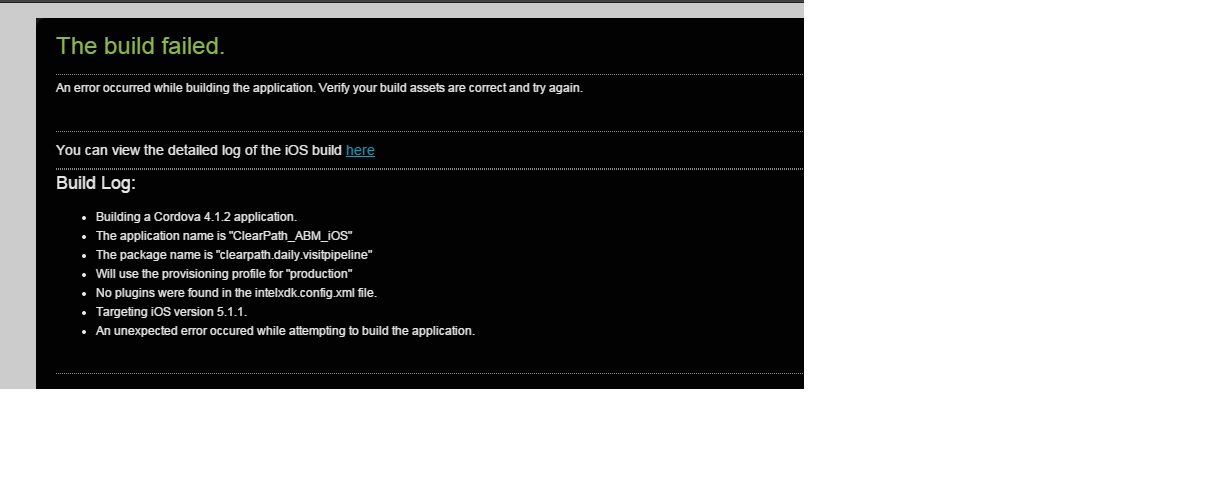
I am new in Intel XDK ios App development. But getting following issue.
Please suggest me a solution. I am trying to solve since 1 week but not solution.
To get complete report you can click here
    /usr/bin/codesign --force --sign 990C64C63A7B3521440C5AF337B79A246F6781C3 --resource-rules=.../ClearPath_ABM_iOS/platforms/ios/build/device/ClearPath_ABM_iOS.app/ResourceRules.plist --entitlements .../ClearPath_ABM_iOS/platforms/ios/build/ClearPath_ABM_iOS.build/Release-iphoneos/ClearPath_ABM_iOS.build/ClearPath_ABM_iOS.app.xcent .../ClearPath_ABM_iOS/platforms/ios/build/device/ClearPath_ABM_iOS.app
990C64C63A7B3521440C5AF337B79A246F6781C3: no identity found
Command /usr/bin/codesign failed with exit code 1

** BUILD FAILED **


The following build commands failed:
	CodeSign build/device/ClearPath_ABM_iOS.app
(1 failure)
Command finished with error code 65: .../ClearPath_ABM_iOS/platforms/ios/cordova/build --release,--device
Error: .../ClearPath_ABM_iOS/platforms/ios/cordova/build: Command failed with exit code 65
    at ChildProcess.whenDone (/Developer/cordova/4.1.2/node_modules/cordova/node_modules/cordova-lib/src/cordova/superspawn.js:135:23)
    at ChildProcess.EventEmitter.emit (events.js:98:17)
    at maybeClose (child_process.js:753:16)
    at Process.ChildProcess._handle.onexit (child_process.js:820:5)
- Mark as New
- Bookmark
- Subscribe
- Mute
- Subscribe to RSS Feed
- Permalink
- Report Inappropriate Content
Your second image show that you have selected a .cer file. This is incorrect. You need to specify a provisioning profile that you get from apples developer portal.


- Mark as New
- Bookmark
- Subscribe
- Mute
- Subscribe to RSS Feed
- Permalink
- Report Inappropriate Content
JOHN H. (Intel) wrote:
Are you switching between Apple accounts as well or are you using the same Apple account?
Are you using a DISTRIBUTION certificate?
John, what if I am switching between Apple accounts?
- Mark as New
- Bookmark
- Subscribe
- Mute
- Subscribe to RSS Feed
- Permalink
- Report Inappropriate Content
If you are switching between apple accounts, you will need to download the csr and upload it to the new apple account to get the certificate. You will then need to setup the appID and provisioning profile on the new account.

- Subscribe to RSS Feed
- Mark Topic as New
- Mark Topic as Read
- Float this Topic for Current User
- Bookmark
- Subscribe
- Printer Friendly Page