
- Mark as New
- Bookmark
- Subscribe
- Mute
- Subscribe to RSS Feed
- Permalink
- Report Inappropriate Content
Hey I need help ASAP, the device ready is event is fired on Android but not on IOS devices and when I call scanQR function works on Android but do not scan nothing, and in IOS even do not show the scan, these issues are in App Preview and Native App but in Emulator works fine, thank you in advance.
here is my code
function onDeviceReady()
{
//get a unique device_id
device_id = intel.xdk.device.uuid;
//device_id = '3B4FE075-6365-44BB-9E20-3B67887B26D4';
//intel.xdk.notification.alert(device_id);
//lock orientation
intel.xdk.device.setRotateOrientation("any");
intel.xdk.device.setAutoRotate(true);
//manage power
intel.xdk.device.managePower(true,false);
//hide splash screen
intel.xdk.device.hideSplashScreen();
alert('Device is Ready');
}
document.addEventListener("intel.xdk.device.ready",onDeviceReady,false);
//Scan QRCode
function scanQR()
{
try {
intel.xdk.device.scanBarcode();
}
catch (err) {
alert(err.message); //This throw "Cannot read property 'scanBarcode' of undefined"
}
}
document.addEventListener("intel.xdk.device.barcode.scan", function (evt) {
beepOnce();
if (evt.type == "intel.xdk.device.barcode.scan") {
if (evt.success == true) {
var url = evt.codedata;
if(url.indexOf('http') != -1 || url.indexOf('www') != -1){
if(url.indexOf('biipit') != -1){
//get biipit data by alias
aurl = url.split('/'); //alert(aurl[3]);
//add to history
get_user_by_alias(aurl[3]);
}else{
window.open(url, '_blank', 'location=yes');
}
}else{
var n = noty({text:'Invalid QR Code', type:'error'});
scanQR();
}
}
}
}, false);
- Tags:
- HTML5
- Intel® XDK
Link Copied

- Mark as New
- Bookmark
- Subscribe
- Mute
- Subscribe to RSS Feed
- Permalink
- Report Inappropriate Content
Can you post complete html code, not just JS?
The current QRcode in iOS app preview has a bug, you get black screen instead of camera view, but the QR code scanner will work. Fix will be coming soon. Can build for iOS and test for now?
- Mark as New
- Bookmark
- Subscribe
- Mute
- Subscribe to RSS Feed
- Permalink
- Report Inappropriate Content
- Mark as New
- Bookmark
- Subscribe
- Mute
- Subscribe to RSS Feed
- Permalink
- Report Inappropriate Content
- Mark as New
- Bookmark
- Subscribe
- Mute
- Subscribe to RSS Feed
- Permalink
- Report Inappropriate Content
Hey any update with this?
- Mark as New
- Bookmark
- Subscribe
- Mute
- Subscribe to RSS Feed
- Permalink
- Report Inappropriate Content
The QRcode in current iOS app preview has a bug, you get black screen instead of camera view, but the QR code scanner will work. Fix will be coming soon. Can u build iOS app and test for now?
- Mark as New
- Bookmark
- Subscribe
- Mute
- Subscribe to RSS Feed
- Permalink
- Report Inappropriate Content
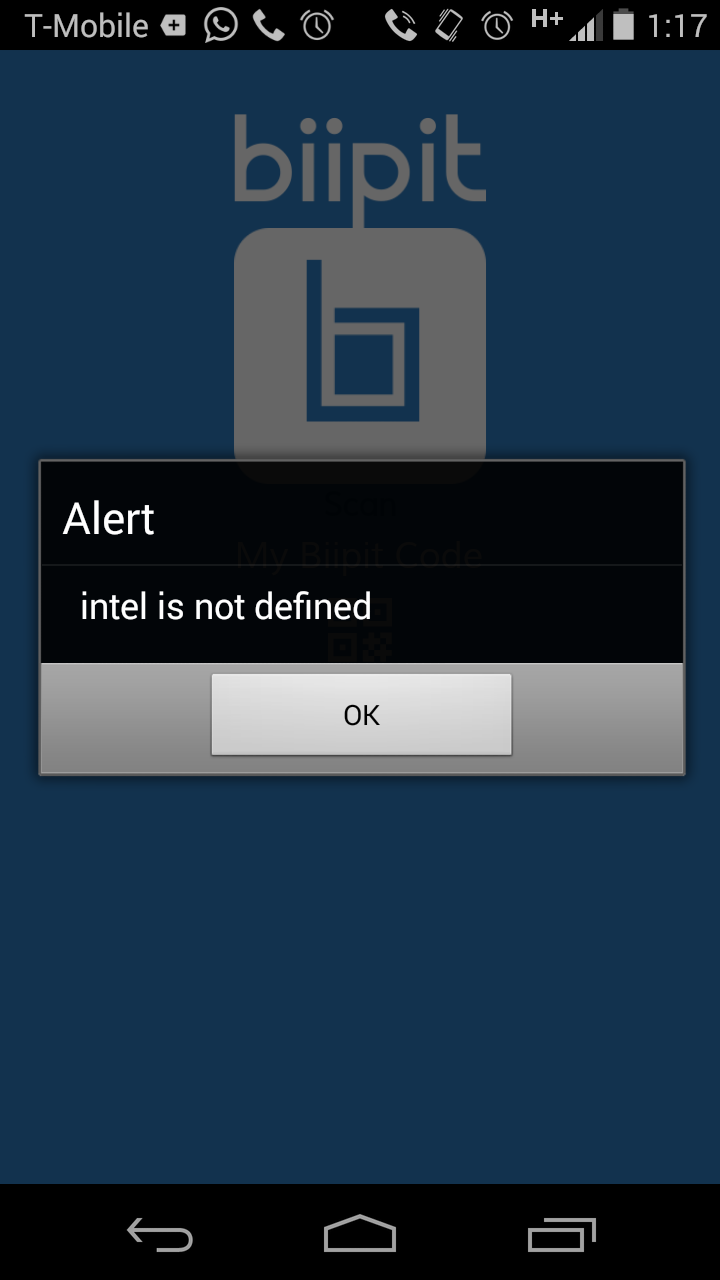
I understand that, no I can not build an IOS app, but I build an Android App, and when I click on Scan I get intel is not defined, see screen shot
- Mark as New
- Bookmark
- Subscribe
- Mute
- Subscribe to RSS Feed
- Permalink
- Report Inappropriate Content
Can u help me with this issue too, because now I can not tested my app on my Iphone
https://software.intel.com/en-us/comment/1819829#comment-181982
thank you.
- Mark as New
- Bookmark
- Subscribe
- Mute
- Subscribe to RSS Feed
- Permalink
- Report Inappropriate Content
check the "device" plugin for intelxdk, it will work, your code worked for me in android build
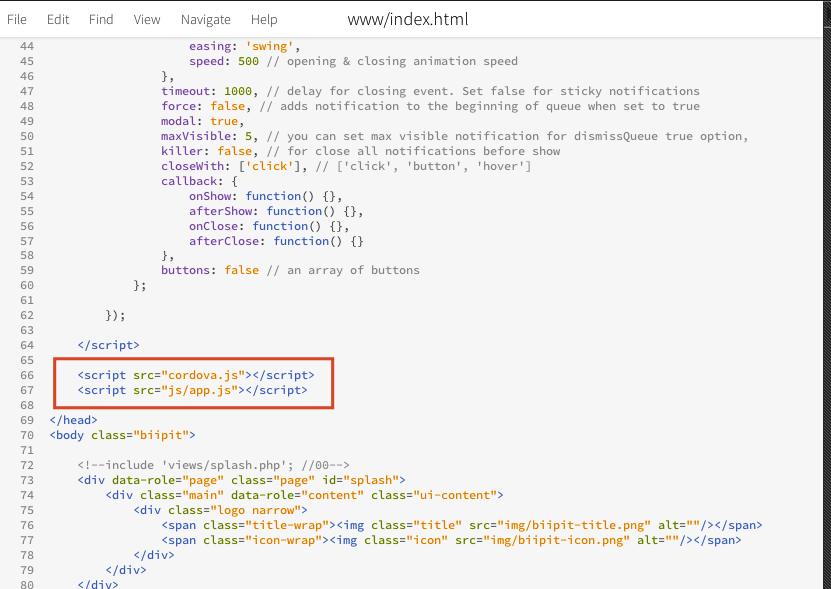
also u dont need intelxdk.js script tag, remove it, u just need to have cordova.js script tag,
- Mark as New
- Bookmark
- Subscribe
- Mute
- Subscribe to RSS Feed
- Permalink
- Report Inappropriate Content
I am confused you create Android build or Cordova Android build, by the way I have the plugging device checked on Intel XDK session, is that correct?
- Mark as New
- Bookmark
- Subscribe
- Mute
- Subscribe to RSS Feed
- Permalink
- Report Inappropriate Content
I created Cordova android build
- Mark as New
- Bookmark
- Subscribe
- Mute
- Subscribe to RSS Feed
- Permalink
- Report Inappropriate Content
Ok but the scan works or said Intel is not defined
Thank you
- Mark as New
- Bookmark
- Subscribe
- Mute
- Subscribe to RSS Feed
- Permalink
- Report Inappropriate Content
scan works, i just took your index.html attached by you, changed intelxdk.js to cordova.js, checked "device" under intelxdk plugins, built cordova android build
- Mark as New
- Bookmark
- Subscribe
- Mute
- Subscribe to RSS Feed
- Permalink
- Report Inappropriate Content
Perfect, thank you... can you tell me how fix the problem with the App Preview on IOS... now said that can't download the app from the cloud and I clicked on Push and Upload my Project.. I tested on Android and works but only on Android 4.x
Thank You
- Mark as New
- Bookmark
- Subscribe
- Mute
- Subscribe to RSS Feed
- Permalink
- Report Inappropriate Content
Bro I am sorry to bother you but see screen shoots please, really I am very upset with this situation and now can not test my app on IOS device because said that can not download the app from the cloud, please let me know if you can connect to my computer to help me, thank you.
- Mark as New
- Bookmark
- Subscribe
- Mute
- Subscribe to RSS Feed
- Permalink
- Report Inappropriate Content
Come on man is impossible I do the same steps that you said and always get intel is not defined... see the latest screen shots..
thank you.

- Mark as New
- Bookmark
- Subscribe
- Mute
- Subscribe to RSS Feed
- Permalink
- Report Inappropriate Content
@Alexander, see my notes in your other post: https://software.intel.com/en-us/forums/topic/545089#comment-1819957




- Mark as New
- Bookmark
- Subscribe
- Mute
- Subscribe to RSS Feed
- Permalink
- Report Inappropriate Content
Fellas, I will advise you to use Cordova plugin.
- Mark as New
- Bookmark
- Subscribe
- Mute
- Subscribe to RSS Feed
- Permalink
- Report Inappropriate Content
Yes I was playing with but always get cordova require is not a function, but I am sure that the problem is with Intel XDK for OSX that do not include the Intelxdk.js and device pluging even checked on project settings and they don't fix this problem at the moment.

- Subscribe to RSS Feed
- Mark Topic as New
- Mark Topic as Read
- Float this Topic for Current User
- Bookmark
- Subscribe
- Printer Friendly Page