
- Mark as New
- Bookmark
- Subscribe
- Mute
- Subscribe to RSS Feed
- Permalink
- Report Inappropriate Content
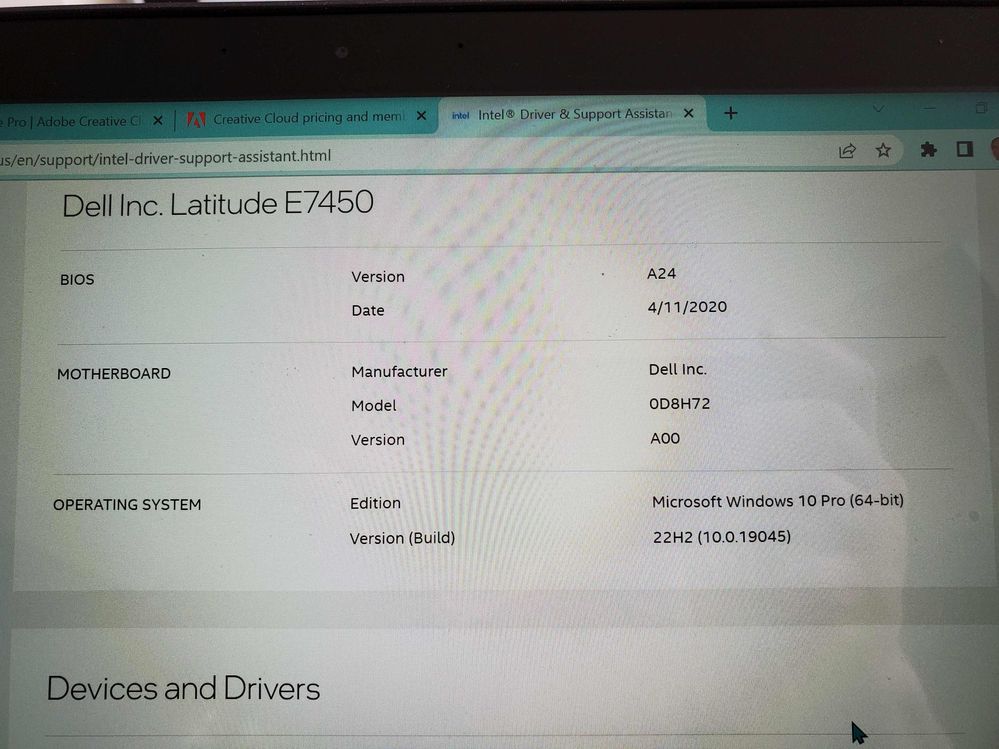
I am trying to start using a video editing program and it tells me I need a new graphics driver and the settings in my GPU are not right. The Intel support assistant tells me the driver is up to date. In terms of the video editing, I've tried Da Vinci and Adobe Pr and both come up with the same errors. Can anyone help me find what driver I need and where to get it?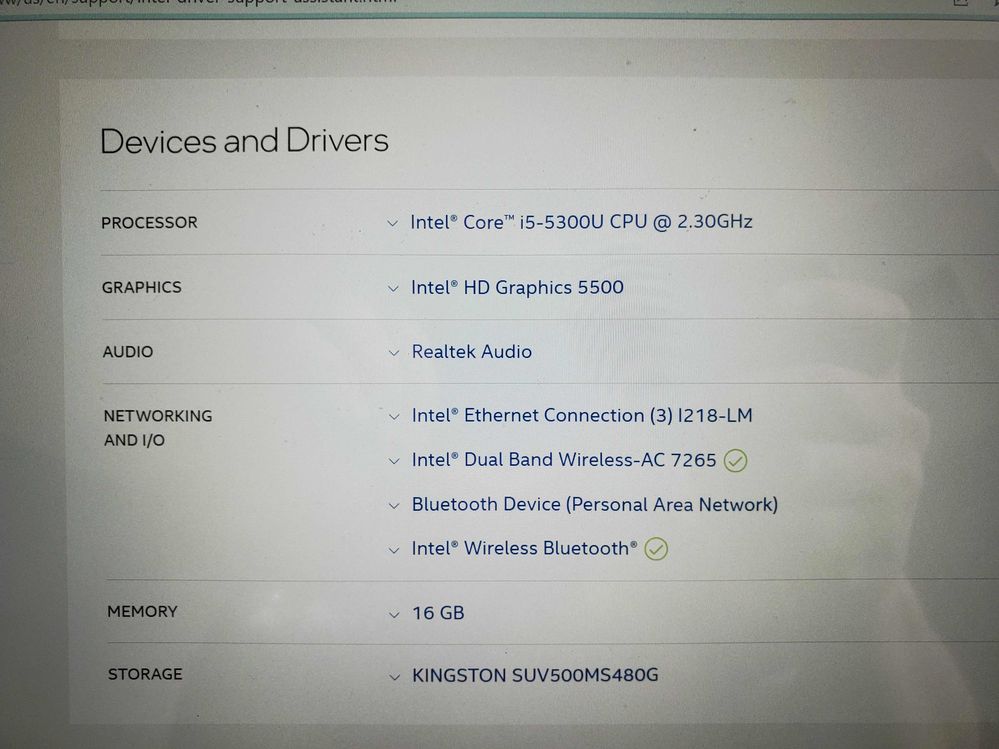
Link Copied

- Mark as New
- Bookmark
- Subscribe
- Mute
- Subscribe to RSS Feed
- Permalink
- Report Inappropriate Content
The latest/last version of HD 5500 is 5171 from February 2021.
https://downloadmirror.intel.com/30196/a08/win64_15.40.5171.exe
If this is what you have, then your hardware is simply too old to meet the requirements of Da Vinci and Adobe Pr.
Doc (not an Intel employee or contractor)
[Maybe Windows 12 will be better]
- Mark as New
- Bookmark
- Subscribe
- Mute
- Subscribe to RSS Feed
- Permalink
- Report Inappropriate Content
So do you mean my graphics card is too old, or my CPU itself?
- Mark as New
- Bookmark
- Subscribe
- Mute
- Subscribe to RSS Feed
- Permalink
- Report Inappropriate Content
Both. The graphics are part of the CPU.
Doc (not an Intel employee or contractor)
[Maybe Windows 12 will be better]

- Mark as New
- Bookmark
- Subscribe
- Mute
- Subscribe to RSS Feed
- Permalink
- Report Inappropriate Content
Hello BTL,
Thank you for posting on the Intel️® communities.
Due to this product being discontinued, Intel Customer Service no longer supports inquiries for it, we are glad to see that fellow community members have the knowledge and they jumped in and helped. You may also find the Discontinued Products website, website helpful to address your request.
You can get the specifications and verify this product's discontinuance status at the Intel® Product Specifications website > Product Status > "Discontinued".
Please keep in mind that this thread will no longer be monitored by Intel. Thank you for your understanding.
Best regards,
Jean O.
Intel Customer Support Technician

- Subscribe to RSS Feed
- Mark Topic as New
- Mark Topic as Read
- Float this Topic for Current User
- Bookmark
- Subscribe
- Printer Friendly Page