
- 新着としてマーク
- ブックマーク
- 購読
- ミュート
- RSS フィードを購読する
- ハイライト
- 印刷
- 不適切なコンテンツを報告
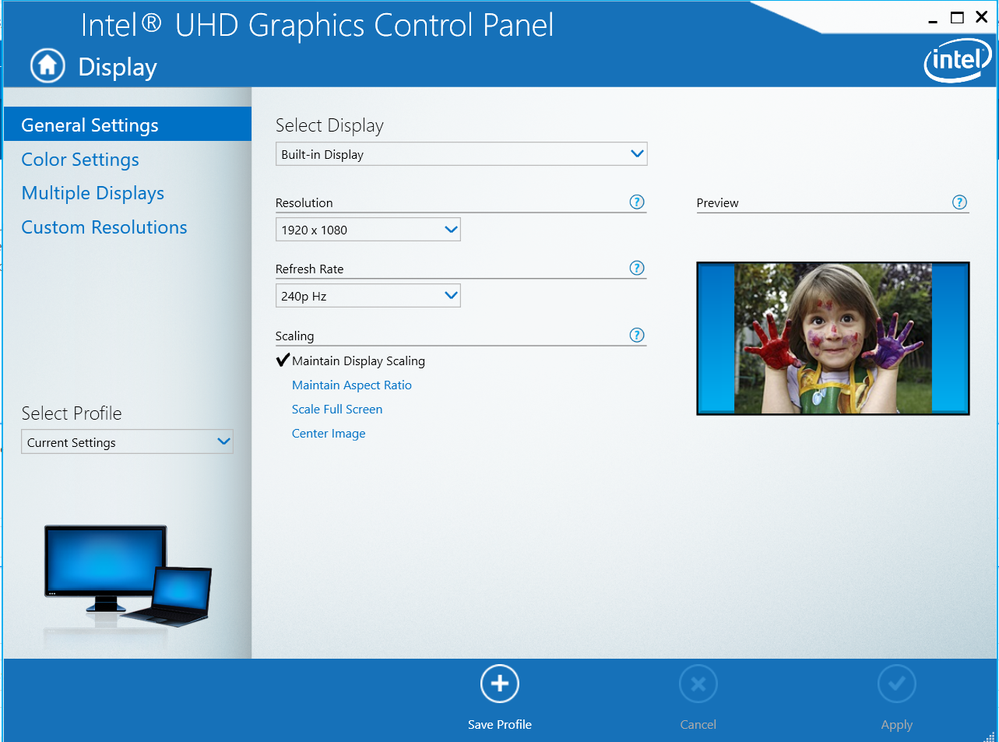
In intel graphics control panel. How to setting my refresh Rate to default on 240hz Both pluged and on battery. Can someone tell me how?
コピーされたリンク

- 新着としてマーク
- ブックマーク
- 購読
- ミュート
- RSS フィードを購読する
- ハイライト
- 印刷
- 不適切なコンテンツを報告
No information provided.
What is your processor model number?
What is the model number of your laptop or system/motherboard?
What version of Windows 10? 1909?
Doc
- 新着としてマーク
- ブックマーク
- 購読
- ミュート
- RSS フィードを購読する
- ハイライト
- 印刷
- 不適切なコンテンツを報告
I use laptop ROG HERO 3
CPU : i7-9750H 12 proscessors
OS : window10
I just want to set 240 hz to default both pluged and on battery like this picture

- 新着としてマーク
- ブックマーク
- 購読
- ミュート
- RSS フィードを購読する
- ハイライト
- 印刷
- 不適切なコンテンツを報告
Where did you get that screenshot? Was it from a previous configuration on your current system laptop? Did you set 240GHz before? Did you change or update anything?
- 新着としてマーク
- ブックマーク
- 購読
- ミュート
- RSS フィードを購読する
- ハイライト
- 印刷
- 不適切なコンテンツを報告
That screenshot it from my laptop. That my default refresh rate 240 hz but when It on battery it will change auto to 60 hz. I don't want to change to 60hz auto. I want only on 240hz. can i fix it?

- 新着としてマーク
- ブックマーク
- 購読
- ミュート
- RSS フィードを購読する
- ハイライト
- 印刷
- 不適切なコンテンツを報告
Hi @YDewy ,
- Follow the steps to keep same display refresh rate in both modes: battery and power adapter:
- Go to Settings > System > Power & Sleep.
- Click on Additional power settings
- Click Change plan setting (near your currently active Power Plan)
- Click on Change advanced power settings
- Click on "+" near Intel(R) Graphics Power Settings
- Open Intel(R) Graphics Power Plan and set On battery the same value as in Plugged in
Hope this helps
Leon
