
- Mark as New
- Bookmark
- Subscribe
- Mute
- Subscribe to RSS Feed
- Permalink
- Report Inappropriate Content
Hello,
I am getting this message "Oops, something went wrong while trying to scan. Please try again, or see our FAQs for help." when the scan runs.
I tried to uninstall and re-install using the link on the DSA Support page, but every time I try it asks me if I want to remove the program, so I am never able to re-install.
I've attached the results of the Support Utility if that helps any.
Thanks
Link Copied

- Mark as New
- Bookmark
- Subscribe
- Mute
- Subscribe to RSS Feed
- Permalink
- Report Inappropriate Content
Hello LZoum,
Thank you for posting on the Intel Communities.
In order to get more information about the issue that you are experiencing, please provide the following information:
- Was the Intel® Driver & Support Assistant (Intel® DSA) working properly before on your system?
- The error message "Oops, something went wrong..." appeared after performing an update to the system?
- Which method did you use to uninstall the application?
Please follow these steps:
• Uninstall the existing Intel® DSA tool in the system with the Uninstaller tool.
• Download and install the latest Intel® DSA version from here
• Double-click "Intel® Driver & Support Assistant Installer.exe" to run the setup program
• Read and agree to the license terms and conditions
• Select "Install"
• Click the "Launch" button.
The tray icon starts and automatically opens the default browser.
You can use this link as a reference:
https://www.intel.com/content/www/us/en/support/articles/000026895/software/software-applications.html
Best Regards,
Abigail G
Intel Customer Support Technician
Under Contract to Intel Corporation.
- Mark as New
- Bookmark
- Subscribe
- Mute
- Subscribe to RSS Feed
- Permalink
- Report Inappropriate Content
Hello,
Thanks for the reply. Yes it did work previously. I installed Windows 10 version 1903 update on 6/17, so not sure if it has something to do with that. I used the same method that you outlined to uninstall the application, plus tried other methods as well.
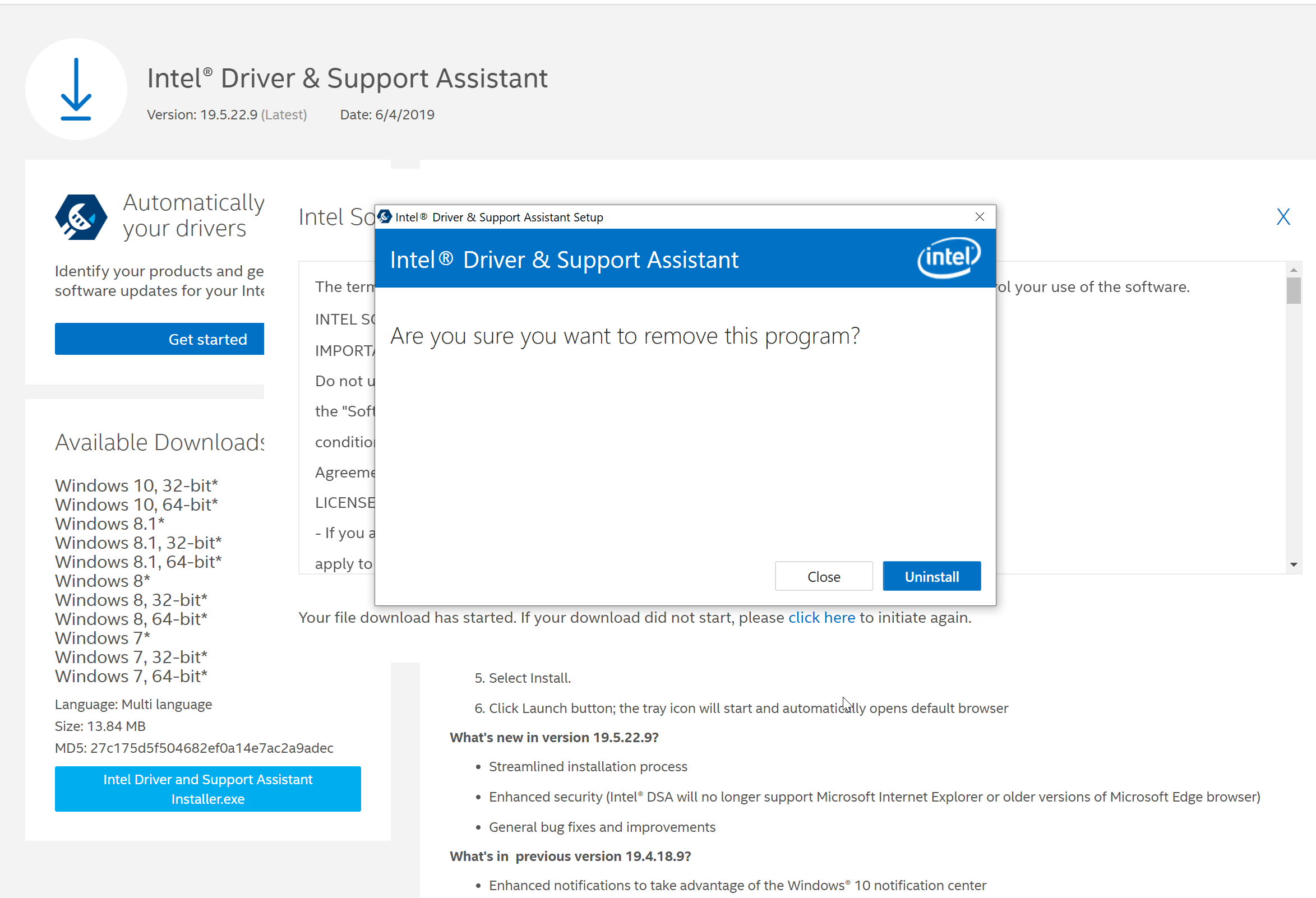
I followed the steps again that you outlined and I get the same result. When I try to reinstall the application, I get a dialog that says "Are you sure you want to remove this program?", even though I am trying to run the installer. Please see attached.
Thanks 🙂
- Mark as New
- Bookmark
- Subscribe
- Mute
- Subscribe to RSS Feed
- Permalink
- Report Inappropriate Content
Hello LZoum,
Thank you for the information provided.
In this case, we will review the details that you have provided in order to check for other possible solutions.
I will be posting back as soon as possible.
Best Regards,
Abigail G
Intel Customer Support Technician
Under Contract to Intel Corporation.
- Mark as New
- Bookmark
- Subscribe
- Mute
- Subscribe to RSS Feed
- Permalink
- Report Inappropriate Content
Hello LZoum,
Thank you for waiting for our response.
I would like to ask you if the Intel® Computing Improvement Program is installed under the software list in Apps&Features/Programs and features?
If it is installed, try uninstalling this software and then please run the Uninstaller tool. And then try to install the Intel® Driver & Support Assistant (Intel® DSA) again.
If that doesn't work, please provide the following logs:
- Please attach the Intel® DSA logs in C:\ProgramData\Intel\DSA
- Please attach the DSAUninstaller.log. You will be able to find this one by searching on the File Explorer with this same name (DSAUninstaller.log). Please make sure to provide the most recent log.
Note: I am not sure about the browser that you are using but Intel® DSA doesn't work on Internet Explorer® anymore. Only on Chrome®, Edge® & Firefox®.
Best Regards,
Abigail G
Intel Customer Support Technician
Under Contract to Intel Corporation.
- Mark as New
- Bookmark
- Subscribe
- Mute
- Subscribe to RSS Feed
- Permalink
- Report Inappropriate Content
Hello, thanks for the reply. I rolled back Windows 10 1903 update due to some other issues and everything is working fine now, so I suspect it had something to do with that.
Best,
Lee
- Mark as New
- Bookmark
- Subscribe
- Mute
- Subscribe to RSS Feed
- Permalink
- Report Inappropriate Content
Hello LZoum,
Thank you for sharing your findings, we hope this information is helpful to other community members.
I will close this inquiry now. If you need further assistance, please post a new question.
Best Regards,
Abigail G
Intel Customer Support Technician
Under Contract to Intel Corporation.

- Subscribe to RSS Feed
- Mark Topic as New
- Mark Topic as Read
- Float this Topic for Current User
- Bookmark
- Subscribe
- Printer Friendly Page