
- Mark as New
- Bookmark
- Subscribe
- Mute
- Subscribe to RSS Feed
- Permalink
- Report Inappropriate Content
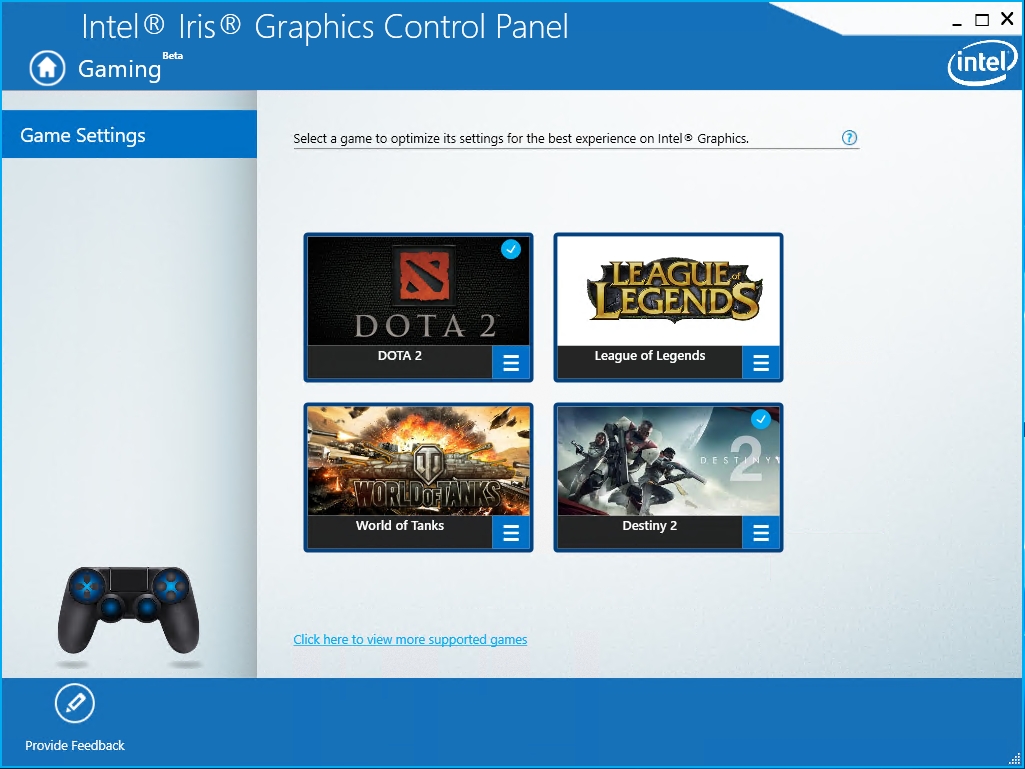
Intel® has introduce a feature with the ability to automatically configure game settings for Intel® Graphics on 6th Gen Core Processors or higher
(including systems with 8th Gen Core Processors with Radeon RX Vega M Graphics).
Look for the 'Gaming icon' in the Graphics Control Panel. The Automatic Game Settings feature is still in beta so game availability and functionality is limited.
We'd love to hear your feedback on this feature though so please let us know what you think in this thread!
Stay tuned for future improvements and more games coming soon!
Currently supported games: https://gameplay.intel.com/en-us/GameSelectedCPUSearch/Index/656204/%3F%3Drelnotes Battlefield 1™, https://gameplay.intel.com/en-us/GameSelectedCPUSearch/Index/636169/%3F%3Drelnotes Battlefield 4™, https://gameplay.intel.com/en-us/GameSelectedCPUSearch/Index/107086/%3F%3Drelnotes American Truck Simulator™, https://gameplay.intel.com/en-us/GameSelectedCPUSearch/Index/673516/%3F%3Drelnotes Call of Duty® WWII, https://gameplay.intel.com/en-us/GameSelectedCPUSearch/Index/665659/%3F%3Drelnotes Destiny® 2,
https://gameplay.intel.com/en-us/GameSelectedCPUSearch/Index/12875/%3F%3Drelnotes DOTA™ 2, https://gameplay.intel.com/en-us/GameSelectedCPUSearch/Index/3/%3F%3Drelnotes Grand Theft Auto V™, https://gameplay.intel.com/en-us/GameSelectedCPUSearch/Index/591123/%3F%3Drelnotes League of Legends®, https://gameplay.intel.com/en-us/GameSelectedCPUSearch/Index/647471/%3F%3Drelnotes Overwatch™, https://gameplay.intel.com/en-us/GameSelectedCPUSearch/Index/631404/%3F%3Drelnotes World of Tanks™
- Tags:
- roblox
Link Copied
- « Previous
- Next »

- Mark as New
- Bookmark
- Subscribe
- Mute
- Subscribe to RSS Feed
- Permalink
- Report Inappropriate Content
不能支持无畏契约吗?而且不显示已有游戏

- Subscribe to RSS Feed
- Mark Topic as New
- Mark Topic as Read
- Float this Topic for Current User
- Bookmark
- Subscribe
- Printer Friendly Page
- « Previous
- Next »