
- Mark as New
- Bookmark
- Subscribe
- Mute
- Subscribe to RSS Feed
- Permalink
- Report Inappropriate Content
The moment I start up the Surface pro7 (recover from sleep), it's a normal white screen, and about a second later, it changes to an orange-ish color. The night mode is off, but the screen turns reddish. I uninstalled Intel(R) Iris(R) Plus Graphics, which was installed on this computer from the beginning, and this symptom disappeared, but this is inconvenient because I cannot adjust the brightness of the computer screen. I also tried turning off contrast adjustment, but adjusting Intel Graphics did not solve the problem. How can I get my Surface pro7 screen back to white from warm colors?
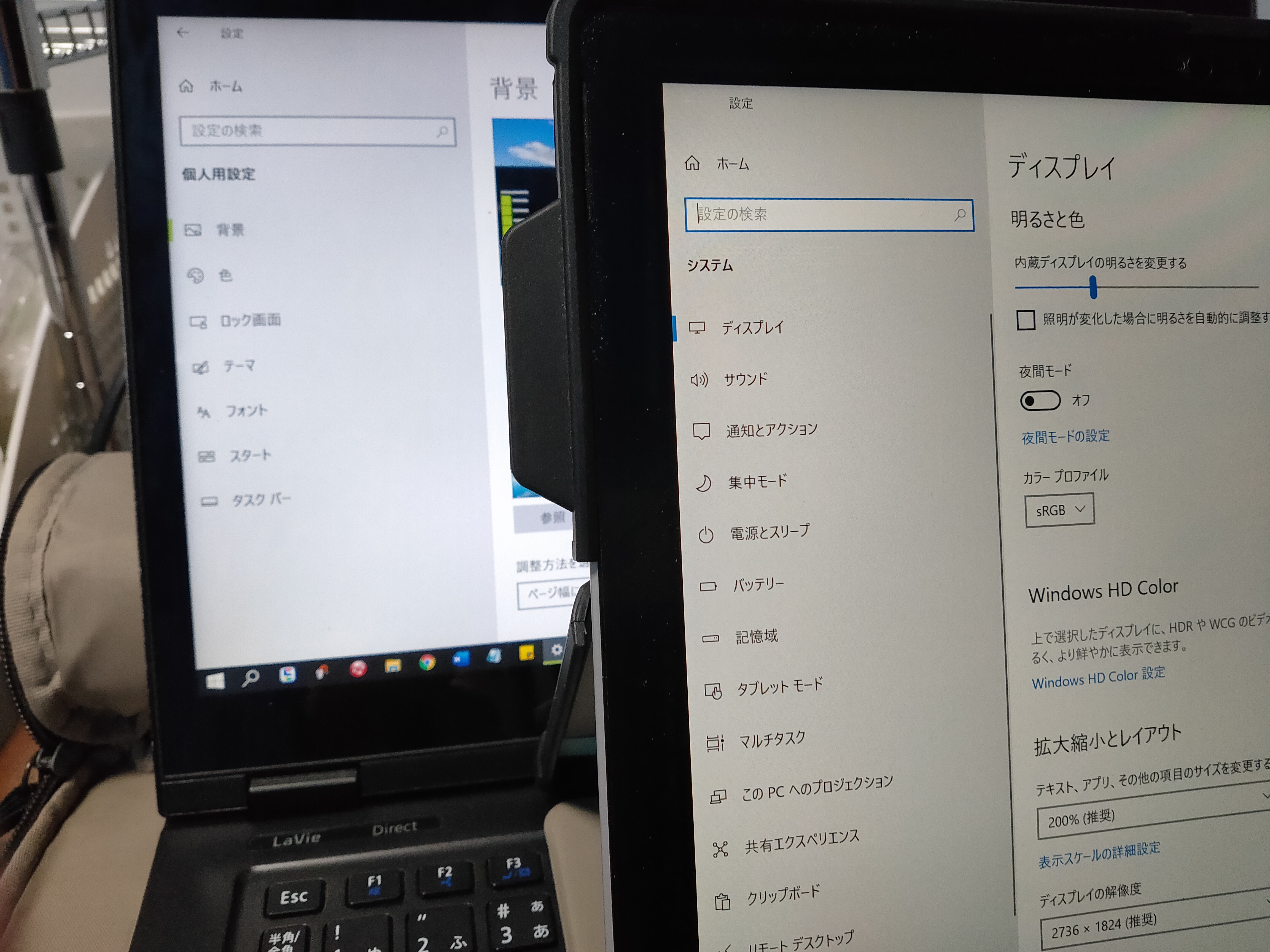
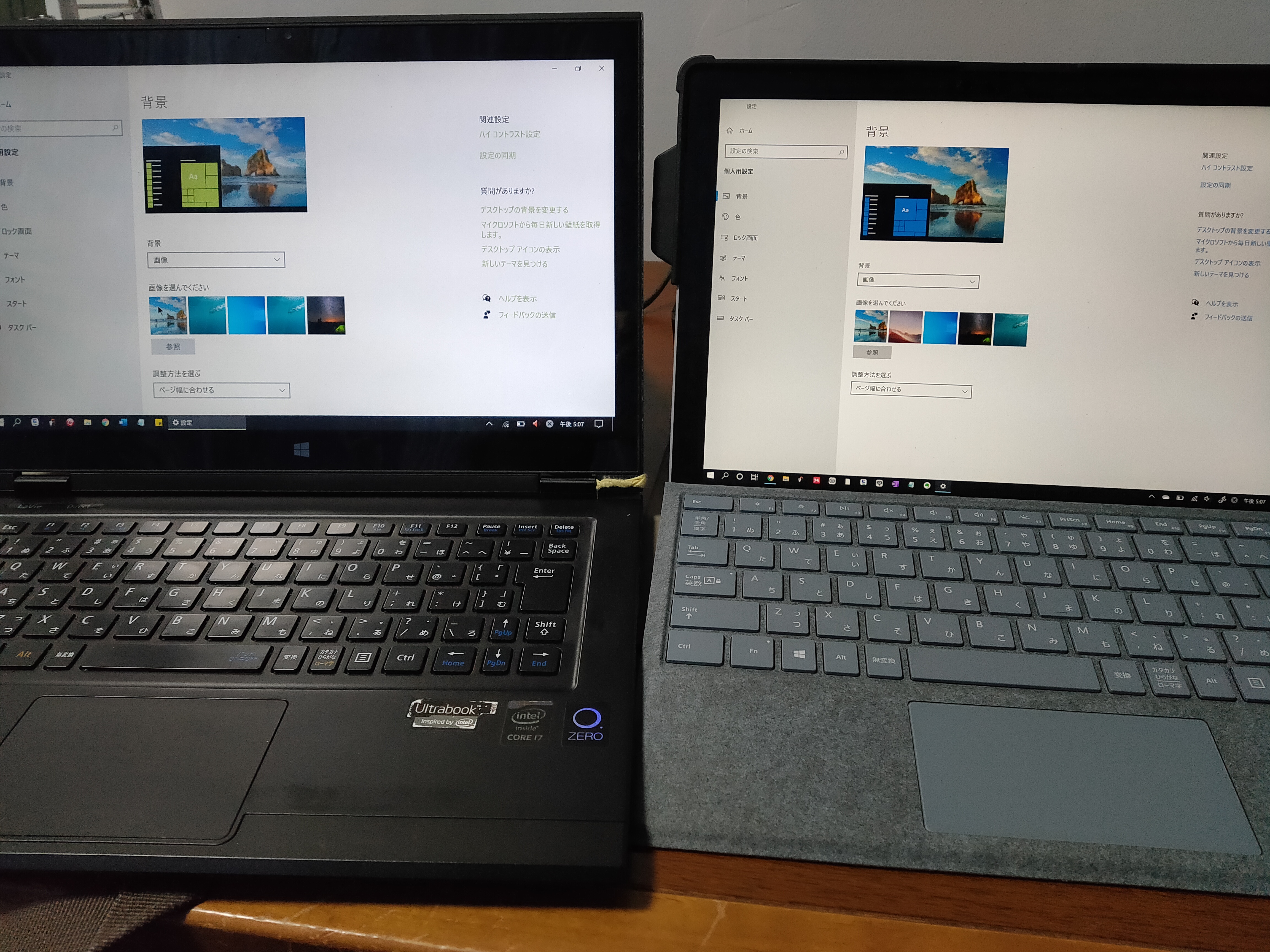
The computer on the right is the problematic computer with Intel(R) Iris(R) Plus Graphics installed. The monitor is reddish compared to the computer on the left.
Link Copied

- Mark as New
- Bookmark
- Subscribe
- Mute
- Subscribe to RSS Feed
- Permalink
- Report Inappropriate Content
Hello TaDoKoRo,
Thank you for posting on the Intel* Community.
To better assist you, please provide us with the below information:
- Do you know when the issue starts? (Windows* update, driver update, etc)
Provide us the Intel® System Support Utility (Intel® SSU)
- Download the Intel SSU https://downloadcenter.intel.com/download/25293/Intel-System-Support-Utility-for-Windows-
- Open the application and select "Everything" click on "Scan" to see the system and device information. By default, Intel® SSU will take you to the "Summary View".
- Click on the menu where it says "Summary" to change to "Detailed View".
- To save your scan, click on "Next", then "Save".
Best regards,
Maria R.
Intel Customer Support Technician
- Mark as New
- Bookmark
- Subscribe
- Mute
- Subscribe to RSS Feed
- Permalink
- Report Inappropriate Content
The warm color bug has been occurring ever since I bought this Surface pro7 in October.
I've tried updating Windows, Intel graphics, etc., but nothing seems to fix the warm color bug.
From what I've found, it seems to be a problem that occurs on other Surfaces as well.

- Mark as New
- Bookmark
- Subscribe
- Mute
- Subscribe to RSS Feed
- Permalink
- Report Inappropriate Content
Are you using the graphics driver package that was provided by Microsoft? If so, then you have some sort of hardware issue and you need to talk to Microsoft about what to do about it.
If you are using a graphics driver package downloaded from the Intel site, then you need to uninstall it and install the driver provided by Microsoft.
...S
- Mark as New
- Bookmark
- Subscribe
- Mute
- Subscribe to RSS Feed
- Permalink
- Report Inappropriate Content
Thank you for your reply. I tried everything and couldn't find the cause, maybe the bug is elsewhere. I will try to find other causes.
- Mark as New
- Bookmark
- Subscribe
- Mute
- Subscribe to RSS Feed
- Permalink
- Report Inappropriate Content
Hello TaDoKoRo,
With the report, I noticed that you are using the driver version 27.20.100.9030 which is a generic version from Intel.
There are two different types of drivers, generics provided by Intel and Equipment Manufacturer drivers, that are customized to work with each specific system.
The best thing to do is to use the drivers provided by the system manufacturer or through Windows Update to eliminate the potential impact caused by loading non-custom drivers.
As our superuser recommends, you have to use the drivers provided by Microsft*, they provide a complete package so we cannot confirm which is their last version,https://www.microsoft.com/en-us/download/details.aspx?id=100419. Please contact Microsoft for further steps on the installation. If the issue persists whit their drivers, there is a chance of a hardware issue, so please report it to the manufacturer.
Best regards,
Maria R.
Intel Customer Support Technician
- Mark as New
- Bookmark
- Subscribe
- Mute
- Subscribe to RSS Feed
- Permalink
- Report Inappropriate Content
Hello TaDoKoRo,
We have not heard back from you, so we will close this thread. If you need any additional information, please submit a new question as this thread will no longer be monitored.
Best regards,
Maria R.
Intel Customer Support Technician

- Subscribe to RSS Feed
- Mark Topic as New
- Mark Topic as Read
- Float this Topic for Current User
- Bookmark
- Subscribe
- Printer Friendly Page