
- Marcar como nuevo
- Favorito
- Suscribir
- Silenciar
- Suscribirse a un feed RSS
- Resaltar
- Imprimir
- Informe de contenido inapropiado
hello there
i want to ask a question cause im was dont know what im gonna do now, my intel control panel was missing after update to the newer version 30.0.100.9684
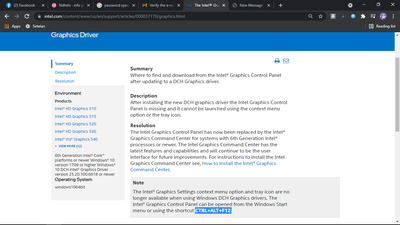
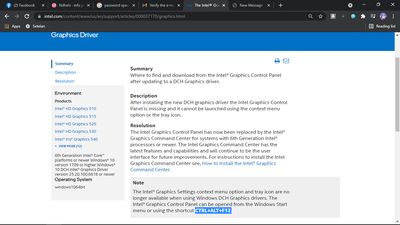
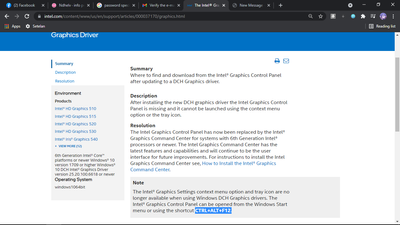
i was try to fix with use shortcut CTRL+ALT+F12. but it doesnt work, and i was try intel command center but it not helped from increase my game to make fast
my graphics card is Intel hd 520 , with cpu i3 6006u, please help

- Marcar como nuevo
- Favorito
- Suscribir
- Silenciar
- Suscribirse a un feed RSS
- Resaltar
- Imprimir
- Informe de contenido inapropiado
Hello Ndhelv,
Thank you for posting on the Intel® communities.
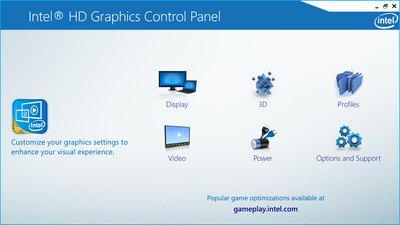
I would like to let you know that when you install the DCH drivers, this automatically deleted the Intel® Graphics Control Panel since it was replaced by the Intel® Graphics Command Center in all DCH drivers.
You can try to install the driver 15.45.34.5174, this should install the Intel® Graphics Control Panel, but if you update the driver it may get deleted again.
- https://downloadcenter.intel.com/download/30195/Intel-Graphics-Driver-for-Windows-15-45-
If you would like o know more about these changes, check the following links:
- https://www.intel.com/content/www/us/en/support/articles/000037170/graphics.html
- https://www.intel.com/content/www/us/en/support/articles/000058733/graphics.html
Best regards,
Deivid A.
Intel Customer Support Technician
Enlace copiado

- Marcar como nuevo
- Favorito
- Suscribir
- Silenciar
- Suscribirse a un feed RSS
- Resaltar
- Imprimir
- Informe de contenido inapropiado
Look in the start menu undeer "intel".
Doc (not an Intel employee or contractor)
[Windows 11 is the new Vista]
- Marcar como nuevo
- Favorito
- Suscribir
- Silenciar
- Suscribirse a un feed RSS
- Resaltar
- Imprimir
- Informe de contenido inapropiado
i check and nothing in there... my windows is windows 10 h2, i was try to reinstall the driver but everything is same
- Marcar como nuevo
- Favorito
- Suscribir
- Silenciar
- Suscribirse a un feed RSS
- Resaltar
- Imprimir
- Informe de contenido inapropiado
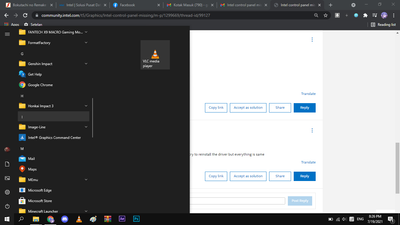
here's
- Marcar como nuevo
- Favorito
- Suscribir
- Silenciar
- Suscribirse a un feed RSS
- Resaltar
- Imprimir
- Informe de contenido inapropiado
Yep, you now have the Intel graphics command center.
Doc (not an Intel employee or contractor)
[Windows 11 is the new Vista]
- Marcar como nuevo
- Favorito
- Suscribir
- Silenciar
- Suscribirse a un feed RSS
- Resaltar
- Imprimir
- Informe de contenido inapropiado
yea, i download manually in mstore, but it dont increase my game fps like before im using the intel control panel
and thanks for the comment i already appreciate it
- Marcar como nuevo
- Favorito
- Suscribir
- Silenciar
- Suscribirse a un feed RSS
- Resaltar
- Imprimir
- Informe de contenido inapropiado
Hello Ndhelv,
Thank you for posting on the Intel® communities.
I would like to let you know that when you install the DCH drivers, this automatically deleted the Intel® Graphics Control Panel since it was replaced by the Intel® Graphics Command Center in all DCH drivers.
You can try to install the driver 15.45.34.5174, this should install the Intel® Graphics Control Panel, but if you update the driver it may get deleted again.
- https://downloadcenter.intel.com/download/30195/Intel-Graphics-Driver-for-Windows-15-45-
If you would like o know more about these changes, check the following links:
- https://www.intel.com/content/www/us/en/support/articles/000037170/graphics.html
- https://www.intel.com/content/www/us/en/support/articles/000058733/graphics.html
Best regards,
Deivid A.
Intel Customer Support Technician
- Marcar como nuevo
- Favorito
- Suscribir
- Silenciar
- Suscribirse a un feed RSS
- Resaltar
- Imprimir
- Informe de contenido inapropiado
Hello Ndhelv,
Were you able to check the previous post? Please let me know if you need more assistance.
Regards,
Deivid A.
Intel Customer Support Technician
- Marcar como nuevo
- Favorito
- Suscribir
- Silenciar
- Suscribirse a un feed RSS
- Resaltar
- Imprimir
- Informe de contenido inapropiado
hey its work for me!! thanks a lot and sorry for not replying for a long time.. big thanks
- Marcar como nuevo
- Favorito
- Suscribir
- Silenciar
- Suscribirse a un feed RSS
- Resaltar
- Imprimir
- Informe de contenido inapropiado
Hello Ndhelv,
We have not heard back from you, so we will close this inquiry. If you need further assistance or if you have additional questions, please create a new thread and we will gladly assist you.
Regards,
Deivid A.
Intel Customer Support Technician

- Suscribirse a un feed RSS
- Marcar tema como nuevo
- Marcar tema como leído
- Flotar este Tema para el usuario actual
- Favorito
- Suscribir
- Página de impresión sencilla