
- 新着としてマーク
- ブックマーク
- 購読
- ミュート
- RSS フィードを購読する
- ハイライト
- 印刷
- 不適切なコンテンツを報告
hello there
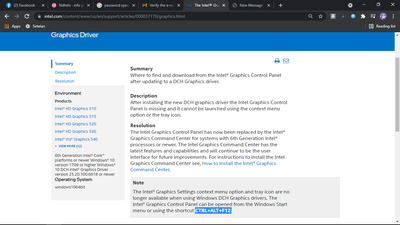
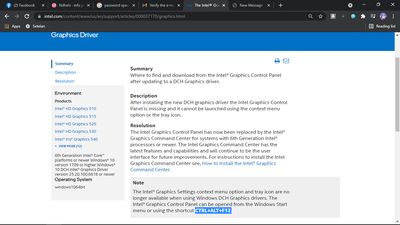
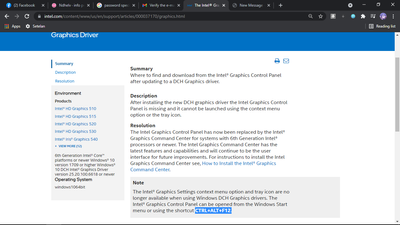
i want to ask a question cause im was dont know what im gonna do now, my intel control panel was missing after update to the newer version 30.0.100.9684
i was try to fix with use shortcut CTRL+ALT+F12. but it doesnt work, and i was try intel command center but it not helped from increase my game to make fast
my graphics card is Intel hd 520 , with cpu i3 6006u, please help

- 新着としてマーク
- ブックマーク
- 購読
- ミュート
- RSS フィードを購読する
- ハイライト
- 印刷
- 不適切なコンテンツを報告
Hello Ndhelv,
Thank you for posting on the Intel® communities.
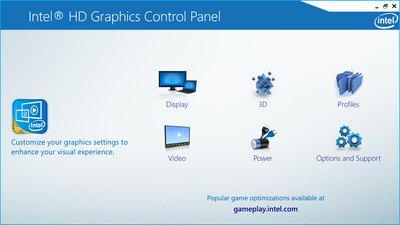
I would like to let you know that when you install the DCH drivers, this automatically deleted the Intel® Graphics Control Panel since it was replaced by the Intel® Graphics Command Center in all DCH drivers.
You can try to install the driver 15.45.34.5174, this should install the Intel® Graphics Control Panel, but if you update the driver it may get deleted again.
- https://downloadcenter.intel.com/download/30195/Intel-Graphics-Driver-for-Windows-15-45-
If you would like o know more about these changes, check the following links:
- https://www.intel.com/content/www/us/en/support/articles/000037170/graphics.html
- https://www.intel.com/content/www/us/en/support/articles/000058733/graphics.html
Best regards,
Deivid A.
Intel Customer Support Technician
コピーされたリンク

- 新着としてマーク
- ブックマーク
- 購読
- ミュート
- RSS フィードを購読する
- ハイライト
- 印刷
- 不適切なコンテンツを報告
Look in the start menu undeer "intel".
Doc (not an Intel employee or contractor)
[Windows 11 is the new Vista]
- 新着としてマーク
- ブックマーク
- 購読
- ミュート
- RSS フィードを購読する
- ハイライト
- 印刷
- 不適切なコンテンツを報告
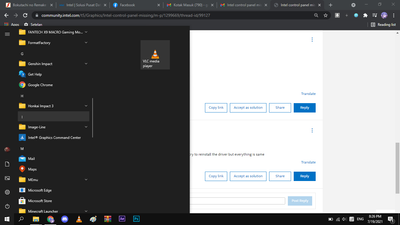
i check and nothing in there... my windows is windows 10 h2, i was try to reinstall the driver but everything is same
- 新着としてマーク
- ブックマーク
- 購読
- ミュート
- RSS フィードを購読する
- ハイライト
- 印刷
- 不適切なコンテンツを報告
Yep, you now have the Intel graphics command center.
Doc (not an Intel employee or contractor)
[Windows 11 is the new Vista]
- 新着としてマーク
- ブックマーク
- 購読
- ミュート
- RSS フィードを購読する
- ハイライト
- 印刷
- 不適切なコンテンツを報告
yea, i download manually in mstore, but it dont increase my game fps like before im using the intel control panel
and thanks for the comment i already appreciate it
- 新着としてマーク
- ブックマーク
- 購読
- ミュート
- RSS フィードを購読する
- ハイライト
- 印刷
- 不適切なコンテンツを報告
Hello Ndhelv,
Thank you for posting on the Intel® communities.
I would like to let you know that when you install the DCH drivers, this automatically deleted the Intel® Graphics Control Panel since it was replaced by the Intel® Graphics Command Center in all DCH drivers.
You can try to install the driver 15.45.34.5174, this should install the Intel® Graphics Control Panel, but if you update the driver it may get deleted again.
- https://downloadcenter.intel.com/download/30195/Intel-Graphics-Driver-for-Windows-15-45-
If you would like o know more about these changes, check the following links:
- https://www.intel.com/content/www/us/en/support/articles/000037170/graphics.html
- https://www.intel.com/content/www/us/en/support/articles/000058733/graphics.html
Best regards,
Deivid A.
Intel Customer Support Technician
- 新着としてマーク
- ブックマーク
- 購読
- ミュート
- RSS フィードを購読する
- ハイライト
- 印刷
- 不適切なコンテンツを報告
Hello Ndhelv,
Were you able to check the previous post? Please let me know if you need more assistance.
Regards,
Deivid A.
Intel Customer Support Technician
- 新着としてマーク
- ブックマーク
- 購読
- ミュート
- RSS フィードを購読する
- ハイライト
- 印刷
- 不適切なコンテンツを報告
hey its work for me!! thanks a lot and sorry for not replying for a long time.. big thanks
- 新着としてマーク
- ブックマーク
- 購読
- ミュート
- RSS フィードを購読する
- ハイライト
- 印刷
- 不適切なコンテンツを報告
Hello Ndhelv,
We have not heard back from you, so we will close this inquiry. If you need further assistance or if you have additional questions, please create a new thread and we will gladly assist you.
Regards,
Deivid A.
Intel Customer Support Technician
