
- Mark as New
- Bookmark
- Subscribe
- Mute
- Subscribe to RSS Feed
- Permalink
- Report Inappropriate Content
Good Evening everyone!
Not sure where to start and how to explain everything. Bought Msi Sword laptop early September 2025. In the start no issues at all. Everything run great, even some gaming sessions. No roughly issues like most people having with thermal throttling etc.
Just now, like in the last 5 to 7 days, started to experience intel UHD Graph spiking to 80-100%, so having insane input lag issues and display stuttering even without running any programs. I only open task manager and try to move it around screen and instantly UHD spiking to 100, meanwhile my RTX 4070 is usually at 0 - 8 % usage, while at worst my CPU is running at ~30%. Opening anything or switching in between programs take way too much time. Even highlighting anything is extremely laggy.
Device name MSI
Processor Intel(R) Core(TM) i7-14700HX (2.10 GHz)
Installed RAM 32.0 GB (31.7 GB usable) Fury-Impact-Black-32GB-DDR5-5600MHZ-SODIMM-KF556S40IB-32
GPU RTX 4070
System type 64-bit operating system, x64-based processor
All the issues started without any updates installed. Now I have tried to update windows, all the graphics divers, Geforce etc. Though Intel driver @ support assistant, also tried MSI center, Geforce control panel/ experience, also the Intel Graphics software. Intel Processor Diagnostic Tool test but didn't say that anything is wrong.
The only thing that only sometimes helps, if I go to device manager, disable 1st UHD, then RTX 4070, then Monitor driver, and the re-enable the UHD and RTX.
Also tried to revert the drivers, uninstall, reinstall. At this point of time im not sure what to do. The only thing i haven't done yet is reinstalling windows, but I doubt that would fix anything.
If any addition information is needed that I could share, let me know!
Any help would be much appreciated!
Thank you, in advance!

- Mark as New
- Bookmark
- Subscribe
- Mute
- Subscribe to RSS Feed
- Permalink
- Report Inappropriate Content
Hello Tucinieks,
Thank you for the update and I am glad that the issue is now gone.
Before I answer your question, let me explain this first. There are two kinds of drivers, Intel generic driver and OEM driver that is provided by the manufacturer of the laptop. OEM laptop manufacturer can alter/modify/enhance controllers like Graphics, wireless and other controllers and everything is controlled by their BIOS. Intel generic drivers should work for default specifications and most of the time, the recommended driver is the OEM driver.
To answer your question, kindly contact the manufacturer of the laptop for the updated drivers and also ask them about the implementation of the Graphics since you already have RTX 4070. They may change some settings in the BIOS for that.
If you have questions, please let us know. Thank you.
Best regards,
Michael L.
Intel Customer Support Technician
Link Copied
- Mark as New
- Bookmark
- Subscribe
- Mute
- Subscribe to RSS Feed
- Permalink
- Report Inappropriate Content
Hello Tucinieks,
Thank you for posting in Intel community Forum.
For me to better understand and diagnose the issue further, let me ask you to provide detailed responses to the following questions. This information will help me isolate the problem and determine the most appropriate course of action moving forward.
- Before the issue started, did you change any settings or did you install any programs/apps?
- Have you tried to scan your system for virus?
- Did you check the temperature if the system is overheating?
- Is there a particular app that will cause the issue?
- Did you already tried to check if there is available BIOS update for your laptop?
- let me also check, your system already have RTX 4070 which is faster than the embedded UHD graphics. May I know why you are using the UHD graphics.
- For me to review the hardware and the installed driver. Please help generate the SSU logs of your system. Kindly refer to the link below on how to generate the logs:
How to get the Intel® System Support Utility Logs on Windows*
If you have questions, please let us know. Thank you.
Best regards,
Michael L.
Intel Customer Support Technician
- Mark as New
- Bookmark
- Subscribe
- Mute
- Subscribe to RSS Feed
- Permalink
- Report Inappropriate Content
Good evening Sir,
First things first, right after this post that I made, tried DDU safemode removing all the drivers and after reinstalling everything. It completely bricked my windows! So I had to re-install the Windows. Now the issues are gone, although Im afraid now to do any updates, I haven't even installed the MSI center app.
1. No I did not. Only after the issues started did the update for windows / drivers etc.
2. I did not.
3. No overheating issues, GPU was always around 35'C and CPU 40 -50C.
4. No specific app was causing any issues.
5. Last time I check in the MSI center it said it was up to date.
6. That's also a thing I don't fully understand, since I have 4070 why would it maybe at best use only like 4% of the GPU meanwhile the UHD doing most of the job, while in Nvidia 3Dsettings I have set to the Nvidia process and Physx to 4070.
I attached the ISSU report.
My question now would be, how to move forward set up everything better to avoid this type of issue later on?
Thank you!
- Mark as New
- Bookmark
- Subscribe
- Mute
- Subscribe to RSS Feed
- Permalink
- Report Inappropriate Content
Hello Tucinieks,
Thank you for the update and I am glad that the issue is now gone.
Before I answer your question, let me explain this first. There are two kinds of drivers, Intel generic driver and OEM driver that is provided by the manufacturer of the laptop. OEM laptop manufacturer can alter/modify/enhance controllers like Graphics, wireless and other controllers and everything is controlled by their BIOS. Intel generic drivers should work for default specifications and most of the time, the recommended driver is the OEM driver.
To answer your question, kindly contact the manufacturer of the laptop for the updated drivers and also ask them about the implementation of the Graphics since you already have RTX 4070. They may change some settings in the BIOS for that.
If you have questions, please let us know. Thank you.
Best regards,
Michael L.
Intel Customer Support Technician




- Mark as New
- Bookmark
- Subscribe
- Mute
- Subscribe to RSS Feed
- Permalink
- Report Inappropriate Content
Hello Mıke,
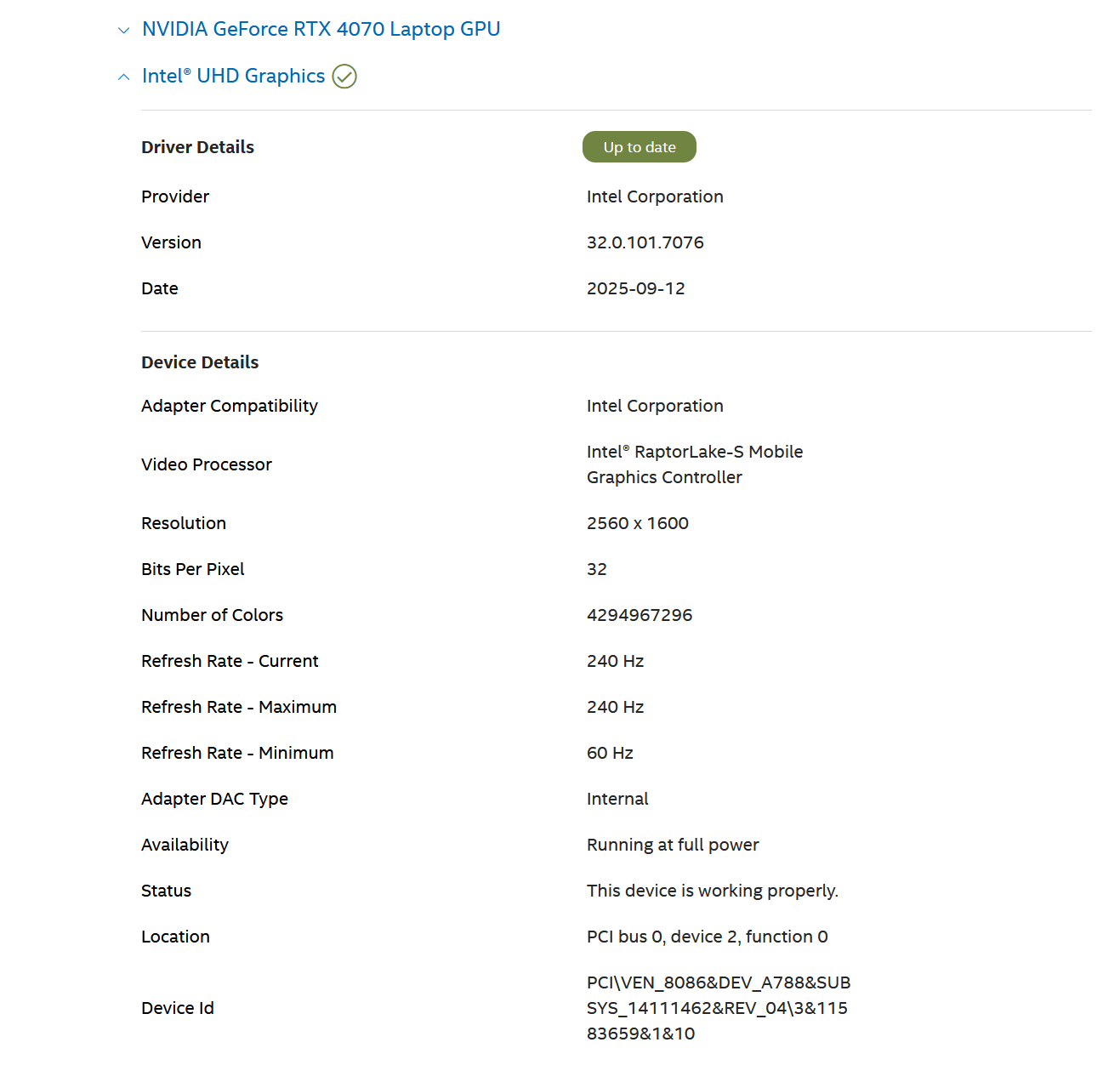
I own an MSİ Sword 17hx B14VGKG laptop with the following specifications:
CPU: Intel Core i7-14700HX
Gpu: NVIDIA GeForce RTX 4070 Laptop GPU
Ram 32
OS Windows 11
About 1o days ago, I sent the laptop to technical service because it suddenly started overheating and showing temperature spikes that I had never seen before. The CPU hits 90 96 degrees, even during very light usage (browsing, watching videos, or being idle). The temperature jumps from 6o yo 80 degrees, which is not normal behavior.
The service claimed they performed thermal maintenance, but the problem contunıes as the same ıssiue. Nothing has changed, and the temperatures are still extremely unstable and too high for this hardware.
I completely removed all GPU and iGPU drivers using DDU in Safe Mode, reinstalled the correct Intel graphics driver from Intel’s website, reinstalled the latest NVIDIA driver, and disabled automatic driver downloads from Windows Update.
Despite all of this, the overheating issue remains.
I need help understanding whether this is:
A firmware/BIOS issue,
A fan or cooling system defect,
A known problem with this model,
Or something else that requires another service repair.
Any assistance or guidance would be greatly appreciated.
Thank you.
What should I do next?
Do I need another RMA?
Is this a known defect for this model?
Thank you.
- Mark as New
- Bookmark
- Subscribe
- Mute
- Subscribe to RSS Feed
- Permalink
- Report Inappropriate Content
Hello Tucinieks,
I hope you are having a good day.
I am sending another follow up and hoping that you are now talking to the OEM manufacturer regarding the issue.
Since we have not heard back from you, I need to close this inquiry.
If you need further assistance, please post a new question as this thread will no longer be monitored.
Thank you and have a great day.
Best regards,
Michael L.
Intel Customer Support Technician

- Subscribe to RSS Feed
- Mark Topic as New
- Mark Topic as Read
- Float this Topic for Current User
- Bookmark
- Subscribe
- Printer Friendly Page