
- 신규로 표시
- 북마크
- 구독
- 소거
- RSS 피드 구독
- 강조
- 인쇄
- 부적절한 컨텐트 신고
Intel has been notified of a potential memory leak that occurs when trying to install Beta driver 30.0.100.9667 or Production driver 30.0.100.9684, it appears it might occur on Windows 21H1 (a.k.a. build 19043 and newer).
NOTE: If you already installed any of these drivers successfully then do not worry as this issue might only show up during the driver installation process.
We are investigating this issue now, and as soon as we have more details we'll post them in this thread.
Similar threads about this:
https://www.reddit.com/r/intel/comments/ol0p7a/the_new_intel_driver_installer_is_broken_deadlock
Thank you for your patience!
Best Regards,
Ronald M.

- 신규로 표시
- 북마크
- 구독
- 소거
- RSS 피드 구독
- 강조
- 인쇄
- 부적절한 컨텐트 신고
Hi folks! The driver package for 30.0.100.9684 has been replaced with an updated installer so the issue should be resolved now. To receive the fix, simply download and re-install 100.9684 from the Download Center.
링크가 복사됨

- 신규로 표시
- 북마크
- 구독
- 소거
- RSS 피드 구독
- 강조
- 인쇄
- 부적절한 컨텐트 신고
Successfully installed driver from command line:
1) download .zip with driver and unpack it in C:\1 so Installer.exe must be located in C:\1
2) run this command line from Windows Terminal/PowerShell:
cd c:\1
./installer -b -o -s -f
If you want to run it from old command line cmd.exe type this line by line:
c:
cd \1
installer -b -o -s -f
3) computer will reboot after some time

- 신규로 표시
- 북마크
- 구독
- 소거
- RSS 피드 구독
- 강조
- 인쇄
- 부적절한 컨텐트 신고
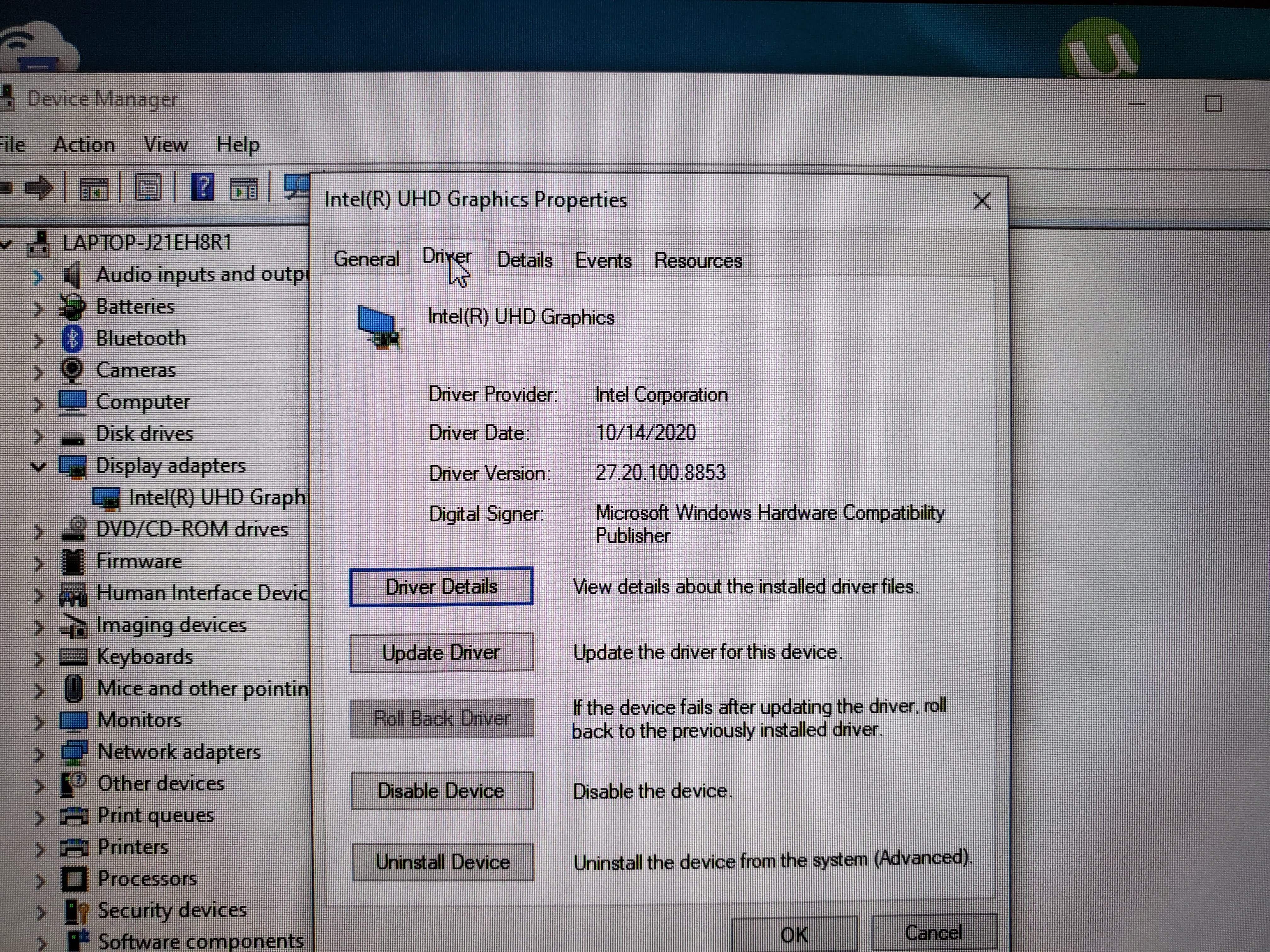
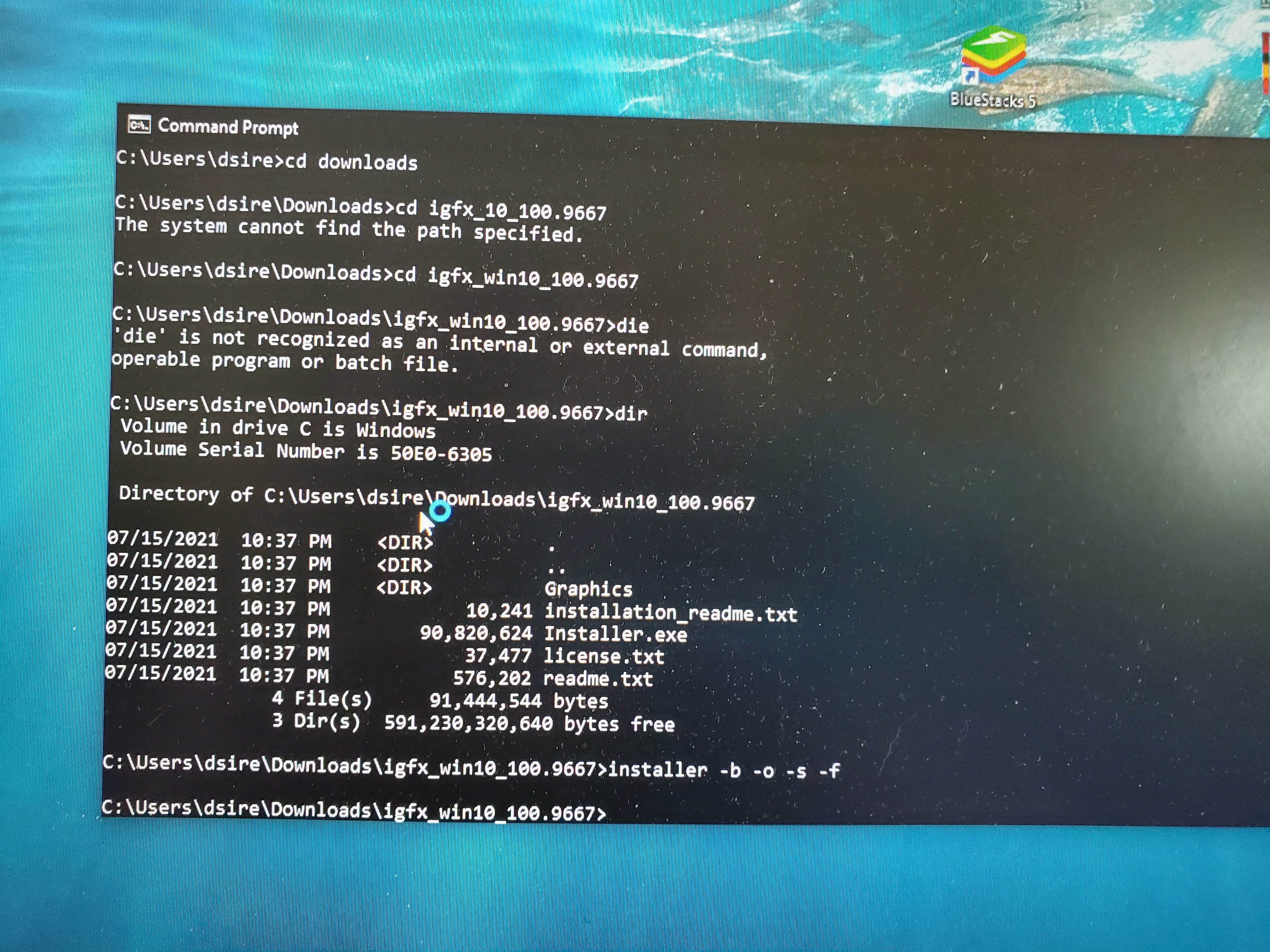
Did not upgrade the driver.
I opened a command prompt and changed directories to where where the installer was. I ran the installer -b -o -s -f. Got the message from MS about install anyway and did that. The system rebooted after awhile and the driver was still the older driver. I have attached pictures.
Anyone have any other ideas. I have been dealing with this for days and the first say was 6 hours because I thought it was my PC at first.
- 신규로 표시
- 북마크
- 구독
- 소거
- RSS 피드 구독
- 강조
- 인쇄
- 부적절한 컨텐트 신고
It worked so far, I will have to see what happens when there is an update. Thank you very much.
- 신규로 표시
- 북마크
- 구독
- 소거
- RSS 피드 구독
- 강조
- 인쇄
- 부적절한 컨텐트 신고
Hi folks! The driver package for 30.0.100.9684 has been replaced with an updated installer so the issue should be resolved now. To receive the fix, simply download and re-install 100.9684 from the Download Center.

- 신규로 표시
- 북마크
- 구독
- 소거
- RSS 피드 구독
- 강조
- 인쇄
- 부적절한 컨텐트 신고


- 신규로 표시
- 북마크
- 구독
- 소거
- RSS 피드 구독
- 강조
- 인쇄
- 부적절한 컨텐트 신고
I have already installed version .9684 before Intel updated the installer. Do I have to again install the same driver version with the updated installer ? I didn't noticed any problems so far, but just asking to confirm as you have written "re-install 100.9684" on your post.
- 신규로 표시
- 북마크
- 구독
- 소거
- RSS 피드 구독
- 강조
- 인쇄
- 부적절한 컨텐트 신고
i have gone through the same thread and searching for the solution
- 신규로 표시
- 북마크
- 구독
- 소거
- RSS 피드 구독
- 강조
- 인쇄
- 부적절한 컨텐트 신고
Using the command line, I was able to install the driver successfully:It is necessary to unpack the driver .zip file which contains the driver on C:/1 in order for Installer.exe to be located on the same drive.To run this command line in Windows Terminal/PowerShell, you need to run the following command line: I have made a copy of the CD and stored it in C:/There is a ./installer command that is run with an optional parameter set in order to install the application. If you want to run it from old command line cmd.exe type this line by line: Here are some assumptions that you may want to consider:There is one CD on the driveAs you can see, this is the command used by the installer: -b -o -s -fThe computer may restart after a while if it has been running for a while



- 신규로 표시
- 북마크
- 구독
- 소거
- RSS 피드 구독
- 강조
- 인쇄
- 부적절한 컨텐트 신고
Successfully installed driver from command line:
1) download .zip with driver and unpack it in C:\1 so Installer.exe must be located in C:\1
2) run this command line from Windows Terminal/PowerShell:
cd c:\1
./installer -b -o -s -f
If you want to run it from old command line cmd.exe type this line by line:
c:
cd \1
installer -b -o -s -f
