
- Отметить как новое
- Закладка
- Подписаться
- Отключить
- Подписка на RSS-канал
- Выделить
- Печать
- Сообщить о недопустимом содержимом
Hello everyone,
A while back I installed the Intel Graphics Command Center from the Windows Store on my Lenovo Yoga C930 laptop. Recently upon opening it it recommends that I uninstall the old Intel Graphics Control Panel. How do I do this? I know uninstalling the graphics driver removes the panel, but that seems silly as I obviously want the latest grpahics driver... Does the Command Center simply come with the latest driver as well?
Thank you,
Noah

- Отметить как новое
- Закладка
- Подписаться
- Отключить
- Подписка на RSS-канал
- Выделить
- Печать
- Сообщить о недопустимом содержимом
Hi @NLauz ,
- The Intel Graphics Command Center (IGCC) was included in Intel DCH Graphics Driver and installed with this driver. In the latest version of this driver (Version: 26.20.100.7463), the Intel Graphics Command Center was not included in the driver package, although according to the Release Notes, attached to driver download page https://downloadmirror.intel.com/29195/eng/ReleaseNotes_100.7463.pdf, it should be included.
- I have NUC7i7DNHE, with Intel UHD Graphics 620, similar to your laptop. On this NUC, after updating graphics driver to version 26.20.100.7463, the Intel Graphics Command Center wasn't installed any more. So, I've downloaded it and installed from the Microsoft Store.
- I've downloaded from Microsoft Store and installed also the Intel Graphics Control Panel (IGCP).
- I'm using both applications: IGCP and IGCC. Both can work side by side. There are not redundant, since not all functions existing in IGCP are available in IGCC.
- So, while running IGCC, disregard the advice and check "Do not show again".
Leon
Ссылка скопирована

- Отметить как новое
- Закладка
- Подписаться
- Отключить
- Подписка на RSS-канал
- Выделить
- Печать
- Сообщить о недопустимом содержимом
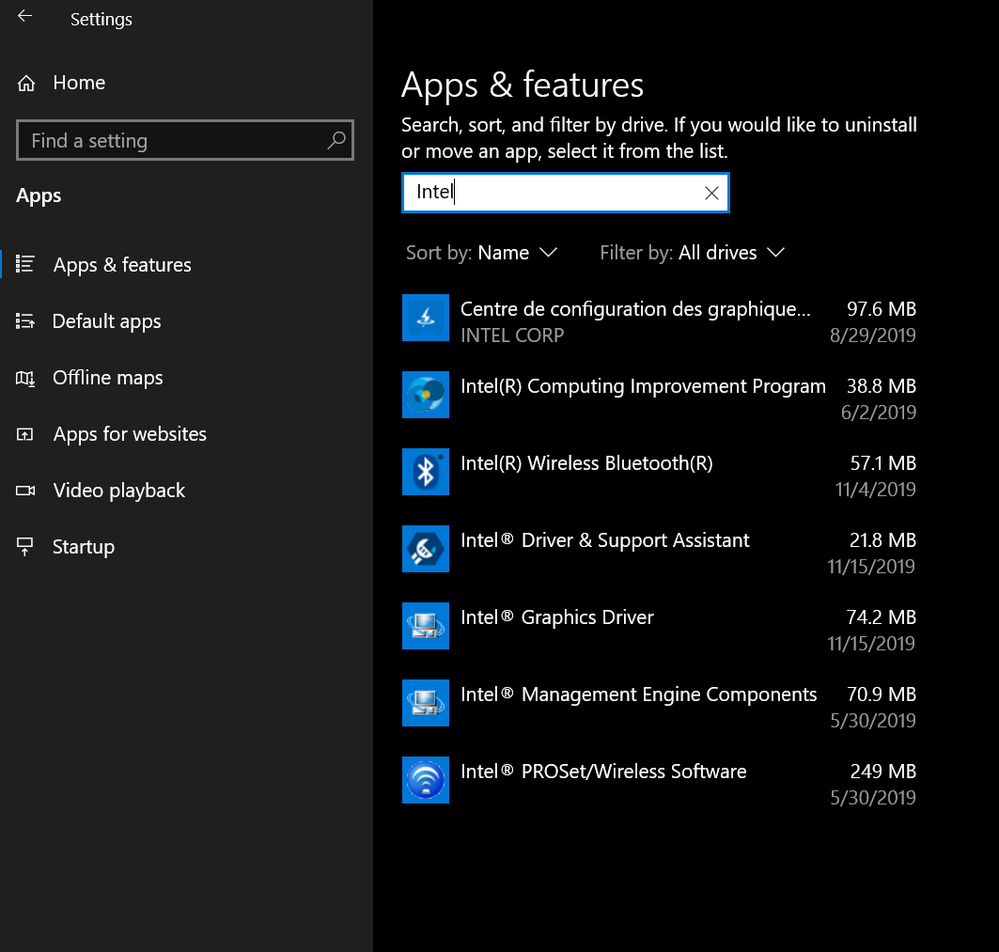
Start, settings, apps, apps & features, select the Intel GCP, uninstall.
Doc
- Отметить как новое
- Закладка
- Подписаться
- Отключить
- Подписка на RSS-канал
- Выделить
- Печать
- Сообщить о недопустимом содержимом
Hello Doc,
Thank you for such a quick reply but I don't seem to have that as a standalone application, which is why I was confused in the first place.
Noah
- Отметить как новое
- Закладка
- Подписаться
- Отключить
- Подписка на RSS-канал
- Выделить
- Печать
- Сообщить о недопустимом содержимом
What is your processor model number?
What version of windows 10? 1903? 1909?
What is the version of your graphics driver?
Do you have dual graphics?
Are you using the drivers provided by Lenovo?
Doc
- Отметить как новое
- Закладка
- Подписаться
- Отключить
- Подписка на RSS-канал
- Выделить
- Печать
- Сообщить о недопустимом содержимом
Hi Doc,
My processor is a i7-8550U.
I am running Windows 10 version 1909.
My graphics driver is version 26.20.100.7463.
No, I only have integrated graphics.
And yes I use the Intel Driver Support Assistant which detects my machine's model and provides the appropriate drivers.
Thank you,
Noah
- Отметить как новое
- Закладка
- Подписаться
- Отключить
- Подписка на RSS-канал
- Выделить
- Печать
- Сообщить о недопустимом содержимом
Well, because this is a lenovo laptop, you should be using the graphics (and other) drivers provided by them.
Download, run, and attach (using the paperclip) the results of this utility:
https://downloadcenter.intel.com/download/25293/Intel-System-Support-Utility
Then, an Intel support engineer can assist you.
Doc
- Отметить как новое
- Закладка
- Подписаться
- Отключить
- Подписка на RSS-канал
- Выделить
- Печать
- Сообщить о недопустимом содержимом
Doc,
I thought the drivers I use are tied to my machine specifically and therefore should be identical to what's on Lenovo's site, but I've attached the text file of results.
Thank you so much for all the help,
Noah
- Отметить как новое
- Закладка
- Подписаться
- Отключить
- Подписка на RSS-канал
- Выделить
- Печать
- Сообщить о недопустимом содержимом
No, they are not identical. And, lenovo may be whitelisting/blacklisting drivers.
Doc
- Отметить как новое
- Закладка
- Подписаться
- Отключить
- Подписка на RSS-канал
- Выделить
- Печать
- Сообщить о недопустимом содержимом
Doc,
Good to know! Thank you so much.
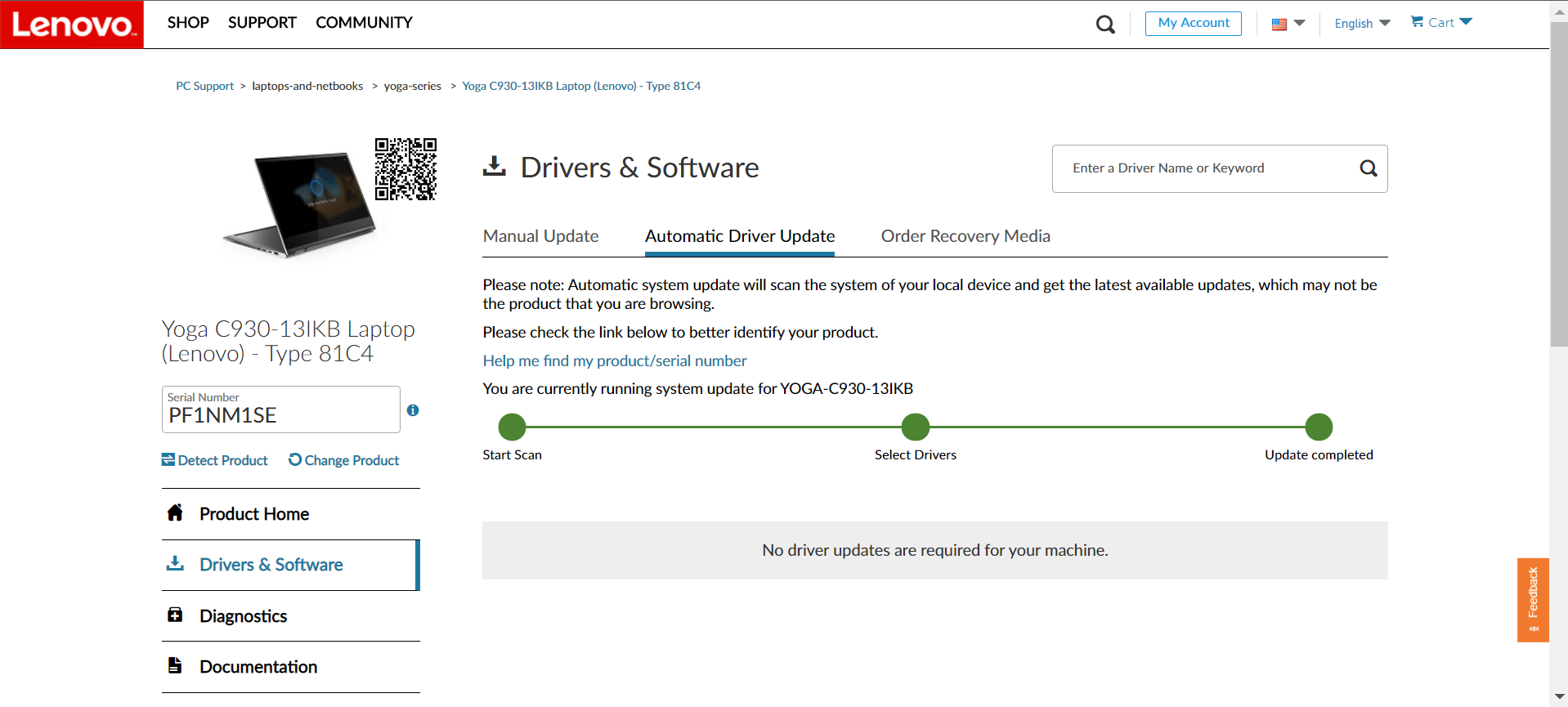
I used Lenovo's own utility to see if a different driver was available, but didn't get anything. So I guess I'll wait and see if an Intel support engineer can help.
Thank you again,
Noah
- Отметить как новое
- Закладка
- Подписаться
- Отключить
- Подписка на RSS-канал
- Выделить
- Печать
- Сообщить о недопустимом содержимом
Hi @NLauz ,
- The Intel Graphics Command Center (IGCC) was included in Intel DCH Graphics Driver and installed with this driver. In the latest version of this driver (Version: 26.20.100.7463), the Intel Graphics Command Center was not included in the driver package, although according to the Release Notes, attached to driver download page https://downloadmirror.intel.com/29195/eng/ReleaseNotes_100.7463.pdf, it should be included.
- I have NUC7i7DNHE, with Intel UHD Graphics 620, similar to your laptop. On this NUC, after updating graphics driver to version 26.20.100.7463, the Intel Graphics Command Center wasn't installed any more. So, I've downloaded it and installed from the Microsoft Store.
- I've downloaded from Microsoft Store and installed also the Intel Graphics Control Panel (IGCP).
- I'm using both applications: IGCP and IGCC. Both can work side by side. There are not redundant, since not all functions existing in IGCP are available in IGCC.
- So, while running IGCC, disregard the advice and check "Do not show again".
Leon
- Отметить как новое
- Закладка
- Подписаться
- Отключить
- Подписка на RSS-канал
- Выделить
- Печать
- Сообщить о недопустимом содержимом
Hi Leon,
That's interesting because my driver seems to include the desktop HD Graphics Control Panel, as I had to install the Command Center from the Windows Store myself (and it's never been uninstalled). I know they run together just fine so I guess I'll take your advise and hide it like I did before. I was just curious if I could uninstall the HD Panel like it was recommending.
Thank you,
Noah

- Подписка на RSS-канал
- Отметить тему как новую
- Отметить тему как прочитанную
- Выполнить отслеживание данной Тема для текущего пользователя
- Закладка
- Подписаться
- Страница в формате печати