
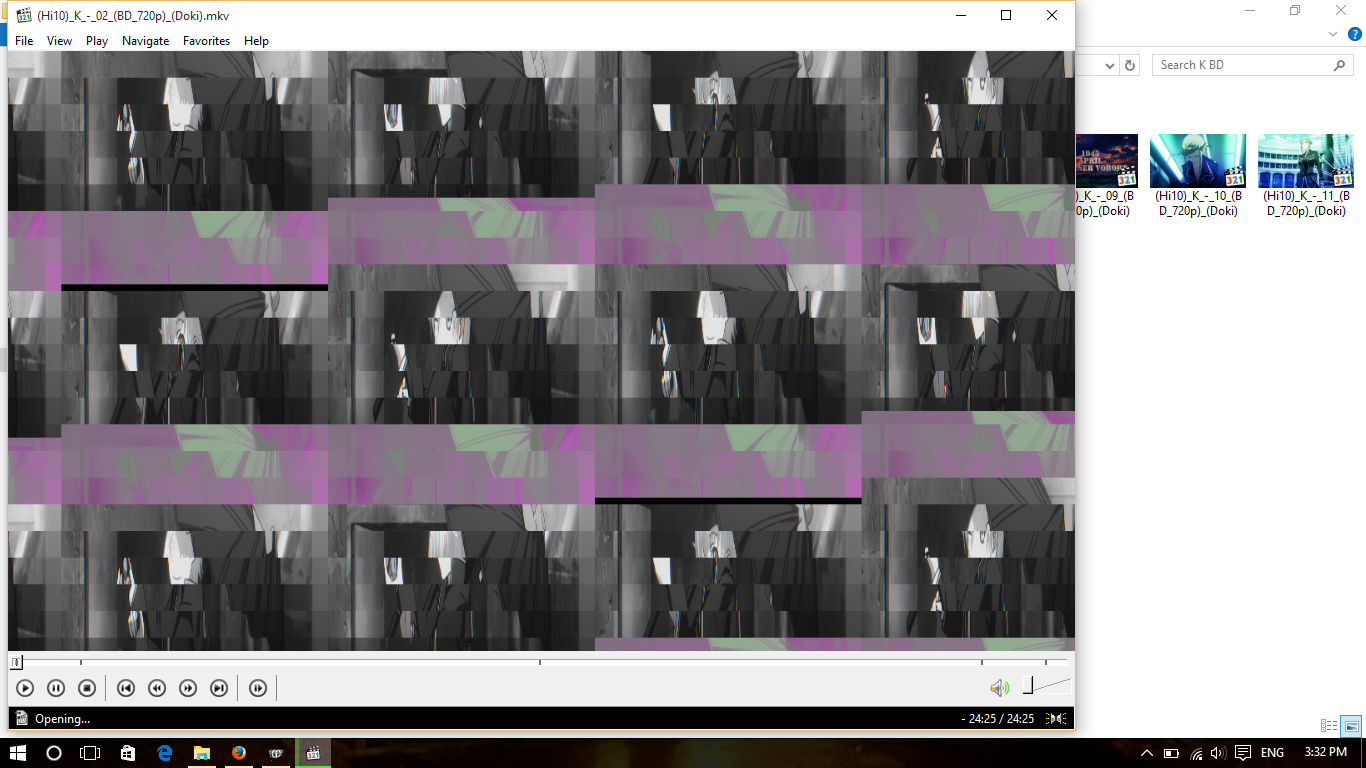
Right now i using Windows 10 i already install Codec K-Lite. When i play video at Window Media Player my video didn't appear only sound, and then i play my video at Media Classic K-Lite it's okay but when i click next it become glitch. One More when i play youtube video sometime it become glitch.
This is my video ID :
Video
ID : 1
Format : AVC
Format/Info : Advanced Video Codec
Format profile : High 10@L5.1
Format settings, CABAC : Yes
Format settings, ReFrames : 16 frames
Muxing mode : Header stripping
Codec ID : V_MPEG4/ISO/AVC
@This is when i play video only sound .
@ i'm using Media Classic when play my video when i click next my video became glitch only for few second.
@When i play youtube Sometimes it glitch.
連結已複製



Hello Devil_MoMo
Please provide the current graphics driver version you are using on your computer. This will help us attempt to reproduce the issue on our laboratory.
You can download the latest Intel® HD graphic drivers at https://downloadcenter.intel.com/ Intel® Download Center.

Hello,
I confirm there are updated drivers for Intel® HD Graphics 4400 you may download latest version from here: https://downloadcenter.intel.com/product/81497/Intel-HD-Graphics-4400-for-4th-Generation-Intel-Core-Processors Intel® Download Center
Additionally, I suggest downloading The Microsoft DirectX® End-User Runtime* which provides updates to 9.0c and previous versions of DirectX — the core Windows® technology that drives high-speed multimedia and games on the PC. You may download it from Microsoft's web site: https://www.microsoft.com/en-US/download/details.aspx?id=35 Download DirectX End-User Runtime Web Installer from Official Microsoft Download Center
