
- Marquer comme nouveau
- Marquer
- S'abonner
- Sourdine
- S'abonner au fil RSS
- Surligner
- Imprimer
- Signaler un contenu inapproprié
Lien copié

- Marquer comme nouveau
- Marquer
- S'abonner
- Sourdine
- S'abonner au fil RSS
- Surligner
- Imprimer
- Signaler un contenu inapproprié
Hello, @nicobeny
Thank you for posting on the Intel® communities.
In order to assist you the best way possible, do you have an Intel® NUC or is it a 3rd party device (Dell, Lenovo, HP, etc.)?
Best regards,
Jocelyn M.
Intel Customer Support Technician.

- Marquer comme nouveau
- Marquer
- S'abonner
- Sourdine
- S'abonner au fil RSS
- Surligner
- Imprimer
- Signaler un contenu inapproprié
Hello @Jocelyn_Intel
I am having the same issue could you please assist ?
I have a laptop from acer.
Regards
U.A. Sumedh
- Marquer comme nouveau
- Marquer
- S'abonner
- Sourdine
- S'abonner au fil RSS
- Surligner
- Imprimer
- Signaler un contenu inapproprié
Hello, @nicobeny
I hope you are great.
I am checking this thread and I would like to know if you were able to check out my previous post.
Best regards,
Jocelyn M.
Intel Customer Support Technician.
- Marquer comme nouveau
- Marquer
- S'abonner
- Sourdine
- S'abonner au fil RSS
- Surligner
- Imprimer
- Signaler un contenu inapproprié
Hello, @nicobeny
I hope you are doing great.
As we have not heard back from you, we will proceed to close this thread now.
If you need any further assistance, please feel free to contact us back and submit a new question as this thread will no longer be monitored.
Best regards,
Jocelyn M.
Intel Customer Support Technician.
- Marquer comme nouveau
- Marquer
- S'abonner
- Sourdine
- S'abonner au fil RSS
- Surligner
- Imprimer
- Signaler un contenu inapproprié
Hello, I have the same problem too. I met with Asus, they told me to meet with intel. Although I downloaded the current software from the Asus website, I still receive the warning. How do I solve my problem ? ASUS ROG Strix G16 G614JV-N3157W
- Marquer comme nouveau
- Marquer
- S'abonner
- Sourdine
- S'abonner au fil RSS
- Surligner
- Imprimer
- Signaler un contenu inapproprié
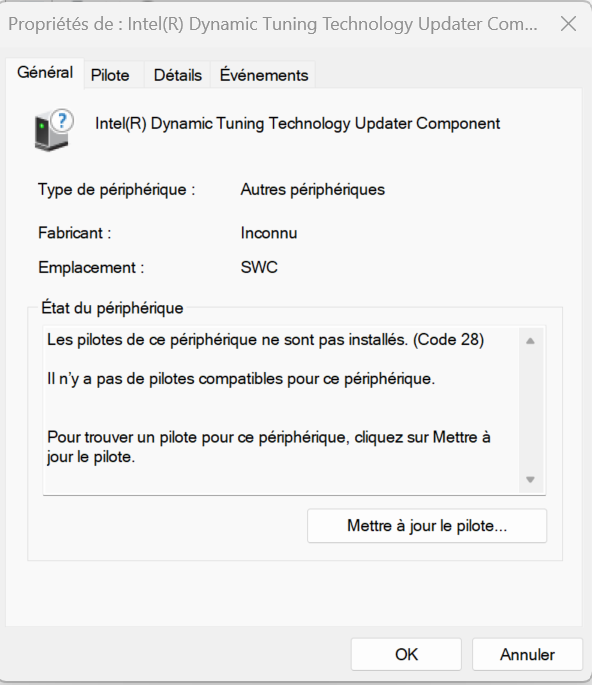
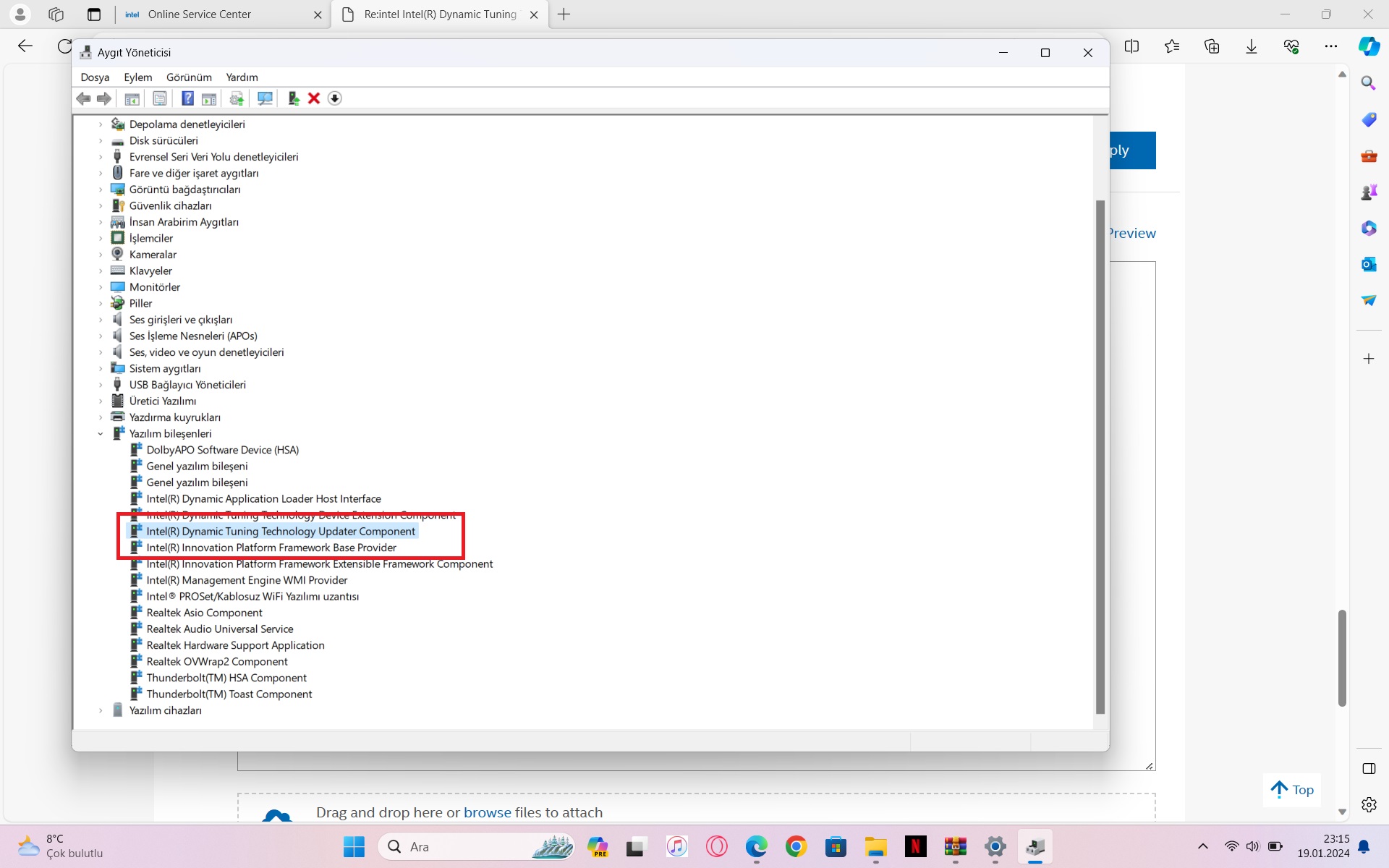
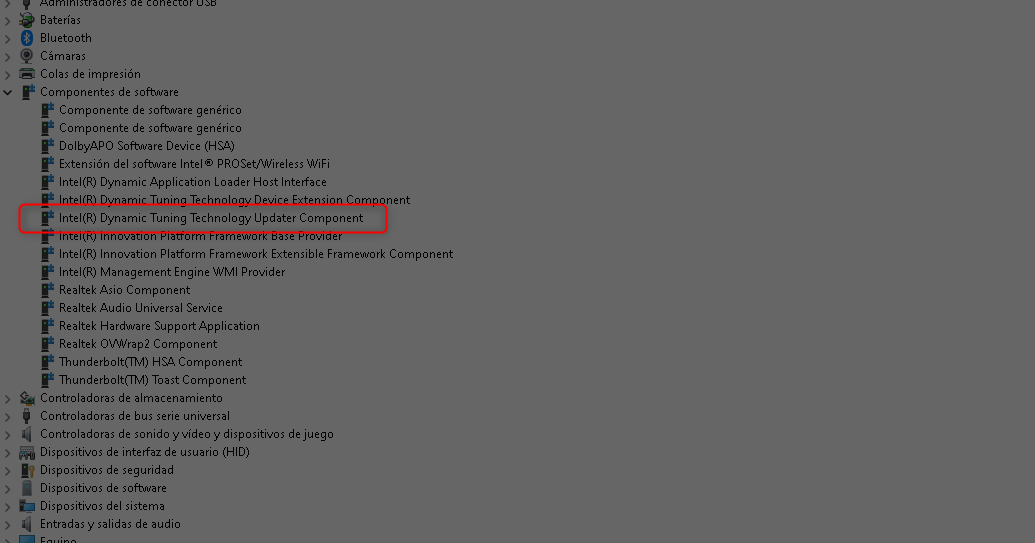
in the device manager it appeared like this for me
The drivers for this device are not installed. (Code 28)
There are no compatible drivers for this device.
for my ROG STRIX G814JI I solved the problem after installing the following driver DRV_DTT_Intel_SZ_TSD_W11_64_V101140139039_20231117R
I hope it will help you to solve the problem😁
- Marquer comme nouveau
- Marquer
- S'abonner
- Sourdine
- S'abonner au fil RSS
- Surligner
- Imprimer
- Signaler un contenu inapproprié
thank you. thanks to you, I solved my problem that took 1 month. :)))))

- Marquer comme nouveau
- Marquer
- S'abonner
- Sourdine
- S'abonner au fil RSS
- Surligner
- Imprimer
- Signaler un contenu inapproprié
thank´s , you solved something that the microsoft and the asus team couldn´t.
I have a Asus Strix G16 614JI, and it worked.

- Marquer comme nouveau
- Marquer
- S'abonner
- Sourdine
- S'abonner au fil RSS
- Surligner
- Imprimer
- Signaler un contenu inapproprié
Works even on a relatively new LENOVO LEGION PRO7, running Windows 10 🙂

- Marquer comme nouveau
- Marquer
- S'abonner
- Sourdine
- S'abonner au fil RSS
- Surligner
- Imprimer
- Signaler un contenu inapproprié
With my all thanks for your reply, i will test this driver and see if the problem is resolv for a long time
Best regards
Valéry Petit
- Marquer comme nouveau
- Marquer
- S'abonner
- Sourdine
- S'abonner au fil RSS
- Surligner
- Imprimer
- Signaler un contenu inapproprié
Hi Everybody
I've an Asus H7604JV the Studiobook ProArt, and i meet the same problem
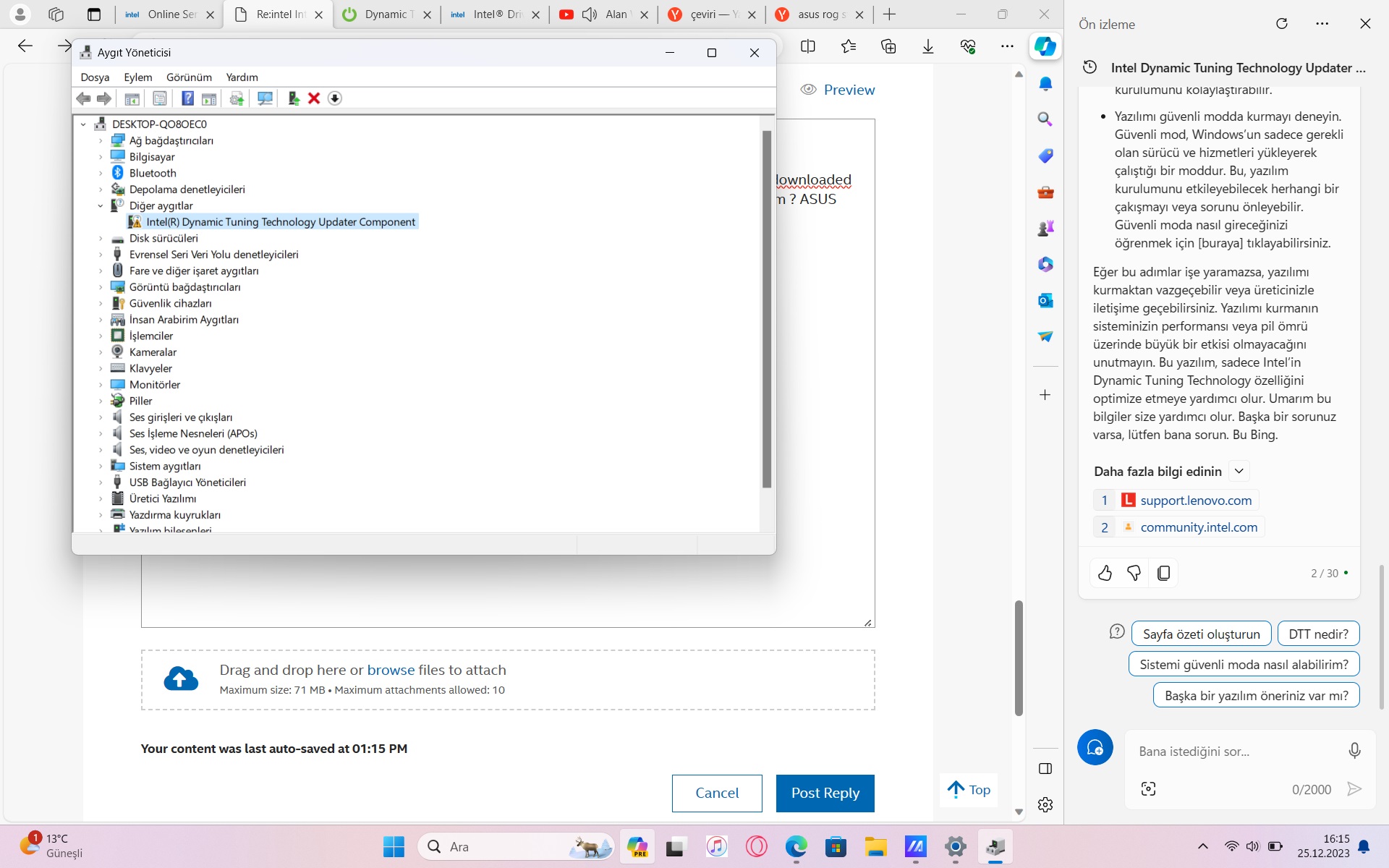
Intel DTT is on error in the Dzevice Manager of Win 11
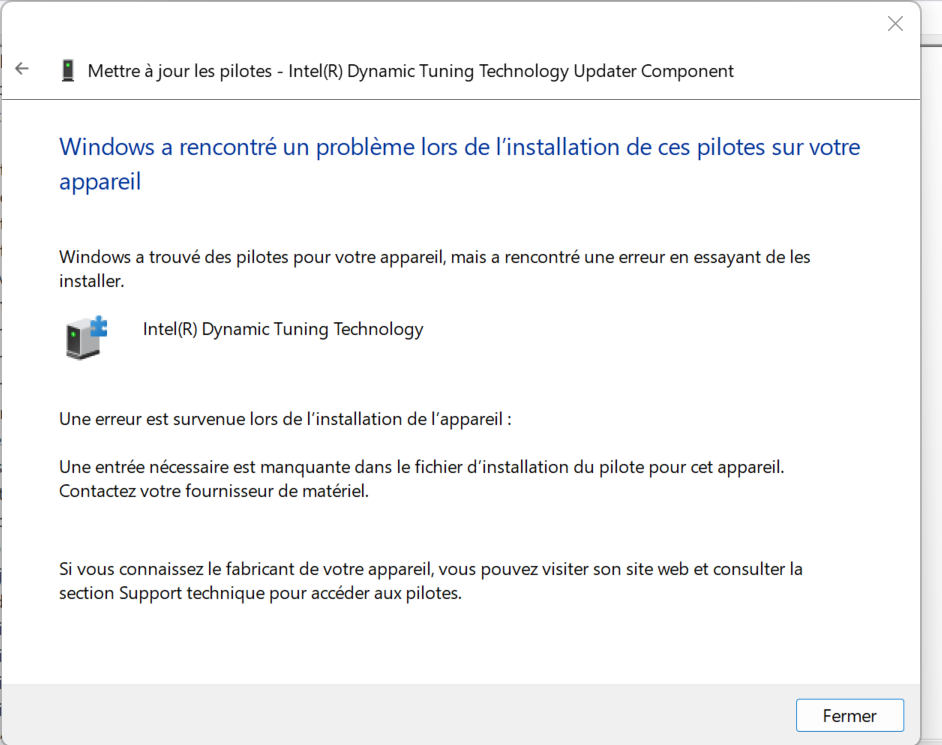
I tried to uninstal and reinstall the driver to fix the problem (by using DPTF_DCH_Intel_Z_V1.0.11200.30652_31666)
That fix the problem at the next startup, But the error ends up reappearing during a next reboot !!!
I don't know what to do to fix this problem.
Waiting for help and a solution.
Best regards
V.P.

- Marquer comme nouveau
- Marquer
- S'abonner
- Sourdine
- S'abonner au fil RSS
- Surligner
- Imprimer
- Signaler un contenu inapproprié
I have a similar issue with my Dell.
The error seems to require a command prompt-based scan and fix.
if anyone can recommend such, that'd be extremely welcome.





- Marquer comme nouveau
- Marquer
- S'abonner
- Sourdine
- S'abonner au fil RSS
- Surligner
- Imprimer
- Signaler un contenu inapproprié
I am experiencing the same problem with hp-pavilion-all-in-one-pc-27-ca2xxx
can this solution still work on hp?

- S'abonner au fil RSS
- Marquer le sujet comme nouveau
- Marquer le sujet comme lu
- Placer ce Sujet en tête de liste pour l'utilisateur actuel
- Marquer
- S'abonner
- Page imprimable