
- Mark as New
- Bookmark
- Subscribe
- Mute
- Subscribe to RSS Feed
- Permalink
- Report Inappropriate Content
I'm having issues finalizing my installation of Python 3.6.5 or later to activate my Openvino toolkit.
The message says "unsupported version try 3.5 or 3.6"
Originally, I installed 3.80b
This forum is horrible. I can't upload images to help move my support faster.
- Mark as New
- Bookmark
- Subscribe
- Mute
- Subscribe to RSS Feed
- Permalink
- Report Inappropriate Content
Lock this thread please. I've opened another for OV 2019 R3 and Cmake. Thanks!
Link Copied
- « Previous
-
- 1
- 2
- Next »
- Mark as New
- Bookmark
- Subscribe
- Mute
- Subscribe to RSS Feed
- Permalink
- Report Inappropriate Content
I think I've found the issues:
1. I have 3 versions of Python on my computer. Microsoft's C++/Python implementation, Various Official Python versions, and Python X,Y.
I have removed all of them and will install only the Official Python version. Python X,Y doesn't clean up after itself so I had to clean it manually.
2. Can you do a better job of maintaining the documentation on this site? Some of the instructions are out of date.
I'll post back if this doesn't work.
- Mark as New
- Bookmark
- Subscribe
- Mute
- Subscribe to RSS Feed
- Permalink
- Report Inappropriate Content
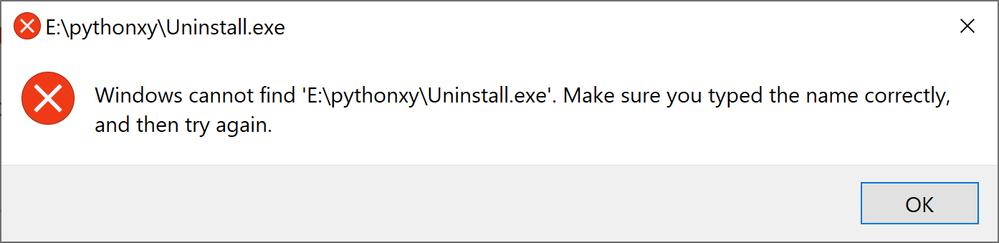
No good...Python Install has a bug so I can't unistall it to install good version. I contacted Python XY owner via LinkedIn today because regular site has no way to submit bug issues. Avoid Python XY at this point because uninstall file is a subdirectory lower but log file is somewhere else.

- Mark as New
- Bookmark
- Subscribe
- Mute
- Subscribe to RSS Feed
- Permalink
- Report Inappropriate Content
Dear Carlisle, George,
Thanks kindly for informing the OpenVino Community. Yeah https://python-xy.github.io/ is definitely a non-standard version of Python which OpenVino may not be compatible with.
Thanks,
Shubha
- Mark as New
- Bookmark
- Subscribe
- Mute
- Subscribe to RSS Feed
- Permalink
- Report Inappropriate Content
Update...
I've reinstalled my machine which removed the garbage Python X,Y.
Everything is going smoothly except when I went to test my installation.
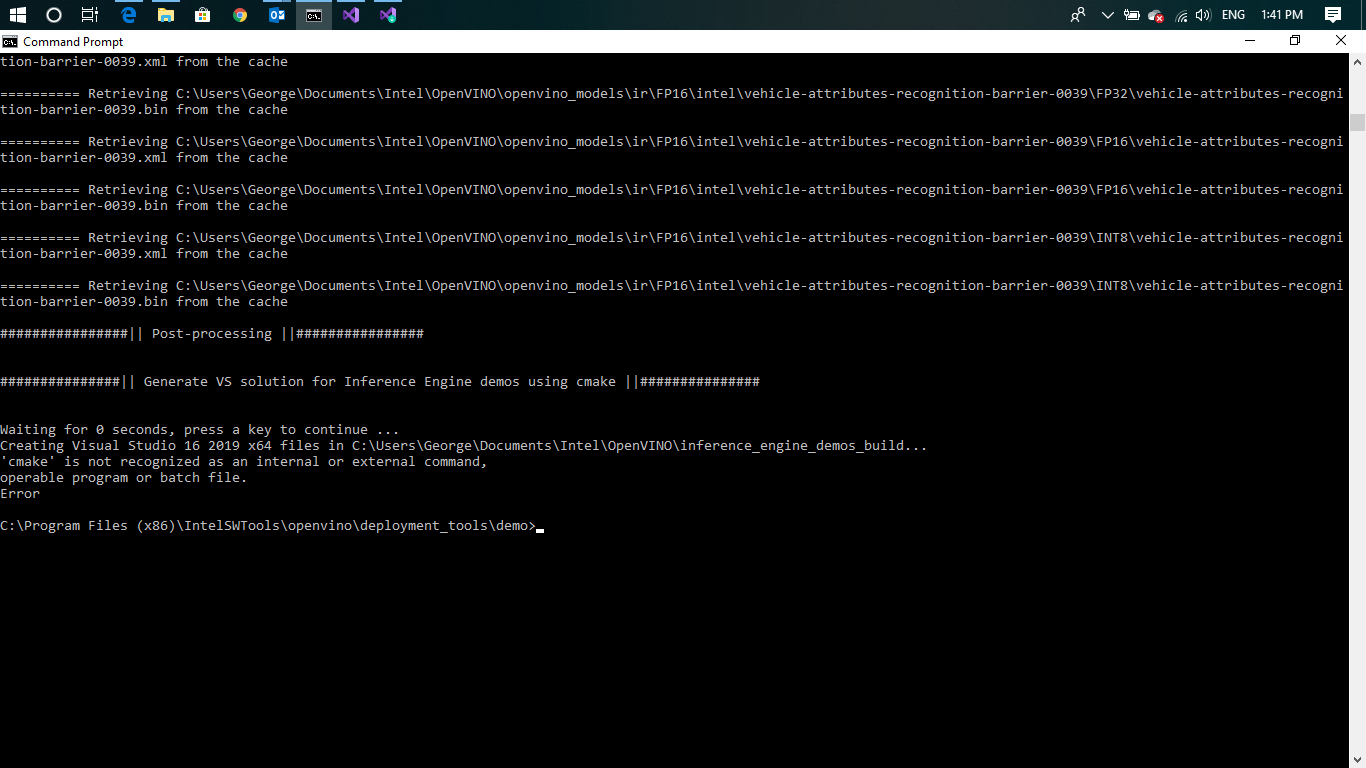
I had problems with Cmake that was installed with Visual Studio 2019. Here are the error message I got when I ran the security demo here, demo_security_barrier_camera.bat (see attached CMD error)
- Mark as New
- Bookmark
- Subscribe
- Mute
- Subscribe to RSS Feed
- Permalink
- Report Inappropriate Content
I think Visual Studio probably hides Cmake under their directory and not in the root. This would prevent other programs from accessing it.
I'm unistalling cmake from VS2019 and reinstalling from the cmake site
Edit...still didn't work. .

- Mark as New
- Bookmark
- Subscribe
- Mute
- Subscribe to RSS Feed
- Permalink
- Report Inappropriate Content
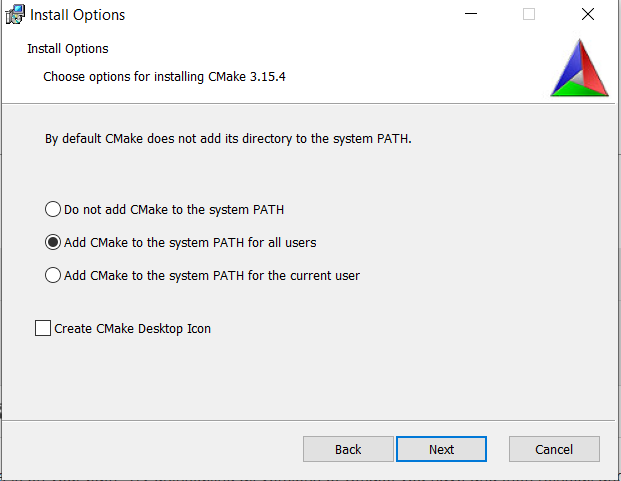
You need to make sure that cmake is on your path. Try uninstalling all versions of Cmake you have and then reinstall and follow the prompts
about installing to path.
- Mark as New
- Bookmark
- Subscribe
- Mute
- Subscribe to RSS Feed
- Permalink
- Report Inappropriate Content
…
I did and it didn't work...to boot which version of cmake should I be using 32bit or 64bit. Intel must improve the detail of their documentation.
- Mark as New
- Bookmark
- Subscribe
- Mute
- Subscribe to RSS Feed
- Permalink
- Report Inappropriate Content
Dear Carlisle, George,
Here is my advice.
1) Uninstall all versions of OpenVino from your system
2) Uninstall all versions of Python from your system
3) Delete misc 'site-packages' directories scattered throughout your file system. site-packages are from previous Python Installations
4) Start afresh. Follow these instructions here:
OR
And today we just released OpenVino 2019R3. The title of this post is 2019R1.1 and we are far away from that now. Please install the latest and greatest.
Let me know how it works out for you.
Sincerely,
Shubha
- Mark as New
- Bookmark
- Subscribe
- Mute
- Subscribe to RSS Feed
- Permalink
- Report Inappropriate Content
I would go with what your target is. Most customers are targeting 64bit hardware. Also could you verify that cmake is now on your path.
- Mark as New
- Bookmark
- Subscribe
- Mute
- Subscribe to RSS Feed
- Permalink
- Report Inappropriate Content
Can I ask the both of you a question? Are you guys awake today?
I just mentioned in my previous post that I had reinstalled my machine and have new everything.
I'm on the latest Openvino that was released today.
I'm using the recommendations in the documentation here for Python and Cmake but the documentation is not detailed enough.
http://docs.openvinotoolkit.org/2019_R3/_docs_install_guides_installing_openvino_windows.html
How do I get Intel to produce higher quality documentation?
- Mark as New
- Bookmark
- Subscribe
- Mute
- Subscribe to RSS Feed
- Permalink
- Report Inappropriate Content
Just for the record...
I'm on Visual Studio 2019
I'm on Intel® Distribution of OpenVINO™ toolkit for Windows* 2019 Version: R3 released today.
Cmake originally I had installed with VS2019 but the software can't see to find it so I removed it and downloaded direct from Cmake website.
I hope this makes things clearer.
- Mark as New
- Bookmark
- Subscribe
- Mute
- Subscribe to RSS Feed
- Permalink
- Report Inappropriate Content
Lock this thread please. I've opened another for OV 2019 R3 and Cmake. Thanks!

- Subscribe to RSS Feed
- Mark Topic as New
- Mark Topic as Read
- Float this Topic for Current User
- Bookmark
- Subscribe
- Printer Friendly Page
- « Previous
-
- 1
- 2
- Next »