
- Mark as New
- Bookmark
- Subscribe
- Mute
- Subscribe to RSS Feed
- Permalink
- Report Inappropriate Content
Hi,
I've justinstalled the full version of my visual Fortran Compiler for Visual Studio 2008 (with company license). I've tried to compile in debug mode, an"hello world" console program but it doesn't want to execute at all (but it compile as well).A blank console windows appears within 1 second and disappears instantly.
The break point i've dropped before this command: "print *, 'Hello World'"is not reached by the compilator. If I run in non-debug mode (ctrl + F5) the code is compiling with success and the console windows shows the "hello world" word.
If I execute the code by pressing "F11", the debugger goes into "_tmainCRTStartup" function within crt0.c and do nothig else and exit application.
Also, I've tried to remove and reinstall the compiler.
What is the problem? Any idea ?
I've justinstalled the full version of my visual Fortran Compiler for Visual Studio 2008 (with company license). I've tried to compile in debug mode, an"hello world" console program but it doesn't want to execute at all (but it compile as well).A blank console windows appears within 1 second and disappears instantly.
The break point i've dropped before this command: "print *, 'Hello World'"is not reached by the compilator. If I run in non-debug mode (ctrl + F5) the code is compiling with success and the console windows shows the "hello world" word.
If I execute the code by pressing "F11", the debugger goes into "_tmainCRTStartup" function within crt0.c and do nothig else and exit application.
Also, I've tried to remove and reinstall the compiler.
What is the problem? Any idea ?
1 Solution

- Mark as New
- Bookmark
- Subscribe
- Mute
- Subscribe to RSS Feed
- Permalink
- Report Inappropriate Content
Ok, I think I may have an idea. Your co-worker's project folder is F:\Console3\ whereas yours is D:\Working\Alcan\nergie-lectrique\Console4. It maybe that the VS2008 Debugger has a problem with path names that have "international" characters in them, though I would think Microsoft would have fixed that problem long ago.
Please try as an experiment to create a project in a folder with a shorter name that doesn't have accented characters and see if it works. I will do some experiments here as well.
Please try as an experiment to create a project in a folder with a shorter name that doesn't have accented characters and see if it works. I will do some experiments here as well.
Link Copied
12 Replies
- Mark as New
- Bookmark
- Subscribe
- Mute
- Subscribe to RSS Feed
- Permalink
- Report Inappropriate Content
It is executing the program - just not hitting the breakpoint. All the other behaviors you mention are to be expected. (You can continue from where you get with F11.) Are you building a debug configuration? How about setting a breakpoint on the PRINT itself?
- Mark as New
- Bookmark
- Subscribe
- Mute
- Subscribe to RSS Feed
- Permalink
- Report Inappropriate Content
When I said "before the print" I mean "on the print" itself.
I am building a debug configuration (Debug mode selected in the drop down zone [debug/release]).
I am building a debug configuration (Debug mode selected in the drop down zone [debug/release]).
- Mark as New
- Bookmark
- Subscribe
- Mute
- Subscribe to RSS Feed
- Permalink
- Report Inappropriate Content
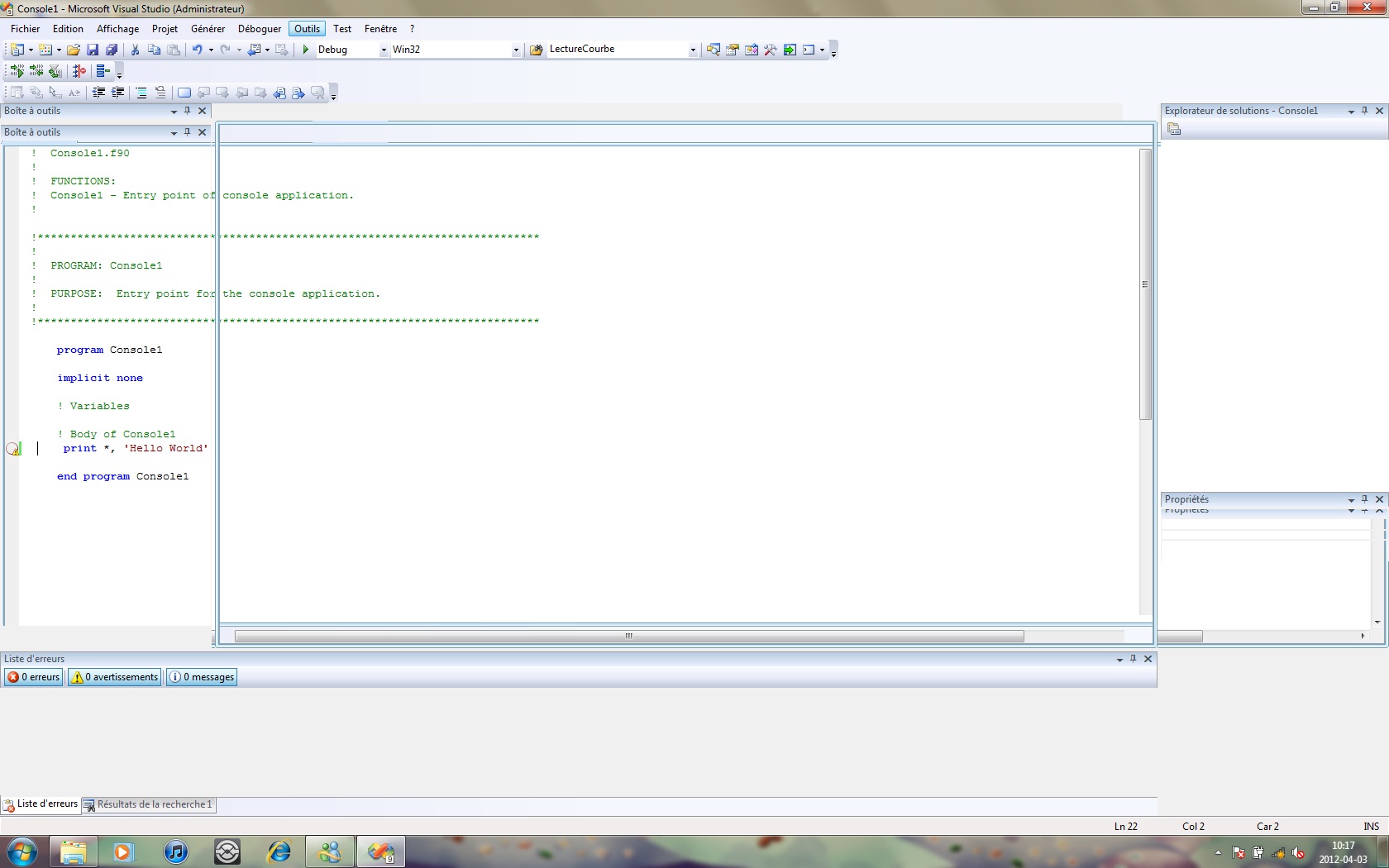
In addition, when hitting F5, all breakpoints turn to "disabled state" with an yellow warning beside.
- Mark as New
- Bookmark
- Subscribe
- Mute
- Subscribe to RSS Feed
- Permalink
- Report Inappropriate Content
Would you please ZIP your solution/project folder and attach the .zip here? I want to see what you did.
- Mark as New
- Bookmark
- Subscribe
- Mute
- Subscribe to RSS Feed
- Permalink
- Report Inappropriate Content
- Mark as New
- Bookmark
- Subscribe
- Mute
- Subscribe to RSS Feed
- Permalink
- Report Inappropriate Content
What I see from the screenshot is that you don't have an open solution - perhaps you just copied the files somewhere and opened the .vfproj? If you rebuild the project, which will create a solution, then you will be able to debug. I can reproduce the problem if there is no solution open.
- Mark as New
- Bookmark
- Subscribe
- Mute
- Subscribe to RSS Feed
- Permalink
- Report Inappropriate Content
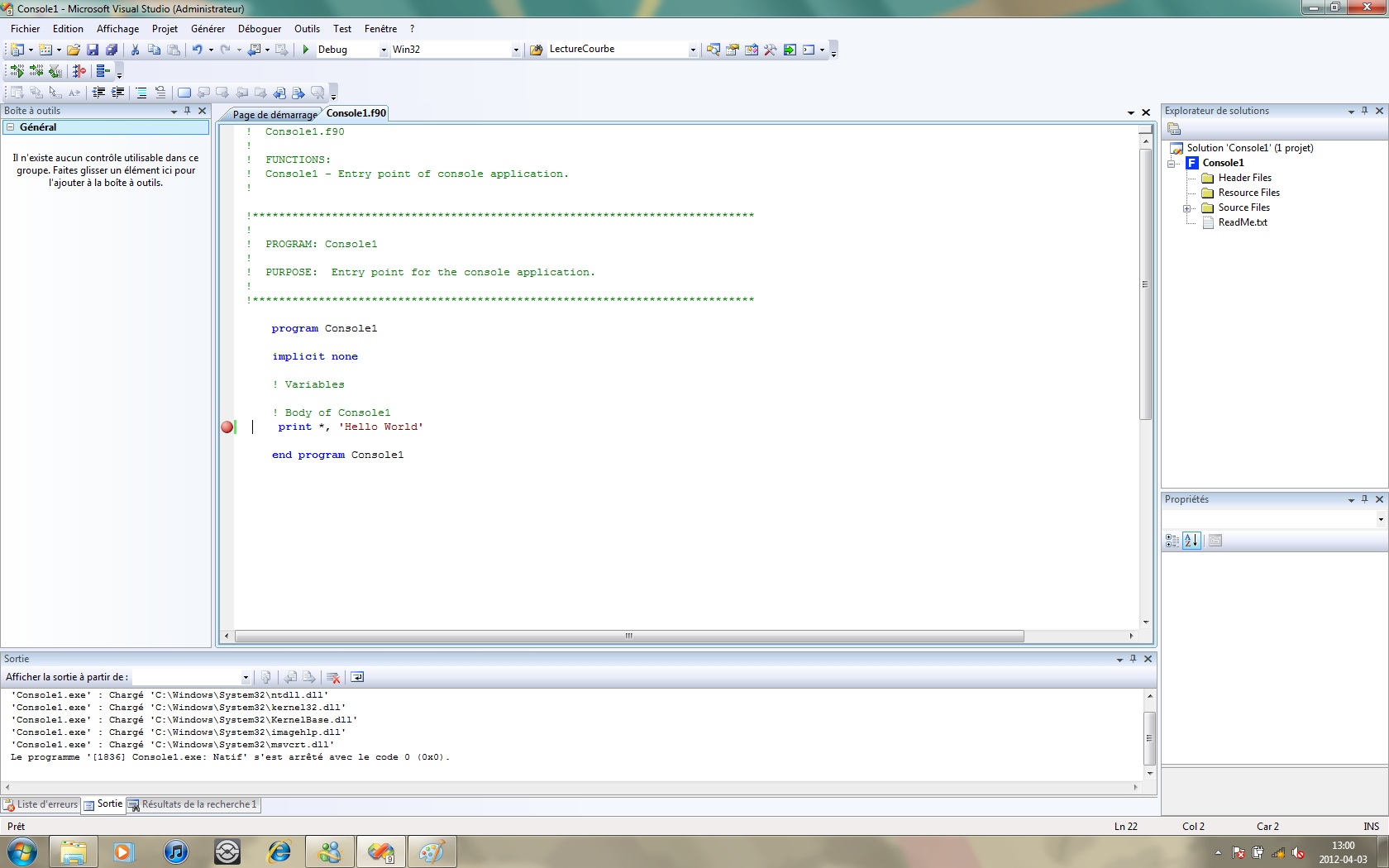
The screenshot were teken right after hitting "F5" so in this case, the Solution Explorer disapear to make room for other panels. The solution is created yet (see attachment) and if I rebuild the projectans Hit F5,the debuggerdoen'tstop at my breakpoint.
Also, i've installed the Visual Fortran packagefor VStudio 2008 on another computer and it does the same behavior.
- Mark as New
- Bookmark
- Subscribe
- Mute
- Subscribe to RSS Feed
- Permalink
- Report Inappropriate Content
When I took your original ZIP, I saw the same behavior if there was no solution open. But if I did a rebuild, it did break. Would you please attach a new ZIP that includes the solution files?
- Mark as New
- Bookmark
- Subscribe
- Mute
- Subscribe to RSS Feed
- Permalink
- Report Inappropriate Content
Hi,
I've posted 2 zip package with 2 solutions made by 2 computers.
Console3.zip is an Hello World Console Solution, provided by a co-worker and does go thru debug fineon hisvisual fortran and mine.
Console4.zip is an hello world console Solution, provided by me and doesn't go thru debug on both visual fortran.
I've posted 2 zip package with 2 solutions made by 2 computers.
Console3.zip is an Hello World Console Solution, provided by a co-worker and does go thru debug fineon hisvisual fortran and mine.
Console4.zip is an hello world console Solution, provided by me and doesn't go thru debug on both visual fortran.
- Mark as New
- Bookmark
- Subscribe
- Mute
- Subscribe to RSS Feed
- Permalink
- Report Inappropriate Content
Ok, I think I may have an idea. Your co-worker's project folder is F:\Console3\ whereas yours is D:\Working\Alcan\nergie-lectrique\Console4. It maybe that the VS2008 Debugger has a problem with path names that have "international" characters in them, though I would think Microsoft would have fixed that problem long ago.
Please try as an experiment to create a project in a folder with a shorter name that doesn't have accented characters and see if it works. I will do some experiments here as well.
Please try as an experiment to create a project in a folder with a shorter name that doesn't have accented characters and see if it works. I will do some experiments here as well.
- Mark as New
- Bookmark
- Subscribe
- Mute
- Subscribe to RSS Feed
- Permalink
- Report Inappropriate Content
Resolved! Thanks you Steve for your answer. the path name with international characterswas the problem.
- Mark as New
- Bookmark
- Subscribe
- Mute
- Subscribe to RSS Feed
- Permalink
- Report Inappropriate Content
I'm glad to hear it, though it really should work either way. I will run some experiments and let the developers know.

Reply
Topic Options
- Subscribe to RSS Feed
- Mark Topic as New
- Mark Topic as Read
- Float this Topic for Current User
- Bookmark
- Subscribe
- Printer Friendly Page