
- Mark as New
- Bookmark
- Subscribe
- Mute
- Subscribe to RSS Feed
- Permalink
- Report Inappropriate Content
There is code for example:
Link Copied
- Mark as New
- Bookmark
- Subscribe
- Mute
- Subscribe to RSS Feed
- Permalink
- Report Inappropriate Content
Also what can be important. The real project with all MKL functions works correctly on computer, where program was originally writed. But when executable file is build and dragged on another computer with all needed DLLs the error occured. Can it be because of some OS difference or maybe CPU difference? Please give me any thoughts. OS on both of computers is Windows 10 pro. CPU on PC where programm was originally made is Intel Core i7-6700K, and other PC has Intel Core i9-14900KF.

- Mark as New
- Bookmark
- Subscribe
- Mute
- Subscribe to RSS Feed
- Permalink
- Report Inappropriate Content
It seems that you don't find the shared libraries (DLL files) on that other computer. Try static linking.


- Mark as New
- Bookmark
- Subscribe
- Mute
- Subscribe to RSS Feed
- Permalink
- Report Inappropriate Content
Hello @Sci222,
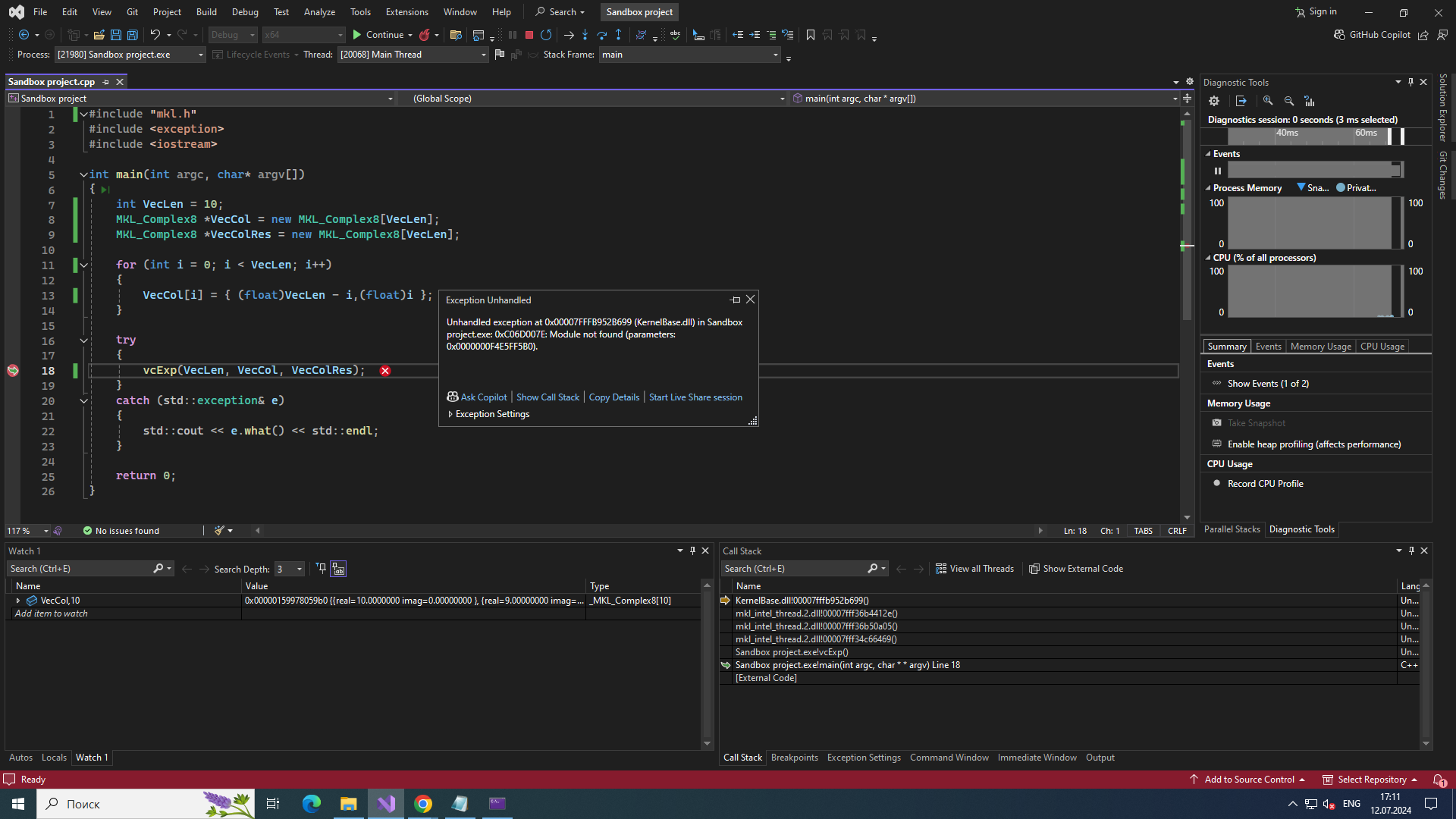
I agree with @henricryden analysis. It sounds like you’re encountering a runtime issue wit oneMKL.
The error message “Unhandled exception at 0x00007FFFB952B699 (KernelBase.dll) in Sandbox project.exe: 0xC06D007E: Module not found” suggests that there might be a problem with the MKL DLLs not being found or loaded correctly.
Please look at the similar issue previously reported and how it was resolved at this link.
- Mark as New
- Bookmark
- Subscribe
- Mute
- Subscribe to RSS Feed
- Permalink
- Report Inappropriate Content
- Mark as New
- Bookmark
- Subscribe
- Mute
- Subscribe to RSS Feed
- Permalink
- Report Inappropriate Content
Hello @Sci222,
Intel will no longer monitor this post due to no responses. Thank you for participating in the oneMKL Forum.

- Subscribe to RSS Feed
- Mark Topic as New
- Mark Topic as Read
- Float this Topic for Current User
- Bookmark
- Subscribe
- Printer Friendly Page