
- Mark as New
- Bookmark
- Subscribe
- Mute
- Subscribe to RSS Feed
- Permalink
- Report Inappropriate Content
Hi,
Just downloaded and installed w_mkl_11.0.1.119.exe
After running the first test I get the - bundle of- :
OMP: Warning #90: ittnotify: Lookup of “__itt_<function>”
function in <installdir><redistlibpath>\pdbx.dll library failed.
Looking at the documentation, I see I have to ignore it. My question is how can I get rid of it?
(vs2010, win7 64bit ).
Thank you very much in advance,
P-
Link Copied
- « Previous
- Next »

- Mark as New
- Bookmark
- Subscribe
- Mute
- Subscribe to RSS Feed
- Permalink
- Report Inappropriate Content
- Mark as New
- Bookmark
- Subscribe
- Mute
- Subscribe to RSS Feed
- Permalink
- Report Inappropriate Content
- Mark as New
- Bookmark
- Subscribe
- Mute
- Subscribe to RSS Feed
- Permalink
- Report Inappropriate Content
- Mark as New
- Bookmark
- Subscribe
- Mute
- Subscribe to RSS Feed
- Permalink
- Report Inappropriate Content


- Mark as New
- Bookmark
- Subscribe
- Mute
- Subscribe to RSS Feed
- Permalink
- Report Inappropriate Content
Petros,
What are VC++ Directories for your project now? (Properties->Configuration properties->VC++ directories)
And I guess you didn't copy all the Output. I'd like to see messages like what you displayed above -
'test_libRandom.exe': Loaded 'C:\Program Files (x86)\Intel\Composer XE 2011 SP1\redist\intel64\mkl\mkl_rt.dll', Binary was not built with debug information.
'test_libRandom.exe': Loaded 'C:\Program Files (x86)\Intel\Parallel Studio 2011\Composer SP1\redist\intel64\tbb\vc10\tbb_preview_debug.dll', Symbols loaded.
'test_libRandom.exe': Loaded 'C:\Windows\System32\msvcp100d.dll', Symbols loaded.
'test_libRandom.exe': Loaded 'C:\Windows\System32\msvcr100d.dll', Symbols loaded.
'test_libRandom.exe': Loaded 'C:\Program Files (x86)\Intel\Parallel Studio 2011\Composer SP1\redist\intel64\compiler\libmmdd.dll', Binary was not built with debug information.
'test_libRandom.exe': Loaded 'C:\Program Files (x86)\Intel\Parallel Studio 2011\Composer SP1\redist\intel64\compiler\pdbx.dll', Cannot find or open the PDB file
'test_libRandom.exe': Loaded 'C:\Program Files (x86)\Intel\Parallel Studio 2011\Composer SP1\redist\intel64\tbb\vc10\tbbmalloc_debug.dll', Symbols loaded.
'test_libRandom.exe': Loaded 'C:\Program Files (x86)\Intel\Composer XE 2011 SP1\redist\intel64\mkl\mkl_intel_thread.dll', Binary was not built with debug information.
'test_libRandom.exe': Loaded 'C:\Program Files (x86)\Intel\Composer XE 2011 SP1\redist\intel64\mkl\mkl_core.dll', Binary was not built with debug information.
'test_libRandom.exe': Loaded 'C:\Program Files (x86)\Intel\Parallel Studio 2011\Composer SP1\redist\intel64\compiler\libiomp5md.dll', Binary was not built with debug information.
'test_libRandom.exe': Loaded 'C:\Program Files (x86)\Intel\Composer XE 2011 SP1\redist\intel64\mkl\mkl_vml_mc3.dll', Binary was not built with debug information.
'test_libRandom.exe': Loaded 'C:\Program Files (x86)\Intel\Composer XE 2011 SP1\redist\intel64\mkl\mkl_mc3.dll', Binary was not built with debug information.
'test_libRandom.exe': Loaded 'C:\Program Files (x86)\Intel\Composer XE 2011 SP1\redist\intel64\mkl\libimalloc.dll', Binary was not built with debug information.
'test_libRandom.exe': Unloaded 'C:\Program Files (x86)\Intel\Composer XE 2011 SP1\redist\intel64\mkl\libimalloc.dll'
As I understand the problem is that the environment is wrong and you still use the old MKL and other libraries.
All what you need is to put the correct path to libraries to your project properties.
OR you can find the correct libiomp5md.dll (its location is something like C:\Program Files (x86)\Intel\Composer XE 2013\redist\intel64\compiler\libiomp5md.dll) and just copy it to your executable location (where your test *.exe file is).
New libiomp5md.dll should resolve the problem with the Warning #90.
- Mark as New
- Bookmark
- Subscribe
- Mute
- Subscribe to RSS Feed
- Permalink
- Report Inappropriate Content
Sergey Kostrov wrote:
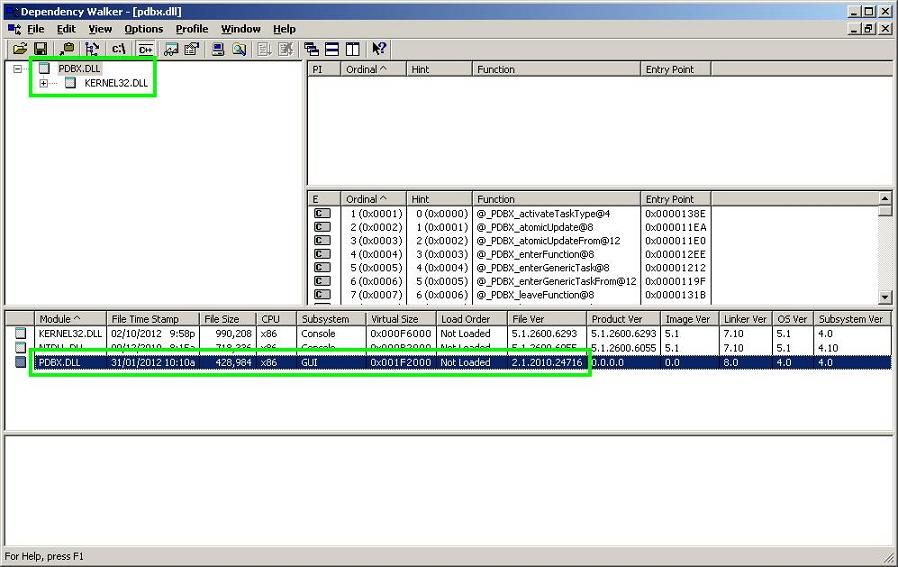
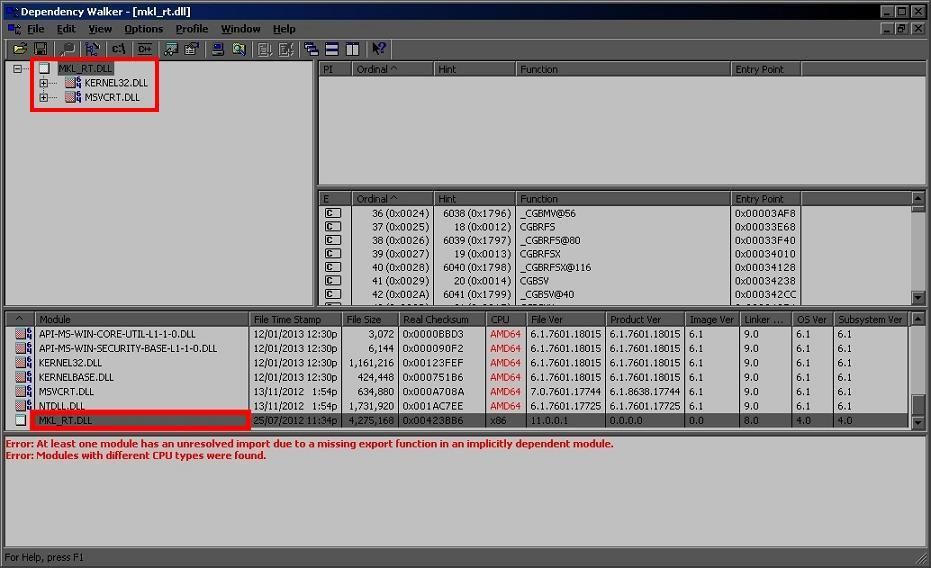
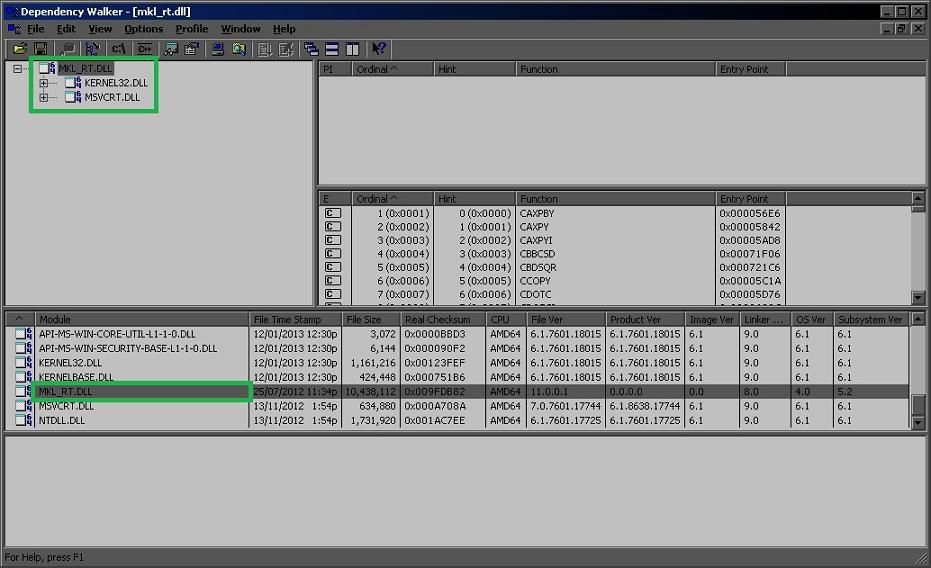
1. I have a primary computer system with Windows 7 64-bit OS and Intel C++ Parallel Studio XE 2013 ( Initial Release without any updates / ALL components installed ). I searched the drive C and I couldn't find pdbx.dll. It means, that the latest version of MKL doesn't use it. I can't confirm it for 100% but I see the pdbx.dll simply doesn't exists on my 64-bit OS.
2. I have a secondary computer system with Windows XP 32-bit OS and Intel C++ Parallel Studio XE 2011 ( Update 9 / MKL is Not installed ). I searched the drive C and I found pdbx.dll. It means, that pdbx.dll is a 32-bit DLL but I don't know if older versions of MKL use it.
PDBX.dll is related to the Intel(R) Parallel Debugger Extension. So, it exists in the system if you installed it. The Composer XE 2013 does not contain Parallel Debugger Extension that's why you couldn't find pdbx.dll on the system with Parallel Studio XE 2013.
Note that the MKL does not use this dll directly but the OpenMP does.
In the beginning of this topic Gennady Fedorov gave the link to the other post describing the similar problem with warnings. One way how to avoid the warning is also described there - to turn off parallel debugging, that is remove /debug:parallel from the project command line. Then pdbx.dll wouldn't be loaded at all.
- Mark as New
- Bookmark
- Subscribe
- Mute
- Subscribe to RSS Feed
- Permalink
- Report Inappropriate Content
Olga,
The VC++ directories are :
Executable Directories:
$(MKLROOT)\bin\intel64
$(TBBROOT)\bin\intel64\vc10
$(TBBROOT)\bin\intel64\irml_c
$(BOOSTROOT)\lib\x64
$(ICInstallDir)bin\ia32_Intel64
$(VCInstallDir)bin\x86_amd64
$(VCInstallDir)bin
$(WindowsSdkDir)bin\NETFX 4.0 Tools
$(WindowsSdkDir)bin
$(VSInstallDir)Common7\Tools\bin
$(VSInstallDir)Common7\tools
$(VSInstallDir)Common7\ide
$(ProgramFiles)\HTML Help Workshop
$(FrameworkSDKDir)\bin
$(FrameworkSDKDir)\lib\win64
$(MSBuildToolsPath32)
$(FxCopDir)
$(PATH)
Library Directories:
$(MKLROOT)\lib\intel64
$(TBBROOT)\lib\intel64\vc10
$(TBBROOT)\lib\intel64\vc10\irml_c
$(BOOSTROOT)\lib\x64
$(ICInstallDir)compiler\lib\$(IntelPlatform)
$(VCInstallDir)lib\amd64
$(VCInstallDir)atlmfc\lib\amd64
$(WindowsSdkDir)lib\x64
with :
C:\Users\petros>echo %MKLROOT%
C:\Program Files (x86)\Intel\Composer XE 2013\mkl
Sergey, I believe Olga covered what you were after ?
Thank you for the help, P-
- Mark as New
- Bookmark
- Subscribe
- Mute
- Subscribe to RSS Feed
- Permalink
- Report Inappropriate Content
- Mark as New
- Bookmark
- Subscribe
- Mute
- Subscribe to RSS Feed
- Permalink
- Report Inappropriate Content
Sergey,
I am afraid I have gotten into this bad habit ,, ;-))
- Mark as New
- Bookmark
- Subscribe
- Mute
- Subscribe to RSS Feed
- Permalink
- Report Inappropriate Content
- Mark as New
- Bookmark
- Subscribe
- Mute
- Subscribe to RSS Feed
- Permalink
- Report Inappropriate Content
΅Well I only have this one for now.
Another thing would probably be to try linking the libraries using the linking advisor, rather than the mkl_rt.lib

- Subscribe to RSS Feed
- Mark Topic as New
- Mark Topic as Read
- Float this Topic for Current User
- Bookmark
- Subscribe
- Printer Friendly Page
- « Previous
- Next »