
- Mark as New
- Bookmark
- Subscribe
- Mute
- Subscribe to RSS Feed
- Permalink
- Report Inappropriate Content
Hi,
I am having trouble running the sample_decode.exe. It runs fine w/o the "-hw" switch; however, when I run the command with the switch I am getting
c:\\Program Files\\Intel\\Media SDK\\3.0.442.32245 Beta3\\bin\\x64\\sample_decode -hw h264 -i bbb.h264 -o bbb.yuv
Return on error: error code -3, .\\src\\pipeline_decode.cpp
Return on error: error code 1, .\\src\\sample_decode.cpp 172
The input file is demuxed h264 video
Thanks!!!
Link Copied
6 Replies
- Mark as New
- Bookmark
- Subscribe
- Mute
- Subscribe to RSS Feed
- Permalink
- Report Inappropriate Content
I solved the issue by loading the latestGraphics: Intel HD Graphics Driver for Windows version
8.15.10.2476
8.15.10.2476
Thanks!

- Mark as New
- Bookmark
- Subscribe
- Mute
- Subscribe to RSS Feed
- Permalink
- Report Inappropriate Content
Glad to hear you resolved the issue.
Regards,
Petter

- Mark as New
- Bookmark
- Subscribe
- Mute
- Subscribe to RSS Feed
- Permalink
- Report Inappropriate Content
Hello,
I get the same error on using the -hw option.
My computer configuration is
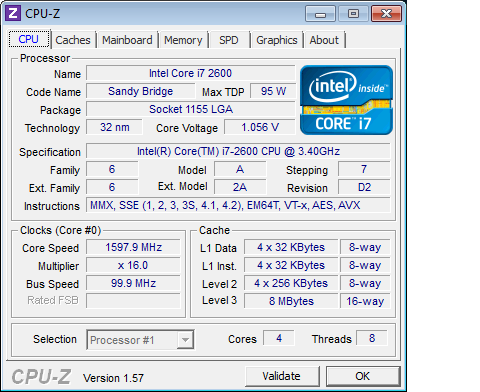
i7-2600K CPU @ 3.4Ghz, 8GB, 64-bit Windows 7, Service Pack 1
The computer also has an installed graphics card GTX460 on PCI-Express bus.
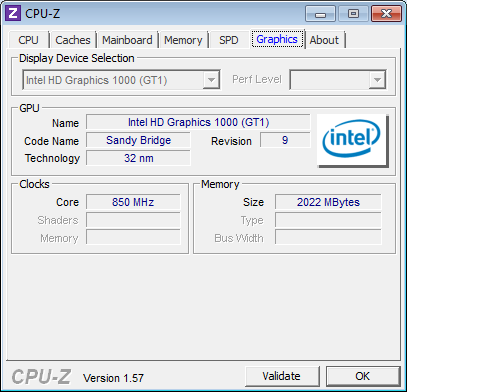
Can Intel Media SDK still leverage the GPU capabilities of the i7-2600K even though a discrete graphics card is installed.
- Mark as New
- Bookmark
- Subscribe
- Mute
- Subscribe to RSS Feed
- Permalink
- Report Inappropriate Content
Hi Manoj,
It seems your issue is due to the installed discrete gfx card. If the gfx card is set as the primary adapter the default Media SDK samples will not work with HW acceleration.
One way to resolve this is to make the Intel GPU the primary adapter (normally via BIOS). Alternatively you can initialize the Media SDK session with the MFX_HARDWARE... target as described in the Media SDK manual appendix.
More info can be found in this forum post:http://software.intel.com/en-us/forums/showthread.php?t=86355&o=a&s=lr
Regards,
It seems your issue is due to the installed discrete gfx card. If the gfx card is set as the primary adapter the default Media SDK samples will not work with HW acceleration.
One way to resolve this is to make the Intel GPU the primary adapter (normally via BIOS). Alternatively you can initialize the Media SDK session with the MFX_HARDWARE... target as described in the Media SDK manual appendix.
More info can be found in this forum post:http://software.intel.com/en-us/forums/showthread.php?t=86355&o=a&s=lr
Regards,
Petter


- Mark as New
- Bookmark
- Subscribe
- Mute
- Subscribe to RSS Feed
- Permalink
- Report Inappropriate Content
Hi Petter,
I am getting this exact same issue only when using the -hw option. I have the i7-3720QM CPU @ 2.6GHz. I am running a MacBook Pro Mid-2012 with bootcamp installed and Windows 7 Ultimate x64. I installed the lastest bootcamp drivers for my machine. Any ideas?
Thanks,
Zach
- Mark as New
- Bookmark
- Subscribe
- Mute
- Subscribe to RSS Feed
- Permalink
- Report Inappropriate Content
I switched to a 13" MacBook Pro (without a discrete graphics card) and this issue resolved itself.

Reply
Topic Options
- Subscribe to RSS Feed
- Mark Topic as New
- Mark Topic as Read
- Float this Topic for Current User
- Bookmark
- Subscribe
- Printer Friendly Page