
I bought my NUC Phantom Canyon RNUC11PHKI7CAA2 on November 20th, 2022.
From January 2024 the USB4 Type C/Thunderbolt 3 ports not working anymore, no data, no video, no charging.
All seems working ok with BIOS which is the last, by the way. Nothing was changed there.
Any ideas please?
Thank you
連結已複製

Hello BobDobbs,
Thank you for posting in the Intel® Communities Support.
Thank you for contacting us regarding your Intel NUC NUC11PHKI7CAA having issues with the USB-C ports. Please be informed that all Technical and Warranty Support for Intel’s NUC 7 through NUC 13 Systems has transitioned to ASUS as of January 16, 2024 please contact https://www.asus.com/support for further assistance. All software, firmware, BIOS support, and security advisories will be supported through ASUS as well.
For more information about the transition, please see our article below for your reference:
Customer Support Services for Intel® NUC Products Has Transitioned to ASUS as of January 16, 2024 - https://www.intel.com/content/www/us/en/support/articles/000097279/intel-nuc.html
We will close this inquiry now. If you need further assistance, please submit a new question as this thread will no longer be monitored.
Best regards,
Jay B.

Dear JayB_Intel
I bought NUC Phantom Canyon NUC11PHBi7, I found my USB-C and Thunderbolt 3 didn't work like Mr Drpenicilin, I went to https://www.asus.com/support but I can't find the dirver for NUC Phantom Canyon NUC11PHBi7, please help us to slove the problem.

Hello @guide
This is a link for download site you are looking for. Pay attention that there are two download options: for Windows 10 and Windows 11. The Thunderbolt Driver you will find only in the first option (Windows 10), but it is applicable to Windows 11 as well.
Leon
Dear LeonWaksman,
I try to download the usb-c driver(UCM-WIN11-1.0.10.3),but when I update it,it say:TPS659xx.inf: is worked and oem30.inf have been setuped. But the driver can't work. I still can't use USB-C. The usb-c driver is not right.
1. Did you installed the Intel Thunderbolt Driver v1.41.1340.0 64-bit as well?
2. Did you bought your NUC with Windows installed? If not, did you installed all necessary drivers?
Leon
Dear Leon
1.Did you installed the Intel Thunderbolt Driver v1.41.1340.0 64-bit as well?
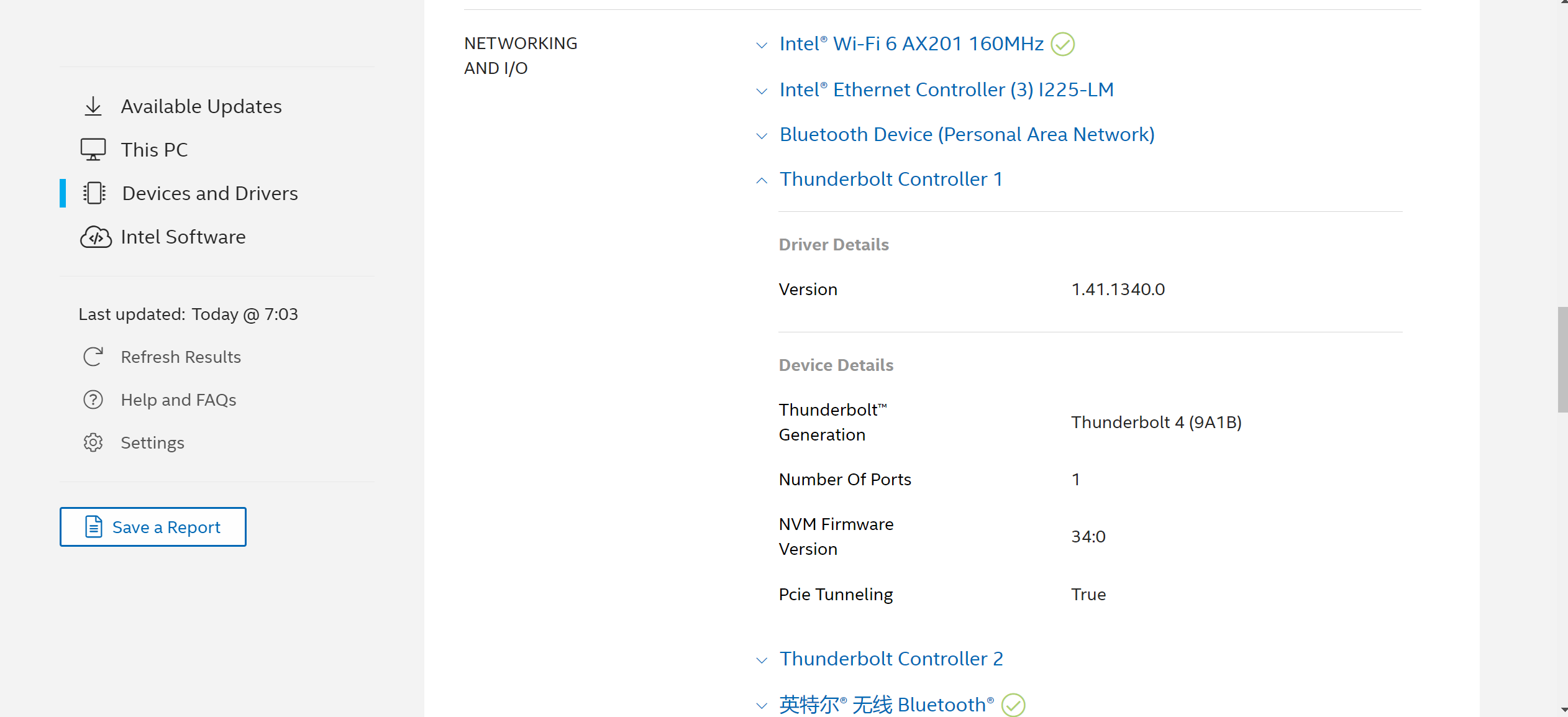
A:I download and install TBT-Win10-1.41.1340.0,this is my system information:
Thunderbolt Controller 1
- Driver Details
- Version1.41.1340.0
- Device Details
- Thunderbolt™ GenerationThunderbolt 4 (9A1B)
- Number Of Ports1
- NVM Firmware Version34:0
- Pcie TunnelingTrue
Thunderbolt Controller 2
- Driver Details
- Version1.41.1340.0
- Device Details
- Thunderbolt™ GenerationThunderbolt 4 (9A1D)
- Number Of Ports1
- NVM Firmware Version34:0
- Pcie TunnelingTrue
2. Did you bought your NUC with Windows installed? If not, did you installed all necessary drivers?
A:this is my system information:
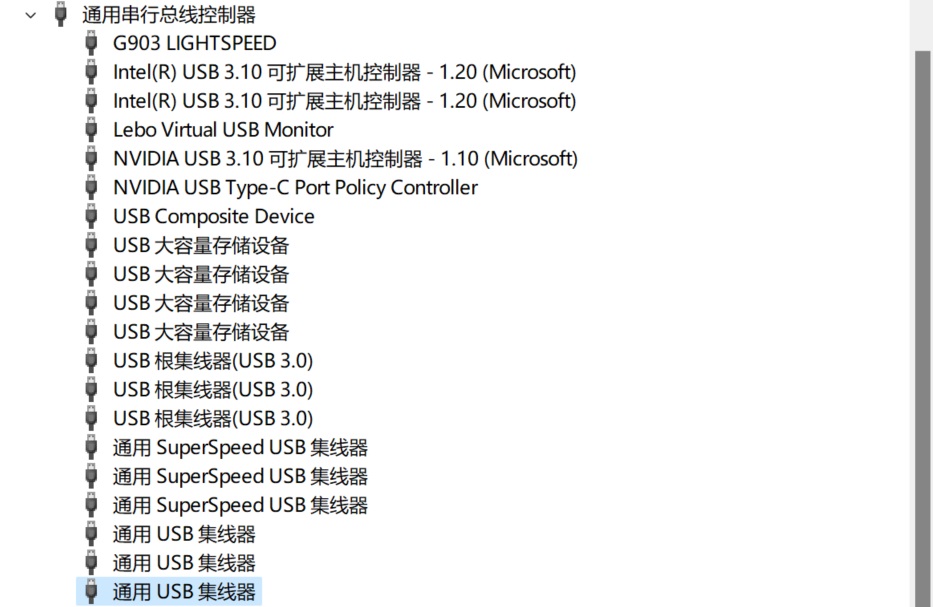
ALL my drivers's information is ok, but the usb-c didn't work from January 2024,when the Intel® Driver & Support Assistant or Windows update some Version.
yours guide.
Dear Leon
1.Did you installed the Intel Thunderbolt Driver v1.41.1340.0 64-bit as well?
A:I download and install TBT-Win10-1.41.1340.0,this is my system information:
Thunderbolt Controller 1
- Driver Details
- Version1.41.1340.0
- Device Details
- Thunderbolt™ GenerationThunderbolt 4 (9A1B)
- Number Of Ports1
- NVM Firmware Version34:0
- Pcie TunnelingTrue
Thunderbolt Controller 2
- Driver Details
- Version1.41.1340.0
- Device Details
- Thunderbolt™ GenerationThunderbolt 4 (9A1D)
- Number Of Ports1
- NVM Firmware Version34:0
- Pcie TunnelingTrue
2. Did you bought your NUC with Windows installed? If not, did you installed all necessary drivers?
A:this is my system information:
ALL my drivers's information is ok, but the usb-c didn't work from January 2024,when the Intel® Driver & Support Assistant or Windows update some Version.
yours guide.

Dear Leon
1.Did you installed the Intel Thunderbolt Driver v1.41.1340.0 64-bit as well?
A:I download and install TBT-Win10-1.41.1340.0,this is my system information:
Thunderbolt Controller 1
Driver Details
Version1.41.1340.0
Device Details
Thunderbolt™ GenerationThunderbolt 4 (9A1B)
Number Of Ports1
NVM Firmware Version34:0
Pcie TunnelingTrue
Thunderbolt Controller 2
Driver Details
Version1.41.1340.0
Device Details
Thunderbolt™ GenerationThunderbolt 4 (9A1D)
Number Of Ports1
NVM Firmware Version34:0
Pcie TunnelingTrue
2. Did you bought your NUC with Windows installed? If not, did you installed all necessary drivers?
A:this is my system information:
BIOS
Version
PHTGL579.0063.2021.0707.1057
Date
7/7/2021
MOTHERBOARD
Manufacturer
Intel Corporation
Model
NUC11PHBi7
Version
M26151-402
OPERATING SYSTEM
Edition
Microsoft Windows 11 家庭单语言版 (64 位)
Version (Build)
23H2 (10.0.22631)
ALL my drivers's information is ok, but the usb-c didn't work from January 2024,when the Intel® Driver & Support Assistant or Windows update some Version.


Dear drpenicilin
I slove the problem, you should go https://www.asus.com.cn/displays-desktops/nucs/nuc-kits/nuc-11-performance-kit/,and download NUC11PHAi7 driver such as Chipset-Win10_Win11-10.1.19376.8374, SerialIO-Win10_Win11-30.100.2129.8 and so on, then the TYPE C can be used.
