
- Marcar como novo
- Marcador
- Subscrever
- Silenciar
- Subscrever fonte RSS
- Destacar
- Imprimir
- Denunciar conteúdo inapropriado
Hello, i have a problem with my raid 5.
Problem started when i tried to put my computer to sleep. It turned off, then on again and then in bios window it shows status "Rebuild" but all drives are green. https://imgur.com/a/fgMqK https://imgur.com/a/fgMqK
But when i look in intel's Rapid storage app it shows problem with one of my drives.https://imgur.com/a/LRRhn https://imgur.com/a/LRRhn
What i should do at this point ?
Ive already tried WD disc utility tool and tested. Raid passed the test
Link copiado

- Marcar como novo
- Marcador
- Subscrever
- Silenciar
- Subscrever fonte RSS
- Destacar
- Imprimir
- Denunciar conteúdo inapropriado
Hello salemas5,
Thank you for joining the Rapid Storage Technology. I am sorry to hear you are having issues with this matter.
Could you please provide your https://www.intel.com/content/www/us/en/support/articles/000006351/technologies.html System Reports for Intel® Rapid Storage Technology report?
To attach a file, you must click "Use Advanced Editor" in the top right corner of the response box, then the "attach" option will appear in the bottom right corner of the response box.
Regards,
Amy C.
- Marcar como novo
- Marcador
- Subscrever
- Silenciar
- Subscrever fonte RSS
- Destacar
- Imprimir
- Denunciar conteúdo inapropriado
- Marcar como novo
- Marcador
- Subscrever
- Silenciar
- Subscrever fonte RSS
- Destacar
- Imprimir
- Denunciar conteúdo inapropriado
Thank you for the file /thread/121192?prevContainerType=14&prevContainerID=2847 salemas5.
Please try the following suggestions:
- Try to change the disk from the current SATA port to the where you currently have connected the optical drive (HL-DT-ST BD-RE BH16NS40).
- You can also try with a different SATA cable or use the same cable from the optical drive.
- Another suggestion is to set the disk that is causing this issue as non-RAID, only that disk. I believe the serial number is WD-WMC1F0655116, please verify that. Then go back to the Intel® RST software and try to add the disk to the RAID 5.
- You can also update your Intel® RST version to version 14.8: https://downloadcenter.intel.com/download/26759/Intel-Rapid-Storage-Technology-Intel-RST-?product=55005
Let me know how it goes.
Regards,
Amy C.
- Marcar como novo
- Marcador
- Subscrever
- Silenciar
- Subscrever fonte RSS
- Destacar
- Imprimir
- Denunciar conteúdo inapropriado
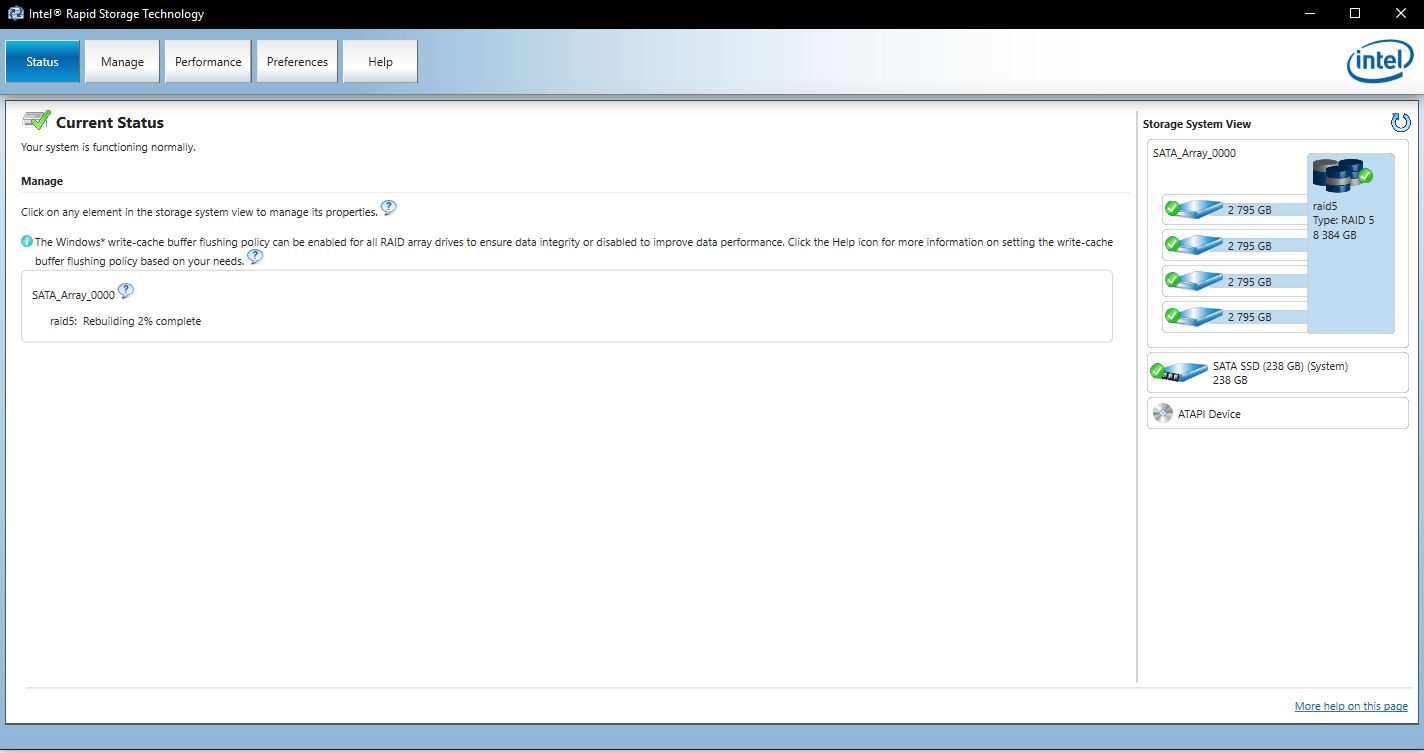
Okei, strange things happening. Firstly i decided to try software level changes before messing with cables. So ive updated RST as you sugested. And now looks like my computer recognises that HDD. It started rebuilding process. So i notify how that goes. Fingers crossed.
- Marcar como novo
- Marcador
- Subscrever
- Silenciar
- Subscrever fonte RSS
- Destacar
- Imprimir
- Denunciar conteúdo inapropriado
/thread/121192?prevContainerType=14&prevContainerID=2847 salemas5, good to hear! Please let me know how it goes.
Regards,
Amy C.
- Marcar como novo
- Marcador
- Subscrever
- Silenciar
- Subscrever fonte RSS
- Destacar
- Imprimir
- Denunciar conteúdo inapropriado
Disc rebuild is complete and system is back to normal. Thank you for your support, intel_corp :3

- Subscrever fonte RSS
- Marcar tópico como novo
- Marcar tópico como lido
- Flutuar este Tópico para o utilizador atual
- Marcador
- Subscrever
- Página amigável para impressora