
- Mark as New
- Bookmark
- Subscribe
- Mute
- Subscribe to RSS Feed
- Permalink
- Report Inappropriate Content
Link Copied

- Mark as New
- Bookmark
- Subscribe
- Mute
- Subscribe to RSS Feed
- Permalink
- Report Inappropriate Content
Hello Shailove,
Thank you for posting in Intel Communities.
To get a better understanding of the issue and be able to provide an effective recommendation, please provide the missing key information below:
- Is this the exact laptop device that you have?
- Is this the original adapter that came pre-installed in your system, or have you changed/installed a new adapter recently?
- Are you having issues on Wi-Fi or Bluetooth or both?
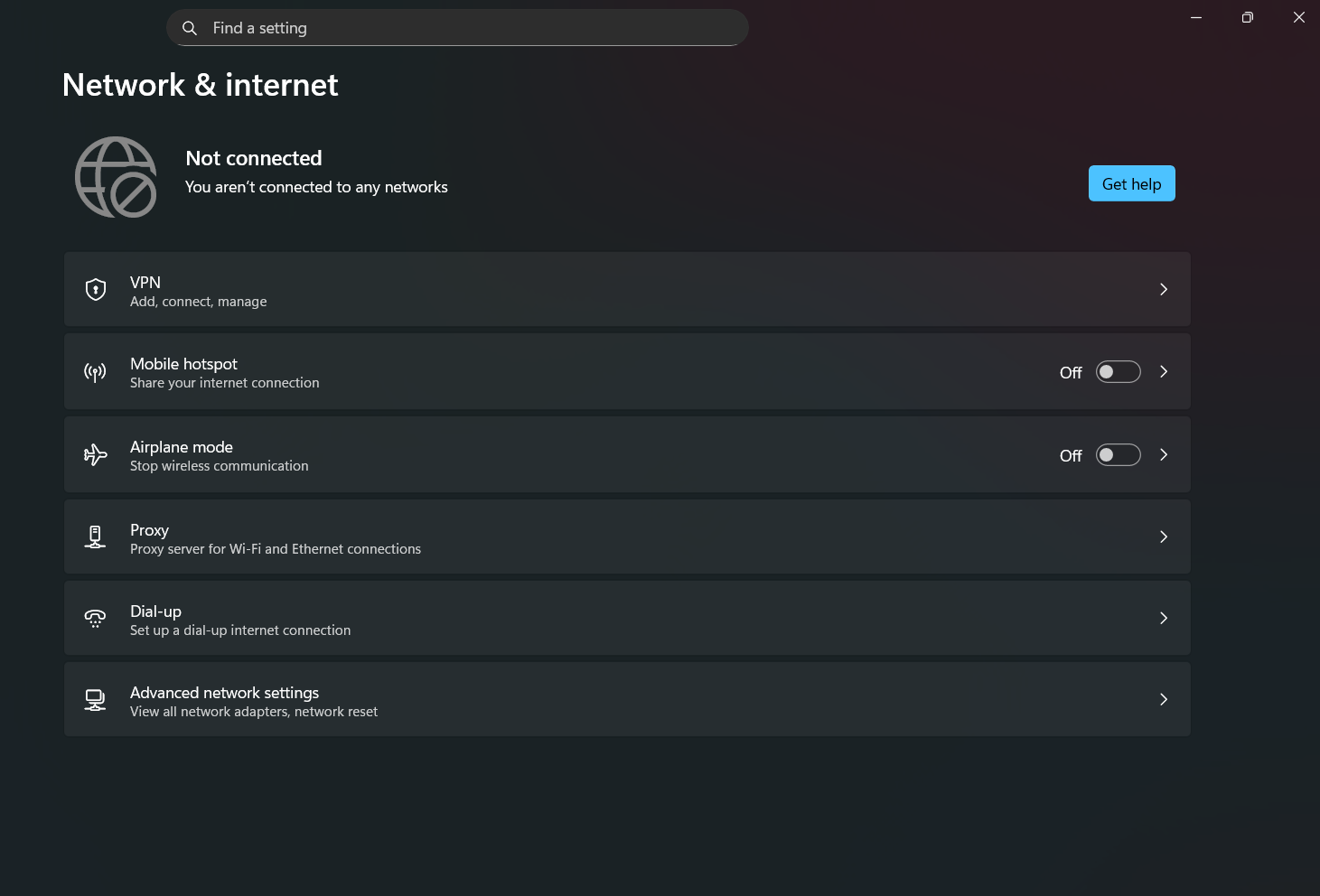
- When you say you "haven't been able to see my Wi-Fi option in my Windows 11" does it mean the wireless adapter is not visible inside device manager (under network adapter)? If it is visible, can you check and share the status of the device?
- Do you remember if this issue happened after a new OS update or Wireless driver update?
I look forward to your response.
Best regards,
JeanetteC.
Intel® Customer Support Technician
- Mark as New
- Bookmark
- Subscribe
- Mute
- Subscribe to RSS Feed
- Permalink
- Report Inappropriate Content
- Is this the exact laptop device that you have?:- Yes
- Is this the original adapter that came pre-installed in your system, or have you changed/installed a new adapter recently? :-
using original adapter that came pre installed in my system - Are you having issues on Wi-Fi or Bluetooth or both?:-
I was facing an issue with Bluetooth for a few days, but after the 23.150.0.3 update, it is working fine. - When you say you "haven't been able to see my Wi-Fi option in my Windows 11" does it mean the wireless adapter is not visible inside device manager (under network adapter)? If it is visible, can you check and share the status of the device? ::-
It is visible in Device Manager but showing an error. I’m sharing a screenshot for reference, and I can’t see the Wi-Fi option anywhere in the settings even after the 23.150.0.4 update. - Do you remember if this issue happened after a new OS update or Wireless driver update?:- Sorry, don't remember.
- Mark as New
- Bookmark
- Subscribe
- Mute
- Subscribe to RSS Feed
- Permalink
- Report Inappropriate Content
Hello Shailove,
An Error Code 10, 22, 28, 31, 43, or 45 in Device Manager can occur when:
- Bluetooth cannot be enabled
- In Device Manager, there is a Yellow bang (!, exclamation point) next to the Bluetooth or Wireless (Wi-Fi) device
- In Device Manager, the properties of the Bluetooth or Wireless device shows status = "This device cannot start. (Code 10) STATUS_DEVICE_POWER_FAILURE”
Intel recommends that you test using your Original Equipment Manufacturer (OEM) drivers. If you still get the error after reinstalling these drivers, then try the Intel generic drivers for Bluetooth or Wireless adapters.
- Important: Download the drivers before uninstalling the driver if you are following the instructions for a clean installation process.
Intel provides generic versions of software and drivers.
- Your computer manufacturer may have altered features, incorporated customizations, or made other changes for better compatibility with their product
- If you have an OEM device, contact Computer Manufacturer Support Websites for best driver compatibility with your system
Please follow the steps below for the fix:
1) Ensure that there are no pending Windows Updates.
2) Download the latest OEM and/or Intel generic drivers:
- OEM driver: version 22.90.1.1 (Recommended)
- Intel driver: version 23.150.0.4
3) Perform a Clean Installation of Wireless Drivers. *Clean installation of the wireless/Bluetooth drivers is a troubleshooting step recommended to remove any previous installation files that might cause conflicts with new driver installations.
4) Perform a Cold reboot of the system after reinstalling the driver.
Reference articles
Error Codes 10, 22, 28, 31, 43, or 45 in Device Manager for Bluetooth® or Wireless (Wi-Fi) Devices
Where to Obtain an Intel® Wireless Adapter Driver for an OEM Product?
Let me know how it goes.
Best regards,
JeanetteC.
Intel Customer Support Technician
- Mark as New
- Bookmark
- Subscribe
- Mute
- Subscribe to RSS Feed
- Permalink
- Report Inappropriate Content
still facing the same issue
- Mark as New
- Bookmark
- Subscribe
- Mute
- Subscribe to RSS Feed
- Permalink
- Report Inappropriate Content
Hello Shailove,
Thank you for the update. I understand you're still experiencing the same issue. I will further check on this internally and may provide additional troubleshooting steps as needed.
I appreciate your patience as we work to resolve this matter.
Best regards,
JeanetteC.
Intel Customer Support Technician
- Mark as New
- Bookmark
- Subscribe
- Mute
- Subscribe to RSS Feed
- Permalink
- Report Inappropriate Content
Hello Shailove,
We released a new wireless driver version 23.160.0.4 on August 26, 2025. Please do a clean driver installation and perform a cold reboot afterward.
Should the problem persist, please reach out to your system manufacturer's support team for further hardware troubleshooting.
Best regards,
JeanetteC.
Intel Customer Support Technician

- Mark as New
- Bookmark
- Subscribe
- Mute
- Subscribe to RSS Feed
- Permalink
- Report Inappropriate Content
Hi Shailove,
I'm checking to see if you require further assistance. Please let us know so we can proceed accordingly.
Best regards,
Jed G.
Intel Customer Support Technician
- Mark as New
- Bookmark
- Subscribe
- Mute
- Subscribe to RSS Feed
- Permalink
- Report Inappropriate Content
Hello Shailove,
I haven't seen any new post from you.
In case you'll have further issue after performing a clean driver installation using the latest wireless driver 23.160.0.4 and a cold reboot, please reach out to your system manufacturer's support team for further hardware troubleshooting.
I will go ahead and close this thread now. Should you need assistance in the future, please submit a new question as this thread will no longer be monitored.
Sincerely,
JeanetteC.
Intel Customer Support Technician

- Mark as New
- Bookmark
- Subscribe
- Mute
- Subscribe to RSS Feed
- Permalink
- Report Inappropriate Content
Hi there,
Were you able to resolve the issue?
I am also having issues with the latest 23.150.0.4 driver running Windows 11 25H2. I have tried the OEM version and they have the older version there which works, but is still updated by Windows preventing re-connection.
I have an Intel AX201 160 in an Acer Aspire Lite 16.
The original driver that comes with the computer is fine, it is version 22.250.1.2 as I can download updates with new install/brand new computer. The computer had upgraded to 25H2 by then but also Windows it updated the driver automatically to 23.150.0.4 and now it prevents seeing many Wifi AP's including my own. If I uninstall the driver back to the original, I can connect without issue.
Anyone else having the same or similar issue?
Thank you
- Mark as New
- Bookmark
- Subscribe
- Mute
- Subscribe to RSS Feed
- Permalink
- Report Inappropriate Content
I actually had 4 of the same laptop which they purchased for a small business. It turns out that at least it connected to their Wifi, it seems a small subset of devices, including my Mikrotik, would not even see it.
If Intel knows of a potential cause for this, it would be great to know the cause, or what to change on the router's wifi.


- Mark as New
- Bookmark
- Subscribe
- Mute
- Subscribe to RSS Feed
- Permalink
- Report Inappropriate Content
I'm having similar issues. I had wireless and bluetooth cards getting errors in the device manager on Windows 11 Home. I was able to fix bluetooth but not the wifi one, stilll getting error code 10 or 43 everytime on AX201 wireless adapter. I have performed a clean reinstallation of windows 10 and also 11 to compare, and both are showing the same problem. I have updated mobo bios version, tested older and newer drivers from asus and intel, but no improvement sor far. I have contacted Asus (because it's an integrated bt and wifi on my Asus TuF Gaming b660m-plus wifi d4 motherboard) and they told me to contact Intel... which I did via email. I just hope they will have some fix for this issue because I'm sure it's not an hardware fauld since both bluetooth and wireless failed at the same time - bluetooth now resolved and working fine. Reddit and google search is getting a lot of results with the same kind of issue for AX201 adapter with error 10 & 43, so I suppose there's a quick simple fix from Intel we just don't know yet.

- Subscribe to RSS Feed
- Mark Topic as New
- Mark Topic as Read
- Float this Topic for Current User
- Bookmark
- Subscribe
- Printer Friendly Page