
- Mark as New
- Bookmark
- Subscribe
- Mute
- Subscribe to RSS Feed
- Permalink
- Report Inappropriate Content
Hello. When this update arrives I have installed it and this problem has appeared. The screen looks brighter than before when I load it. I'm back to the old version (7372). Does anyone else have this problem? I hope I'm not the only one. I hope it gets better
Link Copied

- Mark as New
- Bookmark
- Subscribe
- Mute
- Subscribe to RSS Feed
- Permalink
- Report Inappropriate Content
What is the model number of your device/motherboard?
What version of Windows 10? 1903 (with all updates)? 1909?
Do you have dual graphics?
If you are a laptop, are you using the drivers provided by your laptop manufacturer?
Doc
- Mark as New
- Bookmark
- Subscribe
- Mute
- Subscribe to RSS Feed
- Permalink
- Report Inappropriate Content
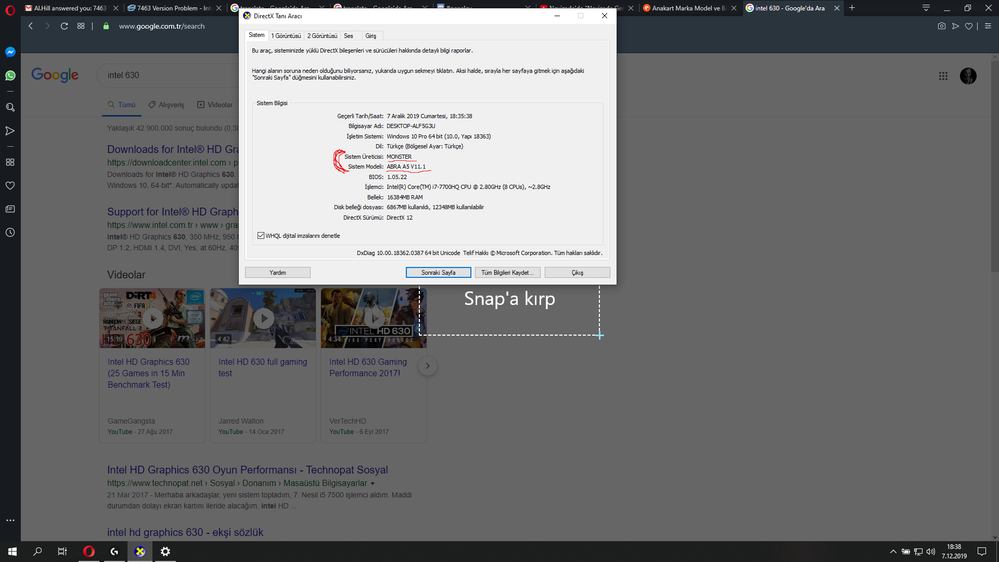
-I check dxdiag but only my laptop model says. Is this the motherboard model number?
-1909 all updates
-2 graphics cards, yes Nvidia 1050 and İntel HD Graphics 630
-Yes I'm using
And laptop connected to external monitor HDMI TO DVI
1-)

- Mark as New
- Bookmark
- Subscribe
- Mute
- Subscribe to RSS Feed
- Permalink
- Report Inappropriate Content
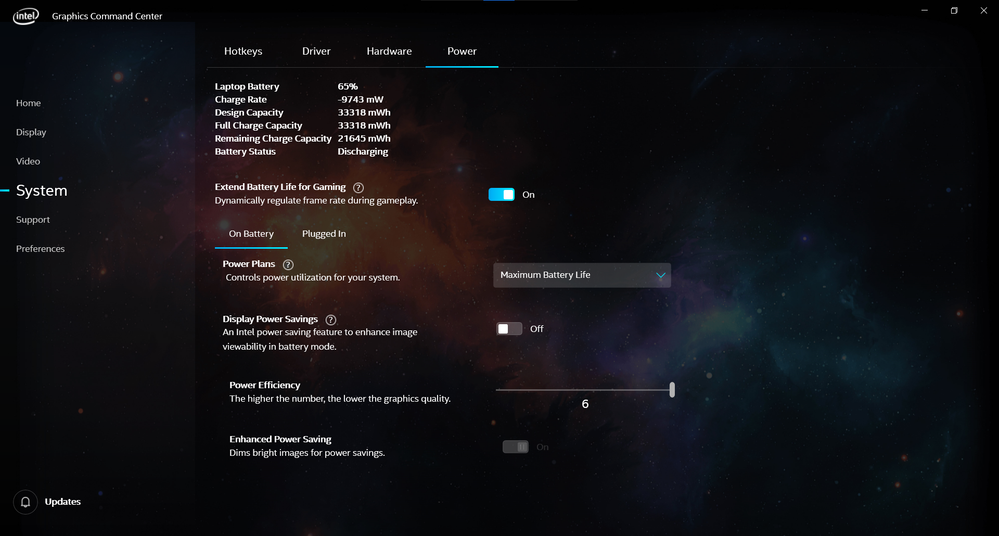
Open the Command Center and disable the all of the power saving options. On my laptop, colors get really dull when those are enabled.
- Mark as New
- Bookmark
- Subscribe
- Mute
- Subscribe to RSS Feed
- Permalink
- Report Inappropriate Content
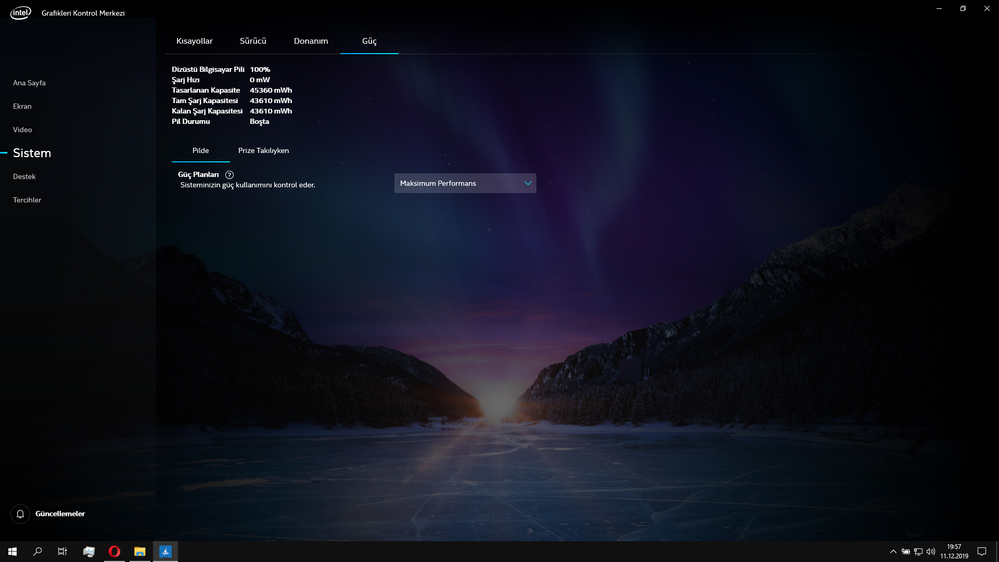
I don't already have those options.
I will try to install the next update, maybe they'll fix it
thanks for your help
- Mark as New
- Bookmark
- Subscribe
- Mute
- Subscribe to RSS Feed
- Permalink
- Report Inappropriate Content
Look on the bottom of the laptop. It will have the name of the manufacturer and the model number of your laptop. Then, contact them for support of THEIR laptop. This is especially the case since you have DUAL graphics. You may avoid a call with the manufacturer if you use the drivers from THEIR website for THEIR laptop.
Doc
- Mark as New
- Bookmark
- Subscribe
- Mute
- Subscribe to RSS Feed
- Permalink
- Report Inappropriate Content
- Mark as New
- Bookmark
- Subscribe
- Mute
- Subscribe to RSS Feed
- Permalink
- Report Inappropriate Content
I'm installing other programs from the monster site, except the graphics card,
Intel Chipset Driver, ME (Management Engine)
like.
But all of these things I've uploaded are old. I have been using 2 years, for the first time something like this happened
- Mark as New
- Bookmark
- Subscribe
- Mute
- Subscribe to RSS Feed
- Permalink
- Report Inappropriate Content
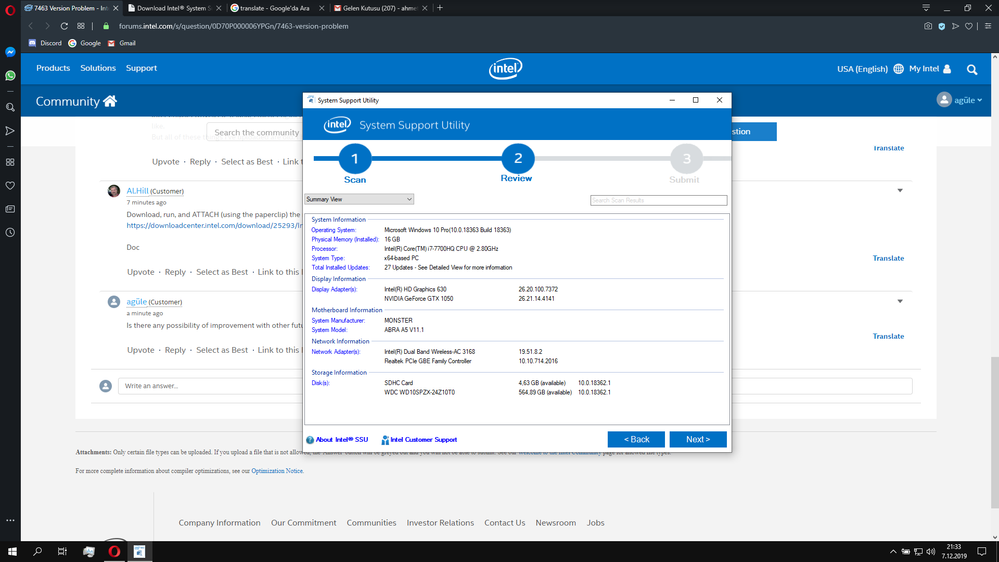
Download, run, and ATTACH (using the paperclip) the results of this utility:
https://downloadcenter.intel.com/download/25293/Intel-System-Support-Utility
Doc
- Mark as New
- Bookmark
- Subscribe
- Mute
- Subscribe to RSS Feed
- Permalink
- Report Inappropriate Content
- Mark as New
- Bookmark
- Subscribe
- Mute
- Subscribe to RSS Feed
- Permalink
- Report Inappropriate Content
Is there any possibility of improvement with other future updates?

- Subscribe to RSS Feed
- Mark Topic as New
- Mark Topic as Read
- Float this Topic for Current User
- Bookmark
- Subscribe
- Printer Friendly Page