
- 新着としてマーク
- ブックマーク
- 購読
- ミュート
- RSS フィードを購読する
- ハイライト
- 印刷
- 不適切なコンテンツを報告
I have a NUC with Iris Plus 655 graphics and after updating to the 30.0.101.1191 version, I get lots of graphics corruption in many sites on Google Chrome, if I revert to the previous driver, everything is Ok.
コピーされたリンク

- 新着としてマーク
- ブックマーク
- 購読
- ミュート
- RSS フィードを購読する
- ハイライト
- 印刷
- 不適切なコンテンツを報告
So the Intel support engineers can have more information about your system, Please download and run the Intel System Support Utility (https://downloadcenter.intel.com/download/25293/Intel-System-Support-Utility-for-Windows- ) for Windows. Select all data categories and then have it generate a report. Next, have the tool Save the report to a text file (don't try to use the Submit capability; it doesn't work). Finally, using the Drag and drop here or browse files to attach dialog below the edit box for the body of your response post, upload and attach this file to the response post.
Doc (not an Intel employee or contractor)
[Waiting for Windows 12]

- 新着としてマーク
- ブックマーク
- 購読
- ミュート
- RSS フィードを購読する
- ハイライト
- 印刷
- 不適切なコンテンツを報告
Hello Lvsitano,
Thank you for posting on the Intel®️ communities. In order to have a better understanding of the issue, please share with us the following information:
- Picture of the issue.
- Did the issue only happen on chrome? Or are other browsers affected?
- Did you update the driver via a clean installation?
Regards,
Josue O.
Intel Customer Support Technician
- 新着としてマーク
- ブックマーク
- 購読
- ミュート
- RSS フィードを購読する
- ハイライト
- 印刷
- 不適切なコンテンツを報告
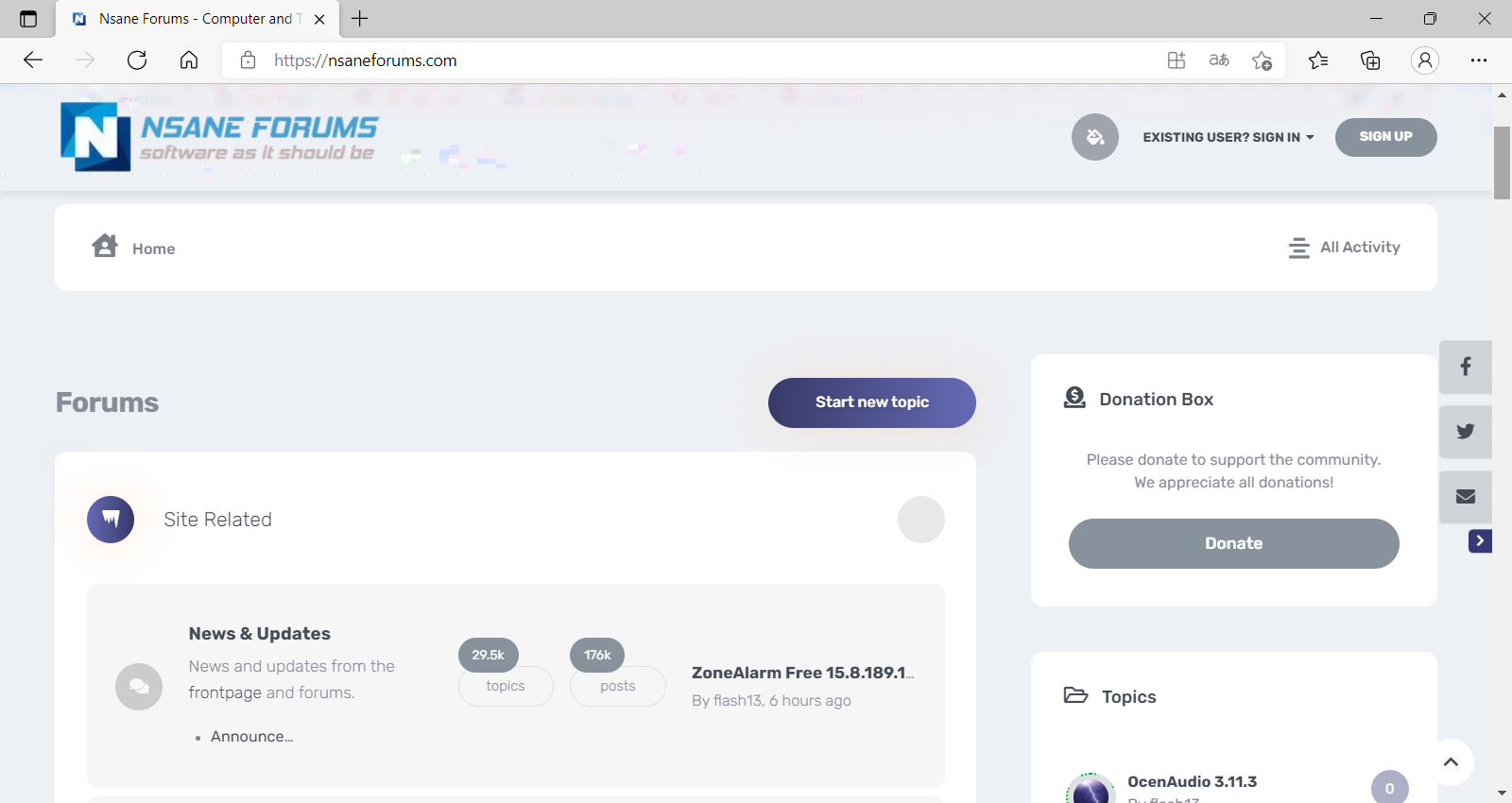
1. Check attached images. Near the Nsane forum logo, and it gets worse while scrolling. Happens with different sites. Also a Youtube comment with corrupted text.
2. I only use Google Chrome, but I just tried with Microsoft Edge and same issue
3. Yes, I did clean installation. If I revert to the previous driver, everything is fine.
- 新着としてマーク
- ブックマーク
- 購読
- ミュート
- RSS フィードを購読する
- ハイライト
- 印刷
- 不適切なコンテンツを報告
Hello Lvsitano,
Thank you for all the information provided, in this case, please verify that the browser you are using has the latest updates installed.
Also, please let me know which type of cable are you using to connect the device. Also, let me know if you have any adapters in between the display and the Intel® NUC.
Regards,
Josue O.
Intel Customer Support Technician
- 新着としてマーク
- ブックマーク
- 購読
- ミュート
- RSS フィードを購読する
- ハイライト
- 印刷
- 不適切なコンテンツを報告
Google Chrome 97.0.4692.99. Microsoft Edge 97.0.1072.76
NUC connected directly with a HDMI 2.0 cable (KabelDirekt brand), no adapters.
- 新着としてマーク
- ブックマーク
- 購読
- ミュート
- RSS フィードを購読する
- ハイライト
- 印刷
- 不適切なコンテンツを報告
Hello Lvsitano,
Thank you for the information provided.
I will proceed to check the issue internally and post back soon with more details.
Regards,
Josue O.
Intel Customer Support Technician
- 新着としてマーク
- ブックマーク
- 購読
- ミュート
- RSS フィードを購読する
- ハイライト
- 印刷
- 不適切なコンテンツを報告
Hello Lvsitano,
In this case, we performed a lab trying to replicate the issue, we opened several web pages and didn’t find any issues, it seems it is directly related to Nsane Forums website.
We were able to solve the issue by disabling hardware acceleration on Google Chrome, please follow the next steps:
In the Settings menu, expand the “Advanced” drop-down section found in the left sidebar and then select “System.” Find the “Use hardware acceleration when available” setting. Toggle the switch to the “Off” position
Regards,
Josue O.
Intel Customer Support Technician
- 新着としてマーク
- ブックマーク
- 購読
- ミュート
- RSS フィードを購読する
- ハイライト
- 印刷
- 不適切なコンテンツを報告
I disagree. It does not happen only on Nsane, but alot of sites, Youtube as well, so it can't be a specific issue with that site. I won't be disabling hardware acceleration, I'd prefer to revert to the previous driver version which works perfectly.
- 新着としてマーク
- ブックマーク
- 購読
- ミュート
- RSS フィードを購読する
- ハイライト
- 印刷
- 不適切なコンテンツを報告
Hello Lvsitano,
Thank you for the quick response, in this case, the next step will be to perform a clean installation of the OS and reinstall all the drivers of your device.
Remember to back up all important information before performing this step, if you need assistance with the installation, please contact Microsoft to get specialized support on Windows* installation.
Regards,
Josue O.
Intel Customer Support Technician
- 新着としてマーク
- ブックマーク
- 購読
- ミュート
- RSS フィードを購読する
- ハイライト
- 印刷
- 不適切なコンテンツを報告
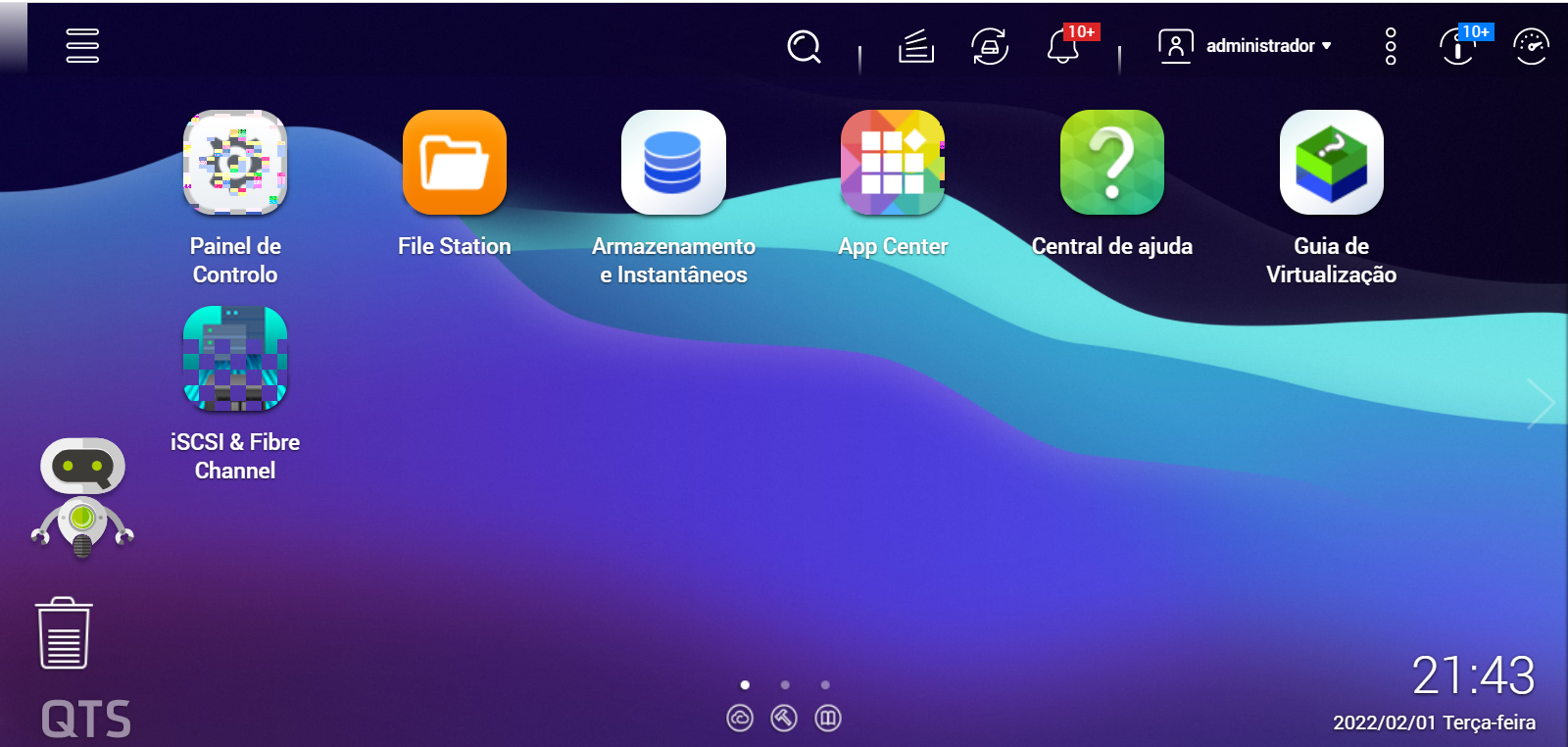
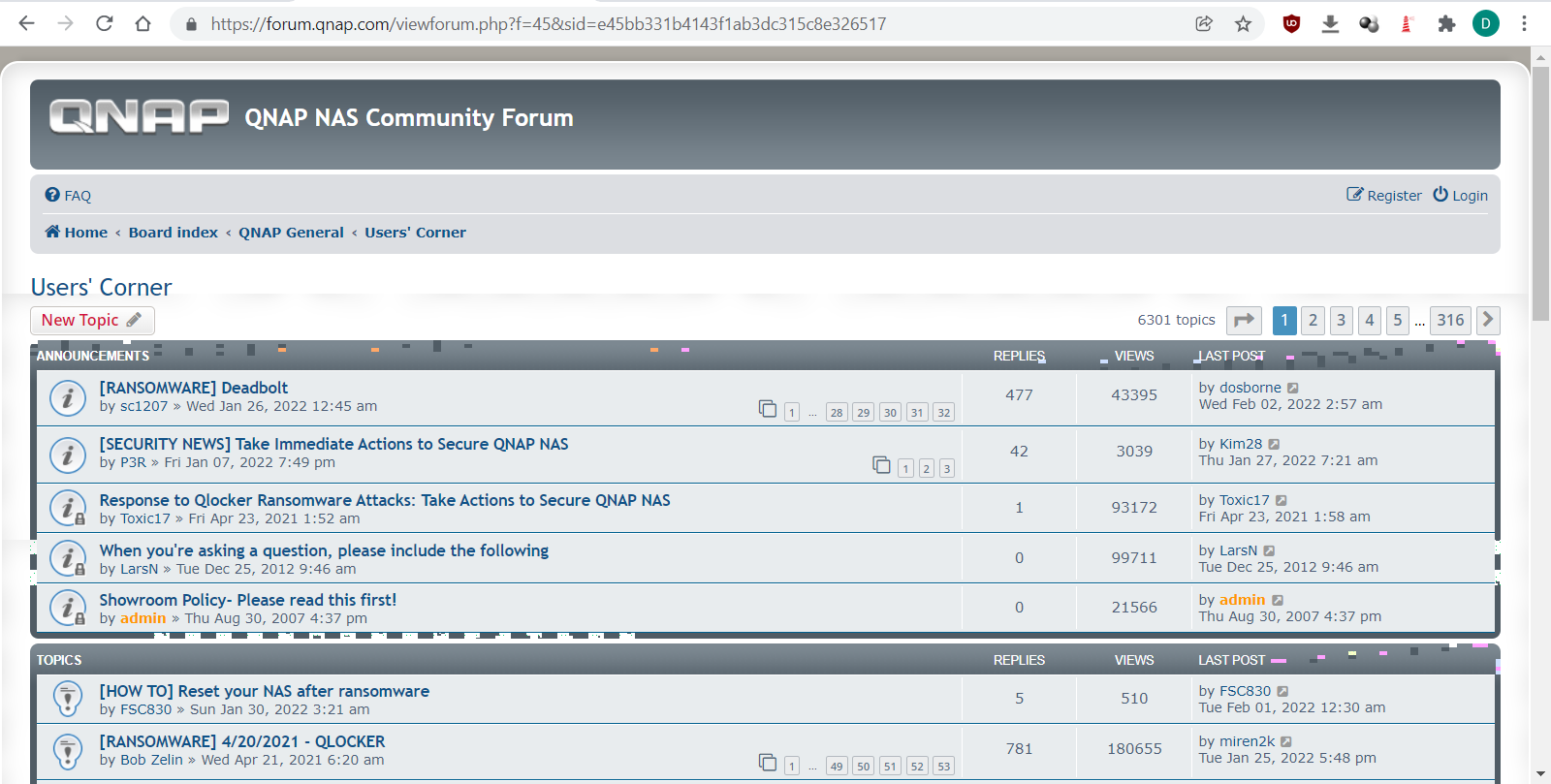
Look at the left icons on this NAS admin page (using Chrome), corrupted. Also QNAP's forum corrupted.
- 新着としてマーク
- ブックマーク
- 購読
- ミュート
- RSS フィードを購読する
- ハイライト
- 印刷
- 不適切なコンテンツを報告
Hello Lvsitano,
Thank you for the information provided, in this case, have you tried performing the clean installation of the OS?
Let me know the results.
Regards,
Josue O.
Intel Customer Support Technician
- 新着としてマーク
- ブックマーク
- 購読
- ミュート
- RSS フィードを購読する
- ハイライト
- 印刷
- 不適切なコンテンツを報告
Hello Lvsitano,
Thank you for the response, please perform the clean installation and let us know if the issue persists.
Regards,
Josue O.
Intel Customer Support Technician


- 新着としてマーク
- ブックマーク
- 購読
- ミュート
- RSS フィードを購読する
- ハイライト
- 印刷
- 不適切なコンテンツを報告
Hi, so I know I'm late, but instead of performing a clean install you should try updating your driver to an older version: 30.0.100.9805
- 新着としてマーク
- ブックマーク
- 購読
- ミュート
- RSS フィードを購読する
- ハイライト
- 印刷
- 不適切なコンテンツを報告
Good to know that it works for you. The new driver kinda sucks with a bunch of fps losses like 1 fps in a bunch of games. January's driver still hasn't been released yet. Maybe it might have a fix for all of these problems I expect.
- 新着としてマーク
- ブックマーク
- 購読
- ミュート
- RSS フィードを購読する
- ハイライト
- 印刷
- 不適切なコンテンツを報告
Hello Lvsitano,
I am glad to hear that the issue is now solved and everything is working fine.
If you need any additional information, please submit a new question as this thread will no longer be monitored.
Regards,
Josue O.
Intel Customer Support Technician
