- 新着としてマーク
- ブックマーク
- 購読
- ミュート
- RSS フィードを購読する
- ハイライト
- 印刷
- 不適切なコンテンツを報告
Heads up:
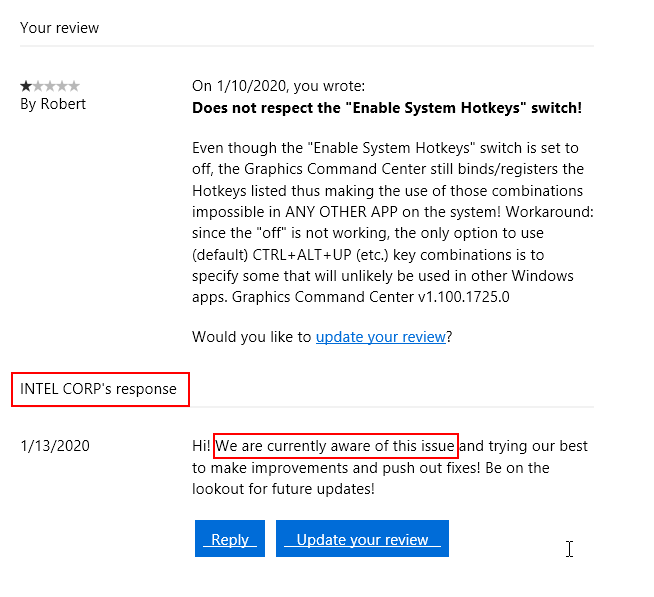
Even though the "Enable System Hotkeys" switch is set to off, the Graphics Command Center still binds/registers the Hotkeys listed thus making the usage of those combinations impossible in ANY OTHER APP!
Workaround: since the "off" is not working, the only option to use (default) CTRL+ALT+UP (etc.) key combinations is to specify some that will be unlikely used in other Windows apps.
Graphics Command Center (v 1.100.1725.0)
Fix this stupidity ASAP!!!!!
コピーされたリンク

- 新着としてマーク
- ブックマーク
- 購読
- ミュート
- RSS フィードを購読する
- ハイライト
- 印刷
- 不適切なコンテンツを報告
I think there is a bug is your system which is causing this issue. Try to re-install your OS also you can raise a ticket to the support team. They can help you with exact solution.
Regards,
Lewis

- 新着としてマーク
- ブックマーク
- 購読
- ミュート
- RSS フィードを購読する
- ハイライト
- 印刷
- 不適切なコンテンツを報告
I'm not facing this problem, maybe it's your end problem
- 新着としてマーク
- ブックマーク
- 購読
- ミュート
- RSS フィードを購読する
- ハイライト
- 印刷
- 不適切なコンテンツを報告
For all the haters quick to dismiss my issue, here's the reply from Intel: