
Processor: i3-6100
System: Windows 7
HD Graphics 530 driver version: 21.20.16.4678
I want to play "Factory", but he require OpenGL 1.2 minimum.
Where can I found normal (human) driver with OpenGL support?
Also DirectX suxx too. If I try to run game with forced DirectX mode, it says "Goodby":
0.056 System info: [CPU: Intel(R) Core(TM) i3-6100 CPU @ 3.70GHz, 4 cores, RAM: 8088MB]
0.056 Display options: [FullScreen: 1] [VSync: 0] [UIScale: 100%] [MultiSampling: OFF] [Screen: 255] [Lang: ru]
0.056 Available display adapters: 1
0.056 [0]: \\.\DISPLAY1 - Intel(R) HD Graphics 530 {0x8000005, [0,0], 1920x1080, 32bit, 60Hz}
0.056 Create display on adapter 0. Size 1280x720 at position [310, 162].
0.058 D3D9: Skipping adapter 0 as it doesn't have any available modes.
0.058 D3D9: al_get_d3d_adapter_from_win_adapter failed. Using adapter -1 instead
0.061 d3d_create_display failed.
0.061 Failed to create display (NULL)
0.061 Error Util.cpp:62: Failed to initialize display device!
1.393 Goodbye
链接已复制

Looks like the driver hasn't been installed properly for some reason.
The pull-down menu reads "GDI generic" (Microsoft basic display adapter)
Download latest Windows 7 driver from here: https://downloadcenter.intel.com/download/26836/Graphics-Intel-Graphics-Driver-for-Windows-15-45-?product=88345 Download Intel® Graphics Driver for Windows* [15.45]
Install once again.
After successful installation it should read OpenGL 4.4
I can do this for the fourth time:
Old driver deleted
Install new driver
Nothing changed
Sorry for confusion,
i'm just working on a Windows 10 system, which has an additional tab for events.
I have no Windows 7 rig handy, please help yourself via https://www.google.de/search?q=windows+7+events https://www.google.com/search?q=windows+7+events
Otherwise create a report with https://downloadcenter.intel.com/download/25293/Intel-System-Support-Utility Intel® System Support Utility for Windows, so that an Intel agent can take a look at it.
I reinstalled my driver between 12:51 and 12:53 (Ukraine time). There is no error or notice in this time interval:
Also, I made a report with this utility. Here: http://xcont.com/report.txt http://xcont.com/report.txt
The SSU report shows an issue, it should not read 1.7.34, but the same version as below
- "Display"
Intel ® Graphics Driver Version:"1.7.34.0"
...
Driver Version:"21.20.16.4678"
Other things you can try:
Instead of using setup.exe
https://www.intel.com/content/www/us/en/support/graphics-drivers/000005474.html Manually Install an Intel® Graphics Driver in Windows 7*
Restore your system to a restore point before the issue appeared first time
https://support.microsoft.com/en-us/help/17127/windows-back-up-restore https://support.microsoft.com/en-us/help/17127/windows-back-up-restore


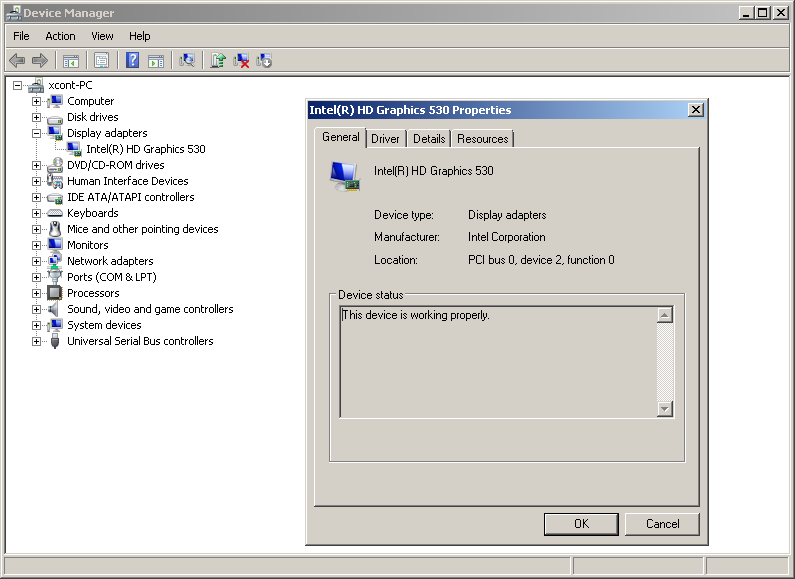
Hello xcont,
I understand you are trying to install latest graphics driver in your computer so you can play "Factory".
Let me apologize for any inconvenience this issue may be causing to you.
According to Intel® System Support Utility report you sent to us latest graphics driver is currently installed in your computer.
Now that latest graphics driver has been installed open the computer game and check if you get or not an error message. If you get an error message on the screen, let me know what it is so we can help you further.
Regards,
Fred D.
Factory said:
Also, Factory create log-file, and log-file said:
0.015 System info: [CPU: Intel(R) Core(TM) i3-6100 CPU @ 3.70GHz, 4 cores, RAM: 8088MB]
0.016 Display options: [FullScreen: 1] [VSync: 0] [UIScale: 100%] [MultiSampling: OFF] [Screen: 255] [Lang: ru]
0.016 Available display adapters: 1
0.016 [0]: \\.\DISPLAY1 - Intel(R) HD Graphics 530 {0x8000005, [0,0], 1920x1080, 32bit, 60Hz}
0.016 Create display on adapter 0. Size 1280x720 at position [310, 162].
0.039 WGL_ARB/EXT_pf not supported.
0.044 Allegro requires at least OpenGL version 1.2 to work.
0.046 Failed to create display (NULL)
0.046 Error Util.cpp:62: Failed to initialize display device!
4.106 Goodbye

Hello xcont,
I was trying to replicate the issue in our lab, but the game is working fine on my end.
There is newer version of the graphics driver available, and I would like you to give it a try. You can download it from this link https://downloadmirror.intel.com/27227/a08/win64_154521.4821.zip https://downloadmirror.intel.com/27227/a08/win64_154521.4821.zip
Please install the driver with the steps that are on this other link https://www.intel.com/content/www/us/en/support/articles/000005474/graphics-drivers.html https://www.intel.com/content/www/us/en/support/articles/000005474/graphics-drivers.html
Let me know if issue persists or not.
Regards,
Fred D.
