
- Mark as New
- Bookmark
- Subscribe
- Mute
- Subscribe to RSS Feed
- Permalink
- Report Inappropriate Content
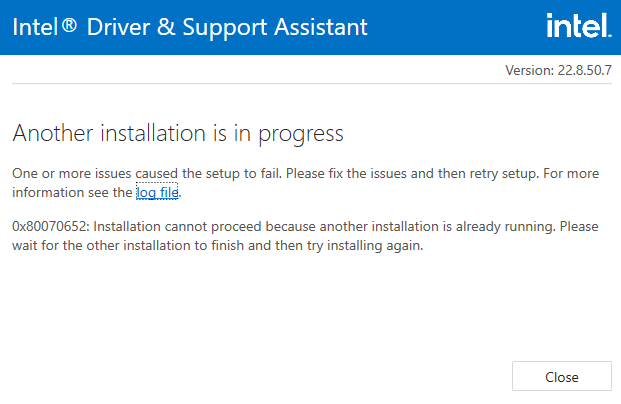
I'm trying to update my Intel Driver & Support Assistant but seconds in, it tells me that there is another installation in progress. But there seems to be none occurring, and I can't update it unless this other "installation" is done or gone. Before it didn't show that but instead it would just stay stuck on installing, halfway through.

- Mark as New
- Bookmark
- Subscribe
- Mute
- Subscribe to RSS Feed
- Permalink
- Report Inappropriate Content
Hello cristian-s,
Thank you for posting on the Intel® communities.
I am sorry you are having issues with Intel® Driver & Support Assistant. I will be glad to assist you.
Please try uninstalling IDSA using the Intel® Driver & Support Assistant Uninstaller, restart the system and then try re-installing IDSA (https://www.intel.com/content/www/us/en/support/intel-driver-support-assistant.html).
Let me know if the issue persists.
Best regards,
Steven G.
Intel Customer Support Technician.
Link Copied

- Mark as New
- Bookmark
- Subscribe
- Mute
- Subscribe to RSS Feed
- Permalink
- Report Inappropriate Content
It is possible that Windows Update is installing (or has installed) an update and a reboot is needed before any other installation an complete.
...S
- Mark as New
- Bookmark
- Subscribe
- Mute
- Subscribe to RSS Feed
- Permalink
- Report Inappropriate Content
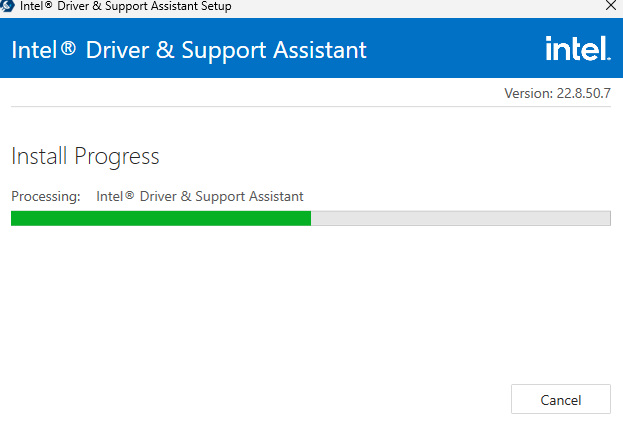
I restarted my laptop and opened Intel DSA again. Now it says the installation is in progress, but it has been stuck in the middle for most of the day.
- Mark as New
- Bookmark
- Subscribe
- Mute
- Subscribe to RSS Feed
- Permalink
- Report Inappropriate Content
Hello cristian-s,
Thank you for posting on the Intel® communities.
I am sorry you are having issues with Intel® Driver & Support Assistant. I will be glad to assist you.
Please try uninstalling IDSA using the Intel® Driver & Support Assistant Uninstaller, restart the system and then try re-installing IDSA (https://www.intel.com/content/www/us/en/support/intel-driver-support-assistant.html).
Let me know if the issue persists.
Best regards,
Steven G.
Intel Customer Support Technician.

- Subscribe to RSS Feed
- Mark Topic as New
- Mark Topic as Read
- Float this Topic for Current User
- Bookmark
- Subscribe
- Printer Friendly Page