
- Marcar como nuevo
- Favorito
- Suscribir
- Silenciar
- Suscribirse a un feed RSS
- Resaltar
- Imprimir
- Informe de contenido inapropiado
i asked this question a month back but for me personal reasons i cant pay attention to it. so basically i installed windows 10 on my PC a month back and i am facing an issue with my Intel HD graphics control panel is not launching (few it did launch but lots of time it didn't) and no error message shown on screen nothing
i have - Ci 7 6700k with inlet HD 530 GPU
and i dont have any third party GPU
and the motherboard that i use is gigabyte G1 Sniper B7 gaming motherboard
https://www.gigabyte.com/in/Motherboard/G1Sniper-B7-rev-10#ov
Enlace copiado

- Marcar como nuevo
- Favorito
- Suscribir
- Silenciar
- Suscribirse a un feed RSS
- Resaltar
- Imprimir
- Informe de contenido inapropiado
Hi @AKhan44
Please check on your Taskbar (under "Show hidden icons"). You should see there Graphic panel icon. Right click on it and select Open App.
Leon
- Marcar como nuevo
- Favorito
- Suscribir
- Silenciar
- Suscribirse a un feed RSS
- Resaltar
- Imprimir
- Informe de contenido inapropiado
If you didn't find the Graphic Panel icon, you may instal the latest DCG Graphic Driver. It's come with functioning Graphic Panel. https://downloadcenter.intel.com/download/28646/Intel-Graphics-Windows-10-DCH-Drivers
Leon
- Marcar como nuevo
- Favorito
- Suscribir
- Silenciar
- Suscribirse a un feed RSS
- Resaltar
- Imprimir
- Informe de contenido inapropiado
actually i already downloaded Intel graphics control panel and i have issue using it not finding it .its not working properly on my PC and i think some kind of Windows update causing it and because of that I cant use my recording and video editing software
- Marcar como nuevo
- Favorito
- Suscribir
- Silenciar
- Suscribirse a un feed RSS
- Resaltar
- Imprimir
- Informe de contenido inapropiado
@AKhan44 ,
As I've advised, please download the latest DCH Graphic Driver https://downloadcenter.intel.com/download/28646/Intel-Graphics-Windows-10-DCH-Drivers. This driver comes with new Intel Graphic Panel.
Leon
- Marcar como nuevo
- Favorito
- Suscribir
- Silenciar
- Suscribirse a un feed RSS
- Resaltar
- Imprimir
- Informe de contenido inapropiado
@LWAKSMAN i already downloaded latest intel graphic driver for my pc which is Version: 25.20.100.6618 and still facing the same issue
- Marcar como nuevo
- Favorito
- Suscribir
- Silenciar
- Suscribirse a un feed RSS
- Resaltar
- Imprimir
- Informe de contenido inapropiado
Hi @AKhan44 ,
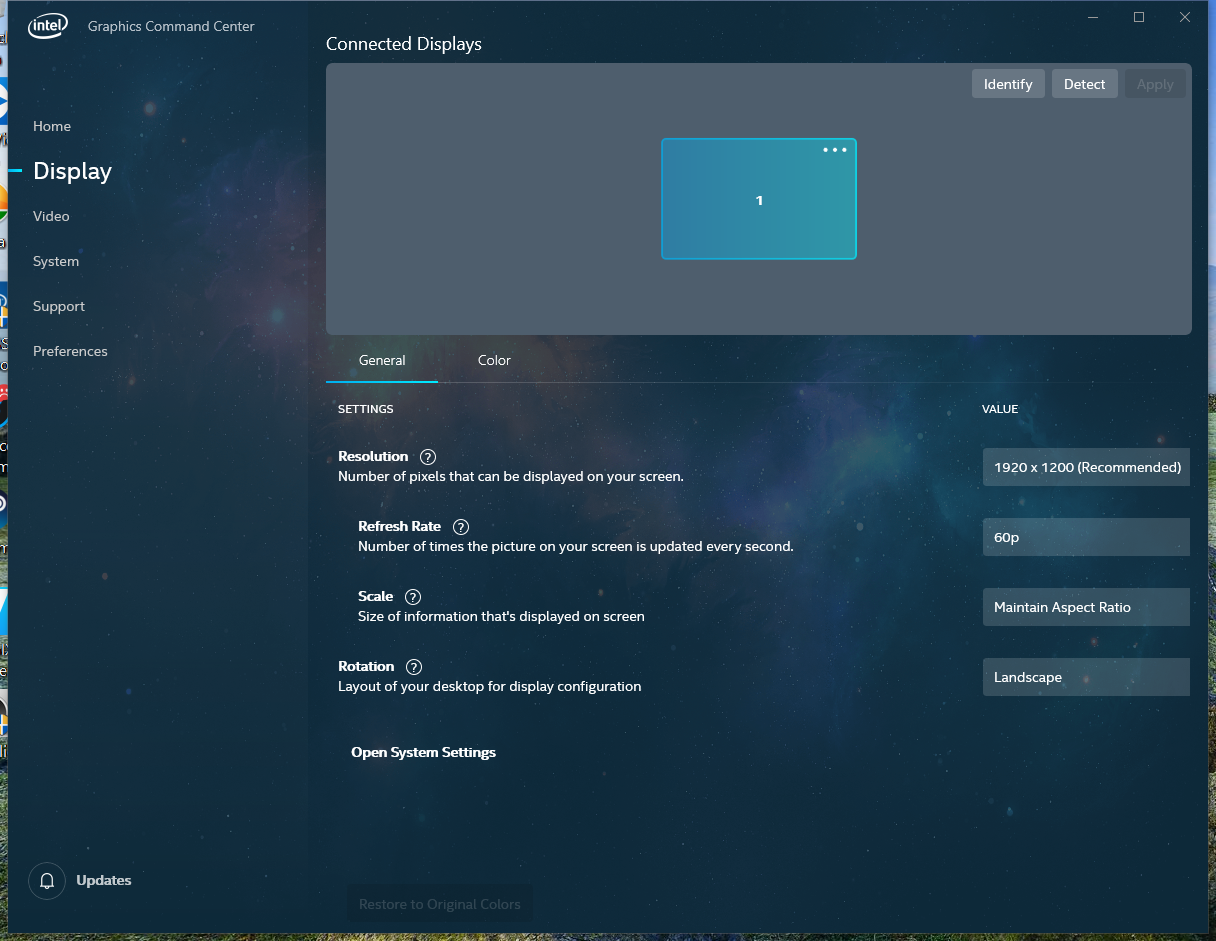
I understand that although you have the latest DCH driver installed (Version: 25.20.100.6618), you still are not be able to locate Intel Graphic Panel on you computer. The Intel Graphic Panel (after installing the latest DCH driver is named Intel Graphic Command Center (see the attached image how does it looks). It is installed with the latest DCH driver. Look for Icon on Taskbar, under Hidden Icons. If you can't see it on your computer, please try the following:
- Disconnect the Internet Connection.
- Open Device Manager and uninstall current installed driver (enable the Delete option).
- Reboot your computer.
- Install again the DCH driver Version: 25.20.100.6618.
- Reconnect the Internet and reboot the computer.
Leon
- Marcar como nuevo
- Favorito
- Suscribir
- Silenciar
- Suscribirse a un feed RSS
- Resaltar
- Imprimir
- Informe de contenido inapropiado
@LWAKSMAN thank you sir for your help dont know why i can't understand simple thing that you are trying to explain me all along thanks again

- Marcar como nuevo
- Favorito
- Suscribir
- Silenciar
- Suscribirse a un feed RSS
- Resaltar
- Imprimir
- Informe de contenido inapropiado
- Marcar como nuevo
- Favorito
- Suscribir
- Silenciar
- Suscribirse a un feed RSS
- Resaltar
- Imprimir
- Informe de contenido inapropiado
@WannerG_Intel issue with my Intel graphics control panel still exists but intel graphic commend center working properly. i attach ssu report as you tell me
- Marcar como nuevo
- Favorito
- Suscribir
- Silenciar
- Suscribirse a un feed RSS
- Resaltar
- Imprimir
- Informe de contenido inapropiado
- Marcar como nuevo
- Favorito
- Suscribir
- Silenciar
- Suscribirse a un feed RSS
- Resaltar
- Imprimir
- Informe de contenido inapropiado
- Marcar como nuevo
- Favorito
- Suscribir
- Silenciar
- Suscribirse a un feed RSS
- Resaltar
- Imprimir
- Informe de contenido inapropiado

- Suscribirse a un feed RSS
- Marcar tema como nuevo
- Marcar tema como leído
- Flotar este Tema para el usuario actual
- Favorito
- Suscribir
- Página de impresión sencilla