
- Mark as New
- Bookmark
- Subscribe
- Mute
- Subscribe to RSS Feed
- Permalink
- Report Inappropriate Content
Hello,
New PC brought in 03/12/2025, used smoothly until 3 days ago.
CPU: AMD 5 5600
Motherboard: MSI B550M-A PRO
PSU: Corsair VS650
GPU is in Recovery Mode. Previously, my system went into Total freeze in a couple of seconds (Mouse and Keyboard weren't responding) when I boot or start my PC, but it had no issue in Safe mode.
I checked my new motherboard with my previous GPU GTX 750TI and faced no issues while starting my PC in normal mode.
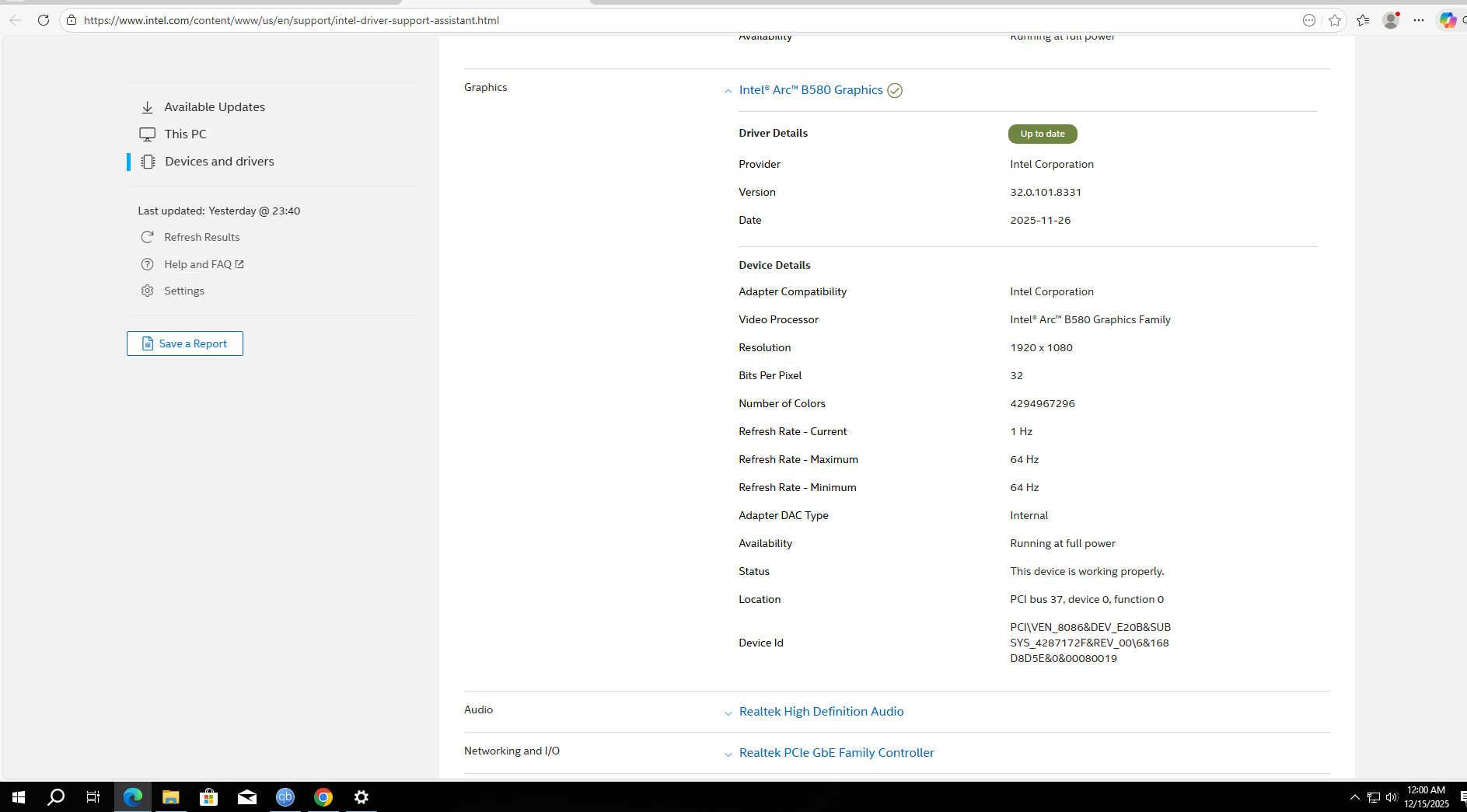
Later, I did a Clean swipe with DDU in safe mode, it resolved my initial freezing problem on window 11 pro startup but now my GPU is in Recovery Mode and Intel Graphics Software say's "your current system configuration isn't supported by Intel Graphics Software."
I then tried in Windows 10, but still faced with the same issue. Now I'm helpless. I have attached some screenshots for you to review.
Regards
Akib
Link Copied

- Mark as New
- Bookmark
- Subscribe
- Mute
- Subscribe to RSS Feed
- Permalink
- Report Inappropriate Content
Also have the same issue....
- Mark as New
- Bookmark
- Subscribe
- Mute
- Subscribe to RSS Feed
- Permalink
- Report Inappropriate Content




- Mark as New
- Bookmark
- Subscribe
- Mute
- Subscribe to RSS Feed
- Permalink
- Report Inappropriate Content
Hi AKibAnwar,
Thank you for contacting Intel regarding the recovery mode issue you're experiencing with your Sparkle Intel B580 graphics card. I understand how concerning this must be, especially since your system was working smoothly until just a few days ago and you've already tried troubleshooting with DDU and testing on different Windows versions.
I can see from your screenshots that your B580 is indeed showing as being in recovery mode, and you're getting the "your current system configuration isn't supported by Intel Graphics Software" message. Your troubleshooting approach of testing with your previous GTX 750Ti to isolate the issue to the B580 was excellent diagnostic work.
To better assist you with this recovery mode issue, could you please run the Intel System Support Utility and provide the report? You can download it from: Intel® System Support Utility for Windows*
This will give me detailed information about your system configuration and help identify what might be causing the B580 to enter recovery mode.
@MegaFire - I notice you've posted in this thread, but to avoid confusion and ensure you receive proper assistance for your specific issue, please create a new thread with details about your particular problem. This will help us provide you with focused support.
Best regards,
Dean R.
Intel Customer Support Technician
- Mark as New
- Bookmark
- Subscribe
- Mute
- Subscribe to RSS Feed
- Permalink
- Report Inappropriate Content
Hi AKibAnwar,
I wanted to follow up on the previous message regarding your inquiry. Have you had a chance to review it? If you have any questions or need further information, please let me know.
Best regards,
Dean R.
Intel Customer Support Technician
- Mark as New
- Bookmark
- Subscribe
- Mute
- Subscribe to RSS Feed
- Permalink
- Report Inappropriate Content
Hi AKibAnwar,
As you have been unresponsive, I will proceed to close this thread. If you wish to continue the discussion or need further assistance, please feel free to create a new thread. This will help us provide focused support and ensure your concerns are addressed effectively.
Best regards,
Dean R.
Intel Customer Support Technician

- Subscribe to RSS Feed
- Mark Topic as New
- Mark Topic as Read
- Float this Topic for Current User
- Bookmark
- Subscribe
- Printer Friendly Page