
- Mark as New
- Bookmark
- Subscribe
- Mute
- Subscribe to RSS Feed
- Permalink
- Report Inappropriate Content
When I install the latest driver version **32.0.101.8737** for my A750 and launch NBA 2K26, it throws an error with the code:**0x887a0006**. The error only disappears after rolling back to driver version **32.0.101.8724**. All versions from **32.0.101.8735** up to the latest one trigger the same error.

Link Copied
- Mark as New
- Bookmark
- Subscribe
- Mute
- Subscribe to RSS Feed
- Permalink
- Report Inappropriate Content
I'm currently using version **32.0.101.8629**; I misstated the earlier version.
- Mark as New
- Bookmark
- Subscribe
- Mute
- Subscribe to RSS Feed
- Permalink
- Report Inappropriate Content
- Mark as New
- Bookmark
- Subscribe
- Mute
- Subscribe to RSS Feed
- Permalink
- Report Inappropriate Content

- Mark as New
- Bookmark
- Subscribe
- Mute
- Subscribe to RSS Feed
- Permalink
- Report Inappropriate Content
Hello 向 周,
Thank you for reporting the DirectX error (0x887a0006) you're experiencing with NBA 2K26 when using Intel Arc A750 driver version 32.0.101.8737. We appreciate you providing the initial SSU log and system details.
To help us investigate this driver regression issue thoroughly, we need some additional information from you:
Game-Specific Details
- NBA 2K26 Version: What is the exact game version/build number you're running?
- Game Settings: What graphics settings are you using in NBA 2K26 (resolution, quality presets, specific features enabled)?
- Game Mode: Does the error occur in all game modes (career, online, exhibition) or specific ones?
- Error Timing: When exactly does the error occur (game startup, during gameplay, loading screens)?
Driver Testing Information
- Last Working Version: You mentioned 32.0.101.8724 works - can you confirm this is the last stable version for you?
- Version Testing: Have you tested any versions between 8724 and 8737 to identify when the issue first appeared?
- Clean Installation: Did you perform a clean driver installation using DDU (Display Driver Uninstaller) when testing different versions?
System Configuration
- Windows Updates: Are you running the latest Windows 11 updates?
- Other Games: Do you experience similar issues with other DirectX 12 games?
- Overclocking: Are you running any CPU/GPU/RAM overclocks?
- Power Supply: What is your PSU wattage and model?
Additional Logs Needed
- Event Viewer Logs: Please check Windows Event Viewer for any graphics-related errors around the time of the crash
- Updated SSU Log: Since your current log shows driver 32.0.101.8737, please provide a new SSU log after reproducing the error
- Game Crash Dumps: If NBA 2K26 generates any crash dump files, please locate and share them
Reproduction Steps
Please provide detailed step-by-step instructions to reproduce the error, including:
- Exact game settings used
- Specific actions taken before the error occurs
- How consistently the error can be reproduced (every time, intermittently, etc.)
Workaround Confirmation
You mentioned rolling back to driver 32.0.101.8629 resolves the issue. Can you confirm:
- How long you've been using this version without issues
- Whether all game features work normally with this older driver
Please reply with the requested information at your earliest convenience. We understand this issue is impacting your gaming experience, and we're committed to resolving it promptly.
If you have any questions about gathering this information or need assistance with any of the troubleshooting steps, please don't hesitate to reach out.
Best regards,
Jennifer B.
- Mark as New
- Bookmark
- Subscribe
- Mute
- Subscribe to RSS Feed
- Permalink
- Report Inappropriate Content
Dear Jennifer B.
About the Game
- My NBA 2K26 is the latest version on Steam, but I do not know the exact build number.
- In game settings, I use all default medium graphics presets, with XeSS set to Auto mode.
- I cannot launch the game at all, let alone access any specific game mode.
- The error occurs immediately upon launching the game — it usually appears right after this interface loads, then the game automatically exits and throws an error prompt.

About Graphics Drivers
- I made a correction: 32.0.101.8629 is the last working driver version for me. The error-containing SSU log I uploaded was captured under driver version 8629.
- All driver versions released after 8629 cause this issue.
- Every time I downgrade from the latest driver, I fully uninstall the existing driver via DDU (Display Driver Uninstaller) before installing the target version.
About My System
- My PC runs Windows 25H2, OS build 26200.8426.
- As far as I know, Overwatch also uses DirectX 12 but does not have this problem.
- I have not applied any overclocking to my PC. My system configuration is 100% identical between driver version 8629 and 8737.
- My power supply is a Thermaltake 550W SFX PSU.
Logs

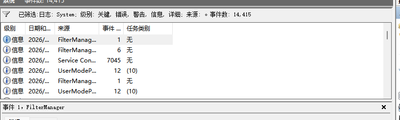
- No errors are recorded in Windows Event Viewer.
- The file named Crashreport is the NBA 2K26 native crash log.
- The file marked 8737 is the latest SSU (System Support Utility) log.
Reproduction Steps
- Update to the latest graphics driver version
- Launch NBA 2K26
- The error occurs consistently every time
- Mark as New
- Bookmark
- Subscribe
- Mute
- Subscribe to RSS Feed
- Permalink
- Report Inappropriate Content
### About the Game
1. My NBA 2K26 is the latest version on Steam, but I do not know the exact build number
2. In game settings, I use all default medium graphics presets, with XeSS set to Auto mode
3. I cannot launch the game at all, let alone access any specific game mode
4. The error occurs immediately upon launching the game — it usually appears right after this interface loads, then the game automatically exits and throws an error prompt
---
### About Graphics Drivers
1. I made a correction: **32.0.101.8629** is the last working driver version for me. The error-containing SSU log I uploaded was captured under driver version 8629
2. All driver versions released after 8629 cause this issue
3. Every time I downgrade from the latest driver, I fully uninstall the existing driver via DDU (Display Driver Uninstaller) before installing the target version
---
### About My System
1. My PC runs Windows 25H2, OS build **26200.8426**
2. As far as I know, *Overwatch* also uses DirectX 12 but does not have this problem
3. I have not applied any overclocking to my PC. My system configuration is 100% identical between driver version 8629 and 8737
4. My power supply is a **Thermaltake 550W SFX PSU**
---
### Logs
- No errors are recorded in Windows Event Viewer
- The file named `Crashreport` is the NBA 2K26 native crash log
- The file marked `8737` is the latest SSU (System Support Utility) log
---
### Reproduction Steps
1. Update to the latest graphics driver version
2. Launch NBA 2K26
3. The error occurs consistently every single time


- Mark as New
- Bookmark
- Subscribe
- Mute
- Subscribe to RSS Feed
- Permalink
- Report Inappropriate Content
### About the Game
1. My NBA 2K26 is the latest version on Steam, but I do not know the exact build number
2. In game settings, I use all default medium graphics presets, with XeSS set to Auto mode
3. I cannot launch the game at all, let alone access any specific game mode
4. The error occurs immediately upon launching the game — it usually appears right after this interface loads, then the game automatically exits and throws an error prompt
---
### About Graphics Drivers
1. I made a correction: **32.0.101.8629** is the last working driver version for me. The error-containing SSU log I uploaded was captured under driver version 8629
2. All driver versions released after 8629 cause this issue
3. Every time I downgrade from the latest driver, I fully uninstall the existing driver via DDU (Display Driver Uninstaller) before installing the target version
---
### About My System
1. My PC runs Windows 25H2, OS build **26200.8426**
2. As far as I know, *Overwatch* also uses DirectX 12 but does not have this problem
3. I have not applied any overclocking to my PC. My system configuration is 100% identical between driver version 8629 and 8737
4. My power supply is a **Thermaltake 550W SFX PSU**
---
### Logs
- No errors are recorded in Windows Event Viewer
- The file named `Crashreport` is the NBA 2K26 native crash log
- The file marked `8737` is the latest SSU (System Support Utility) log
---
### Reproduction Steps
1. Update to the latest graphics driver version
2. Launch NBA 2K26
3. The error occurs consistently every single time


- Mark as New
- Bookmark
- Subscribe
- Mute
- Subscribe to RSS Feed
- Permalink
- Report Inappropriate Content
### About the Game
1. My NBA 2K26 is the latest version on Steam, but I do not know the exact build number
2. In game settings, I use all default medium graphics presets, with XeSS set to Auto mode
3. I cannot launch the game at all, let alone access any specific game mode
4. The error occurs immediately upon launching the game — it usually appears right after this interface loads, then the game automatically exits and throws an error prompt
---
### About Graphics Drivers
1. I made a correction:**32.0.101.8629** is the last working driver version for me. The error-containing SSU log I uploaded was captured under driver version 8629
2. All driver versions released after 8629 cause this issue
3. Every time I downgrade from the latest driver, I fully uninstall the existing driver via DDU (Display Driver Uninstaller) before installing the target version
---
### About My System
1. My PC runs Windows 25H2, OS build **26200.8426**
2. As far as I know,*Overwatch* also uses DirectX 12 but does not have this problem
3. I have not applied any overclocking to my PC. My system configuration is 100% identical between driver version 8629 and 8737
4. My power supply is a **Thermaltake 550W SFX PSU**
---
### Logs
- No errors are recorded in Windows Event Viewer
- The file named `Crashreport` is the NBA 2K26 native crash log
- The file marked `8737` is the latest SSU (System Support Utility) log
---
### Reproduction Steps
1. Update to the latest graphics driver version
2. Launch NBA 2K26
3. The error occurs consistently every single time

- Mark as New
- Bookmark
- Subscribe
- Mute
- Subscribe to RSS Feed
- Permalink
- Report Inappropriate Content
### About the Game
1. My NBA 2K26 is the latest version on Steam, but I do not know the exact build number
2. In game settings, I use all default medium graphics presets, with XeSS set to Auto mode
3. I cannot launch the game at all, let alone access any specific game mode
4. The error occurs immediately upon launching the game — it usually appears right after this interface loads, then the game automatically exits and throws an error prompt
---
### About Graphics Drivers
1. I made a correction: **32.0.101.8629** is the last working driver version for me. The error-containing SSU log I uploaded was captured under driver version 8629
2. All driver versions released after 8629 cause this issue
3. Every time I downgrade from the latest driver, I fully uninstall the existing driver via DDU (Display Driver Uninstaller) before installing the target version
---
### About My System
1. My PC runs Windows 25H2, OS build **26200.8426**
2. As far as I know, *Overwatch* also uses DirectX 12 but does not have this problem
3. I have not applied any overclocking to my PC. My system configuration is 100% identical between driver version 8629 and 8737
4. My power supply is a **Thermaltake 550W SFX PSU**
---
### Logs
- No errors are recorded in Windows Event Viewer
- The file named `Crashreport` is the NBA 2K26 native crash log
- The file marked `8737` is the latest SSU (System Support Utility) log
---
### Reproduction Steps
1. Update to the latest graphics driver version
2. Launch NBA 2K26
3. The error occurs consistently every single time
- Mark as New
- Bookmark
- Subscribe
- Mute
- Subscribe to RSS Feed
- Permalink
- Report Inappropriate Content
- Mark as New
- Bookmark
- Subscribe
- Mute
- Subscribe to RSS Feed
- Permalink
- Report Inappropriate Content
Dear Jennifer B.
About the Game
- My NBA 2K26 is the latest version on Steam, but I do not know the exact build number.
- In game settings, I use all default medium graphics presets, with XeSS set to Auto mode.
- I cannot launch the game at all, let alone access any specific game mode.
- The error occurs immediately upon launching the game — it usually appears right after this interface loads, then the game automatically exits and throws an error prompt.
About Graphics Drivers
- I made a correction: 32.0.101.8629 is the last working driver version for me. The error-containing SSU log I uploaded was captured under driver version 8629.
- All driver versions released after 8629 cause this issue.
- Every time I downgrade from the latest driver, I fully uninstall the existing driver via DDU (Display Driver Uninstaller) before installing the target version.
About My System
- My PC runs Windows 25H2, OS build 26200.8426.
- As far as I know, Overwatch also uses DirectX 12 but does not have this problem.
- I have not applied any overclocking to my PC. My system configuration is 100% identical between driver version 8629 and 8737.
- My power supply is a Thermaltake 550W SFX PSU.
Logs
- No errors are recorded in Windows Event Viewer.
- The file named Crashreport is the NBA 2K26 native crash log.
- The file marked 8737 is the latest SSU (System Support Utility) log.
Reproduction Steps
- Update to the latest graphics driver version
- Launch NBA 2K26
- The error occurs consistently every time


- Mark as New
- Bookmark
- Subscribe
- Mute
- Subscribe to RSS Feed
- Permalink
- Report Inappropriate Content
### About the Game
1. My NBA 2K26 is the latest version on Steam, but I do not know the exact build number
2. In game settings, I use all default medium graphics presets, with XeSS set to Auto mode
3. I cannot launch the game at all, let alone access any specific game mode
4. The error occurs immediately upon launching the game — it usually appears right after this interface loads, then the game automatically exits and throws an error prompt
---
### About Graphics Drivers
1. I made a correction:**32.0.101.8629** is the last working driver version for me. The error-containing SSU log I uploaded was captured under driver version 8629
2. All driver versions released after 8629 cause this issue
3. Every time I downgrade from the latest driver, I fully uninstall the existing driver via DDU (Display Driver Uninstaller) before installing the target version
---
### About My System
1. My PC runs Windows 25H2, OS build **26200.8426**
2. As far as I know,*Overwatch* also uses DirectX 12 but does not have this problem
3. I have not applied any overclocking to my PC. My system configuration is 100% identical between driver version 8629 and 8737
4. My power supply is a **Thermaltake 550W SFX PSU**
---
### Logs
- No errors are recorded in Windows Event Viewer
- The file named `Crashreport` is the NBA 2K26 native crash log
- The file marked `8737` is the latest SSU (System Support Utility) log
---
### Reproduction Steps
1. Update to the latest graphics driver version
2. Launch NBA 2K26
3. The error occurs consistently every single time


- Subscribe to RSS Feed
- Mark Topic as New
- Mark Topic as Read
- Float this Topic for Current User
- Bookmark
- Subscribe
- Printer Friendly Page