
- Marcar como nuevo
- Favorito
- Suscribir
- Silenciar
- Suscribirse a un feed RSS
- Resaltar
- Imprimir
- Informe de contenido inapropiado
Enlace copiado

- Marcar como nuevo
- Favorito
- Suscribir
- Silenciar
- Suscribirse a un feed RSS
- Resaltar
- Imprimir
- Informe de contenido inapropiado
Is the Optane module enabled? If it is enabled, it will not be seen as being a separate device; it will be seen as being part of the drive that it is accelerating.
...S
- Marcar como nuevo
- Favorito
- Suscribir
- Silenciar
- Suscribirse a un feed RSS
- Resaltar
- Imprimir
- Informe de contenido inapropiado
Also, if you are more comfortable this way, feel free to post in your native language. We can use translators to read your posts.
If you do this, however, remember that we cannot translate text that is in a picture or screen capture. You need to include the text itself in your post so that we can translate it.
...S
- Marcar como nuevo
- Favorito
- Suscribir
- Silenciar
- Suscribirse a un feed RSS
- Resaltar
- Imprimir
- Informe de contenido inapropiado
ciao e grazie per le risposte.
Come si abilita il modulo optane? io ho utilizzato la guida che si trovava libretto di istruzioni della mia scheda madre, ma senza risultati . Ho provato a cambiare anche il software di intel , il primo software "intel rapid storage" optane non veniva rilevato, il secondo software "memoria intel optane" mi da un errore "nessun disco compatibile per la memoria intel optane". allego tutto con foto
- Marcar como nuevo
- Favorito
- Suscribir
- Silenciar
- Suscribirse a un feed RSS
- Resaltar
- Imprimir
- Informe de contenido inapropiado


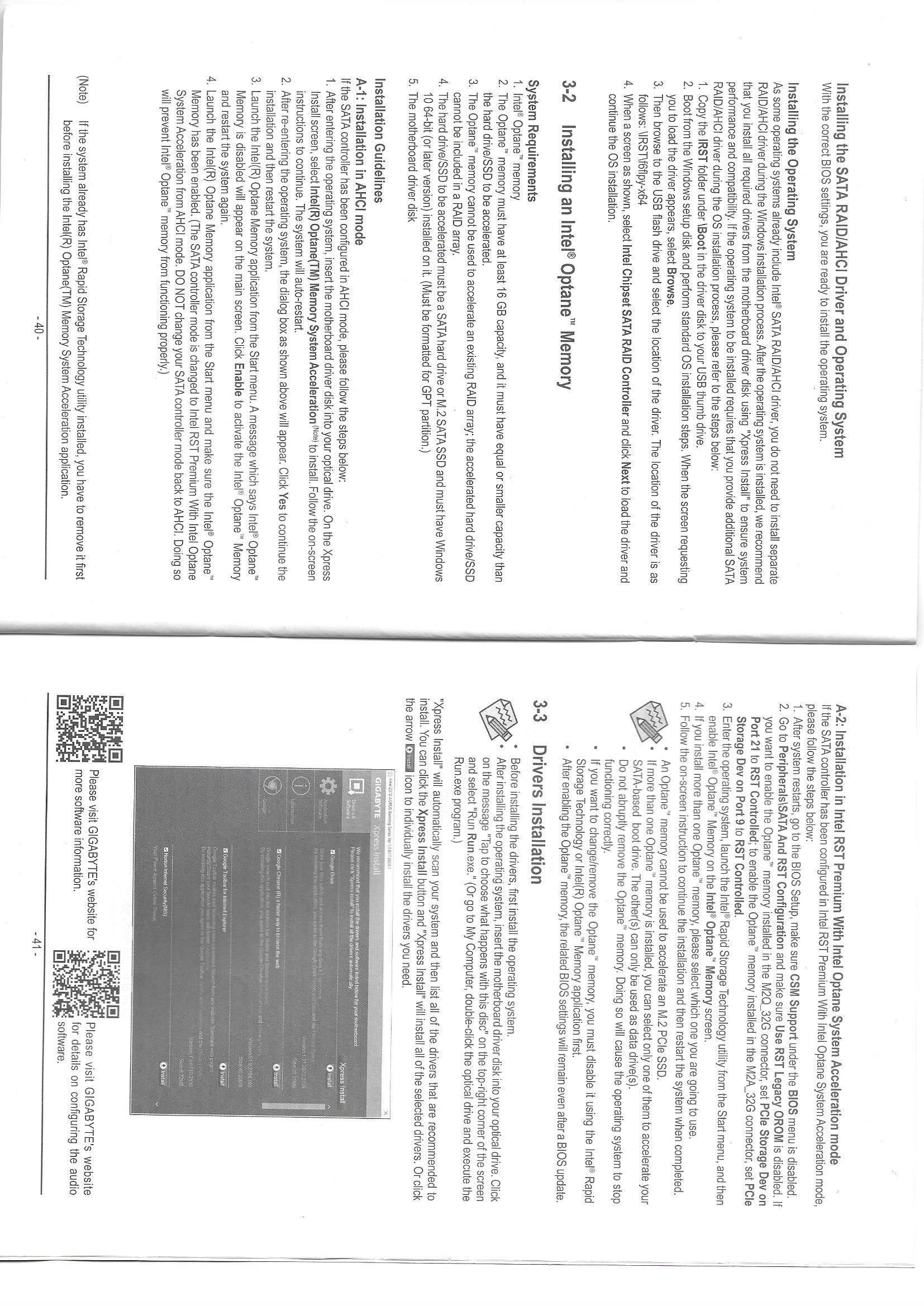
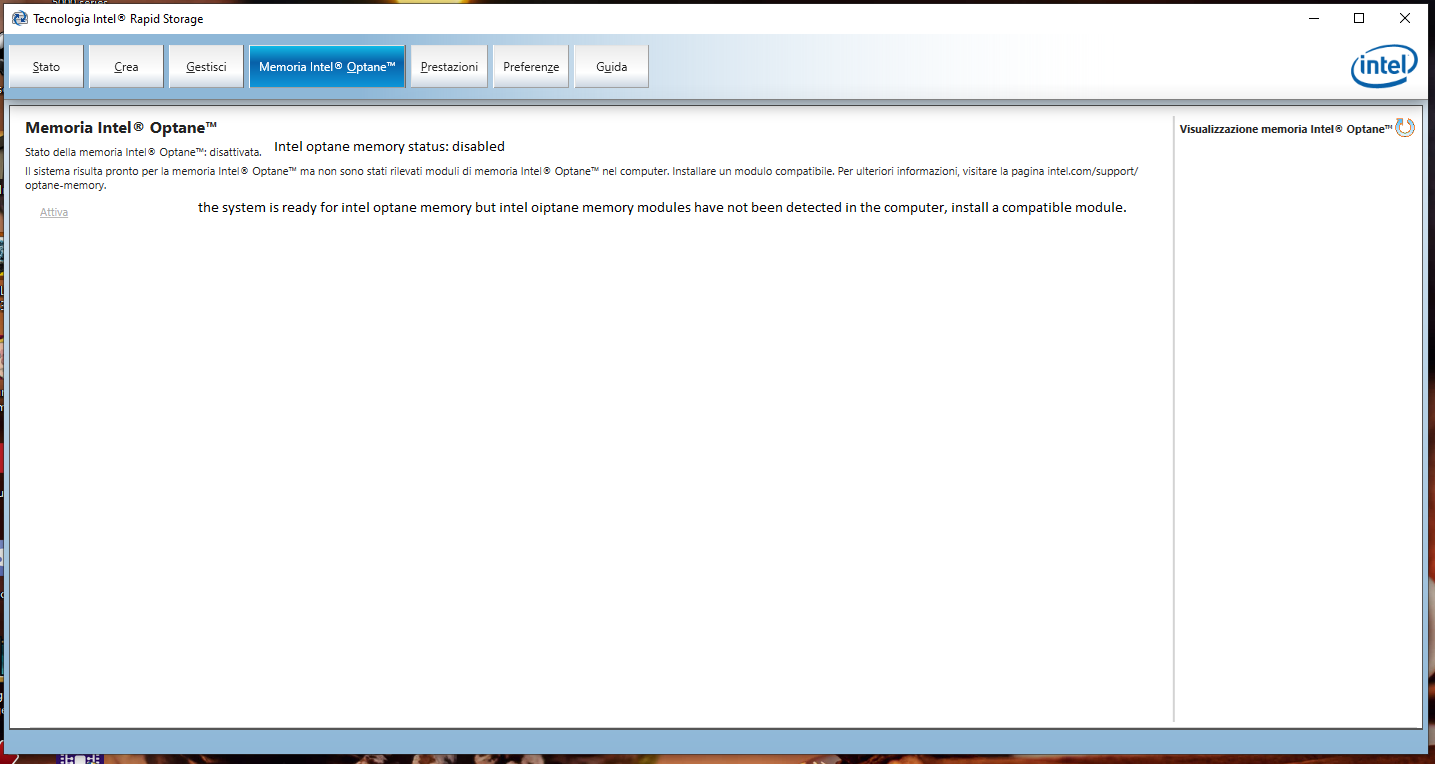
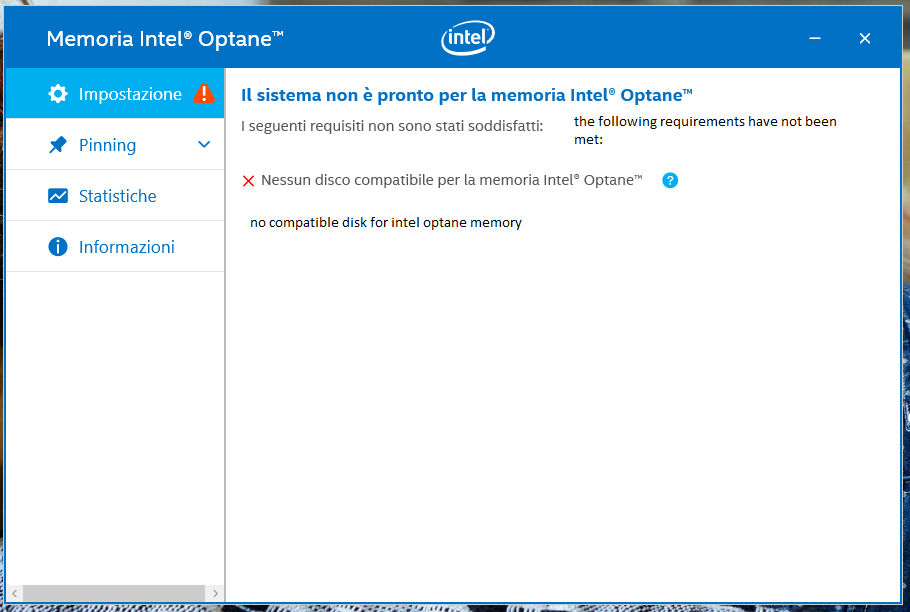
- Marcar como nuevo
- Favorito
- Suscribir
- Silenciar
- Suscribirse a un feed RSS
- Resaltar
- Imprimir
- Informe de contenido inapropiado
- Marcar como nuevo
- Favorito
- Suscribir
- Silenciar
- Suscribirse a un feed RSS
- Resaltar
- Imprimir
- Informe de contenido inapropiado
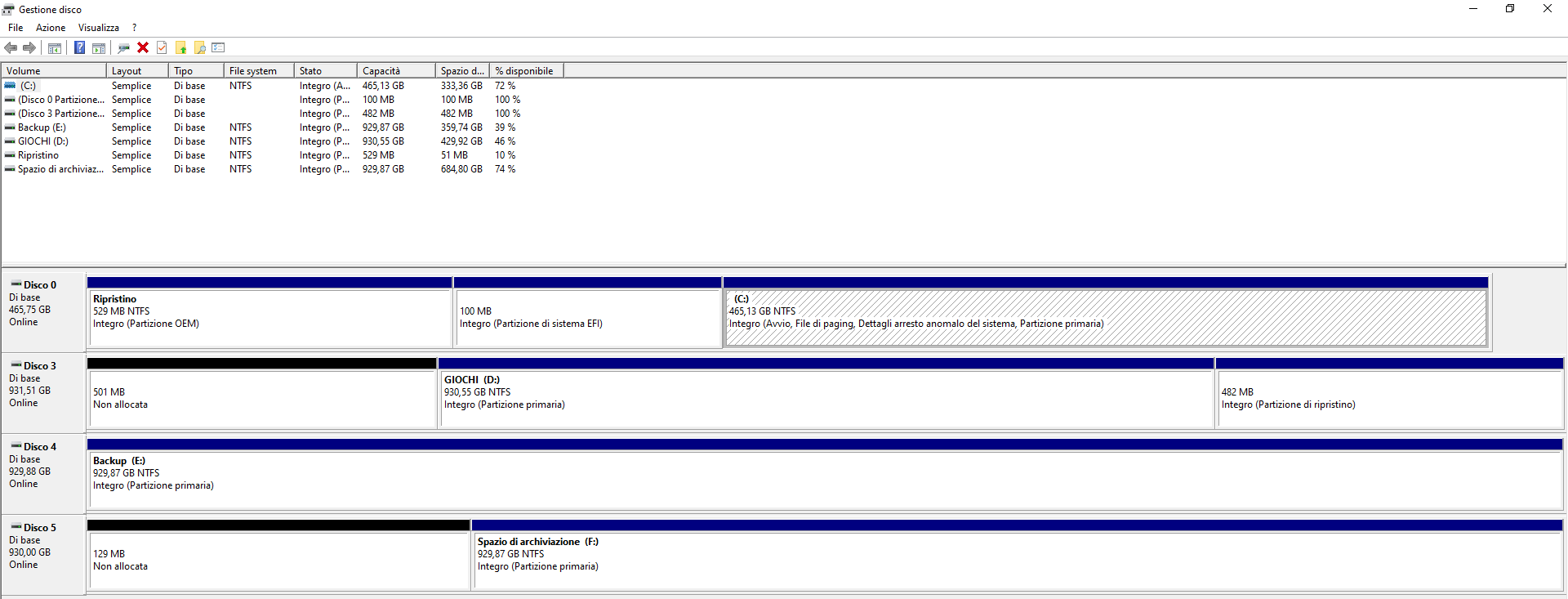
- Marcar como nuevo
- Favorito
- Suscribir
- Silenciar
- Suscribirse a un feed RSS
- Resaltar
- Imprimir
- Informe de contenido inapropiado
- Your Optane memory is not recognized in BIOS.
- Try to install Optane memory in the second M.2 slot. Try to reset it again in the M.2 slot.
- You may also ask Gigabyte support for help.
Leon

- Suscribirse a un feed RSS
- Marcar tema como nuevo
- Marcar tema como leído
- Flotar este Tema para el usuario actual
- Favorito
- Suscribir
- Página de impresión sencilla