
- Mark as New
- Bookmark
- Subscribe
- Mute
- Subscribe to RSS Feed
- Permalink
- Report Inappropriate Content
I tried to use FFT from MKL and got an error.
I'm using Win10, VS2019 and mkl 2021.2.0 from intel.oneapi.win.BaseKit.package.
I run official one-dimensional In-place FFT example ( see basic_dp_complex_dft_1d.c ) in c++ console application and defined an error.
status = DftiCommitDescriptor(hand); // Error is hereHere it is an error message - "Exception adress 0x76C2A6E2 (KernelBase.dll) in test.exe: 0xC06D007E: Module not found ".
Could please help me to fix this problem?

- Mark as New
- Bookmark
- Subscribe
- Mute
- Subscribe to RSS Feed
- Permalink
- Report Inappropriate Content
Hi,
When you set debug to x86 mode, automatically 32-bit implementation of the compiler is added to the environment.
If not done automatically set the path to:
PATH=C:\Program Files (x86)\Intel\oneAPI\compiler\2021.2.0\windows\redist\ia32_win\compiler;C:\Program Files (x86)\Intel\oneAPI\mkl\2021.2.0\redist\ia32;%PATH%
I hope this answers your query. Please let us know if you have any other issues. If not, can we proceed further to close this thread?
Regards
Rajesh.
Link Copied
- Mark as New
- Bookmark
- Subscribe
- Mute
- Subscribe to RSS Feed
- Permalink
- Report Inappropriate Content
Hi,
Can you please share the Visual Studio version and the settings used? In the meanwhile, try setting the environment details in Debugging section, in the Configuration Properties section to:
PATH=C:\Program Files (x86)\Intel\oneAPI\compiler\2021.2.0\windows\redist\intel64_win\compiler;C:\Program Files (x86)\Intel\oneAPI\mkl\2021.2.0\redist\intel64;%PATH%
Let us know if you face any issues.
Regards
Rajesh.
- Mark as New
- Bookmark
- Subscribe
- Mute
- Subscribe to RSS Feed
- Permalink
- Report Inappropriate Content
Hi, Rajesh.
My Visual Studio version: Community 2019 v16.9.4
It seems to me, that my project needs to be configured correctly.
When I specify the environment details in Debugging section, in the Configuration Properties section to:
PATH=C:\Program Files (x86)\Intel\oneAPI\compiler\2021.2.0\windows\redist\intel64_win\compiler;C:\Program Files (x86)\Intel\oneAPI\mkl\2021.2.0\redist\intel64;%PATH%
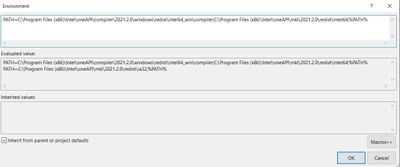
I get an error when debugging starts:
"Error while starting the application (0xc000007b)"
So, please help me set up Visual Studio to use Intel OneMKL.
Let's start by setting the environment variables as I haven't set any variables since installing Intel oneAPI.win.BaseKit.
This is how my Visual Studio settings look like:
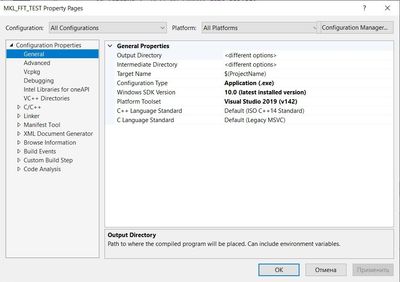
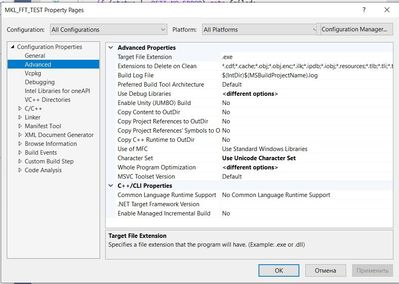
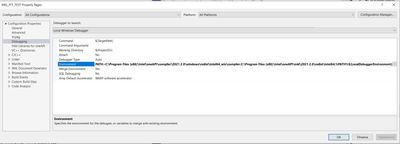
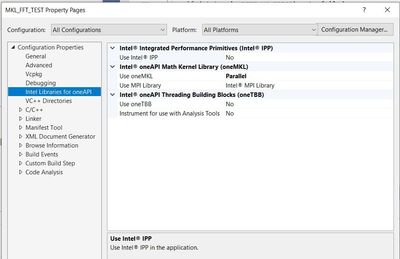
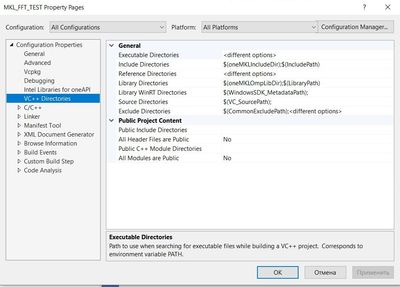
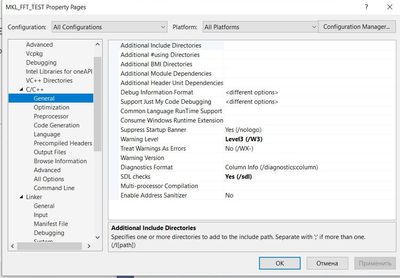
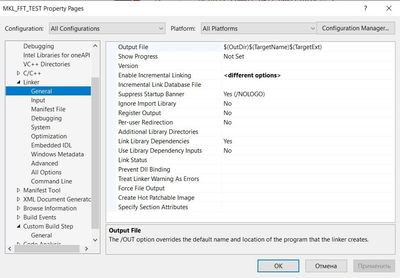
Do I need to use the setvars.bat script from Intel oneAPI to set system variables in Windows?
Sorry there are so many questions))
- Mark as New
- Bookmark
- Subscribe
- Mute
- Subscribe to RSS Feed
- Permalink
- Report Inappropriate Content
Hi,
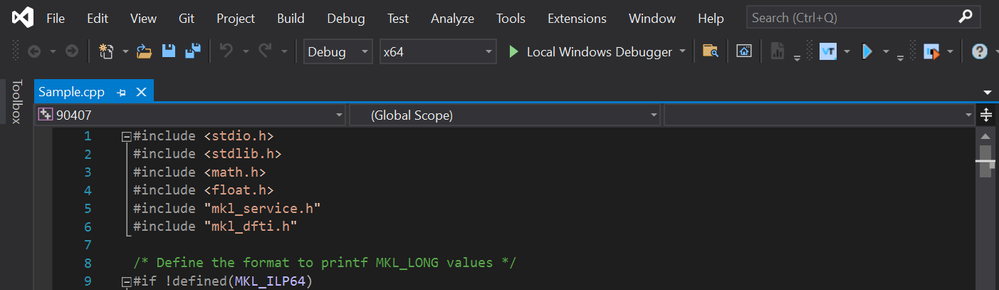
Also, try setting the Debug setting to x64 and let us know if that works.
Regards
Rajesh.
- Mark as New
- Bookmark
- Subscribe
- Mute
- Subscribe to RSS Feed
- Permalink
- Report Inappropriate Content
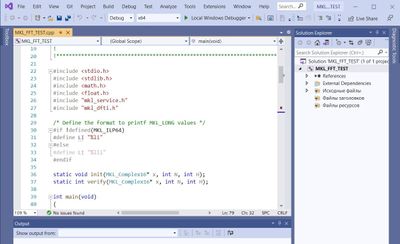
If I set "Solution Platforms" to x64, then the FTF calculation works fine!
Thanks, Rajesh.
But... if I need to do my project in x32 mode? How to make debug in x32 mode?
- Mark as New
- Bookmark
- Subscribe
- Mute
- Subscribe to RSS Feed
- Permalink
- Report Inappropriate Content
Hi,
When you set debug to x86 mode, automatically 32-bit implementation of the compiler is added to the environment.
If not done automatically set the path to:
PATH=C:\Program Files (x86)\Intel\oneAPI\compiler\2021.2.0\windows\redist\ia32_win\compiler;C:\Program Files (x86)\Intel\oneAPI\mkl\2021.2.0\redist\ia32;%PATH%
I hope this answers your query. Please let us know if you have any other issues. If not, can we proceed further to close this thread?
Regards
Rajesh.
- Mark as New
- Bookmark
- Subscribe
- Mute
- Subscribe to RSS Feed
- Permalink
- Report Inappropriate Content
Hi,
Thanks for accepting as a Solution.
As this issue has been resolved, we will no longer respond to this thread. If you require any additional assistance from Intel, please start a new thread. Any further interaction in this thread will be considered community only.
Have a Good day.
Regards
Rajesh

- Subscribe to RSS Feed
- Mark Topic as New
- Mark Topic as Read
- Float this Topic for Current User
- Bookmark
- Subscribe
- Printer Friendly Page