
- Mark as New
- Bookmark
- Subscribe
- Mute
- Subscribe to RSS Feed
- Permalink
- Report Inappropriate Content
Greetings,
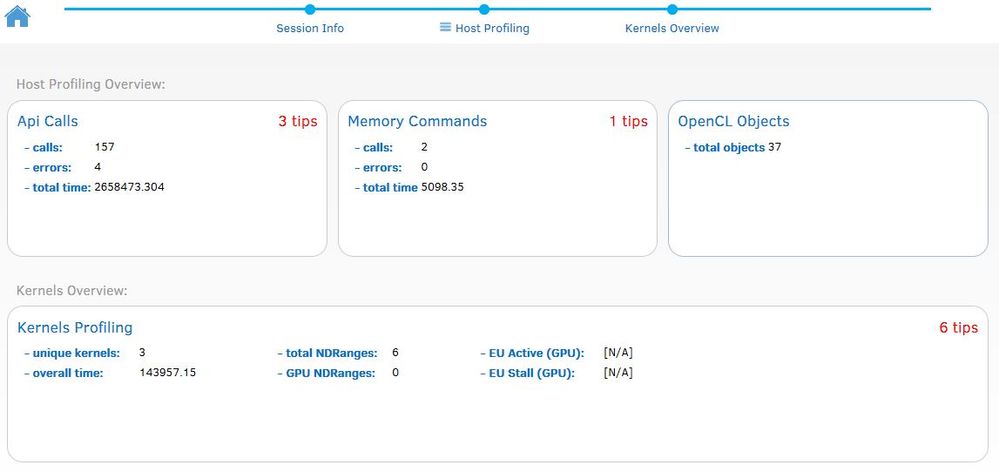
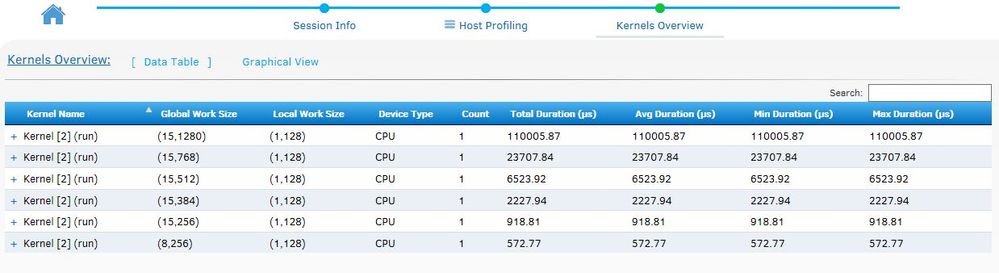
I am working with MS VS 2013 with the intel SDK build 6.0.0.1049 (latest) , and when creating a nwe Analysis Session , the kernel section indicates that there are 6 performance tips , but when I click on it it dosn't show any tips , likewise ""Api Calls"" or ""Memory Commands"" sections.
Link Copied

- Mark as New
- Bookmark
- Subscribe
- Mute
- Subscribe to RSS Feed
- Permalink
- Report Inappropriate Content
Hi Omar,
Could you please let me know which OS you are running on (7, 8, 10, 32-bit or 64 bit) and which processor are you using?
Also, could you please specify, which version of the graphics driver are you using?
Could you also provide a reproducer? You could attach it to the forum message or send me a private message.
Thank you!
- Mark as New
- Bookmark
- Subscribe
- Mute
- Subscribe to RSS Feed
- Permalink
- Report Inappropriate Content
I have used the following two configurations:
OS: Windows 8.1 64-bit & Windows 10 64-bit
CPU: Intel core i5-3210M & Intel core i7-4790
Intel HD 4000 Driver 10.18.10.4276 OCL 2.0 & Intel HD 4600 with OCL 1.2
the reproducer is in your messages
- Mark as New
- Bookmark
- Subscribe
- Mute
- Subscribe to RSS Feed
- Permalink
- Report Inappropriate Content
Hi Omar,
I received your reproducer. However, what I need is an actual small application that I can run thru Code Analyzer like you did and produce similar screens and tips. Thanks!

- Subscribe to RSS Feed
- Mark Topic as New
- Mark Topic as Read
- Float this Topic for Current User
- Bookmark
- Subscribe
- Printer Friendly Page