
- Mark as New
- Bookmark
- Subscribe
- Mute
- Subscribe to RSS Feed
- Permalink
- Report Inappropriate Content
- Tags:
- HTML5
- Intel® XDK

- Mark as New
- Bookmark
- Subscribe
- Mute
- Subscribe to RSS Feed
- Permalink
- Report Inappropriate Content
I also had such a problem when I used a third-party plugin, and it solved by itself when I removed the plugin, and added it using a GIT Repo.
Link Copied
- Mark as New
- Bookmark
- Subscribe
- Mute
- Subscribe to RSS Feed
- Permalink
- Report Inappropriate Content
Did you added any plugin? If so what plugin?
Try to remove it and add IT again.
- Mark as New
- Bookmark
- Subscribe
- Mute
- Subscribe to RSS Feed
- Permalink
- Report Inappropriate Content
I also had such a problem when I used a third-party plugin, and it solved by itself when I removed the plugin, and added it using a GIT Repo.
- Mark as New
- Bookmark
- Subscribe
- Mute
- Subscribe to RSS Feed
- Permalink
- Report Inappropriate Content
Alex Hang wrote:
Did you added any plugin? If so what plugin?
Try to remove it and add IT again.
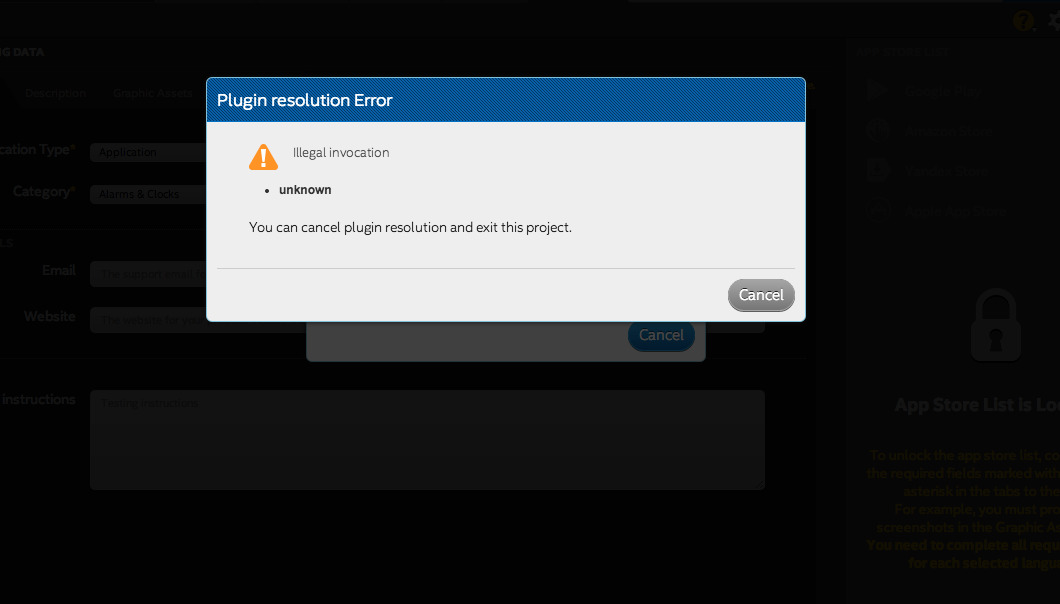
I actually just tried to create a template project ... but it seem a reinstall fixed my problem
than you for the assist (Because it did seem to fail on plugin setup previously)

- Mark as New
- Bookmark
- Subscribe
- Mute
- Subscribe to RSS Feed
- Permalink
- Report Inappropriate Content
See if the solution provided at the end of this thread works > https://software.intel.com/en-us/forums/intel-xdk/topic/706360 < regarding complete uninstall of old versions as well as the new (they changed the install location, so the old versions don't always get uninstalled now).
In other words, remove /Applications/Intel XDK.app as well as /Applications/Intel XDK/Intel XDK.app from your system.
- Mark as New
- Bookmark
- Subscribe
- Mute
- Subscribe to RSS Feed
- Permalink
- Report Inappropriate Content
For anyone else who is reading this thread, please try the recommendation provided here > https://software.intel.com/en-us/forums/intel-xdk/topic/707314 < and report on that thread if those recommendations solved this issue for you.

- Subscribe to RSS Feed
- Mark Topic as New
- Mark Topic as Read
- Float this Topic for Current User
- Bookmark
- Subscribe
- Printer Friendly Page