
- Mark as New
- Bookmark
- Subscribe
- Mute
- Subscribe to RSS Feed
- Permalink
- Report Inappropriate Content
Live Layout is an extension of the Brackets Live Preview tool. Please see this Brackets FAQ page for some ideas that might help get the XDK Live Layout tool working > https://github.com/adobe/brackets/wiki/Troubleshooting#livedev <
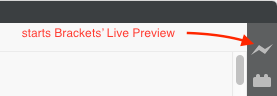
If the suggestions inf the Brackets FAQ do not help, you can install Brackets and use the "Live Preview" function in Brackets. You can install Brackets from here > http://brackets.io/ < You start the Brackets Live Preview function by opening the index.html file in your project (from within Brackets) and clicking the "thunder bolt" icon in the upper right corner of the Brackets window (the lightening bolt icon in the Brackets toolbar):
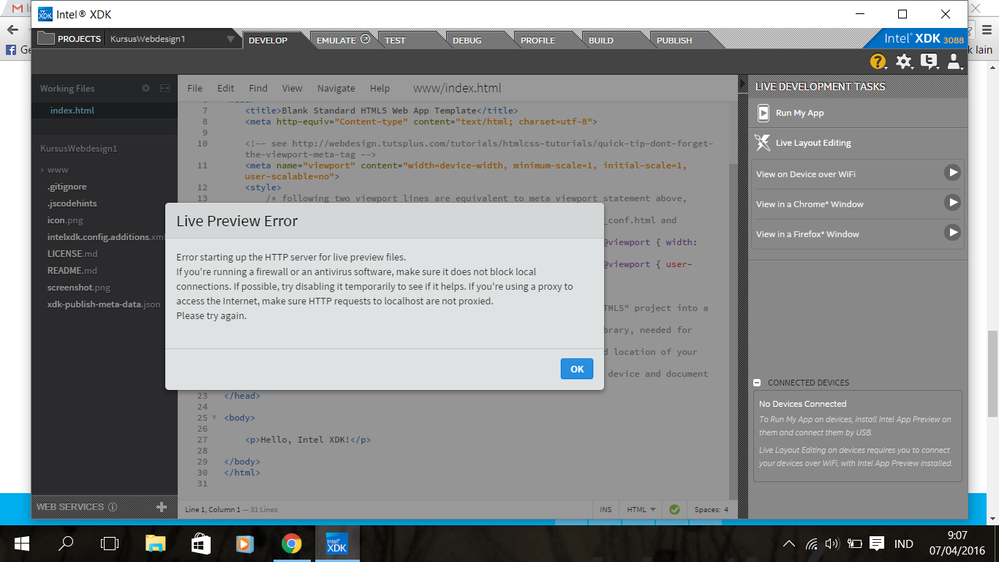
Following is an example of a typical Live Layout error message from the Intel XDK:
- Tags:
- HTML5
- Intel® XDK
Link Copied
- Mark as New
- Bookmark
- Subscribe
- Mute
- Subscribe to RSS Feed
- Permalink
- Report Inappropriate Content
If you are experiencing this problem, please attach your xdk.log file to this thread. It is located in the same directory as the global-settings.xdk file, which can be found by following these instructions > https://software.intel.com/en-us/xdk/faqs/general#global-settings-file

- Mark as New
- Bookmark
- Subscribe
- Mute
- Subscribe to RSS Feed
- Permalink
- Report Inappropriate Content
- Mark as New
- Bookmark
- Subscribe
- Mute
- Subscribe to RSS Feed
- Permalink
- Report Inappropriate Content
Hava -- does it work if you reboot your computer?

- Mark as New
- Bookmark
- Subscribe
- Mute
- Subscribe to RSS Feed
- Permalink
- Report Inappropriate Content
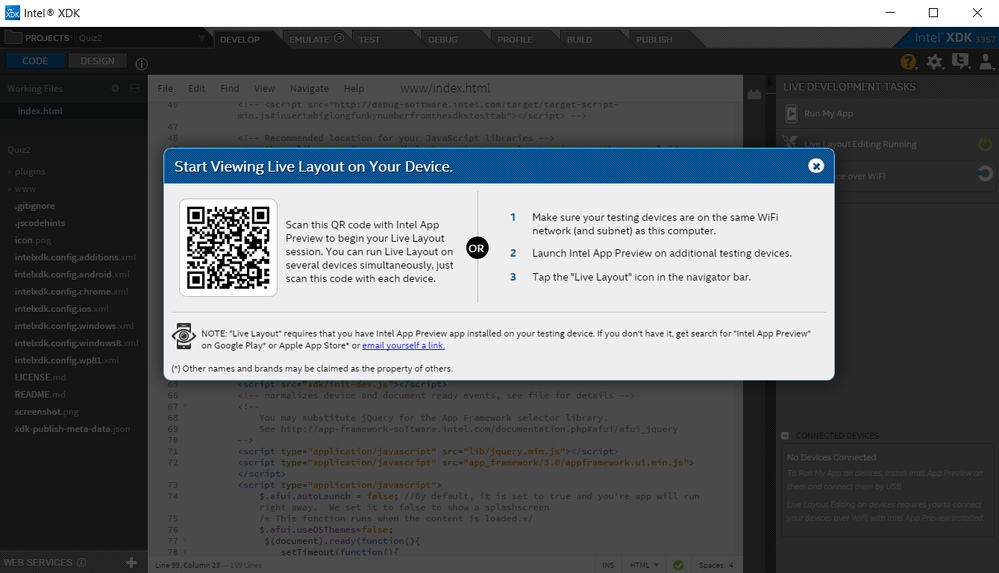
Now already quite very easy to edit the layout directly.

- Mark as New
- Bookmark
- Subscribe
- Mute
- Subscribe to RSS Feed
- Permalink
- Report Inappropriate Content
- Mark as New
- Bookmark
- Subscribe
- Mute
- Subscribe to RSS Feed
- Permalink
- Report Inappropriate Content
There is no permanent fix for that issue, we recommend that you use the Brackets Live Preview feature, instead, using the standard Brackets editor (as described in the original post).
You can open the source files in your XDK project using standalone Brackets with no problem, while the XDK is open, I do it all the time. In fact, I prefer to use a standalone editor (I use both Sublime and Brackets) to edit my project files, rather than the editor that is built into the XDK. You can have the XDK open, Brackets open and Sublime open, all referencing the same files in your project and they will correctly keep all file changes in sync.

- Subscribe to RSS Feed
- Mark Topic as New
- Mark Topic as Read
- Float this Topic for Current User
- Bookmark
- Subscribe
- Printer Friendly Page
The Brackets Live Preview feature will only work with a Chrome browser and will only work with apps that are not using Cordova APIs. If your app is an "HTML5" app, it should work fine. If your app is an "HTML5+Cordova" app you may have to be careful of any Cordova APIs.