
- Marcar como nuevo
- Favorito
- Suscribir
- Silenciar
- Suscribirse a un feed RSS
- Resaltar
- Imprimir
- Informe de contenido inapropiado
Hello Everyone,
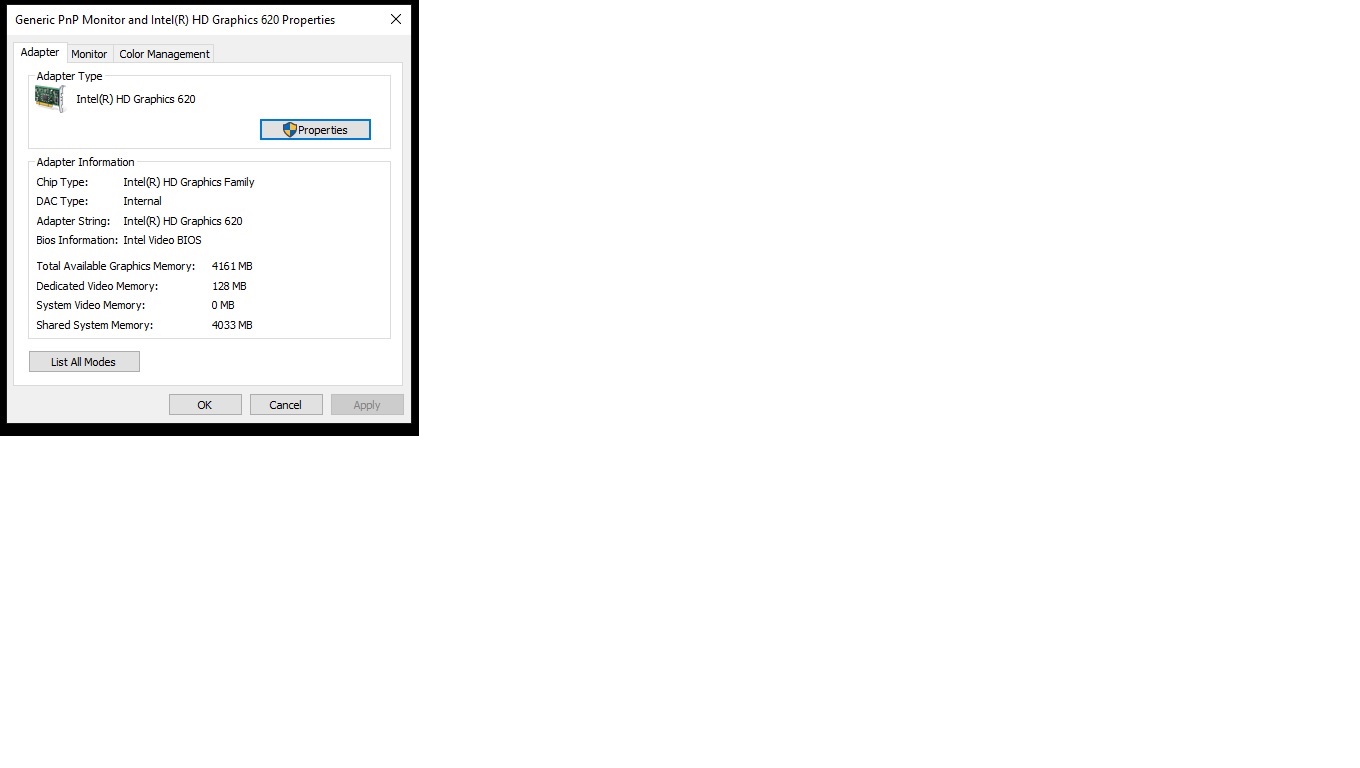
I'm trying without success to Increase the Dedicated Viedo memory of my ACER Laptop, Intel Graphics HD 620 from 128 mb to 512 mb. ** 8GB RAM on this system
There are many posts & videos that say it can be done via Registry - adding a GMM folder under Intel &
opening a new DWORD Key with DedicatedSegmentSize = 512 (Hex). This didn't work for me at all.
If anyone knows a way to do that, let me know.
one more note - I tried looking for an option in BIOS setup, and there is none.
Regards
Snakes
Enlace copiado

- Marcar como nuevo
- Favorito
- Suscribir
- Silenciar
- Suscribirse a un feed RSS
- Resaltar
- Imprimir
- Informe de contenido inapropiado
Dedicated video memory is controlled by the bios, and is worthless in today's world.
What you need to know is that, with 8GB of system memory, your graphics will allocate up to 50% of memory as needed.
If you have OLD, OLD, games that still want to deal with dedicated video, tell them to get with the times and fixe their product. If you insist on dedicated video memory, ask acer what their laptop supports and stop messing with the registry.
Doc
- Marcar como nuevo
- Favorito
- Suscribir
- Silenciar
- Suscribirse a un feed RSS
- Resaltar
- Imprimir
- Informe de contenido inapropiado
- Marcar como nuevo
- Favorito
- Suscribir
- Silenciar
- Suscribirse a un feed RSS
- Resaltar
- Imprimir
- Informe de contenido inapropiado
No emotion here, just stating the facts.
I believe users should not have access to the registry.
Compatibility mode is a crutch for those who do not want to update their product.
And, you have a wonderful day as well.
Doc (just a customer)

- Suscribirse a un feed RSS
- Marcar tema como nuevo
- Marcar tema como leído
- Flotar este Tema para el usuario actual
- Favorito
- Suscribir
- Página de impresión sencilla