
- Als neu kennzeichnen
- Lesezeichen
- Abonnieren
- Stummschalten
- RSS-Feed abonnieren
- Kennzeichnen
- Anstößigen Inhalt melden
Hi all,
I have a "Intel® NUC Kit NUC8i7HNK Elements", it connected with HDMI cable to my TV
Philips 46PLF9704.
Now my problem:
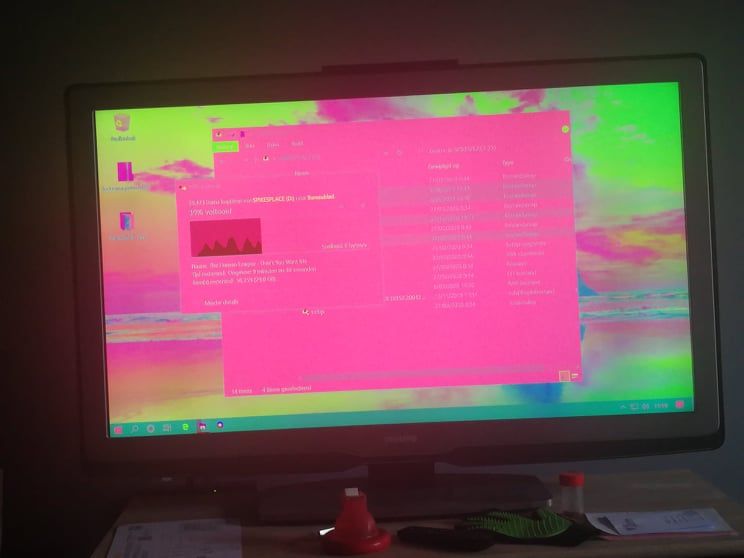
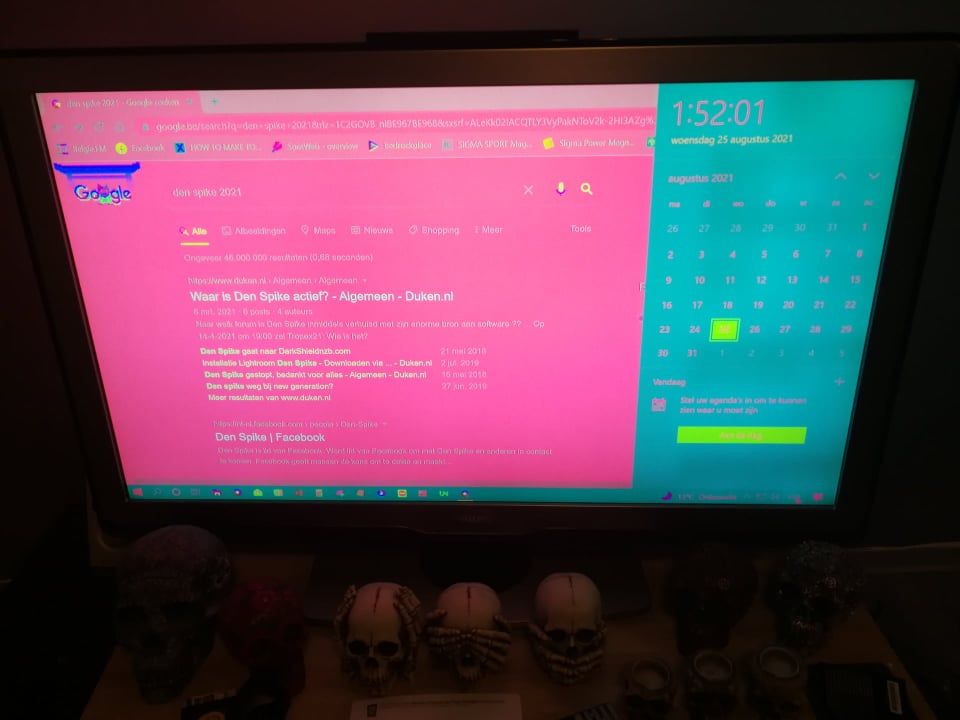
The screen turn pink / blue, after a time its goes back normale.
I did update all my drivers.
But by making a screenshot i fond out it's the TV, the screenshot are the collors normal.
What settings can i change to solve this problem?
I realy like the NUC, hopes to find a sollution.

- Als neu kennzeichnen
- Lesezeichen
- Abonnieren
- Stummschalten
- RSS-Feed abonnieren
- Kennzeichnen
- Anstößigen Inhalt melden
Switch OFF:
- Virtual super resolution
- GPU Scaling
Set:
Pixel Format to RGB 4:4:4 ... (Full RGB)
Color Depth to 8 bpc
Leon
Link kopiert

- Als neu kennzeichnen
- Lesezeichen
- Abonnieren
- Stummschalten
- RSS-Feed abonnieren
- Kennzeichnen
- Anstößigen Inhalt melden
To me, this looks like the result of a bad HDMI cable or cable connector. I suggest you try a better quality cable.
Hope this helps,
...S
- Als neu kennzeichnen
- Lesezeichen
- Abonnieren
- Stummschalten
- RSS-Feed abonnieren
- Kennzeichnen
- Anstößigen Inhalt melden
Maybe in the Radion setting, 'but dont know what it is.
- Als neu kennzeichnen
- Lesezeichen
- Abonnieren
- Stummschalten
- RSS-Feed abonnieren
- Kennzeichnen
- Anstößigen Inhalt melden
All monitor connection points on the HN/HV NUCs are directly connected to the Radeon RX Vega M graphics engine. You definitely need to be looking at the Radeon software for any configuration changes.
...S
- Als neu kennzeichnen
- Lesezeichen
- Abonnieren
- Stummschalten
- RSS-Feed abonnieren
- Kennzeichnen
- Anstößigen Inhalt melden
Do you know what i must change?
- Als neu kennzeichnen
- Lesezeichen
- Abonnieren
- Stummschalten
- RSS-Feed abonnieren
- Kennzeichnen
- Anstößigen Inhalt melden
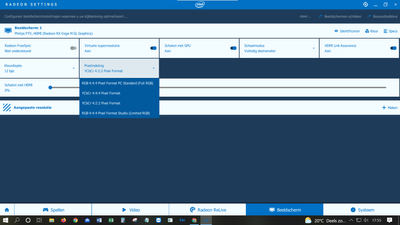
Switch OFF:
- Virtual super resolution
- GPU Scaling
Set:
Pixel Format to RGB 4:4:4 ... (Full RGB)
Color Depth to 8 bpc
Leon
- Als neu kennzeichnen
- Lesezeichen
- Abonnieren
- Stummschalten
- RSS-Feed abonnieren
- Kennzeichnen
- Anstößigen Inhalt melden
@LeonWaksman 1000 times THX, it works fine 👌

- RSS-Feed abonnieren
- Thema als neu kennzeichnen
- Thema als gelesen kennzeichnen
- Diesen Thema für aktuellen Benutzer floaten
- Lesezeichen
- Abonnieren
- Drucker-Anzeigeseite