
- Mark as New
- Bookmark
- Subscribe
- Mute
- Subscribe to RSS Feed
- Permalink
- Report Inappropriate Content
Yesterday I turned on my PC and I only have two screen resolutions. I have uninstalled the Nvidia graphics card drivers and reinstalled them but still the same. I have installed the intel vga drivers for the ASROCK H81M-HG4 motherboard but it says the system is not supported. Any help?
Link Copied

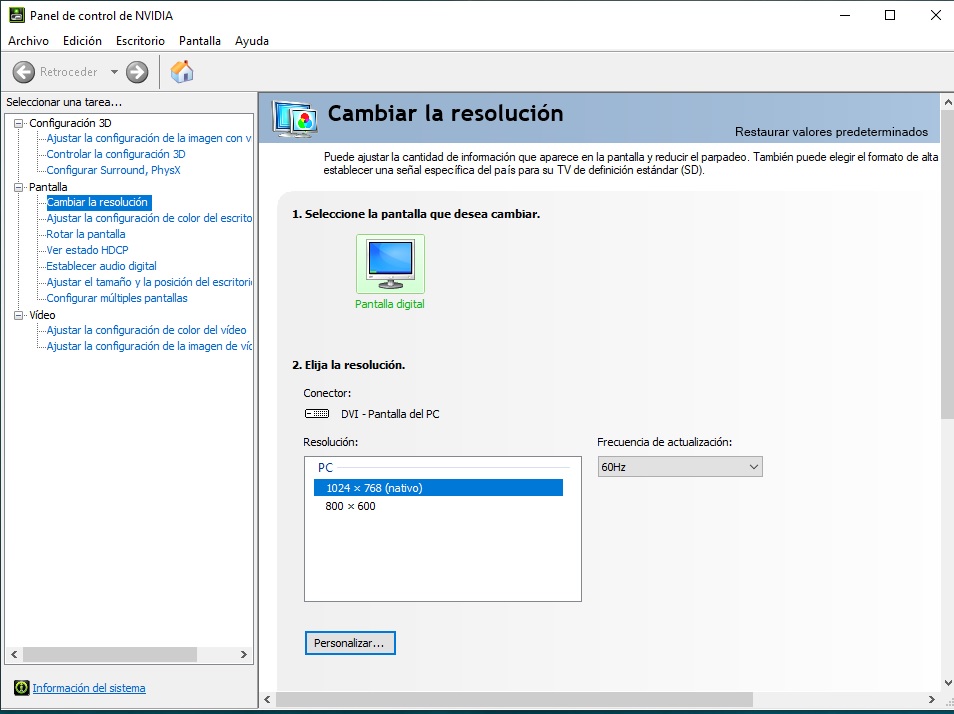
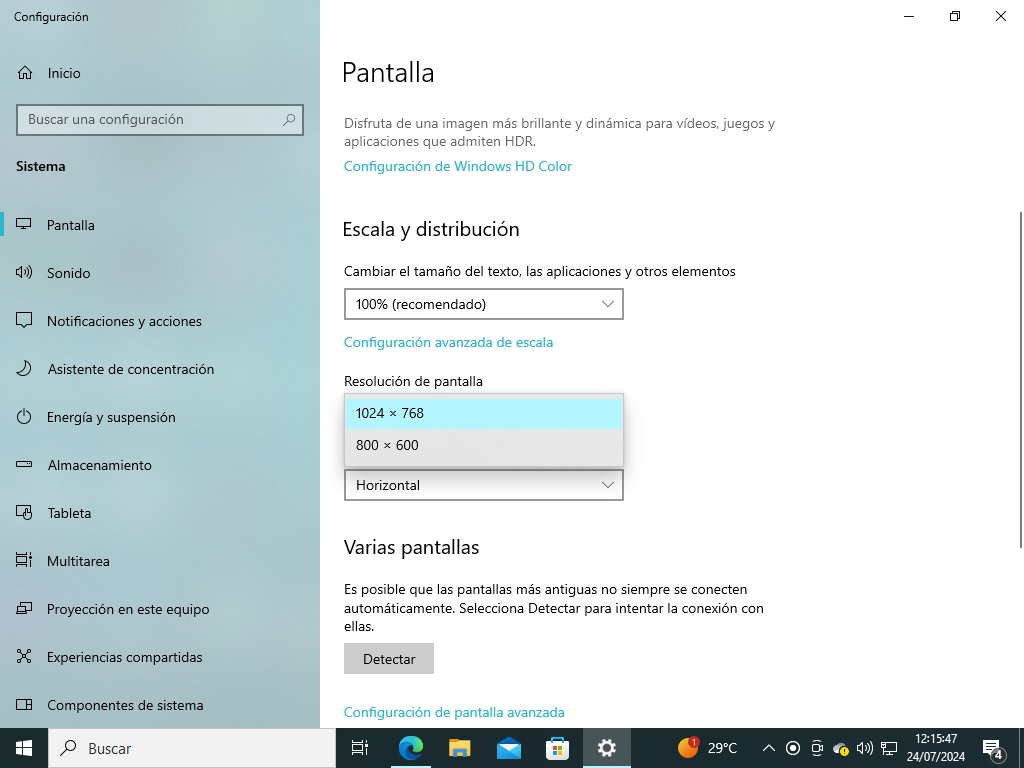
- Mark as New
- Bookmark
- Subscribe
- Mute
- Subscribe to RSS Feed
- Permalink
- Report Inappropriate Content
Hi ronny255,
Apologies for the delay in my response.
Kindly share the following:
Photo of the issue that you are encountering.
Have you performed other troubleshooting steps?
To better understand your system's configuration, we kindly request that you download the Intel® System Support Utility for Windows* software.
You can find the download link here:
- Intel® System Support Utility for Windows*
- Here's a quick guide on using the Intel SSU:
- Download and launch SSU.exe.
- Check the box for "Everything."
- Click "Scan."
- When the scanning is complete, click "Next."
- Click "Save."
- Please send the saved file to us.
This information will greatly assist us in diagnosing and addressing the specific concerns with your system. If you encounter any challenges during this process or have additional questions, please don't hesitate to let us know. We're here to help.
Best regards,
Dean R.
Intel Customer Support Technician
- Mark as New
- Bookmark
- Subscribe
- Mute
- Subscribe to RSS Feed
- Permalink
- Report Inappropriate Content
Hi ronny255,
I wanted to follow up on the previous message regarding your inquiry. Have you had a chance to review it? If you have any questions or need further information, please let me know.
Best regards,
Dean R.
Intel Customer Support Technician
- Mark as New
- Bookmark
- Subscribe
- Mute
- Subscribe to RSS Feed
- Permalink
- Report Inappropriate Content
Hi ronny255,
I have not heard back from you so I will close this inquiry now. If you need further assistance, please submit a new question as this thread will no longer be monitored.
Best regards,
Dean R.
Intel Customer Support Technician

- Subscribe to RSS Feed
- Mark Topic as New
- Mark Topic as Read
- Float this Topic for Current User
- Bookmark
- Subscribe
- Printer Friendly Page