
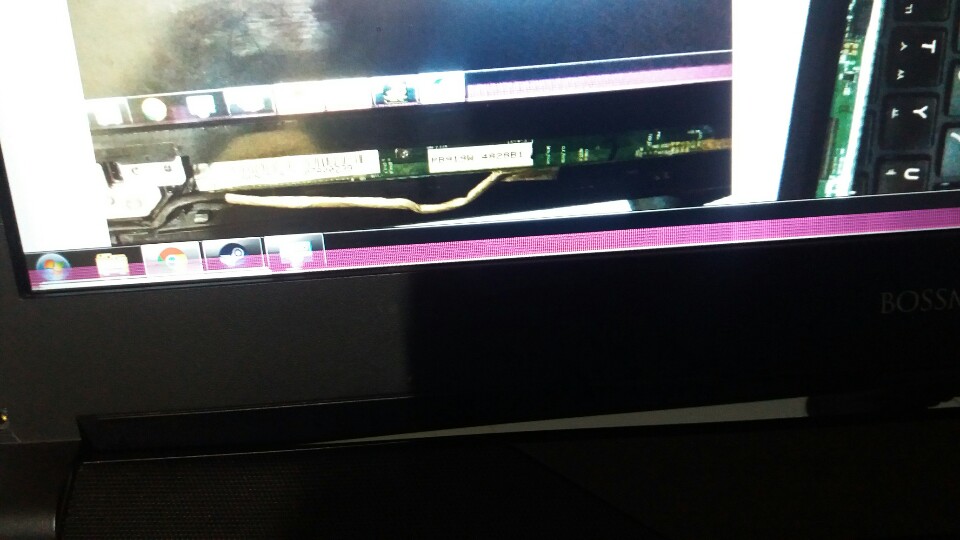
there are purple lines like picture below
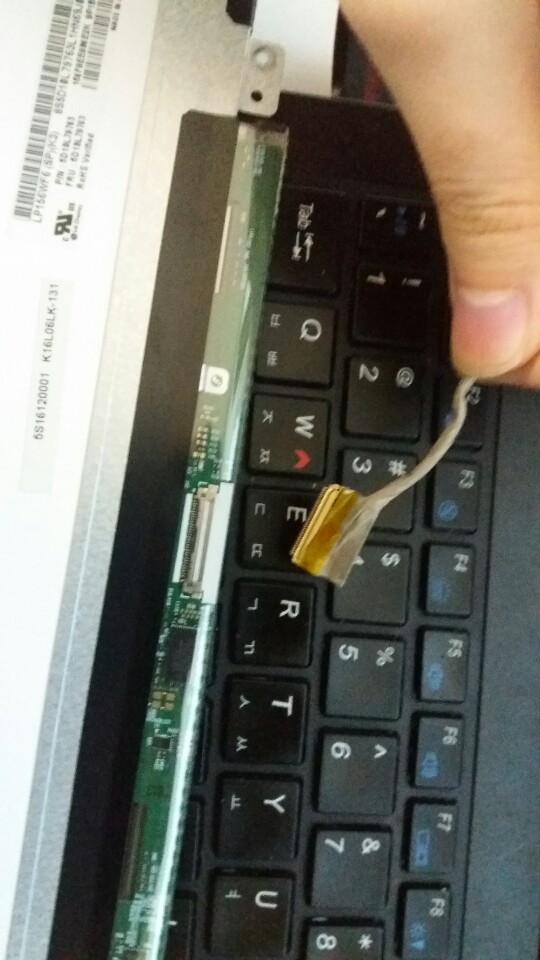
If i pull off my lcd line, and put it in, It goes normal.
But if I reboot my computer, same problem happens.
my intel driver is
Driver Version: 15.40.24.64.4454
Release Version: Production Version
Platform / Operating System(s):
6th Gen Intel(R) Core(TM) processor family (codename Skylake)
Microsoft Windows* 7-64
Microsoft Windows* 8.1-64
Microsoft Windows* 10-64 (Nov_Upd_RTM_10586)
5th Generation Intel(R) Core(TM) processor family (codename Broadwell)
Microsoft Windows* 7-64
Microsoft Windows* 8-64
Microsoft Windows* 8.1-64
Microsoft Windows* 10-64 (Nov_Upd_RTM_10586)
4th Generation Intel(R) Core(TM) processor family (codename Haswell)
Microsoft Windows* 10-64 (Nov_Upd_RTM_10586)
Release Date: May 6, 2016
this.
==============================
I formatted my disk and and re-installed windows 7 but same problem happens.
how can i solve this?
連結已複製

Try drivers from this list https://downloadcenter.intel.com/product/88345/Intel-HD-Graphics-530 Downloads for Intel® HD Graphics 530
Select OS from right pull-down menu. Hit "show more".
To bypass message "best driver is already installed", "customized computer manufacturer driver" or "computer is not validated" install driver via have disk method as described at:
https://www.windowscentral.com/how-install-intel-beta-graphics-drivers-surface (ignore prolog about MS surface)
Thx for your advice.
I tried driver from that list,
but unfortunately, the problem remains.
Since you have an NVIDIA Optimus rig, you can also try different GeForce drivers.
But considering the fact that https://www.clevo.com.tw/en/e-services/download/ftpOut.asp?Lmodel=N15xRD1/N17xRD1<ype=9&submit=+GO+ Clevo offers only Windows 10 drivers, your notebook's BIOS might be incompatible with Windows 7. That's just a wild guess though.
Thanks for your advice.
But when I bought this laptop, This laptop's drivers were for windows 7.
I once formatted my computer, and when I installed Intel driver ( I didnt installed NVIDIA driver) the same problem happens.
I've thought it was a hardware problem...but when i disconnect and reconnect lcd line, it works fine.


Hello EdwardKim
Thank you for the information.
Bear in mind that we recommend using the Original Equipment Manufacturer (OEM) driver provided by the manufacturer of the system due to that those are customized for the laptop design if the behavior still persists ever with the OEM drivers we recommend contacting the OEM customer support.
Hope this helps.
Regards,
Leonardo C.
Intel Customer Support Technician
Under Contract to Intel Corporation
