
- 신규로 표시
- 북마크
- 구독
- 소거
- RSS 피드 구독
- 강조
- 인쇄
- 부적절한 컨텐트 신고
Hi
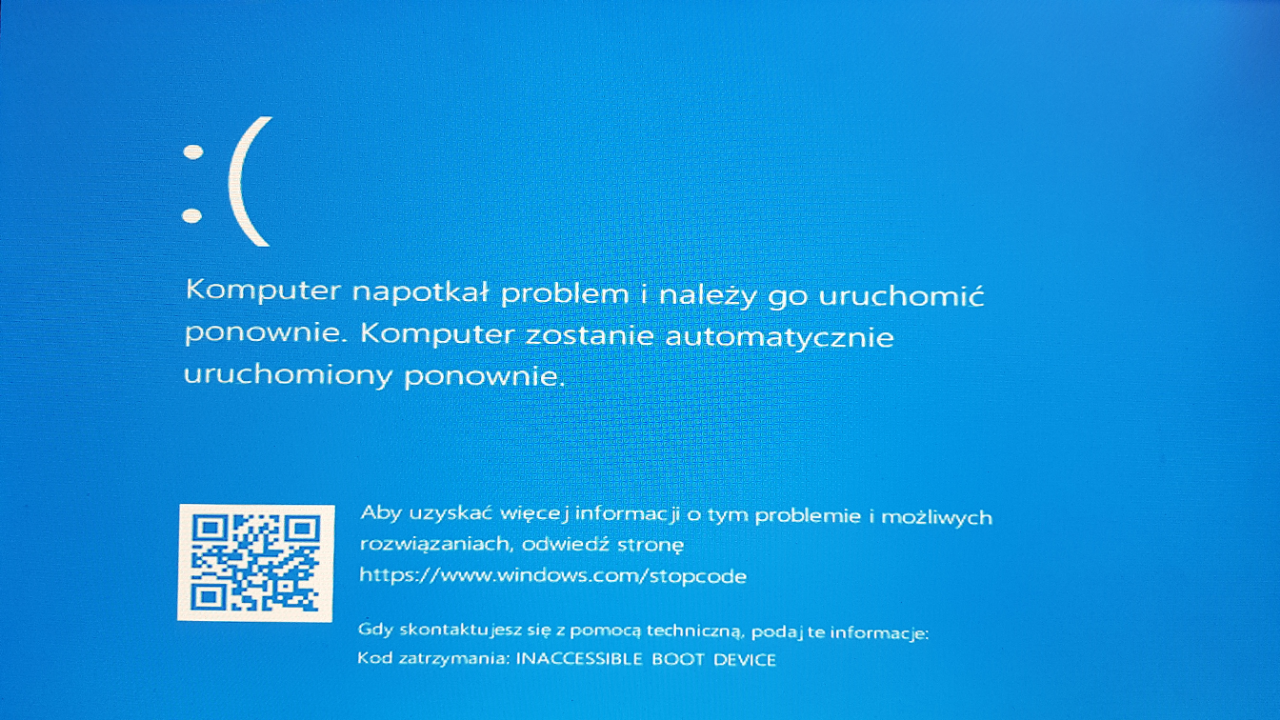
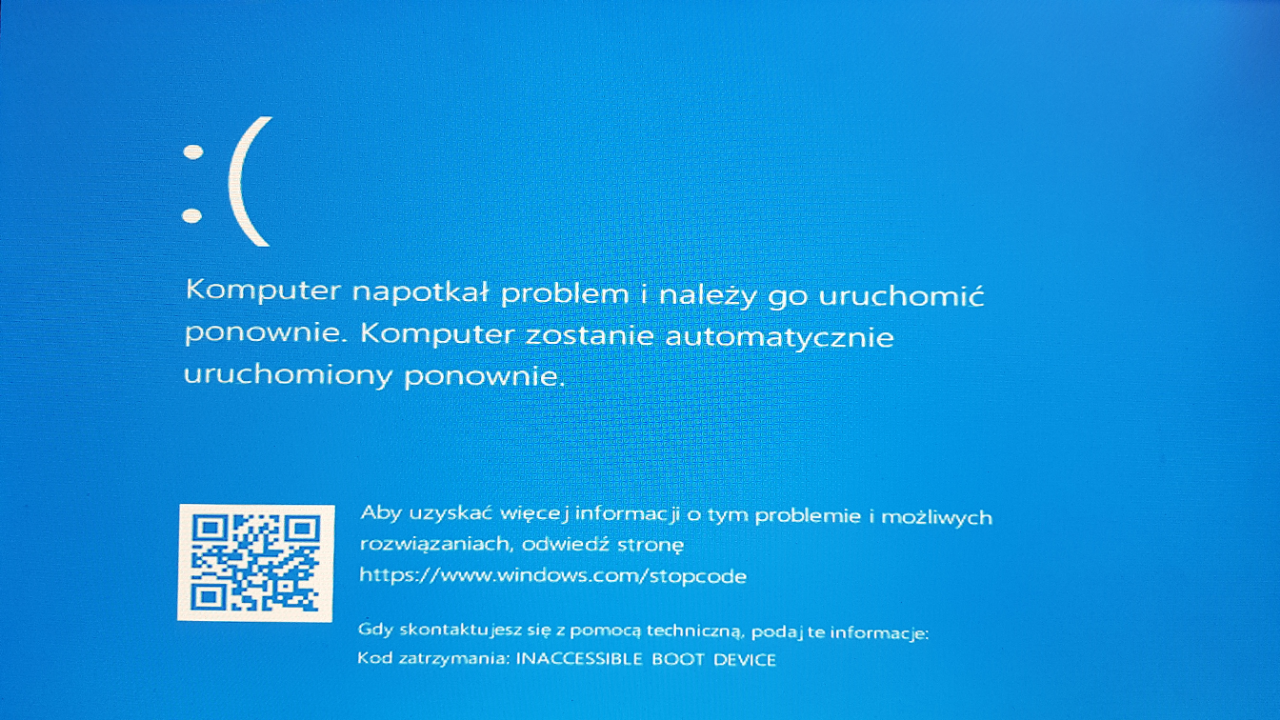
After instalation Optane 32GB and change in the bios ("SATA Mode Selection" from AHCI to Intel Optane) Windows 10 does not start.
Gigabyte z270 gaming k3
HDD WDC WD10EZEX
Windows 10 x64
GPT partition
Bios: Windows 8/10 Features >Windows 8/10 WHQL
Bios: Use RST Legacy OROM >Disable
링크가 복사됨

- 신규로 표시
- 북마크
- 구독
- 소거
- RSS 피드 구독
- 강조
- 인쇄
- 부적절한 컨텐트 신고
Did you updated latest bios firmware , which is supported for intel optane memory starting from f7
and latest bios is F9d
check the link
https://www.gigabyte.com/Motherboard/GA-Z270-Gaming-K3-rev-10# support-dl-bios GA-Z270-Gaming K3 (rev. 1.0) | Motherboard - GIGABYTE Global
method1
1.first update the bios firmware first to MB
2.again boot with optane memory , if windows boot normally means
3.download and install intel optane memory software , restart the computer
4.enable optane memory in the software
method 2
1.remove intel optane momory from MB , boot the windows harddisk normally
2.If windows boots normally ,, tthen go diskmanagement shrink atleast 1GB free space from last parttion , and make it unallocated
3.shutdown the computer 4.
4.add intel optane momory to MB
5..download and install intel optane memory software ,
restart the computer
enable optane memory in the software
method 3
1.remove intel optane momory from MB
2.boot the computer with windows 10 PE , and capture C;\ drive or windows partition to other USB pendrive with 32GB or 64GB
3.shutdown the computer
4. add intel optane momory to MB
5.go to BIOS . select UEFI mode, disable CSM
6.changes the SATA controller mode to 'Intel® RST Premium and System Acceleration with Intel® Optane™ Technology' mode,
DO NOT change the SATA controller mode back to 'AHCI'. Doing so, will prevent Intel® Optane™ memory from functioning properly.
7. convert the NVme ssd to GPT partition
8. install the Windows OS, create partitions of your choice ,leave 30GB free at l end of the disk , keep it unallocated
9. after installed and booting windows ,
10.download and install intel optane memory software
11.restart the computer
12.enable optane memory in the software
more information download and read about intel optane memory user guide
https://www.intel.com/content/dam/support/us/en/documents/memory-and-storage/optane-memory/intel-optane-memory-user-installation.pdf https://www.intel.com/content/dam/support/us/en/documents/memory-and-storage/optane-memory/intel-optane-memory-user-inst…
if you able to solve by my reply means , mark my answer as correct
- 신규로 표시
- 북마크
- 구독
- 소거
- RSS 피드 구독
- 강조
- 인쇄
- 부적절한 컨텐트 신고
Tested method1 and method2, no success.
"5.go to BIOS . select UEFI mode, disable CSM" no settings in bios
- 신규로 표시
- 북마크
- 구독
- 소거
- RSS 피드 구독
- 강조
- 인쇄
- 부적절한 컨텐트 신고
Just change SATA Mode Selection from Intel Optane to AHCI . Only in AHCI mode boot the windows normalny.

- 신규로 표시
- 북마크
- 구독
- 소거
- RSS 피드 구독
- 강조
- 인쇄
- 부적절한 컨텐트 신고
Hello MaTySpio,
Thank you for your interest in the Intel® Optane™ Memory.
I understand you are experiencing an issue while trying to setup your system.
Aside from the suggestions kindly provided by community member raju2529, have you tried testing your HDD in different SATA ports? This because sometimes lane sharing may cause the issue you describe.
I'll be waiting for your response.
Regards,
Andres V.
- 신규로 표시
- 북마크
- 구독
- 소거
- RSS 피드 구독
- 강조
- 인쇄
- 부적절한 컨텐트 신고
No operations helped.
Problem probably with the EFI boot loader on the GPT hard disk, helped reinstall Windows.
- 신규로 표시
- 북마크
- 구독
- 소거
- RSS 피드 구독
- 강조
- 인쇄
- 부적절한 컨텐트 신고
Hello MaTySpio,
I understand that you were able to setup your system after reinstalling your OS.
If you have any update or question don't hesitate to contact us.
Regards,
Andres V.
