
- 신규로 표시
- 북마크
- 구독
- 소거
- RSS 피드 구독
- 강조
- 인쇄
- 부적절한 컨텐트 신고
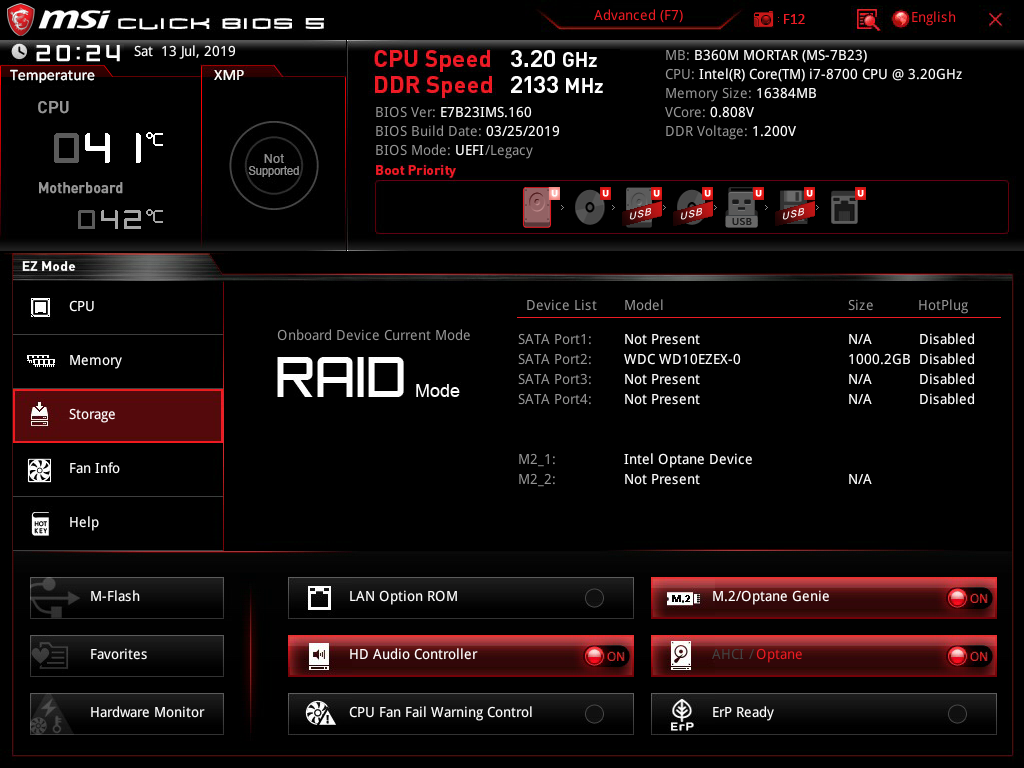
Im guess maybe be the problem is OS recognized is INTEL MEMPEK1W016GA and upload full log and img specifications.
Any suggestion to fix the problem ? Im already backup data so reinstall OS is ok.
Im follow lastest installation guilde: https://www.intel.com/content/dam/support/us/en/documents/memory-and-storage/optane-memory/intel-optane-memory-user-installation.pdf
Please reply soon !

링크가 복사됨
- 신규로 표시
- 북마크
- 구독
- 소거
- RSS 피드 구독
- 강조
- 인쇄
- 부적절한 컨텐트 신고
For MSI board, please use the MSI guide, rather them Intel's: https://www.youtube.com/watch?v=rs5IJq2SMtU
https://images-eu.ssl-images-amazon.com/images/I/81C8Kd65AES.pdf
Leon
- 신규로 표시
- 북마크
- 구독
- 소거
- RSS 피드 구독
- 강조
- 인쇄
- 부적절한 컨텐트 신고
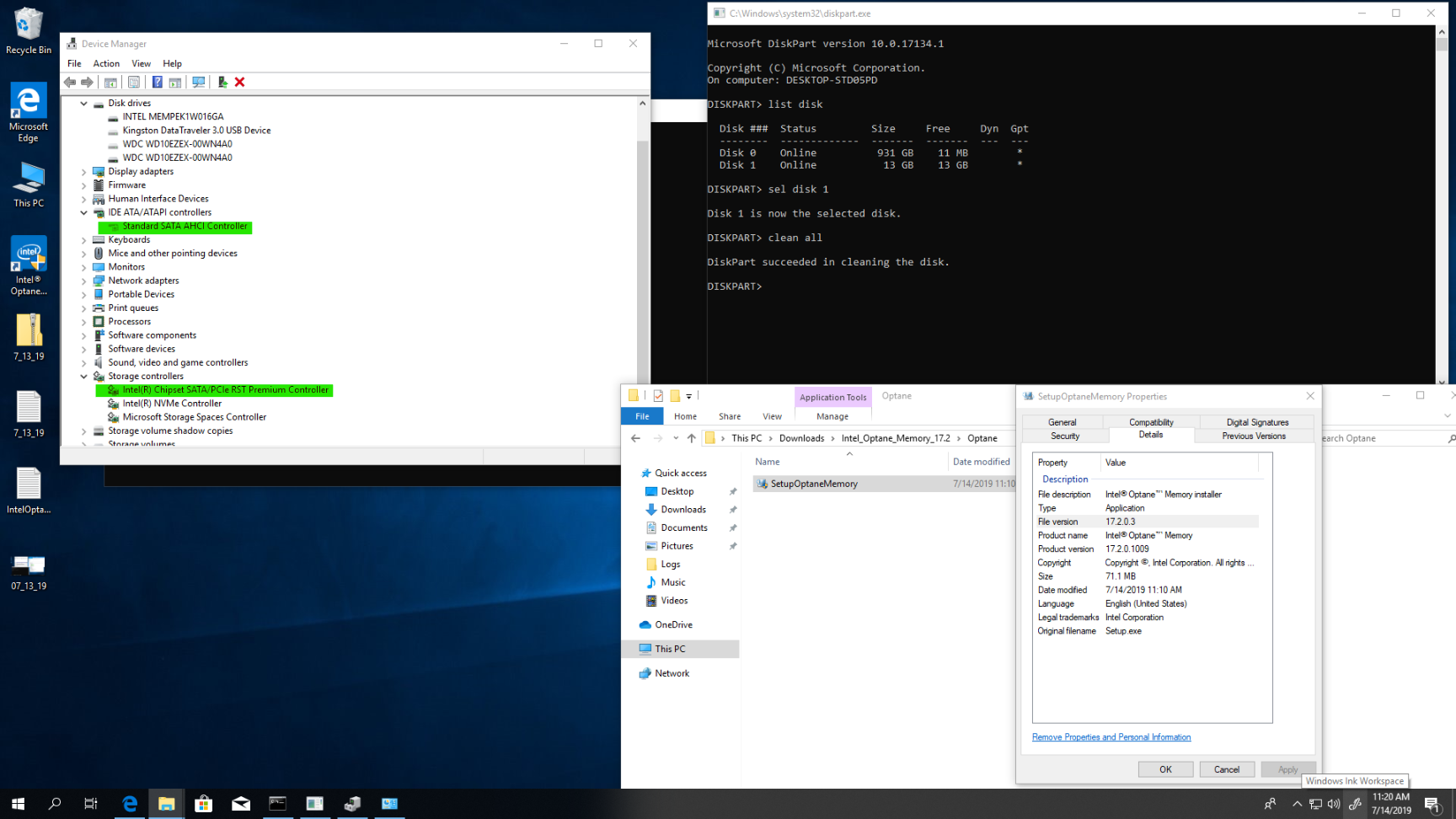
Thanks for the guilde ! Im already follow all step, lastest driver and bios but 'enable' is greyout in RST application like this !
- 신규로 표시
- 북마크
- 구독
- 소거
- RSS 피드 구독
- 강조
- 인쇄
- 부적절한 컨텐트 신고
- Looks that every thing you did is correct. I can see also the correct status in Disk Management and in Command Prompt.
- Since you know the diskpart command and list disk command, I would use select disk 1 (i.e. Optane memory module)command and then clean all. This will wipe any contents, if any, form the Optane Memory.
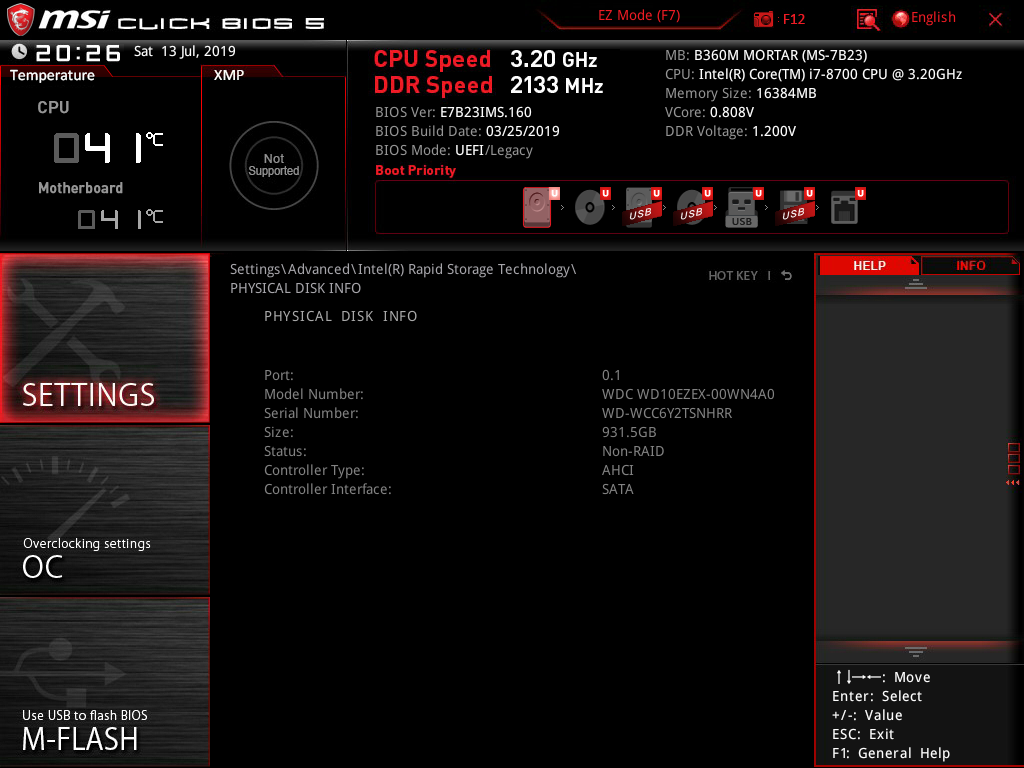
- I believe also that your bios was set with the "Optane Genie", so it should be OK.
- If still in the Optane Part of RST driver the "enable" is grayed, uninstall the RST driver and install the Optane Software: http://download.msi.com/dvr_exe/mb/Intel_Optane_Memory_17.2.zip . Use this software (instead the RST) to enable Optane memory.
Leon





- 신규로 표시
- 북마크
- 구독
- 소거
- RSS 피드 구독
- 강조
- 인쇄
- 부적절한 컨텐트 신고
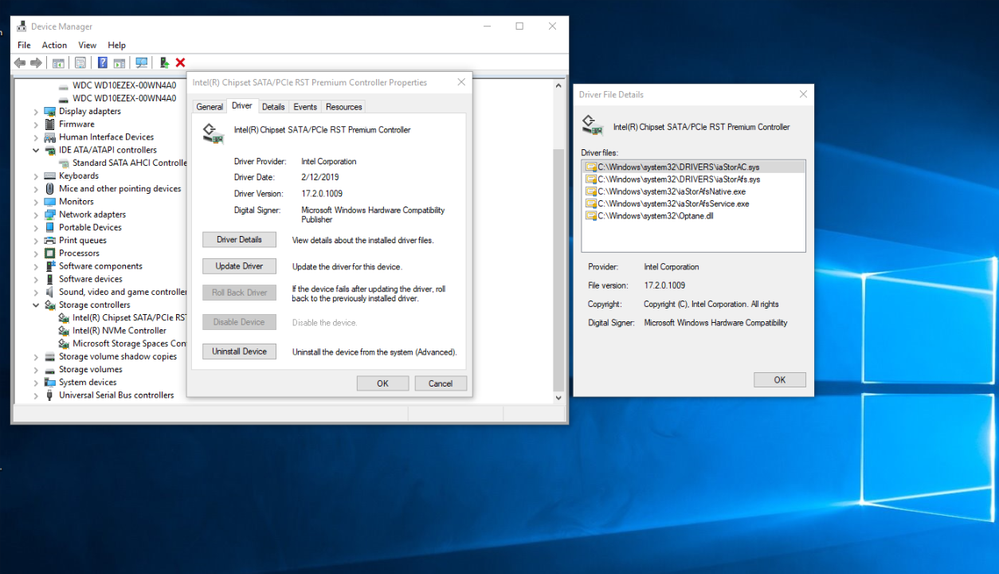
- I Have checked again the attached images. I can see that you have already the latest version of Optane Memory Software installed (and not as I thaught by mistake - RST driver). So, you don't need to uninstall this software.
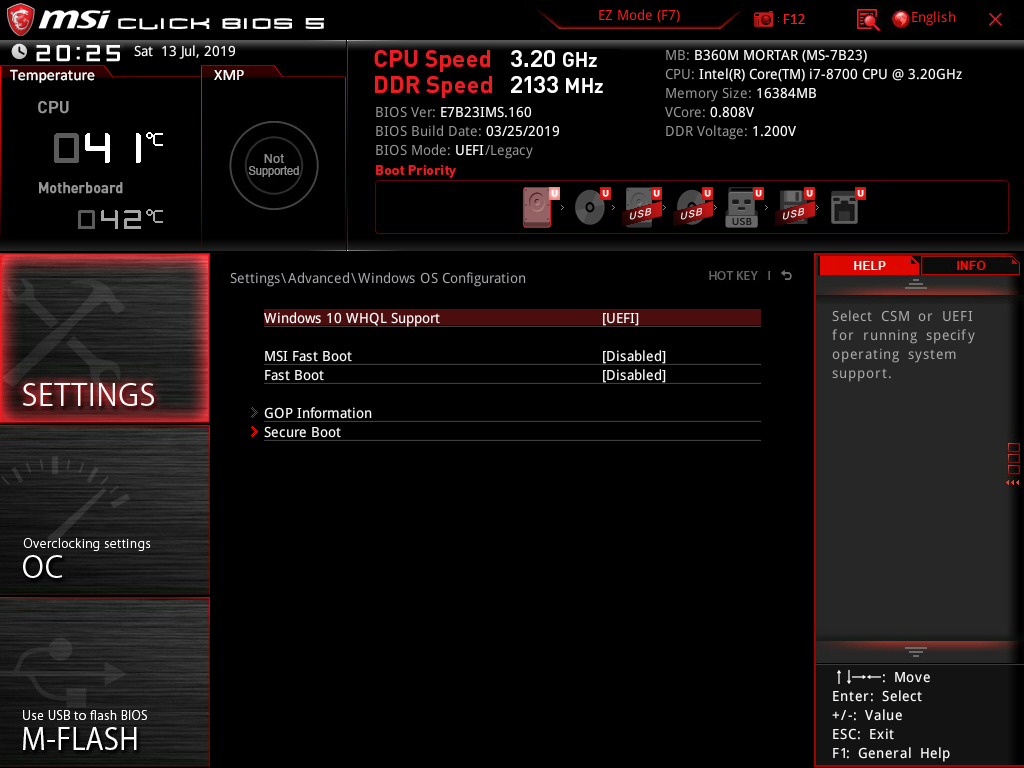
- You should only ensure that the Bios is set using Optane Genie and the Optane Memory Module is cleared with clear all command.
- If the above will not help, I have no other ideas except to replace the Optane Memory Module (which could be failed).
Leon
- 신규로 표시
- 북마크
- 구독
- 소거
- RSS 피드 구독
- 강조
- 인쇄
- 부적절한 컨텐트 신고
Thanks for your help ! I appreciate.
I think the problem is i reinstall Windows 10 when Intel Optane is installed, maybe i should take off Optane, reinstall OS them install Optane again !
- 신규로 표시
- 북마크
- 구독
- 소거
- RSS 피드 구독
- 강조
- 인쇄
- 부적절한 컨텐트 신고
- Reinstalling Windows before installing Optane Memory will not make any difference.
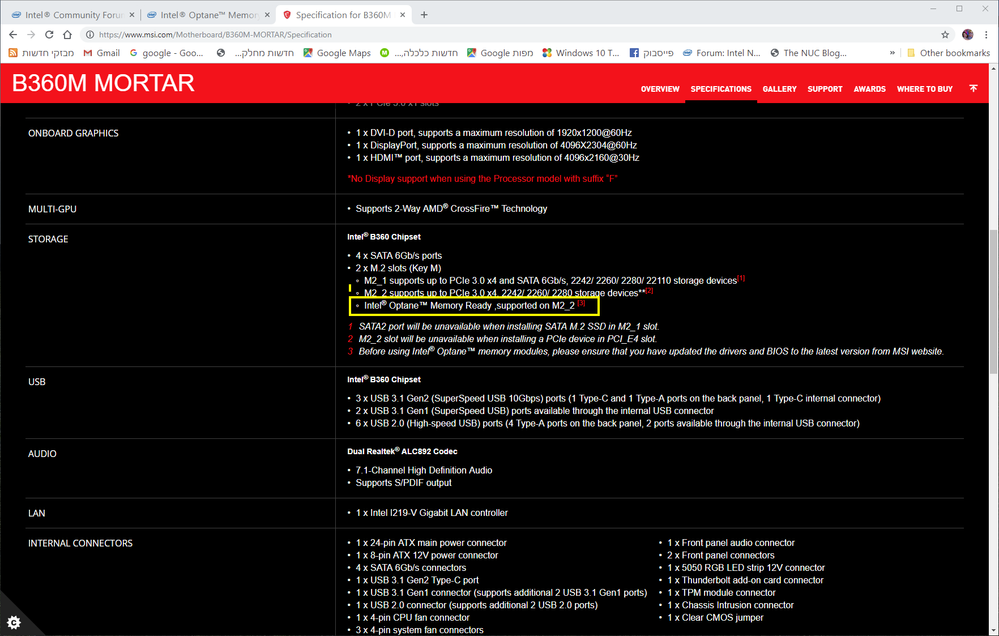
- Are you aware that the Optane Memory is supported only on M2_2 slot. If you have installed your Optane Memory in M2_1 slot, move is to M2_2 slot. The M2_2 slot is the slot located close to the board edge.
- You didn't confirmed that you erased contents of Optane Memory with clean all command.
Leon
- 신규로 표시
- 북마크
- 구독
- 소거
- RSS 피드 구독
- 강조
- 인쇄
- 부적절한 컨텐트 신고
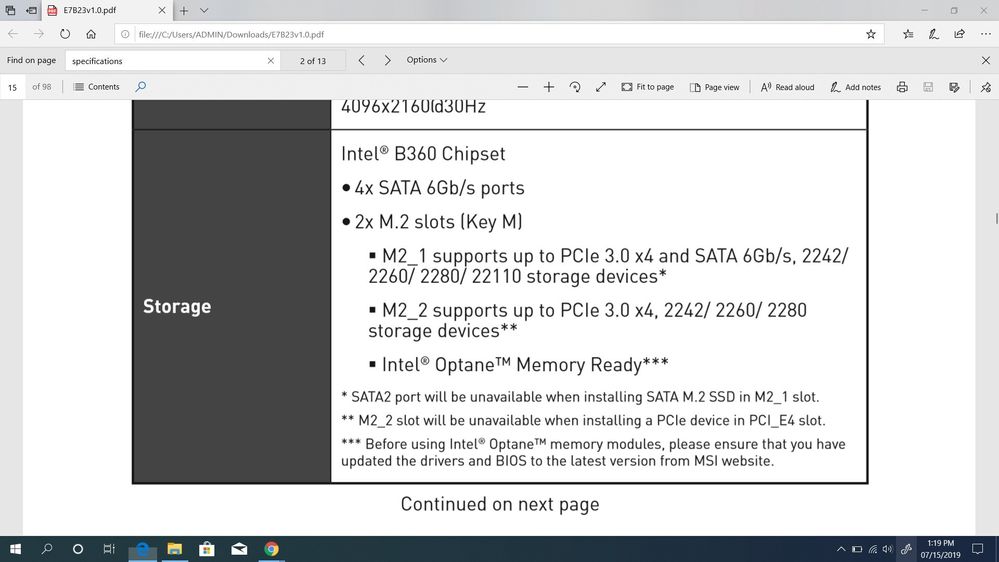
It seem both port support Intel Optane.
Yes i cleaned optane using diskpart also try KillDisk to full clean !
- 신규로 표시
- 북마크
- 구독
- 소거
- RSS 피드 구독
- 강조
- 인쇄
- 부적절한 컨텐트 신고
oh i see, my HDD is install on SATA2 port, but if it unavailable why still boot to Windows ?
maybe i will try change to M2_2 slot
- 신규로 표시
- 북마크
- 구독
- 소거
- RSS 피드 구독
- 강조
- 인쇄
- 부적절한 컨텐트 신고
Thanks for your help Leon ! I very appreciate
i change to M2_2 port it seem work now !
