
- Mark as New
- Bookmark
- Subscribe
- Mute
- Subscribe to RSS Feed
- Permalink
- Report Inappropriate Content
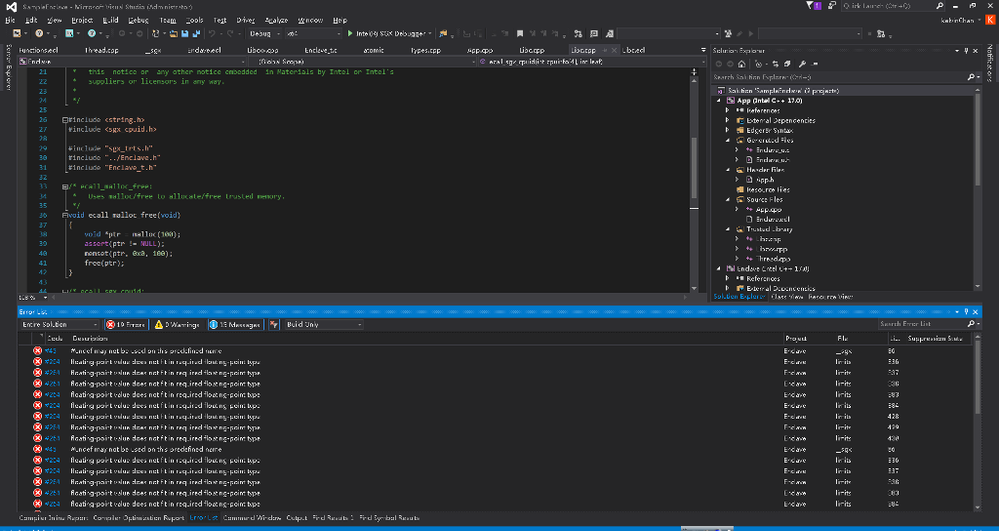
I have installed vs2015 update 3 with SDK 10 and Intel System studio
Link Copied

- Mark as New
- Bookmark
- Subscribe
- Mute
- Subscribe to RSS Feed
- Permalink
- Report Inappropriate Content
Hi:
Your error information is hard to see. Can you upload a clear picture or give us your error information in text.
Thanks
you

- Mark as New
- Bookmark
- Subscribe
- Mute
- Subscribe to RSS Feed
- Permalink
- Report Inappropriate Content
If I read it correctly it says the floating point value does not fit in floating point type.
The supported compiler according to the release notes is
Intel® Parallel Studio XE for Windows* Version 2016 Update 3
You can also try building the project using the Visual Studio 2015 compiler.
I am not familiar enough with Intel System Studio to understand why there is that mismatch in floating point size. I would check compiler options to see what the size each component thinks should be.
- Mark as New
- Bookmark
- Subscribe
- Mute
- Subscribe to RSS Feed
- Permalink
- Report Inappropriate Content
Sorry belated reply.
The error message as following:

- Mark as New
- Bookmark
- Subscribe
- Mute
- Subscribe to RSS Feed
- Permalink
- Report Inappropriate Content
This is a well known issue and it is because the SampleEnclave's project setting is configured to use the Intel C++ Compiler by default. Please either install Intel C++ compiler or change the project setting to use Visual Studio C++ Compiler. Please see attachment for an example on how to change the setting.


- Mark as New
- Bookmark
- Subscribe
- Mute
- Subscribe to RSS Feed
- Permalink
- Report Inappropriate Content
I have created a YouTube video for creating and compiling SGX application on the VS2015 from scratch. I have used Intel Parallel Studio XE 2017 along with SGX SDK 1.7 in the Video. Attached is the source codes that I have used in the video. I hope it helps.
- Mark as New
- Bookmark
- Subscribe
- Mute
- Subscribe to RSS Feed
- Permalink
- Report Inappropriate Content
Thanks Saeid , you are so helpful.
By the way, I have already deal with it by using vs compiler instead intel compiler.
Thanks all~

- Subscribe to RSS Feed
- Mark Topic as New
- Mark Topic as Read
- Float this Topic for Current User
- Bookmark
- Subscribe
- Printer Friendly Page