
- Mark as New
- Bookmark
- Subscribe
- Mute
- Subscribe to RSS Feed
- Permalink
- Report Inappropriate Content
Dear Team,
Initially web application worked well. But from last two days I'm unable to run the samples.
I tried installing with webplugin(Provided by Intel) many times, Its not working.Anyone getting the same problem.
Link Copied

- Mark as New
- Bookmark
- Subscribe
- Mute
- Subscribe to RSS Feed
- Permalink
- Report Inappropriate Content
What error you are getting ?
- Mark as New
- Bookmark
- Subscribe
- Mute
- Subscribe to RSS Feed
- Permalink
- Report Inappropriate Content
- Mark as New
- Bookmark
- Subscribe
- Mute
- Subscribe to RSS Feed
- Permalink
- Report Inappropriate Content
Did you tried on different browser ?
- Mark as New
- Bookmark
- Subscribe
- Mute
- Subscribe to RSS Feed
- Permalink
- Report Inappropriate Content
You need intel_rs_sdk_runtime_webapp_8.0.24.6528.exe

- Mark as New
- Bookmark
- Subscribe
- Mute
- Subscribe to RSS Feed
- Permalink
- Report Inappropriate Content
this javascript is currently broken on my laptop. it worked as recently as 2 weeks ago but not now. even with runtime_webapp fresh install no luck on either I.E., Edge, or Chrome.
the 400 error results from resourseaccesstoken return
{"error":{"code":400,"errors":[{"domain":"CapabilityProxy","extendedHelp":"","message":"","reason":"CP-

001","sendReport":""}],"message":"Invalid parameter received in request.","requestId":4}}
so it may be asking for something not created or some such.
- Mark as New
- Bookmark
- Subscribe
- Mute
- Subscribe to RSS Feed
- Permalink
- Report Inappropriate Content
Hi Khalil,
Tried on different browsers and installed the .exe
Any work arounds?
- Mark as New
- Bookmark
- Subscribe
- Mute
- Subscribe to RSS Feed
- Permalink
- Report Inappropriate Content
Hey Aravind ,
i am also facing same issue,
I tried on 3 different machines but showing same error.
- Mark as New
- Bookmark
- Subscribe
- Mute
- Subscribe to RSS Feed
- Permalink
- Report Inappropriate Content
https://software.intel.com/en-us/forums/realsense/topic/597883
earlier same issue was there with Javascript

- Mark as New
- Bookmark
- Subscribe
- Mute
- Subscribe to RSS Feed
- Permalink
- Report Inappropriate Content
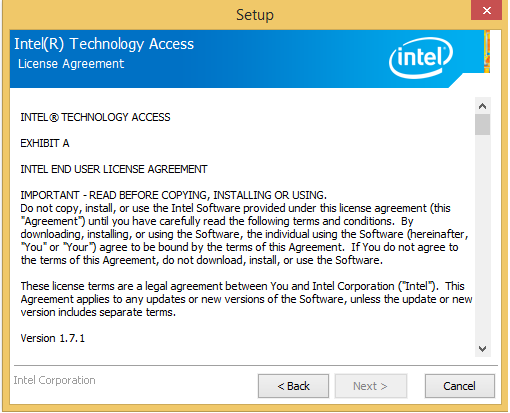
JS API page problem - We're trying to solve this - Could you please reply with your version of ITA (in control panel programs as Intel(R) Technology Access - something like 1.7.0.1011.
- Mark as New
- Bookmark
- Subscribe
- Mute
- Subscribe to RSS Feed
- Permalink
- Report Inappropriate Content
Colleen C. (Intel) wrote:
JS API page problem - We're trying to solve this - Could you please reply with your version of ITA (in control panel programs as Intel(R) Technology Access - something like 1.7.0.1011.
yes, Colleen, that 1.7.0.1011 version is what is installed on my laptop.
- Mark as New
- Bookmark
- Subscribe
- Mute
- Subscribe to RSS Feed
- Permalink
- Report Inappropriate Content
Thanks Citação, We believe there's a certificate issue and it's being worked. Stay tuned.
- Mark as New
- Bookmark
- Subscribe
- Mute
- Subscribe to RSS Feed
- Permalink
- Report Inappropriate Content
Update - a fix is in the works but has to clear multiple levels of security within Intel before any posting. So again please stay tuned.
- Mark as New
- Bookmark
- Subscribe
- Mute
- Subscribe to RSS Feed
- Permalink
- Report Inappropriate Content
- Mark as New
- Bookmark
- Subscribe
- Mute
- Subscribe to RSS Feed
- Permalink
- Report Inappropriate Content
There is a problem with the certificate in that version of ITA. Unfortunately it will take time to get the new version released, since there are multiple processes required to clear a new release thru security. Please stay tuned.

- Mark as New
- Bookmark
- Subscribe
- Mute
- Subscribe to RSS Feed
- Permalink
- Report Inappropriate Content
Thanks for addressing the issue. Is there an update on this issue?


- Mark as New
- Bookmark
- Subscribe
- Mute
- Subscribe to RSS Feed
- Permalink
- Report Inappropriate Content
Bump!
Experiencing the same issue. Is it universal or only for some installs?
If it takes a while to push a new release, can you give us a workaround or a manual way to fix the issue?
Thanks
- Mark as New
- Bookmark
- Subscribe
- Mute
- Subscribe to RSS Feed
- Permalink
- Report Inappropriate Content
Update - still working on what is good way to release and get those permissions. Unofficially, with no legal commit from Intel, let me suggest it might be the weekend before you see a posting.....(depending where you are in the world)
- Mark as New
- Bookmark
- Subscribe
- Mute
- Subscribe to RSS Feed
- Permalink
- Report Inappropriate Content
There has been an issue lately in launching any browser-based apps for the Intel® RealSense™ technology. The issue is fixed and your web software will be updated in the next scheduled update window (within 30 days.) In the interim, you can go to this link to manually update the web software.
https://downloadcenter.intel.com/download/25435 (version 1.9.x of ITA)
- Mark as New
- Bookmark
- Subscribe
- Mute
- Subscribe to RSS Feed
- Permalink
- Report Inappropriate Content
works like a charm - thank you
- Mark as New
- Bookmark
- Subscribe
- Mute
- Subscribe to RSS Feed
- Permalink
- Report Inappropriate Content
Dear Colleen C & Ahmad,
It is not working for me. Could you guide me.

- Subscribe to RSS Feed
- Mark Topic as New
- Mark Topic as Read
- Float this Topic for Current User
- Bookmark
- Subscribe
- Printer Friendly Page