
- 신규로 표시
- 북마크
- 구독
- 소거
- RSS 피드 구독
- 강조
- 인쇄
- 부적절한 컨텐트 신고
I have an E: drive associated with my Intel Optane and it will randomly disappear. On reboot, it comes right back.
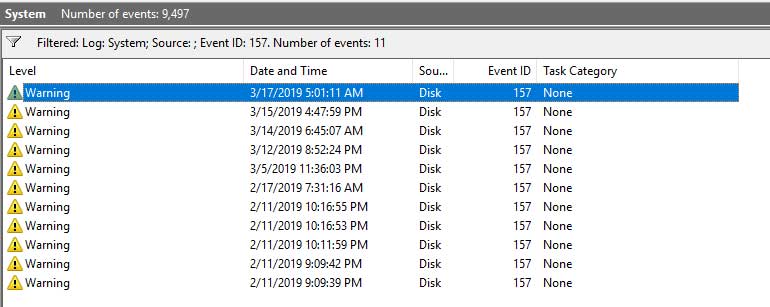
When I look in the System event logs, I see an error associated with that states "Disk 2 has been surprise removed.".
This started happening after I got the Optane card working with the drive.
Any idea what could be causing this?
링크가 복사됨

- 신규로 표시
- 북마크
- 구독
- 소거
- RSS 피드 구독
- 강조
- 인쇄
- 부적절한 컨텐트 신고
- 신규로 표시
- 북마크
- 구독
- 소거
- RSS 피드 구독
- 강조
- 인쇄
- 부적절한 컨텐트 신고
- 신규로 표시
- 북마크
- 구독
- 소거
- RSS 피드 구독
- 강조
- 인쇄
- 부적절한 컨텐트 신고
- 신규로 표시
- 북마크
- 구독
- 소거
- RSS 피드 구독
- 강조
- 인쇄
- 부적절한 컨텐트 신고
- 신규로 표시
- 북마크
- 구독
- 소거
- RSS 피드 구독
- 강조
- 인쇄
- 부적절한 컨텐트 신고
- 신규로 표시
- 북마크
- 구독
- 소거
- RSS 피드 구독
- 강조
- 인쇄
- 부적절한 컨텐트 신고
- 신규로 표시
- 북마크
- 구독
- 소거
- RSS 피드 구독
- 강조
- 인쇄
- 부적절한 컨텐트 신고
It has not happened since the last time. Should I go ahead and post the logs or wait until it happens again?
Also would it be better to do the logs when the problem is occurring? For example, when the E: drive is missing?
- 신규로 표시
- 북마크
- 구독
- 소거
- RSS 피드 구독
- 강조
- 인쇄
- 부적절한 컨텐트 신고
- 신규로 표시
- 북마크
- 구독
- 소거
- RSS 피드 구독
- 강조
- 인쇄
- 부적절한 컨텐트 신고
- 신규로 표시
- 북마크
- 구독
- 소거
- RSS 피드 구독
- 강조
- 인쇄
- 부적절한 컨텐트 신고
- 신규로 표시
- 북마크
- 구독
- 소거
- RSS 피드 구독
- 강조
- 인쇄
- 부적절한 컨텐트 신고
- 신규로 표시
- 북마크
- 구독
- 소거
- RSS 피드 구독
- 강조
- 인쇄
- 부적절한 컨텐트 신고
As I said in a previous post, it has not happened in a week or so. Can we leave this ticket open for a week or so in the event it happens again.
When it does happen, what do you want me to upload
- 신규로 표시
- 북마크
- 구독
- 소거
- RSS 피드 구독
- 강조
- 인쇄
- 부적절한 컨텐트 신고
- 신규로 표시
- 북마크
- 구독
- 소거
- RSS 피드 구독
- 강조
- 인쇄
- 부적절한 컨텐트 신고

- 신규로 표시
- 북마크
- 구독
- 소거
- RSS 피드 구독
- 강조
- 인쇄
- 부적절한 컨텐트 신고
Hi Wibble,
Greetings from Intel® SSD Support.
This is a friendly reminder your case remains open, awaiting for your reply.
Please let us know if you might need further assistance.
Have a nice day.
Best regards,
Santiago A.
Intel® Customer Support Technician
Under Contract to Intel Corporation
- 신규로 표시
- 북마크
- 구독
- 소거
- RSS 피드 구독
- 강조
- 인쇄
- 부적절한 컨텐트 신고
It just happened again. Suddenly E: drive is missing and when I check event viewer it states:
"Disk 2 has been surprise removed."
On reboot it comes back.
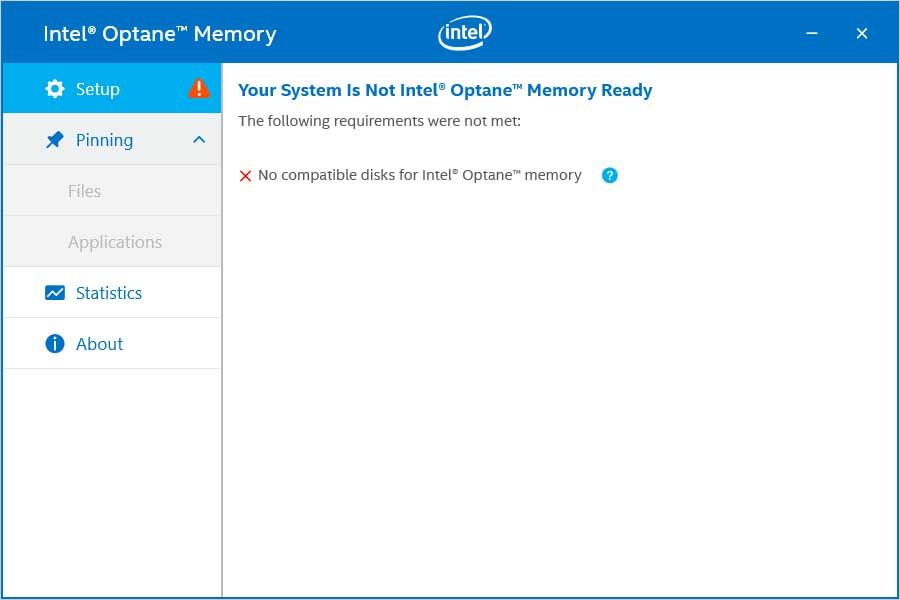
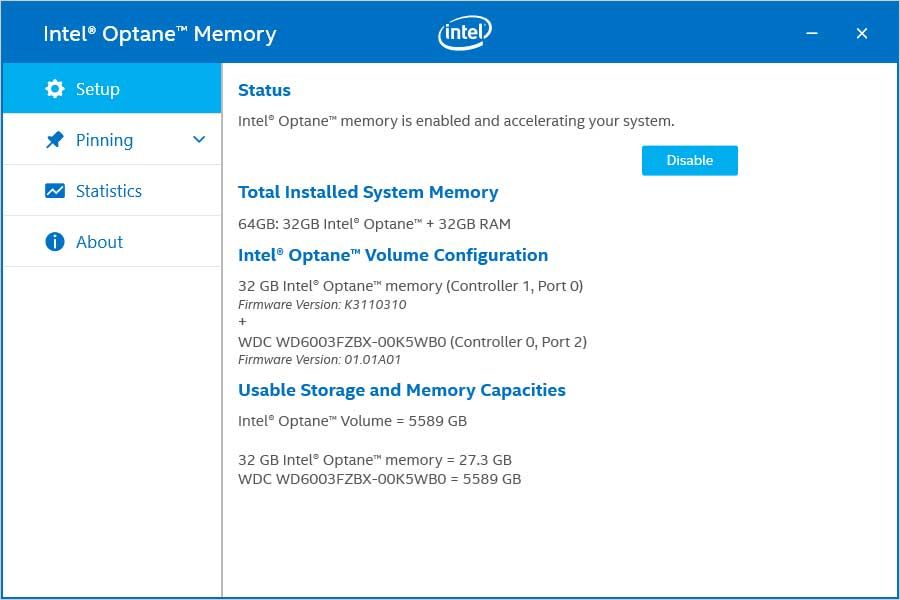
Below are images of the Optane utilize before and after reboot.
Before reboot and when E: drive is missing:
After reboot:

Can you please send me an email so I can send before and after SSU logs privately?
Also If I do an RMA on the drive, how do I disable Optane on it while I swap it out ? Just go into the utilize and click the Disable button?
Thank you
- 신규로 표시
- 북마크
- 구독
- 소거
- RSS 피드 구독
- 강조
- 인쇄
- 부적절한 컨텐트 신고
