
- Mark as New
- Bookmark
- Subscribe
- Mute
- Subscribe to RSS Feed
- Permalink
- Report Inappropriate Content
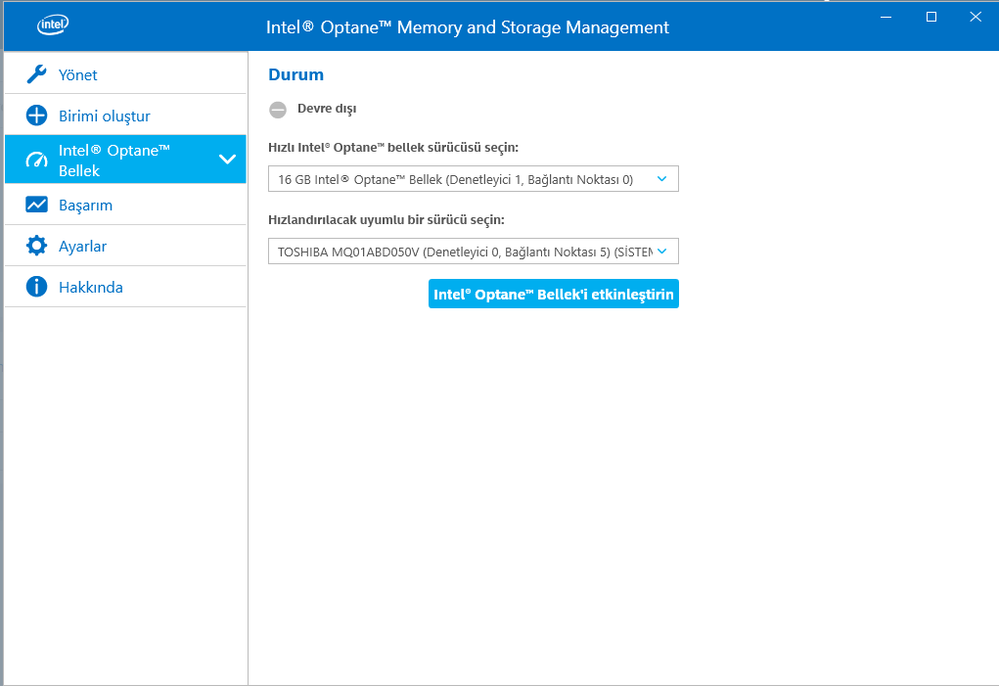
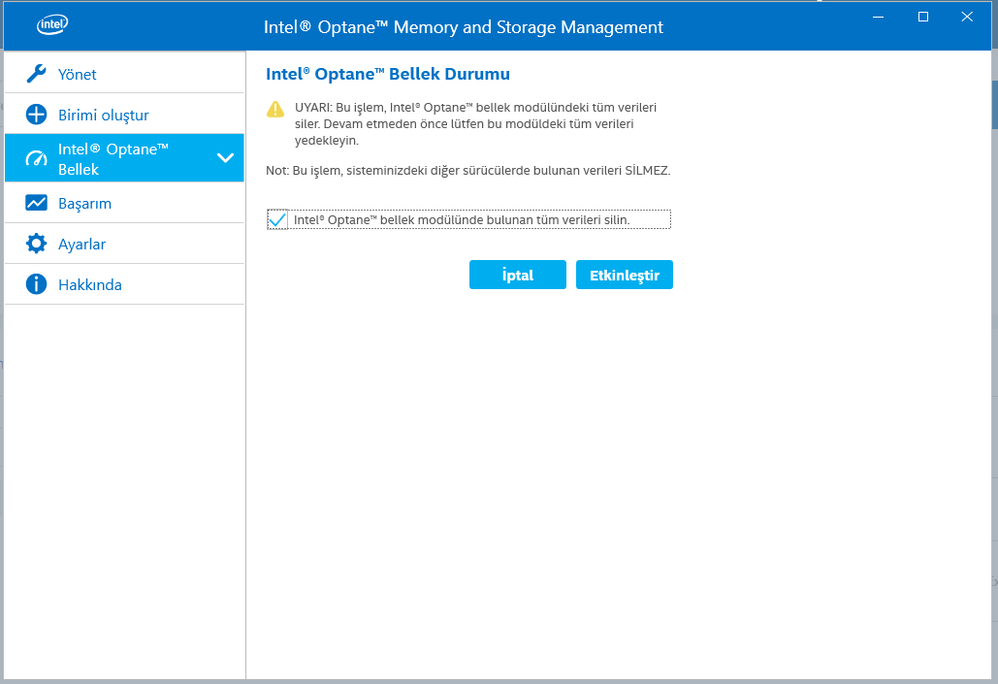
Hello guys, I have a problem with optane memory about activation. When I say Activate, I get this error code. Hata kodu 0xA0010055. I could't find any solution way. Can you help me solve this problem, pls


- Mark as New
- Bookmark
- Subscribe
- Mute
- Subscribe to RSS Feed
- Permalink
- Report Inappropriate Content
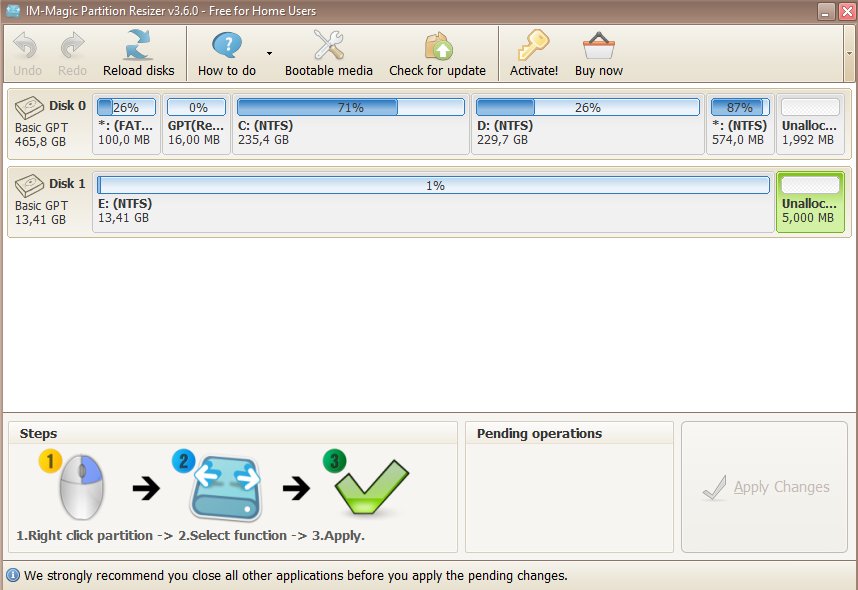
The unallocated space should be created at the end of the drive boeing accelerated. In your case this is Disk 0. "C" and "D" are the partitions on Disk 0. That means that the unallocated space should be created after Recovery Partition at the end of Drive 0. You can move the Recovery Partition and create free space at the end of your drive by using third party tools. This is an example how to do this. There are other third party tools capable to moving partition.
Leon
Link Copied
- « Previous
-
- 1
- 2
- Next »

- Mark as New
- Bookmark
- Subscribe
- Mute
- Subscribe to RSS Feed
- Permalink
- Report Inappropriate Content
Hello MahmutYalmanci,
We have not heard from you since your last post 7 days ago, please, let us know if you need further assistance related to your Intel® Optane™ Memory Series.
We will be looking forward to your reply.
Best regards,
Josh B.
Intel® Customer Support Technician
A Contingent Worker at Intel®
- Mark as New
- Bookmark
- Subscribe
- Mute
- Subscribe to RSS Feed
- Permalink
- Report Inappropriate Content
I created 5 MB of unallocated space and ı deleted optane memory's partition but I still getting the same error
- Mark as New
- Bookmark
- Subscribe
- Mute
- Subscribe to RSS Feed
- Permalink
- Report Inappropriate Content
Can you help on discord or in a similar program, so I can share my screen and we can solve the problem more quickly.
- Mark as New
- Bookmark
- Subscribe
- Mute
- Subscribe to RSS Feed
- Permalink
- Report Inappropriate Content
Hello MahmutYalmanci,
Thank you for your reply.
We do apologize, but Discord* is not a program that we use to provide support.
We noticed that you created a Partition in your Intel® Optane™ Memory Series, that is not necessary, and it needs to be shown as unallocated space and without any partitions.
We will like to know if the Intel® Optane™ Memory came pre-installed with your PC?
If you are interested in receiving live support (phone or chat) for your issue, we advise you to open a ticket with support in your location (https://www.intel.com.tr/content/www/tr/tr/support/contact-support.html?erpm_id=2885212#@15).
We will be looking forward to the information requested.
Best regards,
Josh B.
Intel® Customer Support Technician
A Contingent Worker at Intel®
- Mark as New
- Bookmark
- Subscribe
- Mute
- Subscribe to RSS Feed
- Permalink
- Report Inappropriate Content
yes it was installed before, i just bought the computer, after a few months my hard disk was broken and i changed the hard disk, i installed windows again but i couldn't activate optane memory
- Mark as New
- Bookmark
- Subscribe
- Mute
- Subscribe to RSS Feed
- Permalink
- Report Inappropriate Content
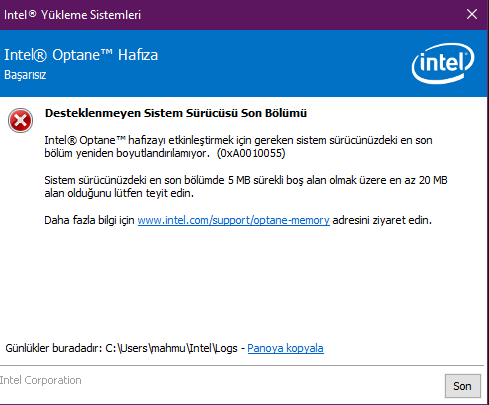
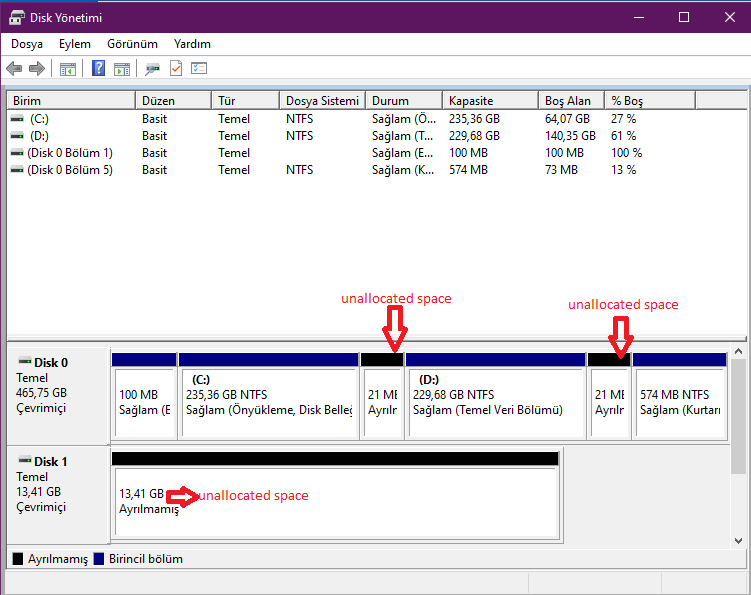
I tried setup again optane memory setup software at this link: https://downloadcenter.intel.com/download/29340/Intel-Optane-Memory-User-Interface-and-Driver-for-System-Acceleration and again i got the same error, says in the error: Please confirm that there is at least 20 MB of space in the last part of your system drive, 5 MB of which is always free. But I already have 20 MB of space. I am really bored, why this problem is still not solved.
- Mark as New
- Bookmark
- Subscribe
- Mute
- Subscribe to RSS Feed
- Permalink
- Report Inappropriate Content
The unallocated space have to be at end of the drive boeing accelerated. Please refer to Intel Optane Installation Guide, page 7.
Leon
- Mark as New
- Bookmark
- Subscribe
- Mute
- Subscribe to RSS Feed
- Permalink
- Report Inappropriate Content
- Mark as New
- Bookmark
- Subscribe
- Mute
- Subscribe to RSS Feed
- Permalink
- Report Inappropriate Content
and I don't know how to create unallocated space at the end of the drive
- Mark as New
- Bookmark
- Subscribe
- Mute
- Subscribe to RSS Feed
- Permalink
- Report Inappropriate Content
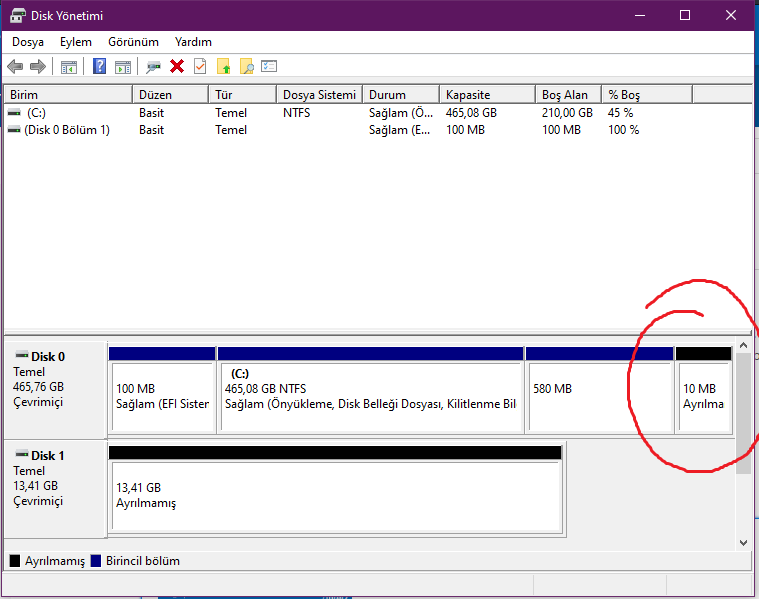
The unallocated space should be created at the end of the drive boeing accelerated. In your case this is Disk 0. "C" and "D" are the partitions on Disk 0. That means that the unallocated space should be created after Recovery Partition at the end of Drive 0. You can move the Recovery Partition and create free space at the end of your drive by using third party tools. This is an example how to do this. There are other third party tools capable to moving partition.
Leon
- Mark as New
- Bookmark
- Subscribe
- Mute
- Subscribe to RSS Feed
- Permalink
- Report Inappropriate Content
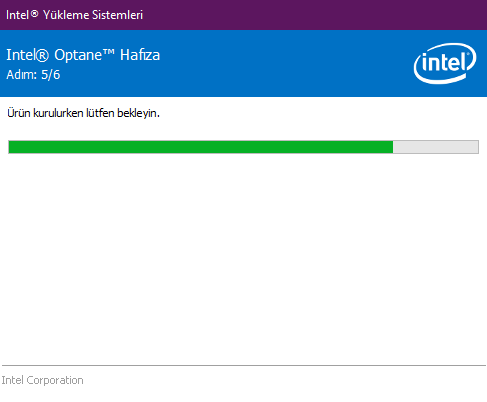
I think I succeeded in the end, I'm doing the installation now.
- Mark as New
- Bookmark
- Subscribe
- Mute
- Subscribe to RSS Feed
- Permalink
- Report Inappropriate Content
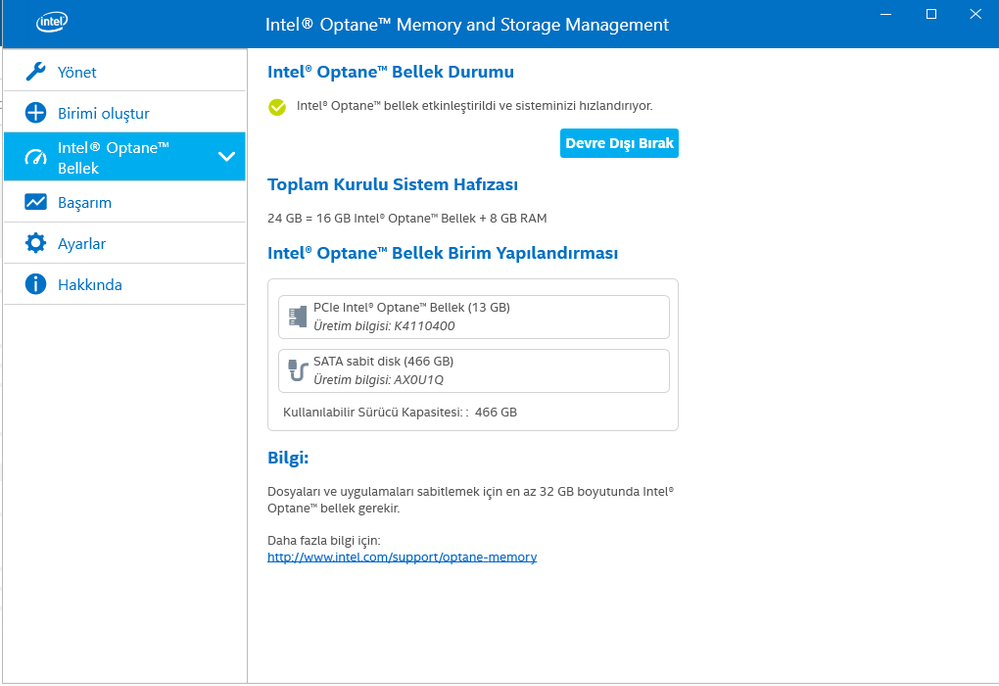
Finally :) Thx for your helps
- Mark as New
- Bookmark
- Subscribe
- Mute
- Subscribe to RSS Feed
- Permalink
- Report Inappropriate Content
I'm glad that your Optane is finally enabled. Do not forget to create backup of your drive. I'm using Macrium Reflect software to create backup. I have backup of my drive also with Optane disabled. This will protect me from loosing my data in case that Optane Memory Module fails. If Optane Module fails, Your drive will become not accessible. So, better to have a backup with Optane disabled.
Leon
- Mark as New
- Bookmark
- Subscribe
- Mute
- Subscribe to RSS Feed
- Permalink
- Report Inappropriate Content

- Subscribe to RSS Feed
- Mark Topic as New
- Mark Topic as Read
- Float this Topic for Current User
- Bookmark
- Subscribe
- Printer Friendly Page
- « Previous
-
- 1
- 2
- Next »